Stop wrestling with the command line. Start creating.
A clean, fast, VRAM-friendly GUI for Stable Diffusion 1.5 — built with PyQt6.




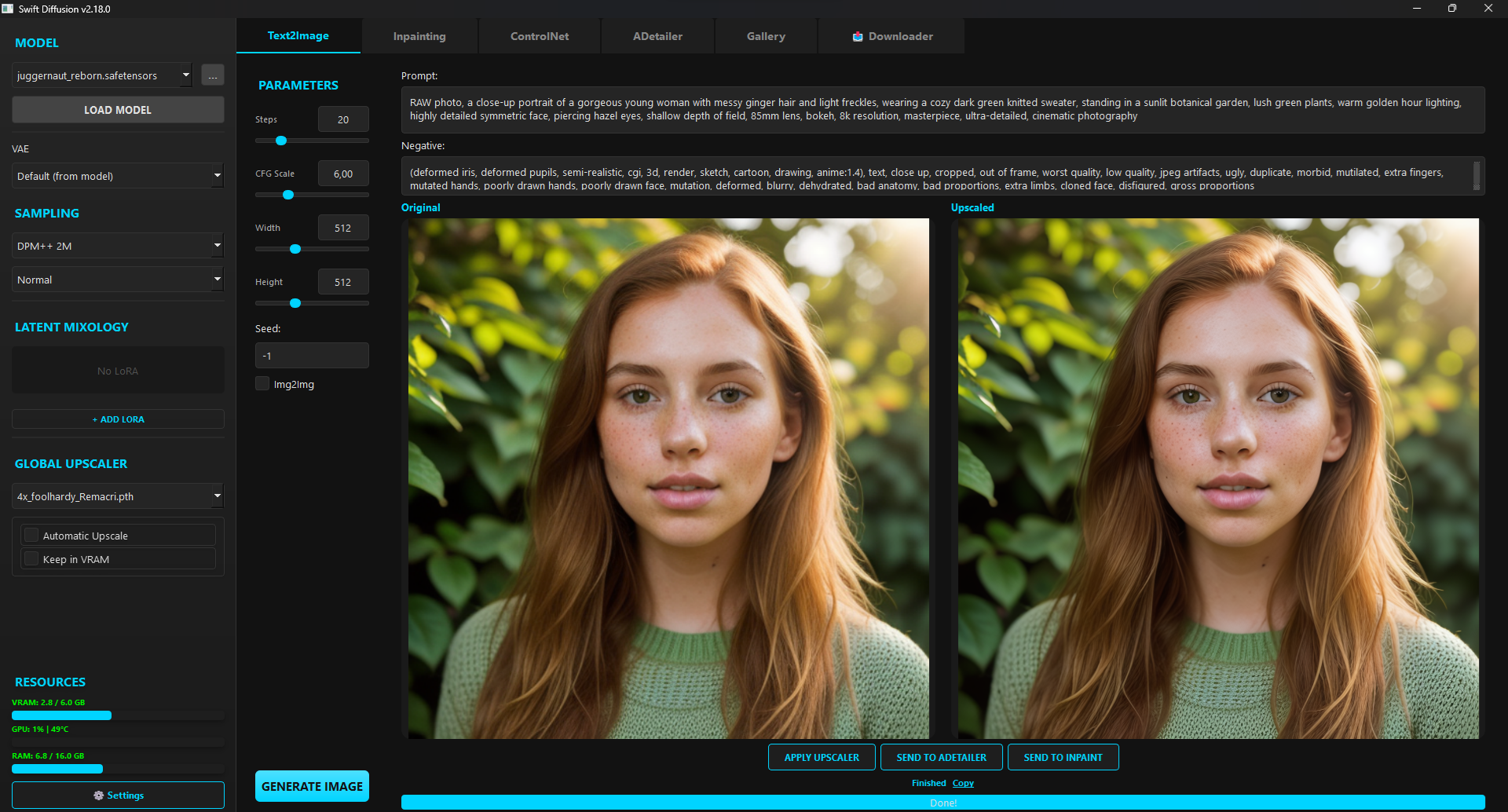
Main generation window
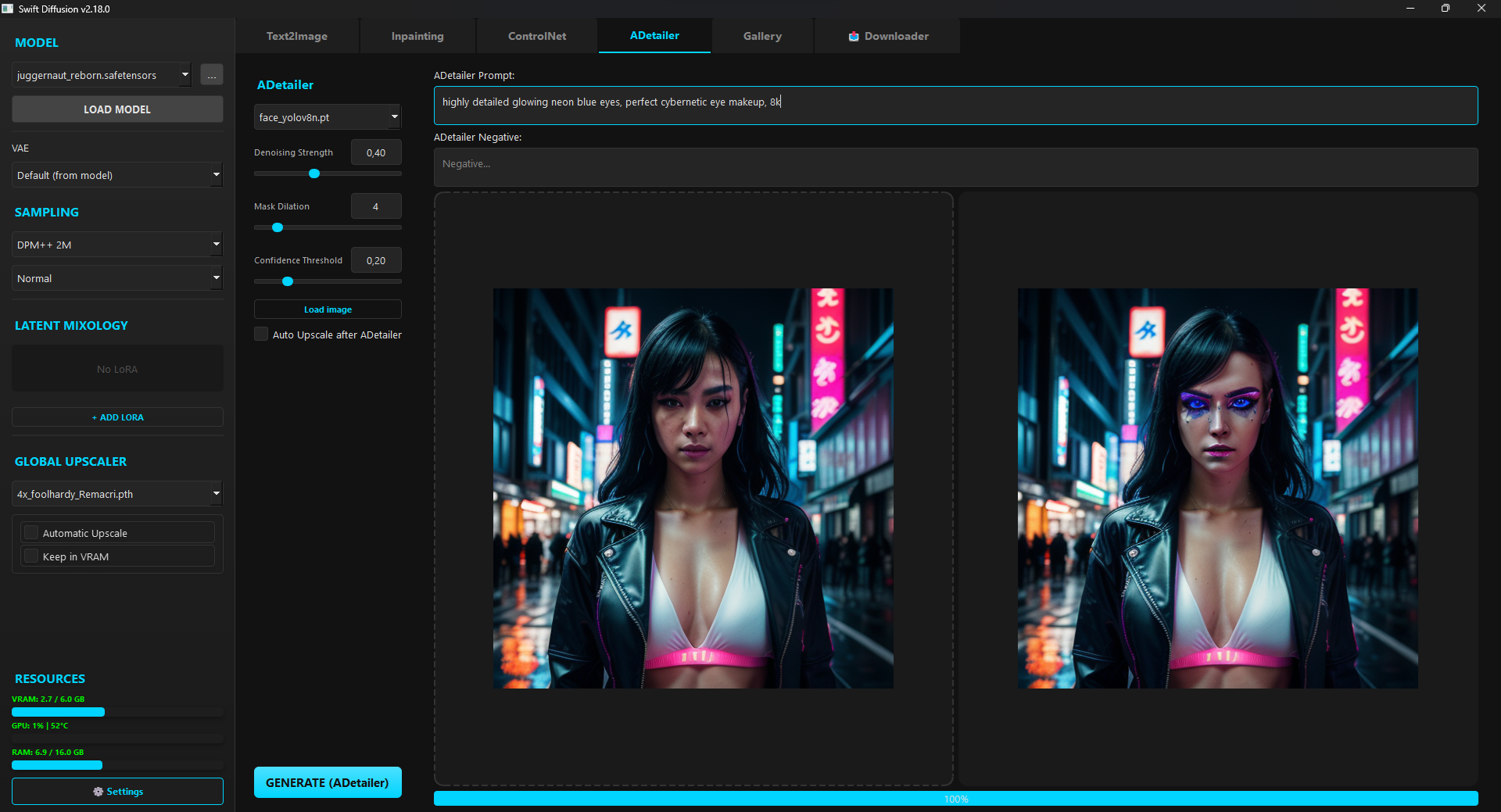
ADetailer — automatic face enhancement
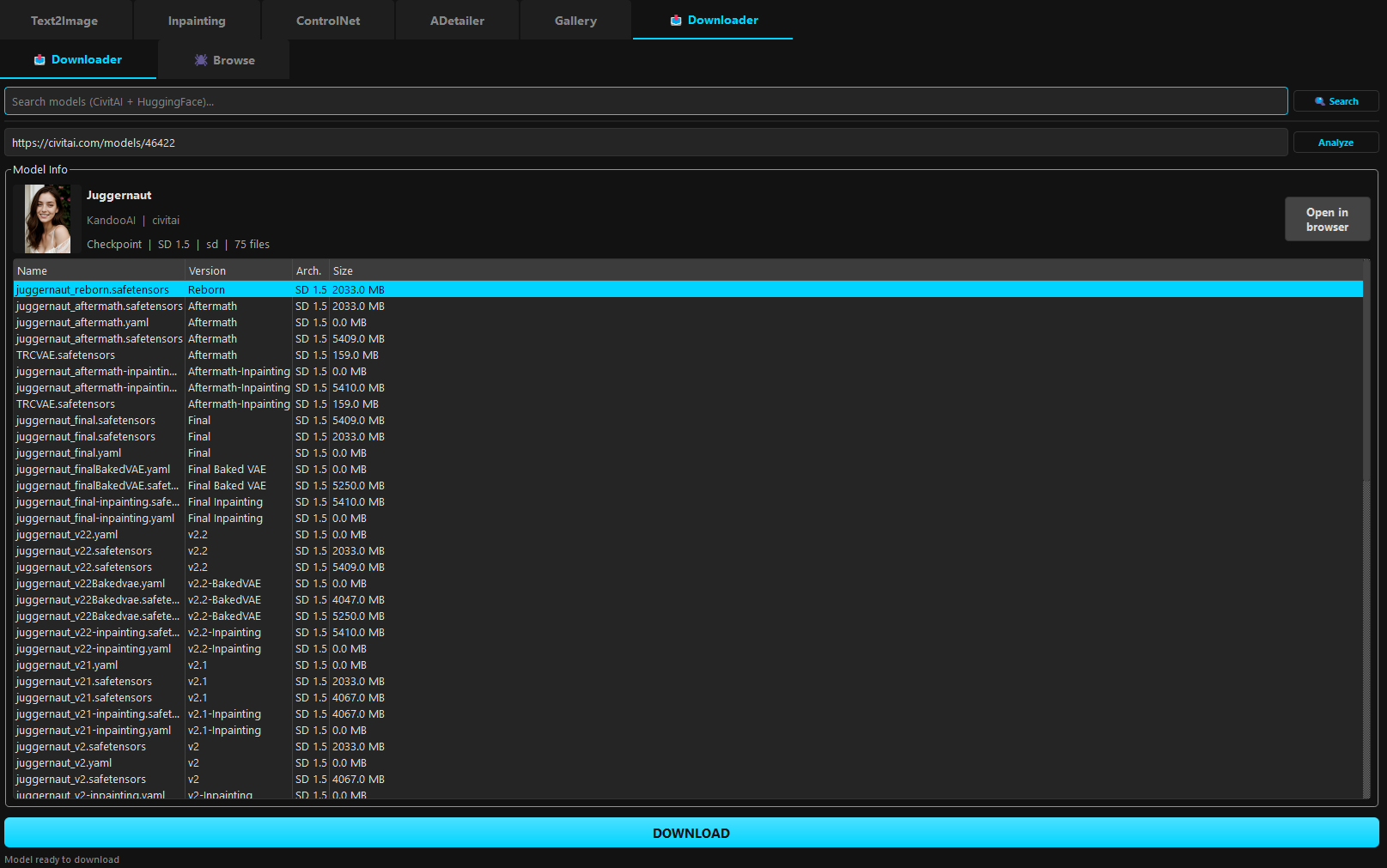
Built-in model downloader for CivitAI & HuggingFace
| Mode | What it's for |
|---|---|
| Text2Image | Generate from a prompt with full control over sampler, scheduler, CFG, steps, and dimensions |
| Img2Img | Transform an existing image guided by your prompt |
| Inpainting | Paint a mask over any area and regenerate just that part — with full Undo/Redo (Ctrl+Z/Y) |
| ControlNet (Canny) | Guide generation using the edge structure of a reference image |
| ADetailer | Automatically detect and enhance faces using YOLOv8 — zero extra VRAM cost |
| Upscaler | High-quality upscaling via the spandrel library |
- First Launch Wizard — choose your language and theme before anything else
- 7 dark themes — Dark, Amber, Nord, Dracula, Monokai, Forest, Ocean — with optional custom accent color
- Performance controls — VRAM Slicing, Attention Slicing, CPU Offloading, auto VRAM clear
- Fully translatable — add any language by dropping a JSON file into
locales/
- URL Downloader — paste a CivitAI or HuggingFace link and SwiftDiffusion handles the rest: downloads, categorizes, and makes the model available instantly
- Live refresh — add a model to disk and the UI picks it up automatically, no restart needed (
QFileSystemWatcher) - Latent Mixology Station — blend up to 5 LoRA adapters simultaneously with a visual weight mixer
- Auto-detects
.safetensors,.pth,.onnx, and other common formats
- Browse generated images in the built-in file explorer
- One-click recall — read prompt, seed, and all settings from PNG metadata and restore them to the pipeline instantly
- Floating HTML guides for ControlNet and Inpainting
Real-time VRAM, RAM, GPU load, and temperature — visible in the sidebar at all times.
1. Clone or download this repo
2. Run install.bat
3. Run start.bat
install.bat sets up a virtual environment, installs PyTorch with CUDA 12.8 support, and pulls all dependencies automatically.
pip install -r requirements.txt
python main.py| Python | 3.10+ |
| GPU | CUDA-compatible, 6 GB VRAM recommended (GTX 1060 or better) |
| OS | Windows / Linux (PyQt6 required) |
SwiftDiffusion/
├── main.py            # UI & application entry point
├── engine.py          # Diffusion pipeline logic
├── worker.py          # Background QThread workers
├── widgets.py         # Reusable UI components
├── config.py          # Settings & i18n loader
├── models_registry.py # Model scanner & registry
├── url_downloader.py  # CivitAI / HuggingFace downloader
├── scraper.py         # Model search scraper
├── install.bat        # Windows installer
├── start.bat          # Windows launcher
├── locales/           # Translation files (en, pl, ...)
└── docs/              # Floating HTML guides
If SwiftDiffusion saves you time, consider buying me a coffee:
