AI-powered CLI learning system for Programming Languages such as Python, Java, JavaScript, HTML, Artificial Intelligence, Machine Learning, Data Science, Cybersecurity, and more.
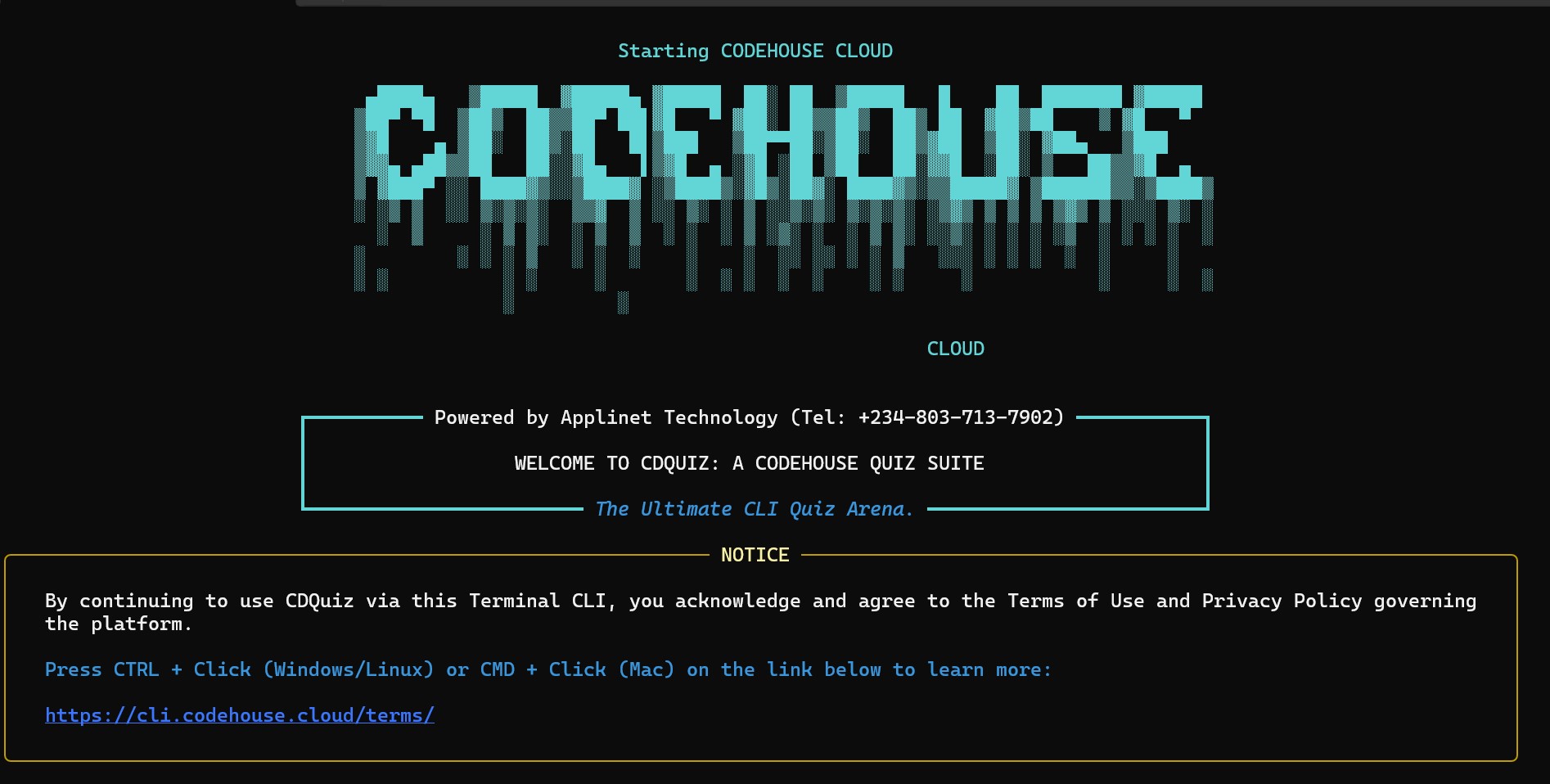
cdquiz is a terminal-based interactive learning platform built by Applinet Technology under the CodeHouse Cloud Initiative.
It transforms your terminal into a smart classroom where users can:
- Learn interactively
- Practice real technical skills
- Earn QuizCoins
- Track learning progress
- Compete globally
- Receive AI-powered explanations
CodeHouse Quiz Suite provides a modern learning experience directly from the command line.
Features include:
- AI-powered answer explanations
- QuizCoin reward system
- Smart scoring and ranking engine
- Global leaderboard system
- Fast and lightweight CLI experience
- Secure quiz sessions
- Real-time progress tracking
- Resume unfinished quizzes
- Multi-category learning structure
- Anti-cheat and secure validation system
Supported and expanding areas include:
- Python
- Java
- JavaScript
- HTML
- Django
- Flask
- APIs
- Backend Development
- Additional programming technologies
- Artificial Intelligence
- Machine Learning
- Data Science
- Cybersecurity
- Ethical Hacking Basics
- Security Fundamentals
Additional categories continue to grow as the platform evolves.
The built-in AI engine improves learning through:
- Intelligent answer explanations
- Learning guidance
- Performance feedback
- Motivation system
- Smart progress analysis
The goal is not simply to test knowledge but to help learners understand concepts more effectively.
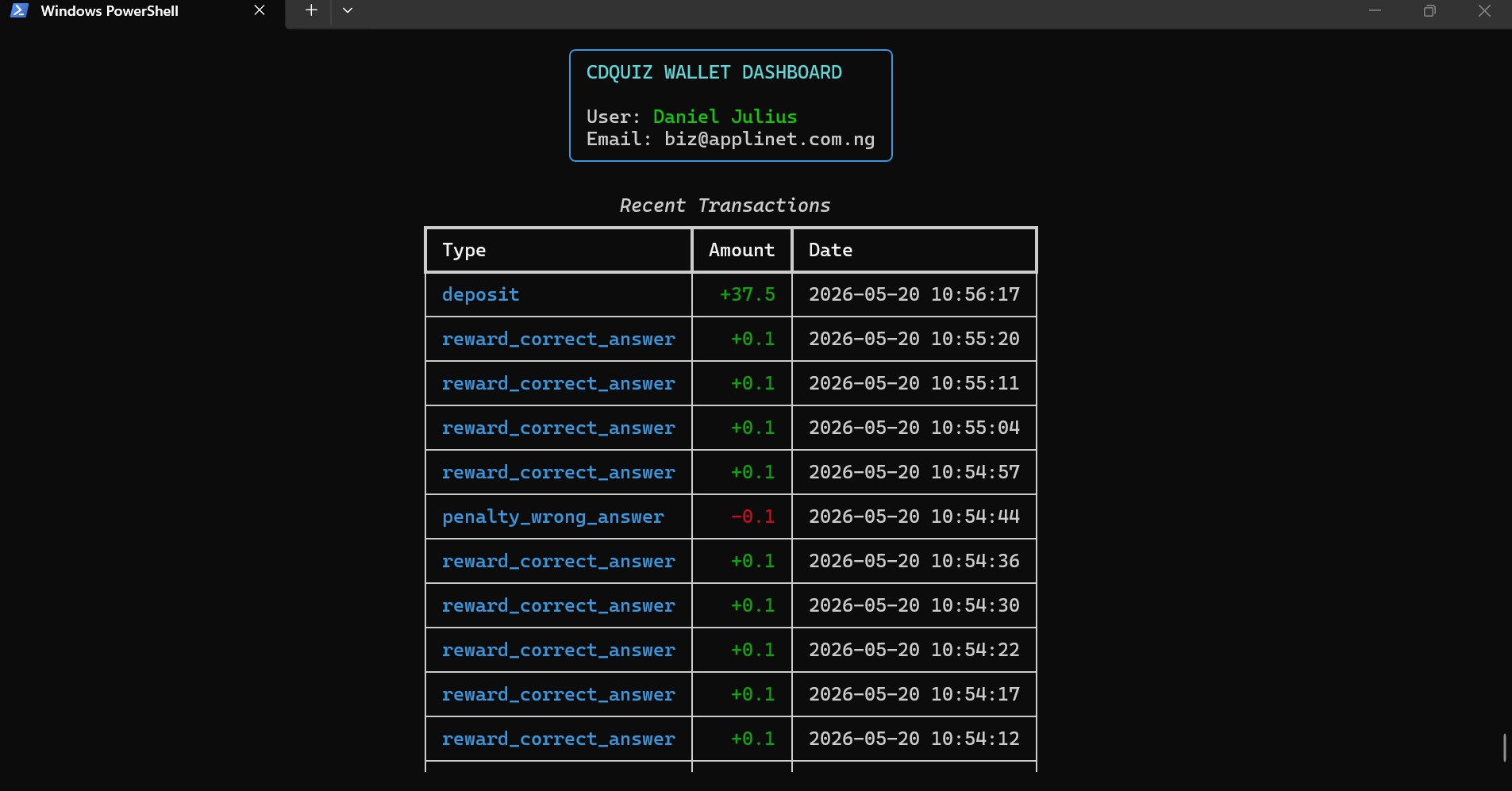
CodeHouse Quiz Suite includes a reward-based learning economy.
Users can earn QuizCoins while learning and participating in quizzes.
QuizCoin features include:
- Wallet system
- QuizCoin tracking
- Reward-based engagement
- Learning incentives
Track performance in real time.
Metrics include:
- Accuracy
- Quiz score
- Completion rate
- Rank
- Speed
- Remaining attempts
This allows learners to monitor improvement and identify growth areas.
Compete globally with learners around the world.
Leaderboard system includes:
- Global ranking
- Course ranking
- Score tracking
- Performance comparison
The leaderboard creates healthy competition and encourages consistent improvement.
Install directly from PyPI:
pip install cdquizCDQuiz includes a powerful Windows launcher script that automatically installs, configures, and launches the application with a single click.
This makes CDQuiz beginner-friendly for Windows users who may not have Python or development tools installed.
Download the launcher below:
▶ Download CDQuiz.exe https://downloads.codehouse.cloud/CDQuiz.exe
After downloading:
- Double-click
CDQuiz.exeIcon - The launcher automatically prepares everything
- CDQuiz starts automatically
No manual setup required.
The Windows launcher performs the following operations automatically.
The launcher improves the command-line experience by:
- Launching Windows Terminal when available
- Enabling UTF-8 support
- Configuring large terminal scroll buffers
- Improving CLI readability and rendering
Default terminal configuration:
120 Columns × 5000 Buffer Lines
This creates a cleaner and more modern command-line environment.
The launcher automatically checks for Python 3.12.
If Python is not installed, the launcher installs it automatically using:
winget
No manual Python installation is required.
A dedicated CDQuiz environment is automatically created and maintained at:
%USERPROFILE%\CDQuiz\cdenv
Environment features include:
- Automatic virtual environment creation
- Environment validation checks
- Corruption detection
- Recovery and rebuild system
- Isolated package management
This helps keep CDQuiz stable and independent from other Python installations.
The launcher automatically installs and upgrades required dependencies.
Installed packages include:
- rich
- requests
- cdquiz
Package updates and repairs are handled automatically when needed.
After setup is completed, CDQuiz launches automatically using:
python -m cdquiz.startor simply:
cdquizNo additional commands are required.
The launcher follows a fully automated workflow:
1. Terminal Preparation
        ↓
2. Python Verification / Installation
        ↓
3. Virtual Environment Setup
        ↓
4. Dependency Installation
        ↓
5. CDQuiz Launch
Each stage includes:
- Progress reporting
- Error handling
- Recovery mechanisms
- Validation checks
This creates a seamless installation and launch experience for Windows users.
The Windows launcher is designed for simplicity and accessibility.
Benefits include:
- Beginner-friendly installation
- One-click setup
- Automatic repair and recovery
- Reduced configuration errors
- No Python experience required
- Faster onboarding for new learners
CDQuiz becomes ready to use with minimal technical setup.
The Windows Easy Launcher is part of the CodeHouse Cloud mission to make technical learning more accessible, practical, and user-friendly for everyone.
Launch the application using:
python -m cdquiz.startor simply:
cdquizUpgrade to the latest version:
pip install --upgrade cdquizCDQuiz Dashboard
1. Start / Resume Quiz
2. View Leaderboard
3. Announcements
4. ...
The learning structure follows a guided hierarchy:
Category
   ↓
SubCategory
   ↓
Course
   ↓
Questions
Example:
Python
   ↓
Django
   ↓
Authentication
   ↓
Quiz Questions
This structure helps learners move from broader concepts into specialized learning paths.
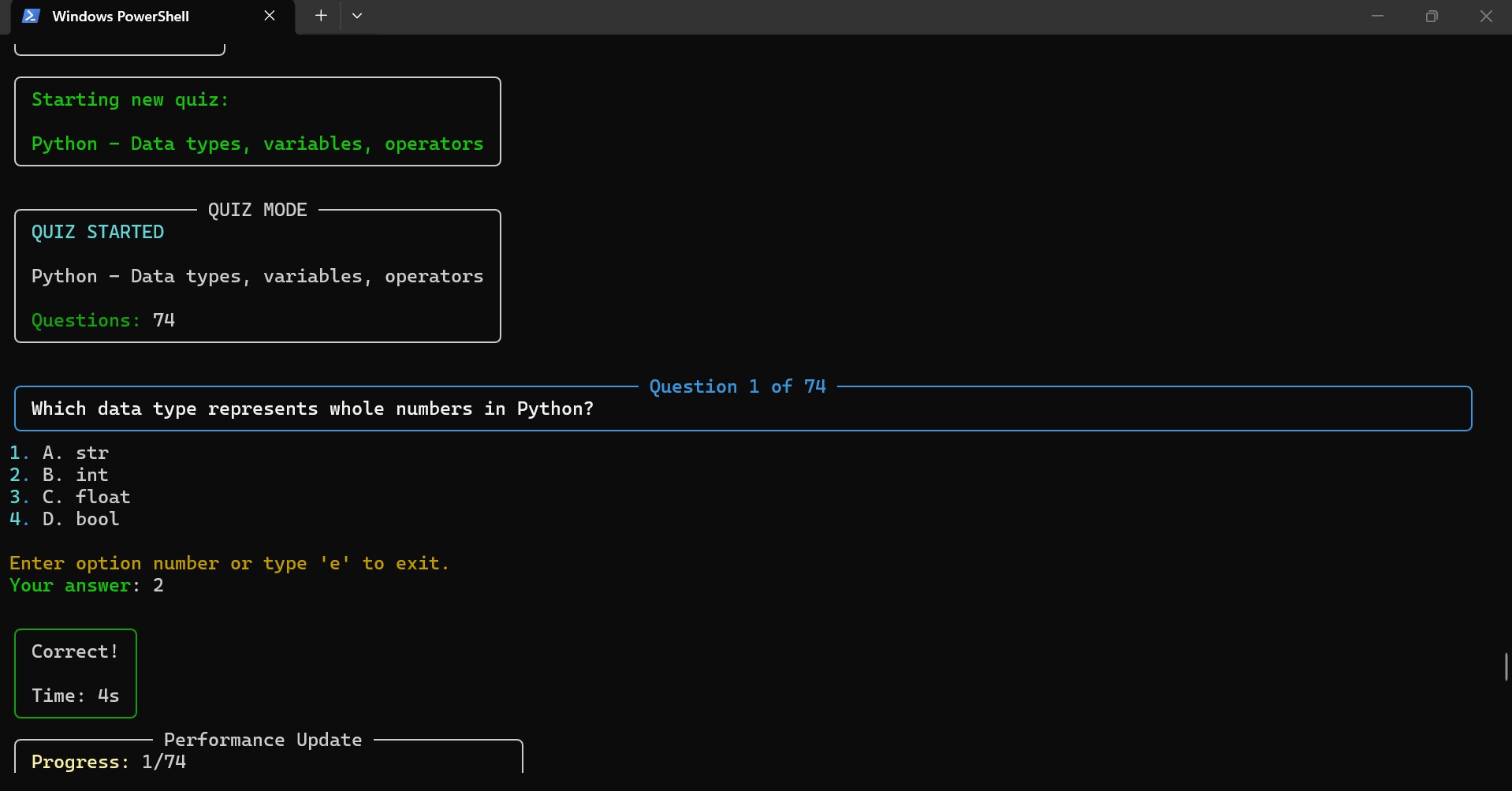
Question 3 of 10

What keyword is used to define a Python function?

1. function
2. define
3. def
4. func

Your answer: 3
Correct!

Progress: 5/20
Score: 85%
Rank: #7
CodeHouse Quiz Suite includes multiple layers of quiz protection and validation.
Security mechanisms include:
- Active session validation
- Request verification
- Quiz tampering protection
- Question overflow protection
- Secure quiz access control
- Attempt limitation system
These protections help ensure fair participation and secure quiz delivery.
- Python
- Django
- Django REST Framework
- Rich
- Prompt Toolkit
- Requests
- PostgreSQL
- SQLite
CodeHouse Quiz Suite is designed to empower developers and digital learners across the globe through:
- AI-enhanced education
- Practical technical learning
- Gamification
- Reward systems
- Real-world developer training
The platform aims to make technical education more accessible, engaging, and skill-oriented.
Applinet Technology is an African-centered technology company that combines innovation, modern technology, and African values to build impactful digital solutions.
Through initiatives like CodeHouse Cloud, the company focuses on solving real problems through technology, education, and digital empowerment.
Godswill Moses Ikpotokin
Founder & CEO — Applinet Technology
This project is released under the MIT License.
Contributions are welcome.
You can contribute by:
- Reporting bugs
- Suggesting new features
- Improving documentation
- Submitting pull requests
Community contributions help improve the ecosystem for everyone.
For support, partnerships, or collaborations:
Email: genius@codehouse.cloud
CodeHouse Quiz Suite is more than a quiz platform.
It is a developer growth ecosystem designed to help learners gain practical technical skills directly from the terminal through interactive learning, AI guidance, competition, and rewards.