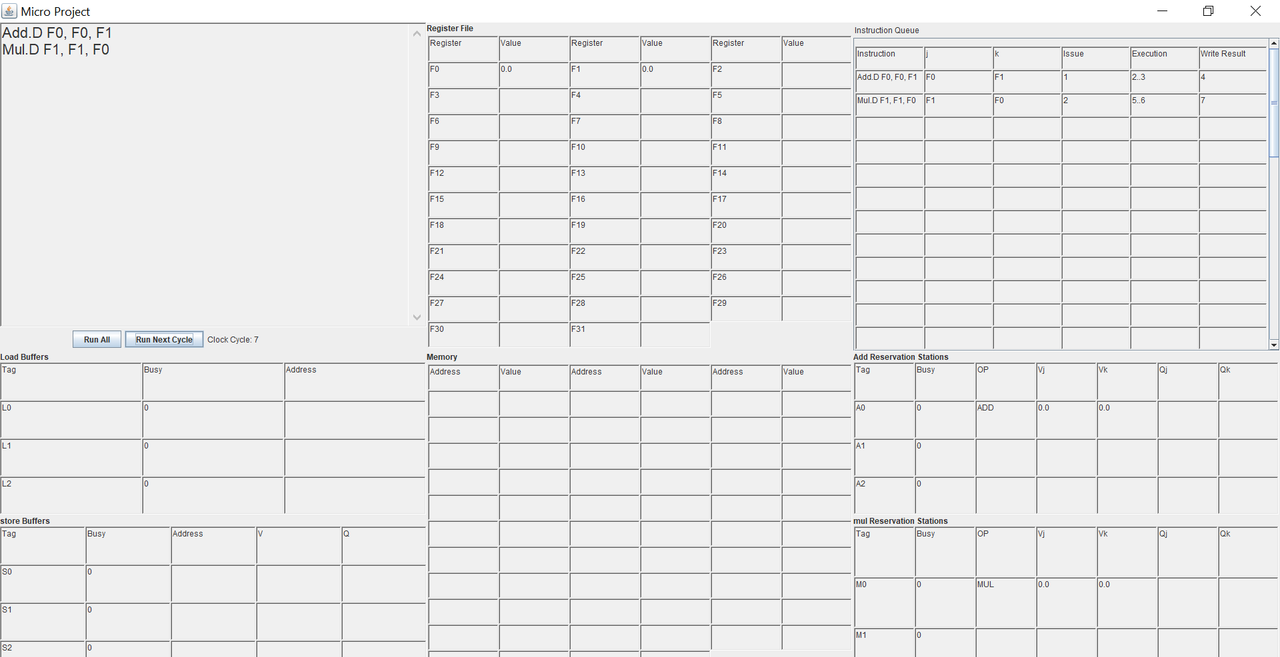
This is a simulation of Tomasulo's Architecture that apply the concept of dynamic scheduling algorithm. The simulation is done through covering a subset of MIPS assembly format associated with this architecture which include loads and stores and basic ALU operations, all will be discussed in this document.
The project is implemented using Java as programming language and Java swing for the Graphical User Interface (GUI). The project is well structured following OOP principles and proper Design patterns.
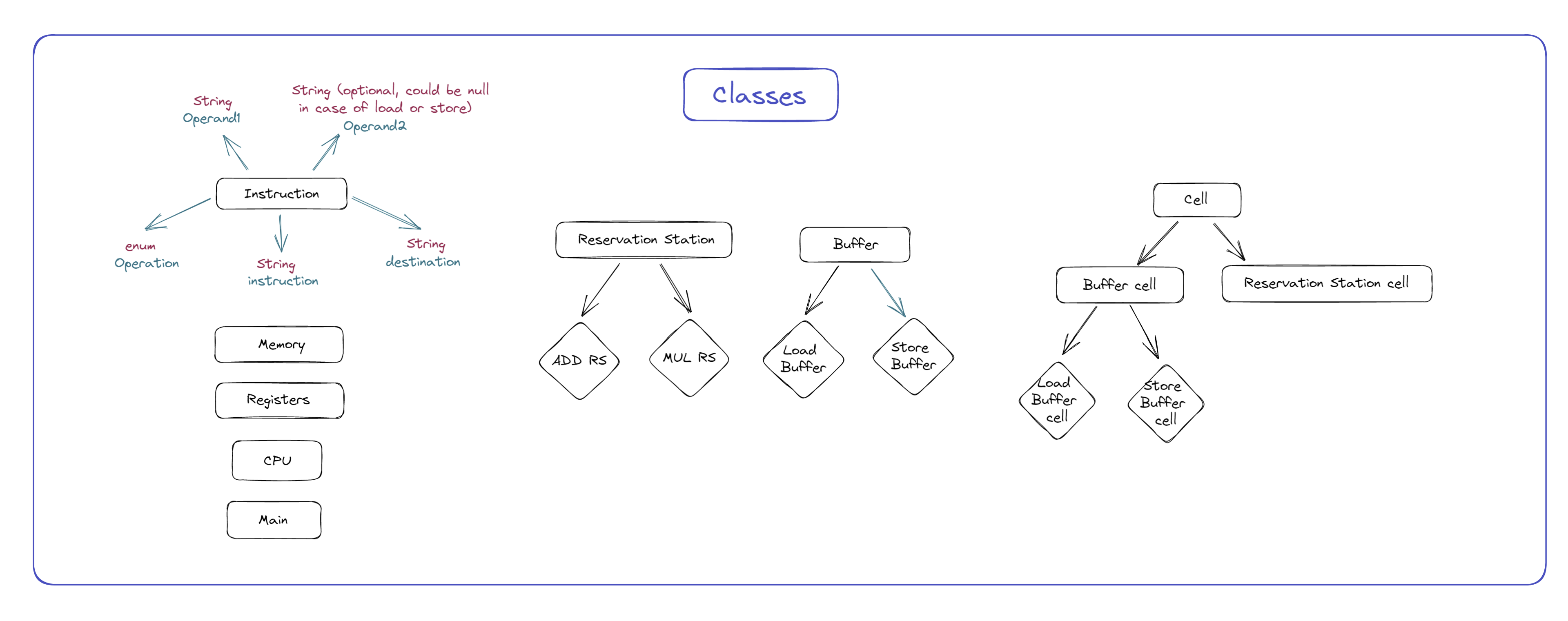
The approach of coding was to divide every element in the system into separate object and include the behaviou of this element into this object. We applied Single Responsibility for each element by extracting common fearures in higher (super) Objects (classes). In the following a detailed explaination for each element/component of the system.
As known about Tomasulo's architecture that it have several temp storages for instructions that keep track of an instruction throughout its cycles (execution); e.g. (reservation areas, instruction queue, Buffers,....etc), and based on that every piece of hardware has its own fields regarding each instruction. So, the concept of cells and although it is obvious that every type will need different type of cell with different fields, all of them have common features. The hierarchy for cells is as following:
- Cell
- ReservationStationCell
- BufferCell
- LoadBufferCell
- StoreBufferCell
note: every nested class inherits all its parents up to the root; e.g. (StoreBufferCell → BufferCell → Cell)
It descripes the basic behaviour of a cell in the system and contains the common attributes of all cells.
- Attributes
- busy : int
- executedCycles : int
- index : int
- latency : int ..
- Functions:
- display()
- execute()
- finishedExecution()
- free()
- getBusy() ..
Extends Cell class and adds to it the additional attributes and behaviours of reservation cells.
-
Attributes
-
op : Operation
-
qj : String
-
qk : String
-
vj : Double
-
vk : Double
..
-
-
Functions:
-
checkValueOnBus(String, double)
-
display()
-
execute()
-
isReady()
..
-
Extends Cell class and adds to it additional attributes and behaviours of Buffers Cell like the address of the store and load.
-
Attributes
- address : String
-
Functions:
-
checkValueOnBus(String, double)
-
getAddress()
-
occupy(int, int, String)
..
-
Extends BufferCell class and adds to it additional attributes and behaviours of Buffers Cell like modifying the behaviour of execute.
- Function:
- execute()
Extends BufferCell class and adds to it additional attributes and behaviours of Buffers Cell like modifying the behaviour of execute.
- Attributes:
- q : String
- v : Double
Tomasulo has to different Buffers; one for store operations and one for load operations. Buffers consist of cells. They simply holds one or more load/store instruction(s) at a time throughout the execution. The classes hierarchy as the following:
- Buffer
- LoadBuffer
- StoreBuffer
Holds information about the available cells and the size of the buffer and it represnt the super class for all buffers.
-
Attributes
-
availableBuffers : int
-
buffer : BufferCell[]
-
size : int
..
-
-
Functions:
-
add(int, int, String)
-
decAvailableBuffers()
-
display(String)
-
freeCell(String)
..
-
Both Extend Buffer class and specify the size of it in addtion to Overriding the different functions.
Tomasulo's architecture has to different blocks of resrvation stations one concerned with the add/sub and for mul/div. Reservation stations hold the instruction from fetching till writing the result back.
The Super class for all reservation stations classes that contains the common attributes and functions of them.
-
Attributes:
- availableReservationStations : int
- reservationStation : ReservationStationCell[]
- size : int
-
Functions:
- add(int, int, Operation, String, String)
- checkValueOnBus(String, double)
- display(String)
- freeCell(String)
- hasAvailableReservationStations()
- isEmpty()
Both Extend ReservationStation class and specify the size of it in addtion to Overriding the different functions.
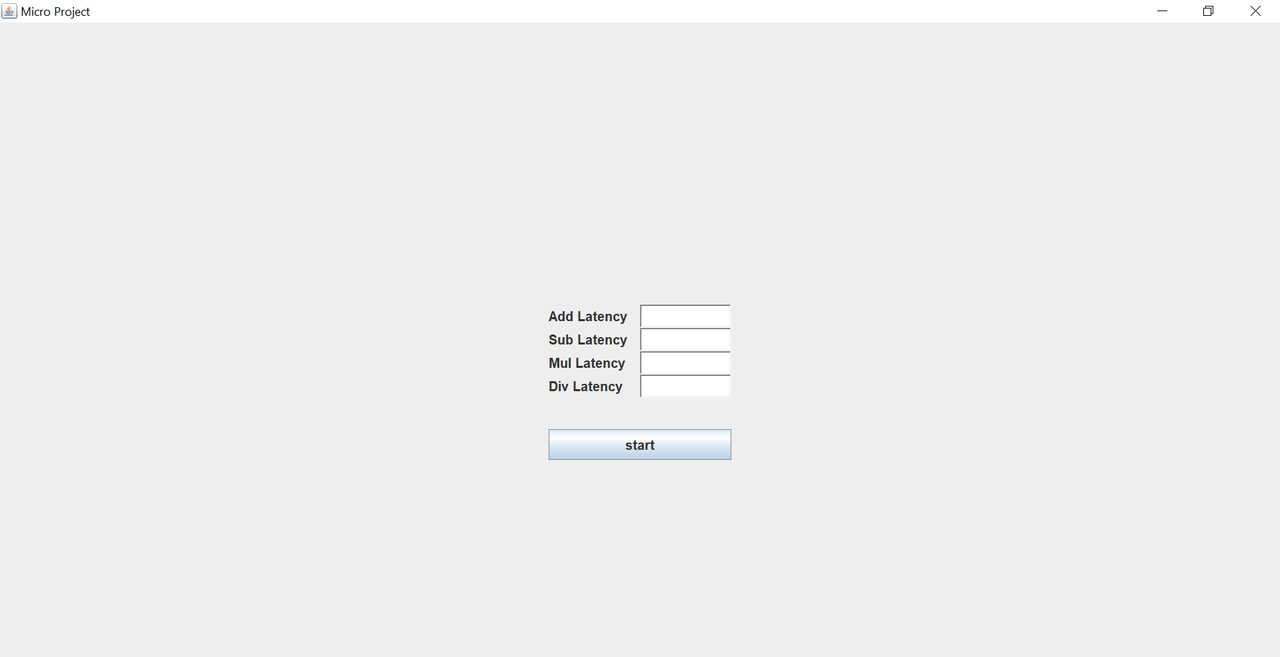
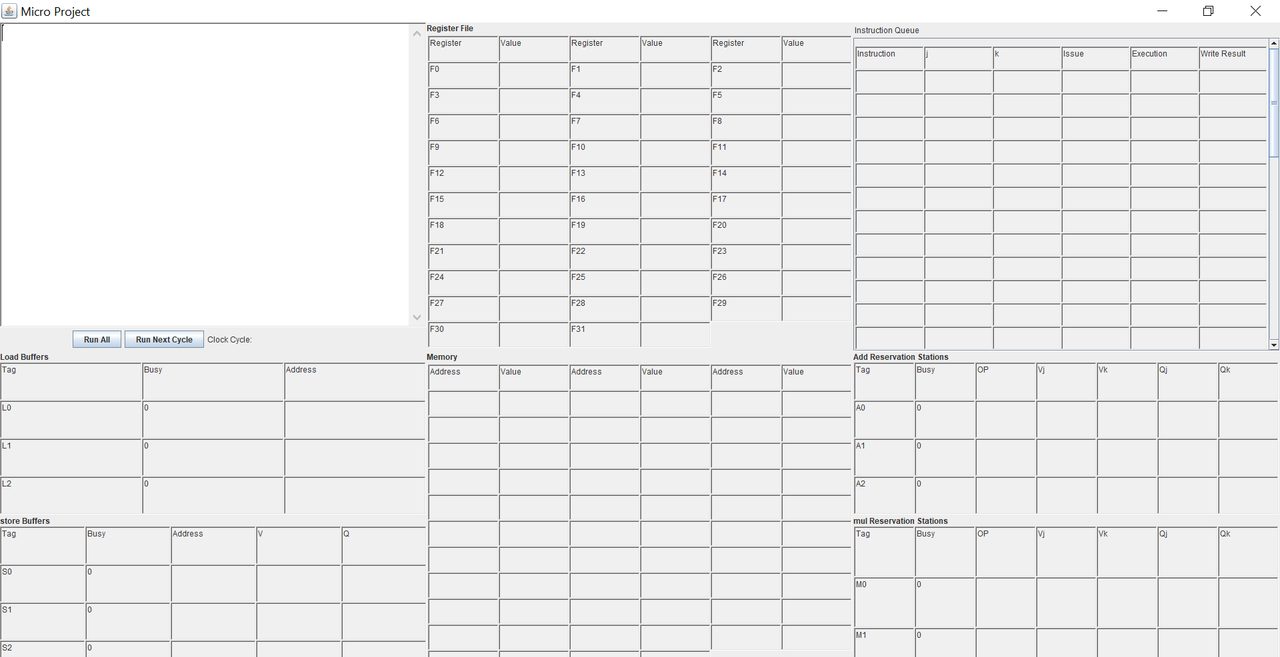
The simulation is done through GUI where you can set the latency and write and run your code. In the follwoing the main two frames. The source code for the GUI is written in GUI package where MainGUI is the controller of the flow.
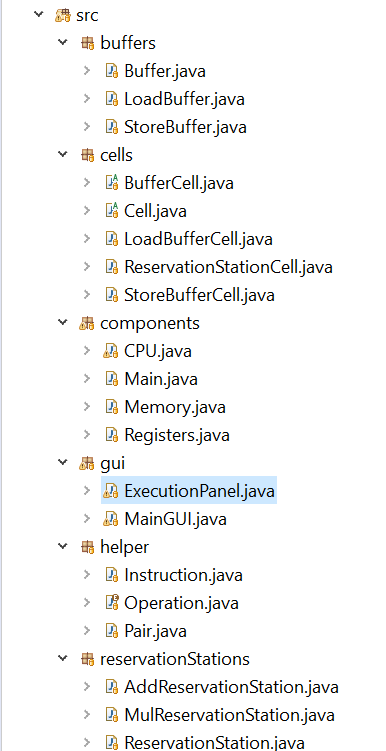
To run the project all you have to do is run src/gui/MainGUI.java.
This demo is from lecture 11-12
- latencies
- Add / Sub latency 2 cycles
- Mul latency 10 cycles
- Div latency 40 cycles
L.D F6, 1
L.D F2, 2
Mul.D F0, F2, F4
Sub.D F8, F6, F2
Div.D F10, F0, F6
Add.D F6, F8, F2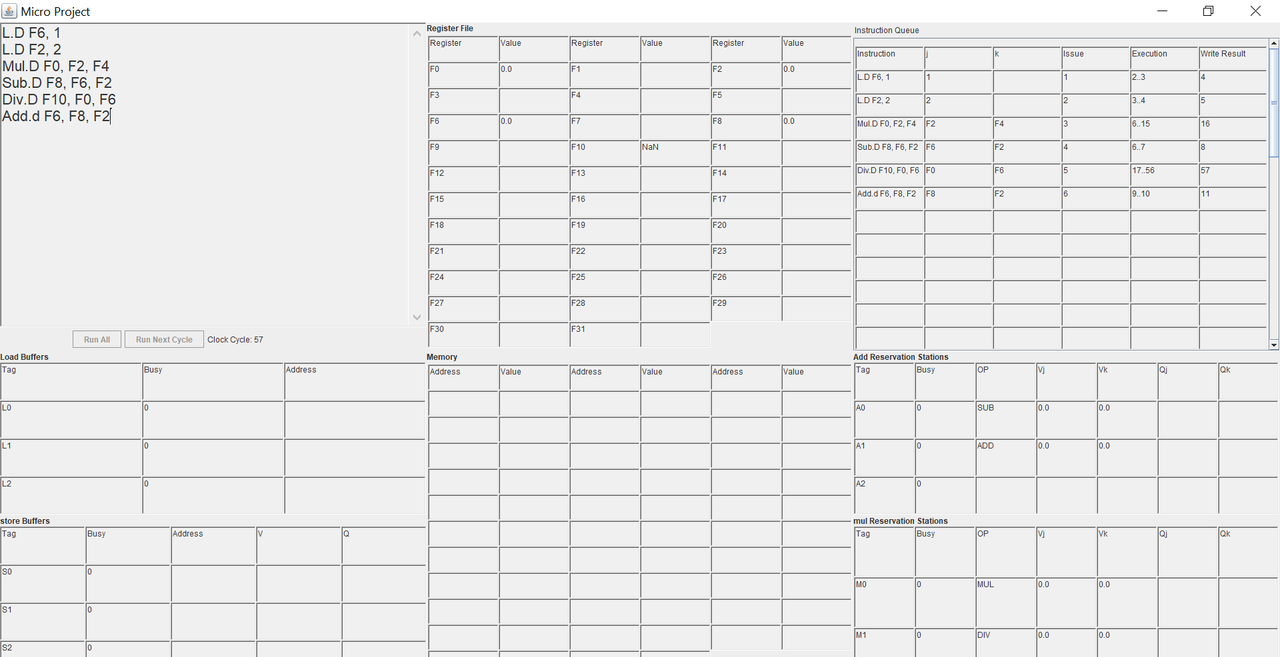
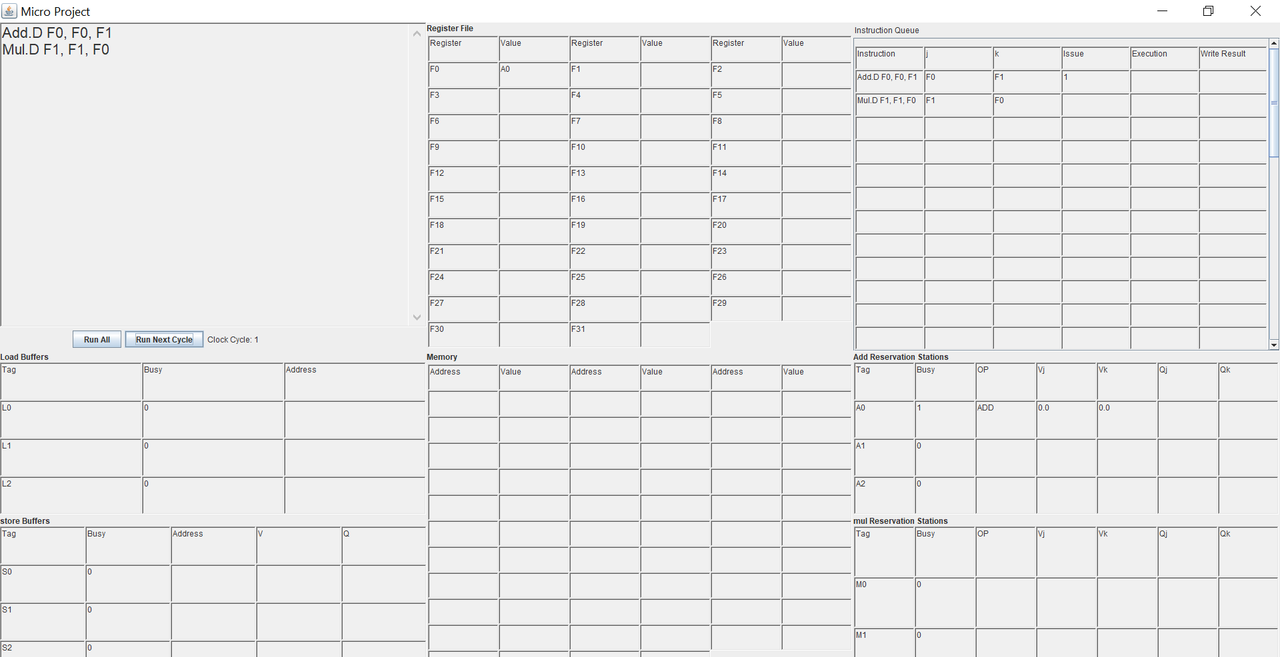
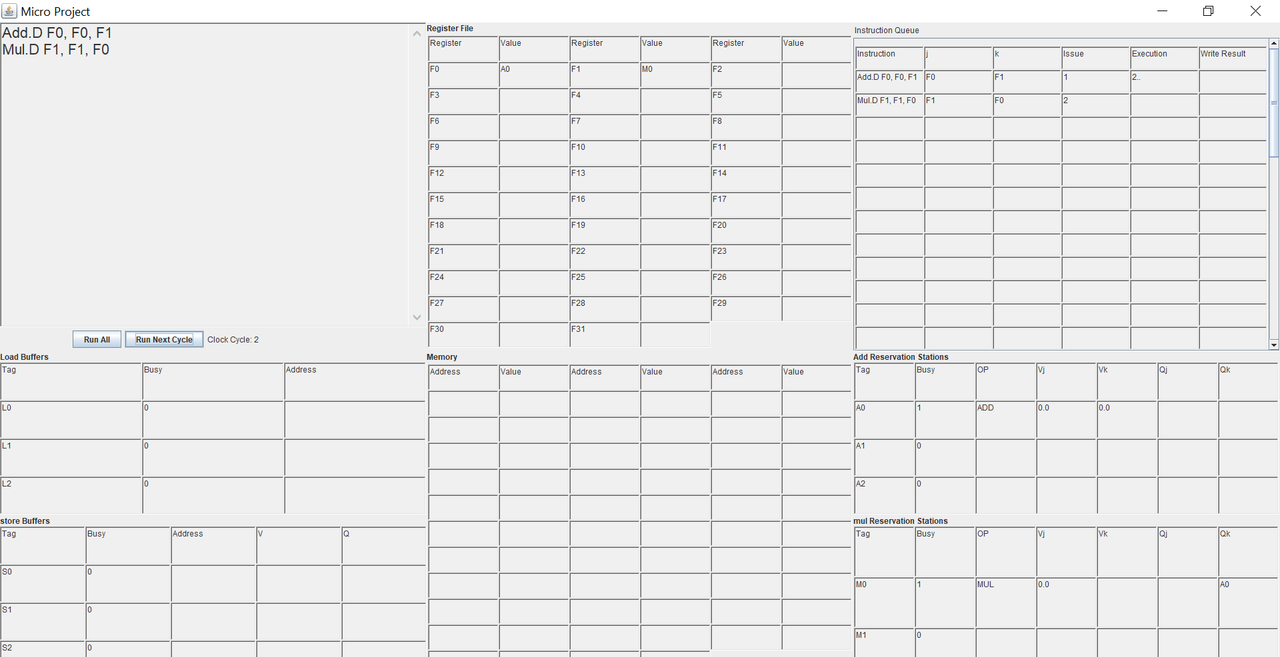
- latencies: all 2 cycles
Add.D F0, F0, F1
Mul.D F1, F1, F0
Cycle 1
Cycle 2
Cycle 3
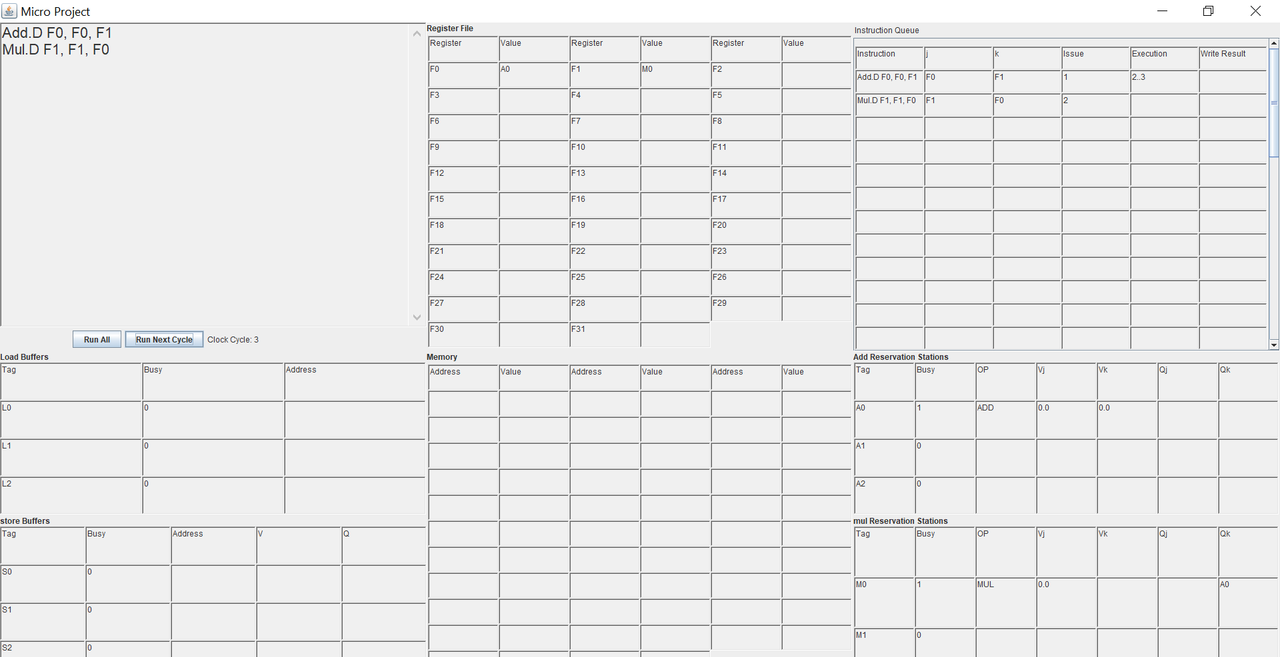
Cycle 4
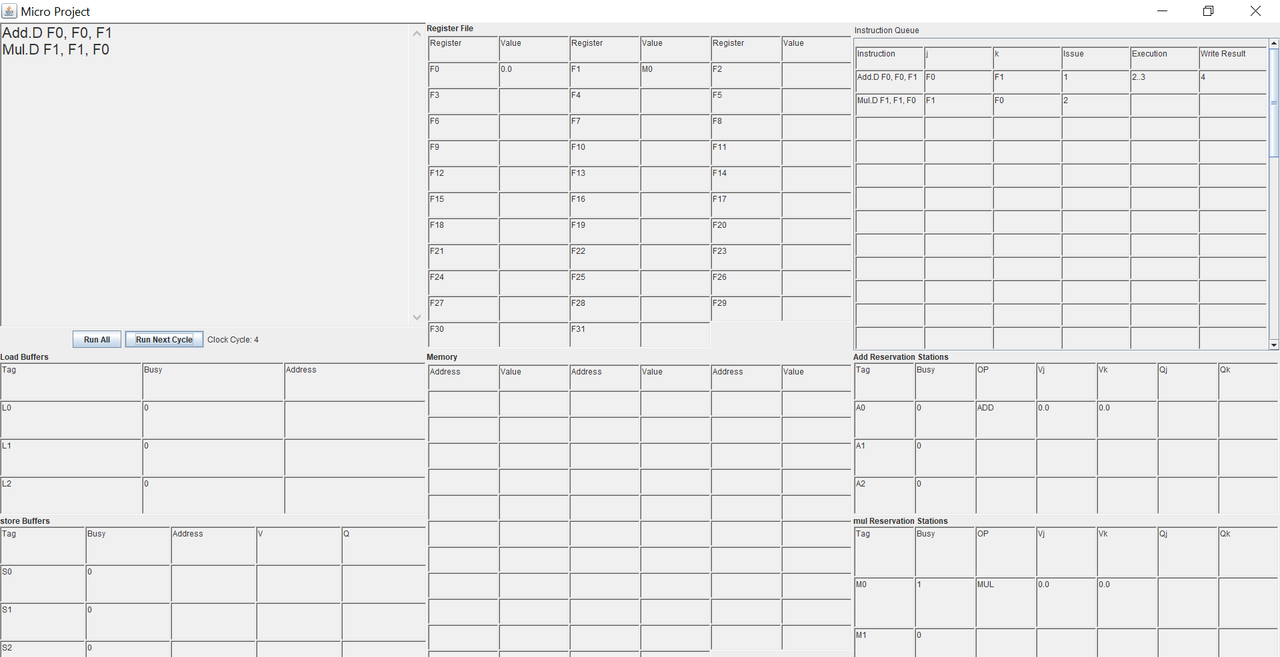
Cycle 5
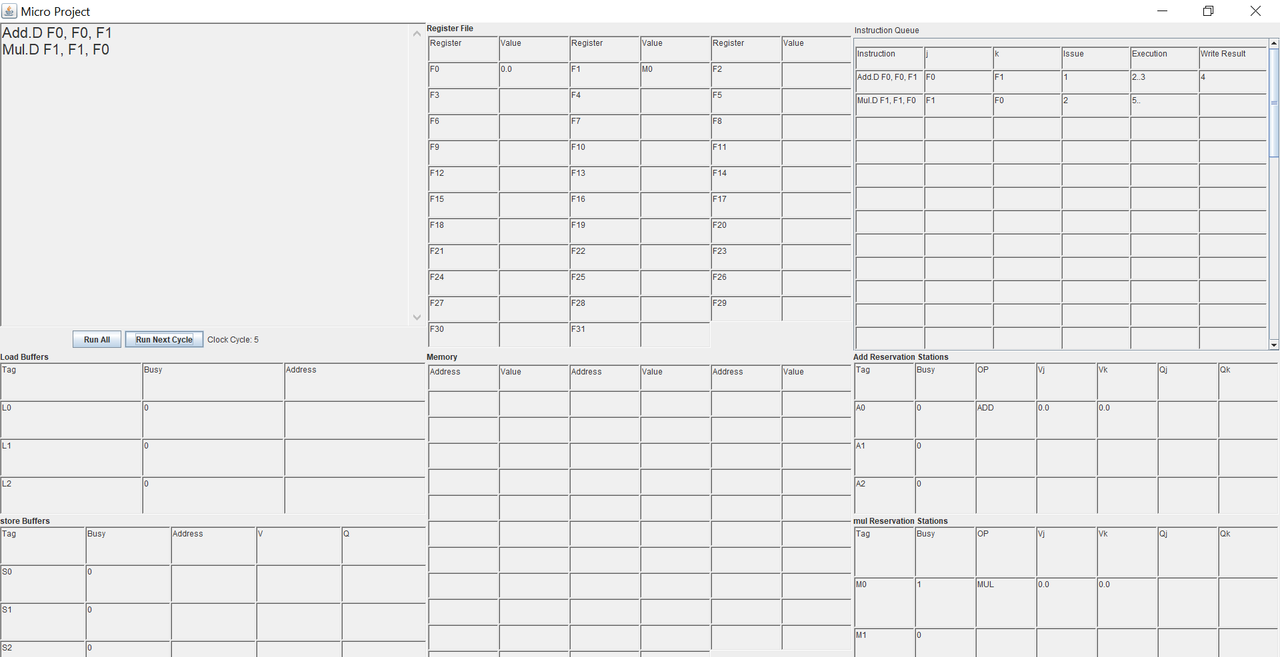
Cycle 6
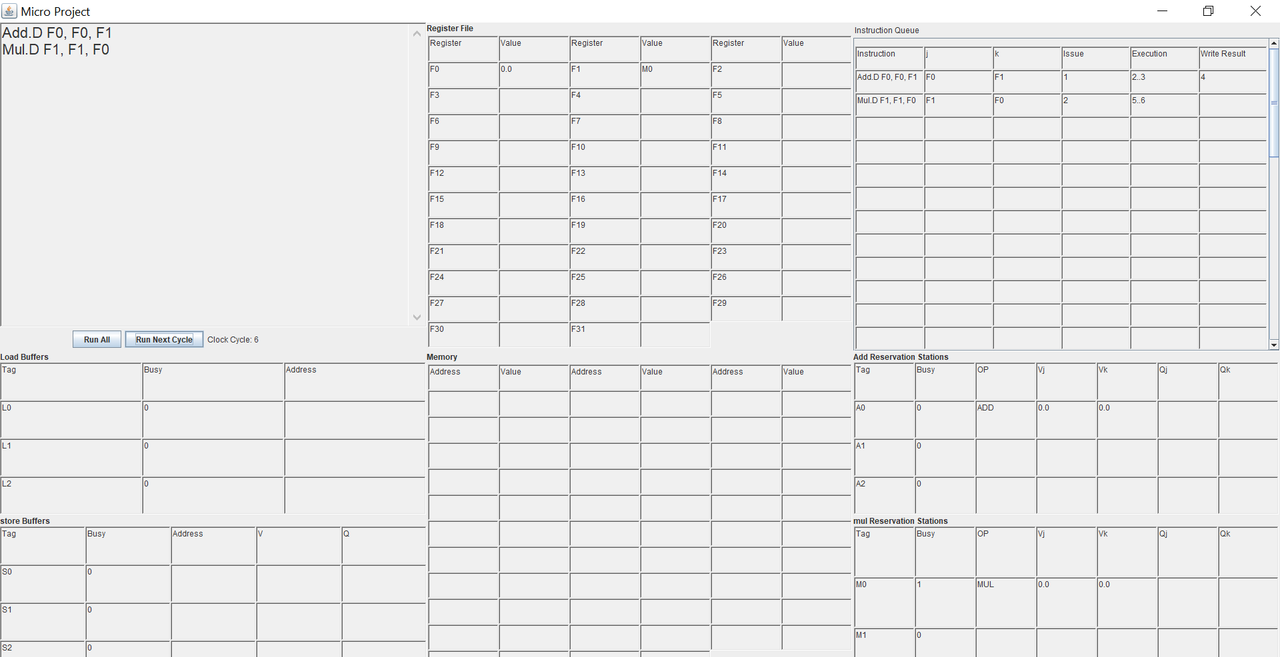
Cycle 7(final)