

A jailbreak tweak for managing frida-server on iOS devices directly from Settings.
- Start / Stop / Restart frida-server directly from Settings
- Server Status — real-time display of running state, active port, binary path and version
- Download & Install Frida Latest Versions — view all available frida releases and install any frida-server version directly
- Custom Version Install — enter a specific version number to download and install
- Configuration — change the listening port and toggle USB-only mode (blocks Wi-Fi connections)
- Source Detection — automatically detects if frida-server was installed by FridaManager or a package manager (Sileo, Zebra, Cydia, etc.)
- Package Manager Compatibility — supports starting/stopping frida-server installed via package managers using
launchctl - Download History — tracks which versions you've downloaded
- Uninstall — remove the frida-server installed by FridaManager
- View Log — view activity log for debugging
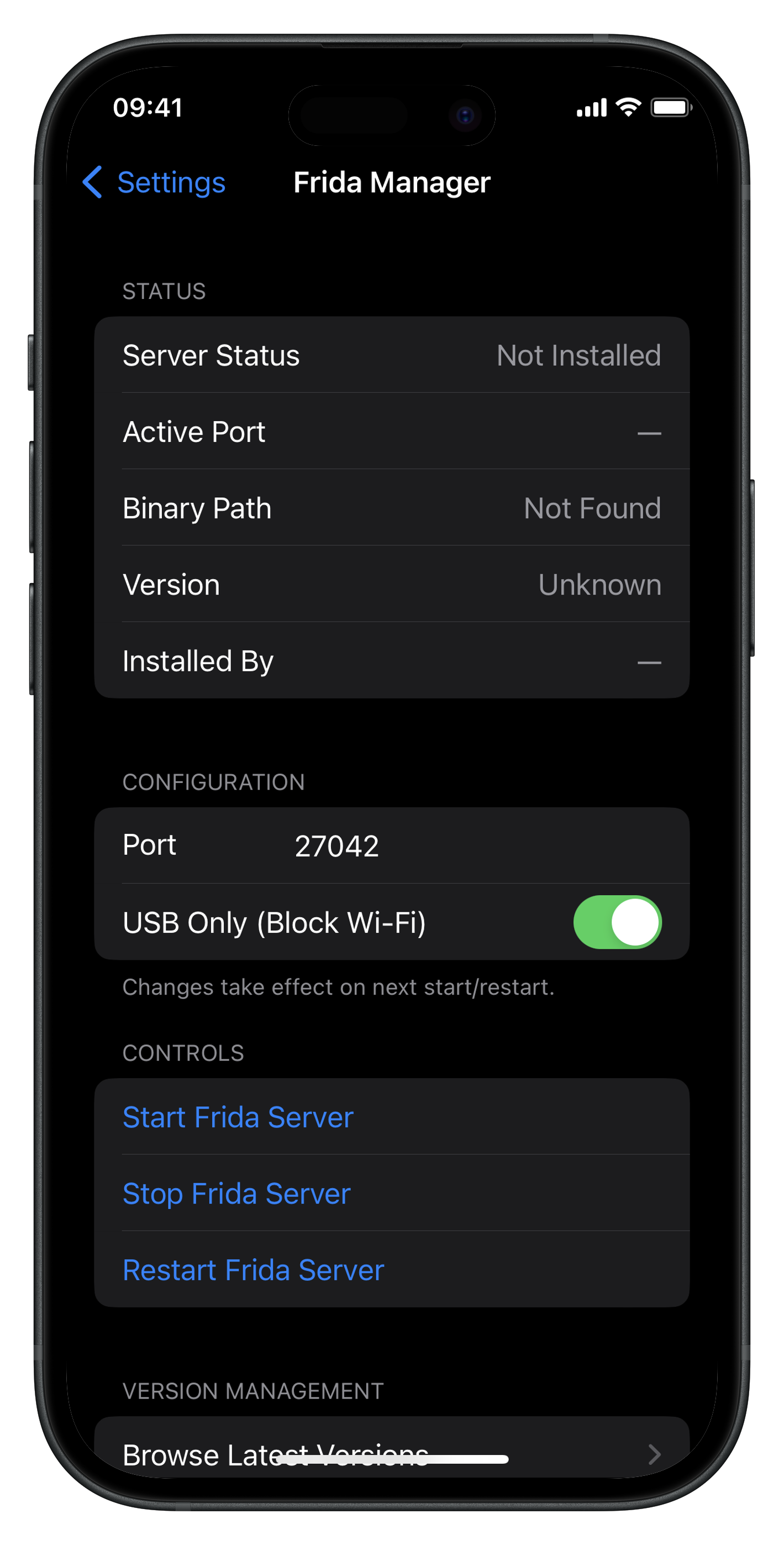
Main panel |
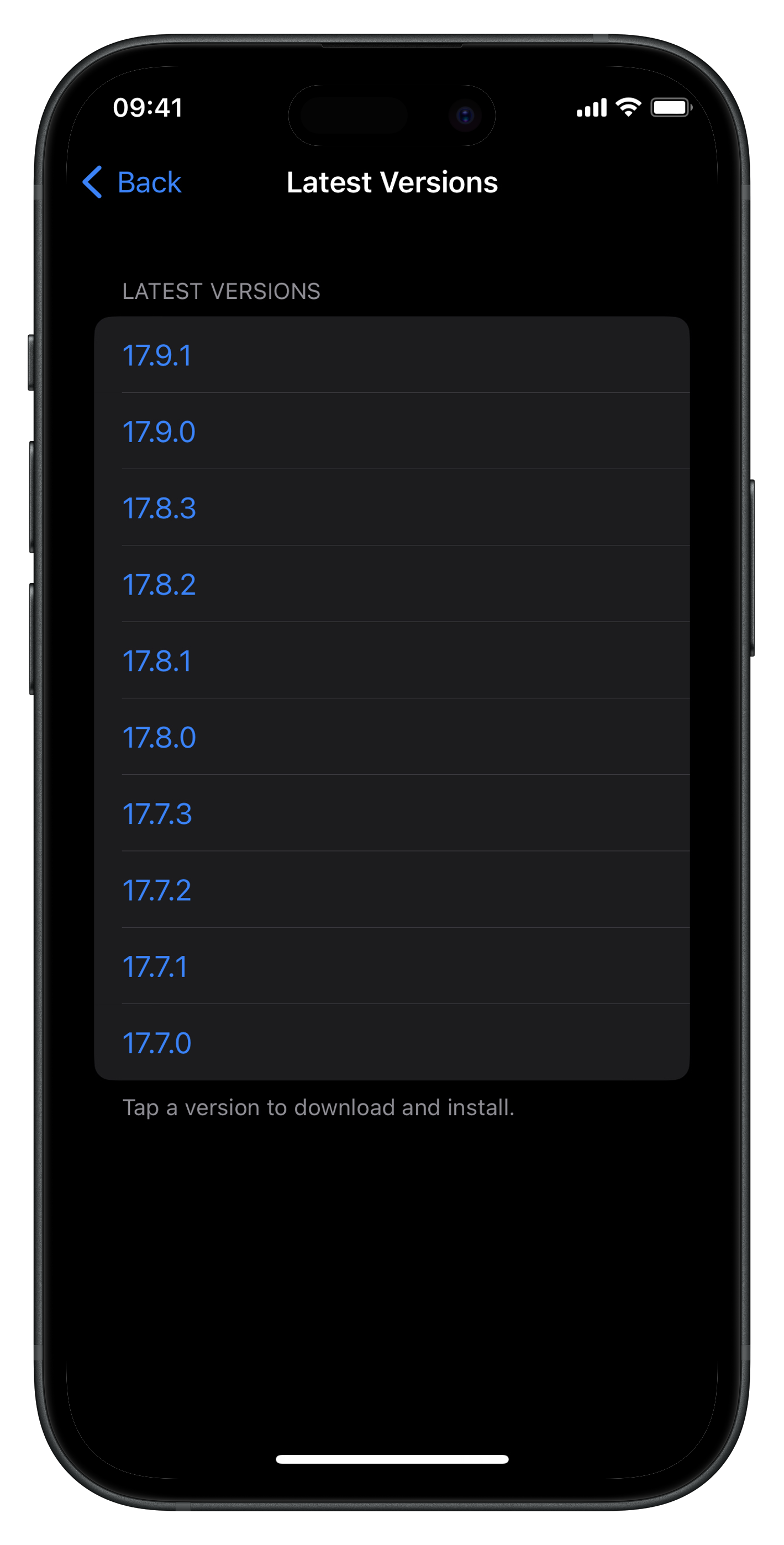
Browse latest versions |
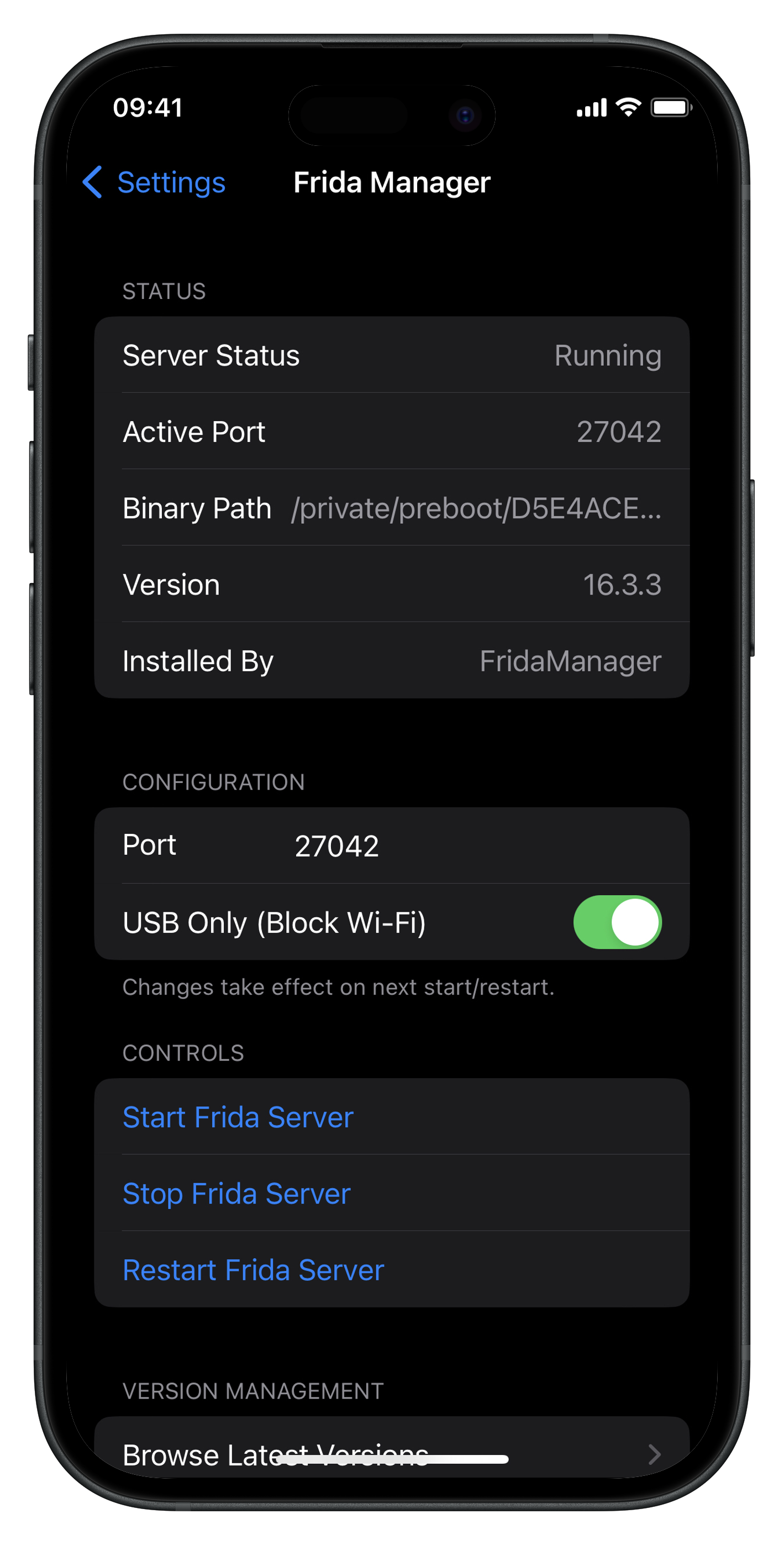
Server running |
Click any screenshot for the full write-up at b1tbreaker.com.
- Jailbroken iOS device (iOS 14.0+)
- libSandy — for secure socket communication between Settings.app and the daemon
- PreferenceLoader — for the Settings panel
Add the repo to your package manager:
https://027042.xyz
- Sileo:
sileo://source/https://027042.xyz— tap to add - Zebra / other managers: Sources → Add →
https://027042.xyz
Then search for FridaManager and install. The repo serves both rootless and rootful builds — your package manager picks the right one for your jailbreak.
- Download the appropriate
.debfile from Releases:- Rootless (Dopamine, palera1n rootless, etc.):
com.b1tbreaker.fridamanager_1.0.0_iphoneos-arm64_rootless.deb - Rootful (unc0ver, checkra1n, palera1n rootful, etc.):
com.b1tbreaker.fridamanager_1.0.0_iphoneos-arm_rootful.deb
- Rootless (Dopamine, palera1n rootless, etc.):
- Transfer the
.debto your device - Install via your package manager or run:
dpkg -i com.b1tbreaker.fridamanager_*.deb - Open Settings and scroll down to FridaManager
See Building from Source below.
- Open Settings > FridaManager
- Under Version Management, either:
- Tap Browse Latest Versions to see available releases and tap one to install
- Enter a version in Custom Version and tap Install Custom Version
- Once installed, tap Start Frida Server
| Action | Description |
|---|---|
| Start Frida Server | Starts frida-server with the configured port and listen address |
| Stop Frida Server | Stops the running frida-server |
| Restart Frida Server | Stops and restarts with current configuration |
| Setting | Default | Description |
|---|---|---|
| Port | 27042 | The port frida-server listens on |
| USB Only (Block Wi-Fi) | Enabled | When enabled, frida-server only listens on localhost (USB). When disabled, it listens on all interfaces (accessible over Wi-Fi) |
Note: Configuration changes take effect on the next start/restart.
FridaManager automatically detects how frida-server was installed:
- FridaManager — installed by this tweak. Full control: start, stop, restart, uninstall and version management.
- Package Manager — installed via Sileo, Zebra, Cydia, or another package manager. FridaManager can start and stop it (via
launchctl), but downloading new versions and uninstalling must be done through your package manager.
The Installed By field in the Status section shows the current source.
After starting the server:
# USB connection (default)
frida-ps -U

# If using a custom port, connect via network
frida-ps -H 127.0.0.1:<port>
Note: The
-Uflag always connects to port 27042 over USB. If you changed the port, use-Hinstead.
FridaManager consists of two components:
┌─────────────────────────────┐     Unix Socket      ┌──────────────────────────┐
│  Settings.app (Preferences) │ ◄──────────────────► │   fridamgr (Root Daemon) │
│  FridaManagerPrefs bundle   │     via libSandy     │   LaunchDaemon (root)    │
└─────────────────────────────┘                      └──────────────────────────┘
         UI / User input                              Server management, downloads,
                                                      config, process control
-
macOS
-
Theos — the jailbreak development toolkit:
bash -c "$(curl -fsSL https://raw.githubusercontent.com/theos/theos/master/bin/install-theos)"By default, Theos installs to
~/theos. See the Theos installation guide for details. -
iOS SDK — Theos will prompt you to install one during setup. SDK 15.6 or later is required. If you need to install one manually:
$THEOS/bin/get-sdks -
libSandy headers — install via Theos:
$THEOS/bin/lib-install com.opa334.libsandyOr manually place
libSandy.hin$THEOS/include/andlibSandy.dylibin$THEOS/lib/. -
libroot — should be included with modern Theos installations. If not:
$THEOS/bin/lib-install libroot
Make sure the THEOS environment variable points to your Theos installation:
export THEOS=~/theos # adjust if installed elsewhereBuild both rootful and rootless packages:
./build.shBuild rootless only:
cp control.rootless control
make clean
make package FINALPACKAGE=1 THEOS_PACKAGE_SCHEME=rootless
Build rootful only:
cp control.rootful control
make clean
make package FINALPACKAGE=1
Packages are output to the packages/ directory.
FridaManager/
├── Makefile                    # Top-level build configuration
├── control                     # Active dpkg control file
├── control.rootful             # Rootful control (iphoneos-arm)
├── control.rootless            # Rootless control (iphoneos-arm64)
├── build.sh                    # Build script for both architectures
├── fridamgr/                   # Root daemon
│   ├── Makefile
│   ├── main.m                  # Entry point
│   ├── FMCommon.h              # Shared constants and paths
│   ├── FMDaemon.h/.m           # Command handler and orchestrator
│   ├── FMFridaServer.h/.m      # Process management and source detection
│   ├── FMSocketServer.h/.m     # Unix socket server
│   ├── FMConfig.h/.m           # Configuration and download history
│   ├── FMDownloadManager.h/.m  # GitHub downloads and version fetching
│   ├── entitlements.plist      # Daemon entitlements
│   └── Info.plist
├── fridamgrprefs/              # Settings.app preference bundle
│   ├── Makefile
│   ├── FMRootListController.h/.m   # All UI controllers
│   ├── FMSocketClient.h/.m         # Unix socket client
│   ├── Resources/
│   │   ├── Root.plist              # PreferenceLoader specifiers
│   │   ├── Info.plist
│   │   └── icon*.png               # Settings icon
│   └── layout/
│       └── Library/PreferenceLoader/Preferences/
│           └── FridaManagerPrefs.plist
├── layout/
│   ├── DEBIAN/
│   │   ├── extrainst_          # Post-install script (loads daemon)
│   │   └── prerm               # Pre-remove script (cleanup)
│   └── Library/
│       ├── LaunchDaemons/
│       │   └── com.b1tbreaker.fridamanager.plist
│       └── libSandy/
│           └── com.b1tbreaker.fridamanager.socket.plist
├── LICENSE
└── README.md
| Jailbreak Type | Architecture | Status |
|---|---|---|
| Rootless (Dopamine, palera1n) | arm64 |
Tested |
| Rootful (unc0ver) | arm |
Tested |
Supported iOS versions: 14.0 and above
The FridaManager daemon isn't running. Try:
- Respring your device
- Check if the daemon is loaded:
launchctl list | grep fridamanager - Check the log:
cat /var/tmp/fridamgr.log
The -U flag hardcodes port 27042. If you changed the port, use:
frida-ps -H 127.0.0.1:<your-port>FridaManager detected that frida-server is installed via a package manager. Uninstall it from your package manager first, then use FridaManager to install the version you want.
This project is licensed under the MIT License — see the LICENSE file for details.