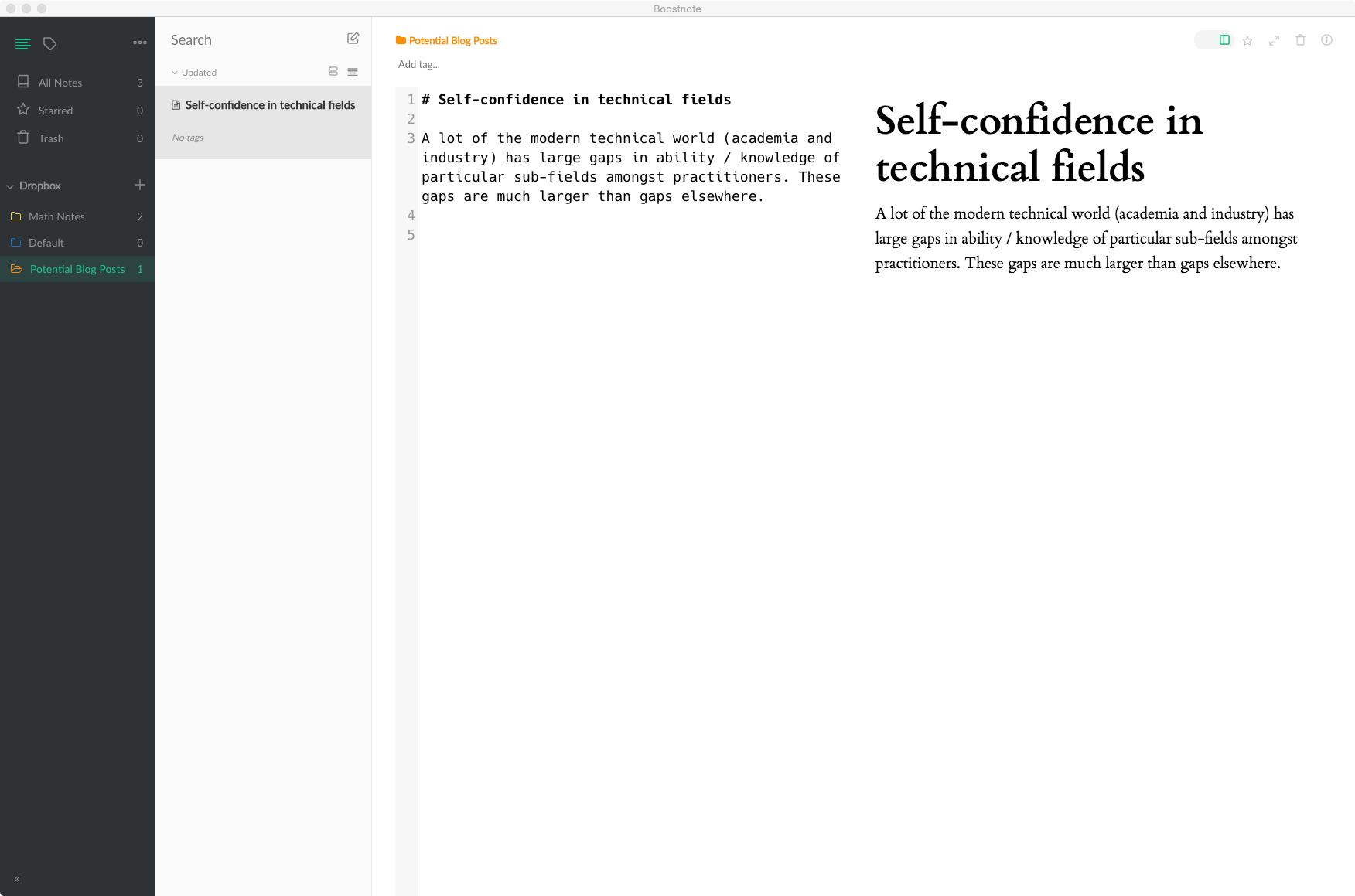
Single newlines create line breaks in the preview #1641

Description

In Markdown, single unadorned line breaks in the source don't usually correspond to line breaks in the result. In Boostnote this property is gone.
This is annoying for vim mode users, since the only way to get an unbroken paragraph in the preview is to put the whole paragraph on a single line, and traversing long lines in vim mode is annoying for several reasons:
- It's already annoying in vim proper, unless you rebind movement keys
- it's even more annoying in boostnote's vim-mode since you can't rebind movement keys
- several of the commands that are useful for traversing long lines are just missing (
g$andg^are the most serious)
Fixing this would be backwards-incompatible; maybe we could get a configuration option?
The first screen shot is the text with line breaks. You can see that the paragraph has lots of awkwardly spaced line breaks, even though the monospaced text isn't that bad.

The second image has all the text in one paragraph in the preview, but requires all text to be on a single line. This means that the normal vim editing commands don't work for moving around the paragraph.