GitHub is a very famous service in the field of maintaining and versioning source codes. Many of you use this service on a daily basis. We intend to interact with this service by using the programming interfaces and extract the information of a user.
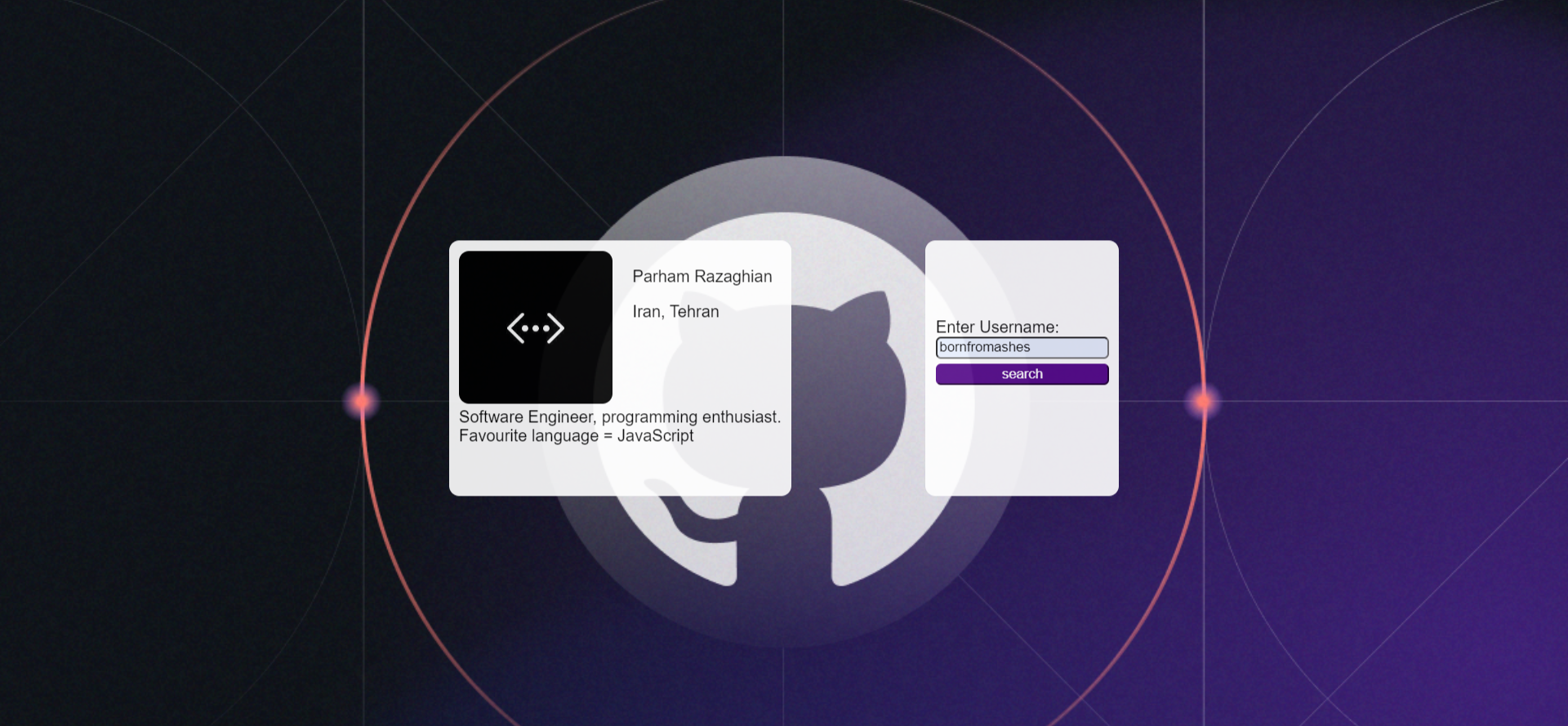 The middle rectangle should contain all the displayable content. This rectangle should be only the size of the content, but to display it more beautifully, we use layering. What is displayed on the left side of the screen is a user's information extracted through programming interfaces. This information includes the user's picture, the user's full name, the user's blog address, and the user's place of residence. Finally, after this user's bio information is displayed in a box. All this information can be empty, so we should be very careful to check this information.
On the right side of the page, there is a form to enter and send the desired username in the GitHub service. GitHub's programming interface is very extensive. If needed, you can use the following website for more information:
https://docs.github.com/en/rest/reference
To get information about a user, you can send a GET request with the following structure:
https://api.github.com/users/{username}
Replacing a username, for example bornfromashes, you will get an answer with the following structure:
{
'login': 'BornFromAshes',
'id': 117355603,
'node_id': 'U_kgDOBv60Uw',
'avatar_url': 'https://avatars.githubusercontent.com/u/117355603?v=4',
'gravatar_id': '',
'url': 'https://api.github.com/users/BornFromAshes',
'html_url': 'https://github.com/BornFromAshes',
'followers_url': 'https://api.github.com/users/BornFromAshes/followers',
'following_url': 'https://api.github.com/users/BornFromAshes/following{/other_user}',
'gists_url': 'https://api.github.com/users/BornFromAshes/gists{/gist_id}',
'starred_url': 'https://api.github.com/users/BornFromAshes/starred{/owner}{/repo}',
'subscriptions_url': 'https://api.github.com/users/BornFromAshes/subscriptions',
'organizations_url': 'https://api.github.com/users/BornFromAshes/orgs',
'repos_url': 'https://api.github.com/users/BornFromAshes/repos',
'events_url': 'https://api.github.com/users/BornFromAshes/events{/privacy}',
'received_events_url': 'https://api.github.com/users/BornFromAshes/received_events',
'type': 'User',
'site_admin': False,
'name': 'Parham Razaghian',
'company': None,
'blog': '',
'location': 'Iran, Tehran',
'email': None,
'hireable': None,
'bio': 'Software Engineer, programming enthusiast.',
'twitter_username': None,
'public_repos': 3, 'public_gists': 0,
'followers': 1,
'following': 1,
'created_at': '2022-11-03T10:41:55Z',
'updated_at': '2023-01-10T01:19:53Z'
}
If a user with the given username is not found, an appropriate error message should be displayed to the user.
As you can guess, this information is not enough for a user, one of the important information for companies is the programming language that a person is fluent in. This information can be accessed through user repositories, for example in this project we use this procedure:
- We get the five repositories in which it has recently pushed.
- We get the languages of these five tanks.
- The language with the highest score is the user's favorite language.
If there is a problem sending the request to the GitHub service due to network reasons, a suitable message will be displayed on the screen.
We use local storage. For more information, you can visit the following website:
https://developer.mozilla.org/en-US/docs/Web/API/Window/localStorage
The webpage is currenty available at https://bornfromashes.github.io/githubsearch/
All you have to do is type in the username of a github user and you'll get more info about them!
There aren't currently any known issues so far. If you find any please create an issue on this repository. Also this was my first time working with HTML, CSS and JS so the way that I wrote the program might not be the best way possible (probably isn't) so if you can improve this project in any regards I will appreciate that aswell.