- Fork this project to your GitHub account and commit any changes there.
- Install Node.js and then run
npm installon your project. We've included recommended packages inpackage.jsonfor you to use, but feel free to add or remove any packages. - Set up
gulpfile.jsto compile to a/builddirectory and run your site locally. We've included recommended tasks ingulpfile.jsfor you to use, but feel free to add or remove anything.
If everything is set up properly, anyone should be able to fork your project, run npm install, and issue the gulp command from the command line to view your site from localhost.
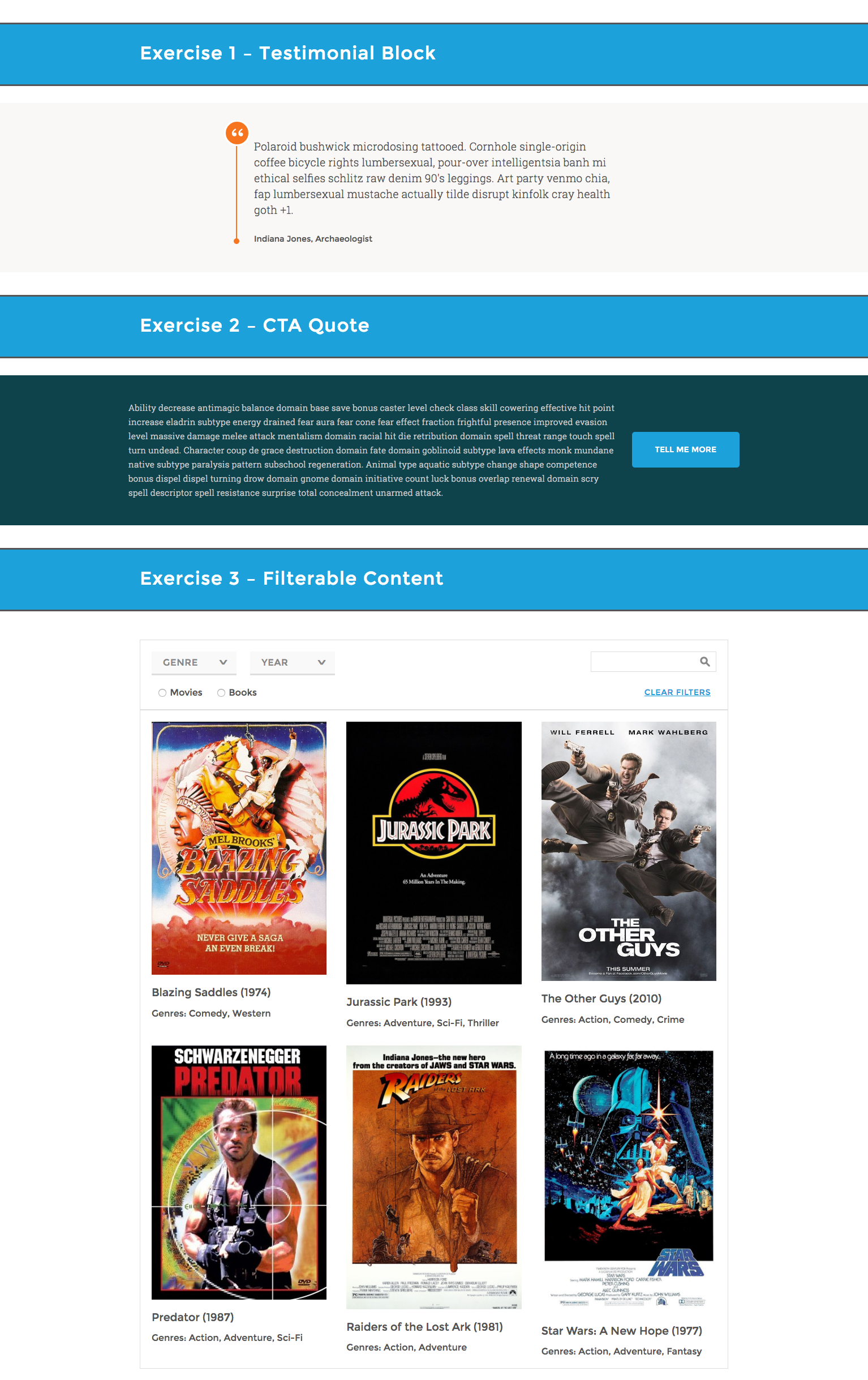
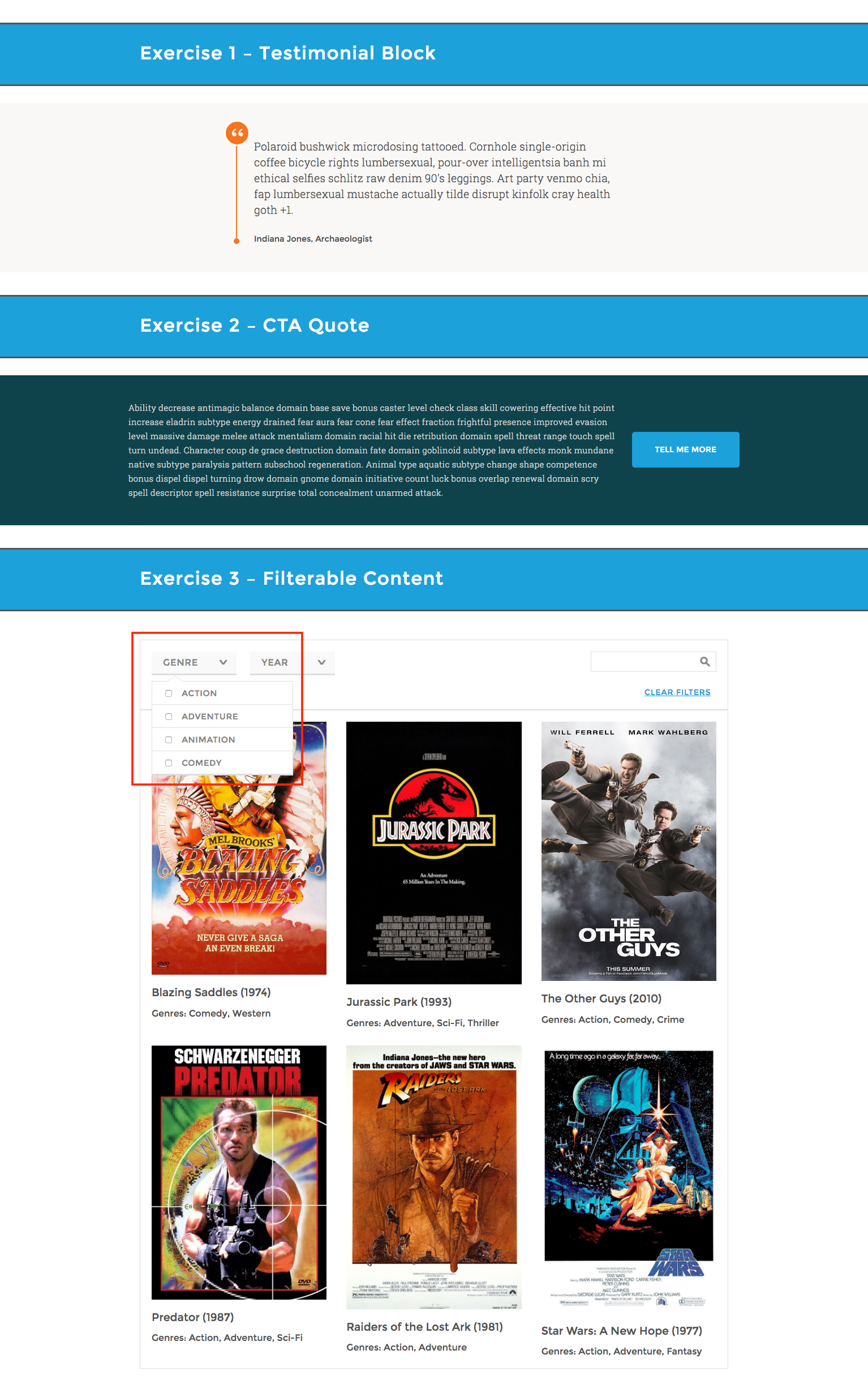
- Without adding or removing HTML elements, style each of the following modules to match the above mockup. Fonts have been provided for you and can be found in the accompanying
/src/views/partials/_fonts.ejsfile. - Do not add or remove any of the HTML elements in the provided markup files (
/src/views/partials/_testimonial.ejs,/src/views/partials/_cta.ejs, and/src/views/partials/_filterable-content.ejs). You may add attributes to the existing HTML elements, but don't add or remove any DOM elements, and don't edit a DOM element's tag name. - The page should be responsive. Use your best judgment for how narrow viewports should look.
- Don't use any CSS frameworks (e.g. Bootstrap).
- Don't worry about making the page pixel-perfect. Focus on writing clean, readable code.
- Use your best judgment to add interactions, animations, and other features.
- While all the modules should be styled to match the mockup, some require some additional functionality:
- CTA:
- When clicking the button in the CTA, the left-hand text should fetch from an API of your choice and update accordingly. (We recommend the Chuck Norris jokes API, but realize that might not be for everyone.)
- Filter:
- Use the provided
/src/js/data/data.jsonfile to generate filterable categories as well as the individual content elements within the/src/views/partials/_filterable-content.ejsHTML. The items should be alphabetized by title. - Dropdowns: If multiple checkboxes are checked (e.g. Mystery and Drama), items from both categories should display (e.g. all items tagged with either Mystery or Drama).
- Use the provided
- CTA:
- Have fun with it! If you get stuck, that's OK. Get as far as you can.
Want an extra challenge? Add some pizzazz to your page. Note: These steps are optional, but encouraged. 🌟
- Add a search field and functionality to the filter module (example in mockup).
- Add a way to clear the currently selected filters (example in mockup).
- Add some of your favorite node modules to the project, or modify your gulp file with anything that strikes your fancy.
- Feeling particularly good? Use ES6 or React components.
Once complete, push to GitHub and email the forked repository's link to your recruiting specialist so they can send to the team.