One keystroke and the apps you choose disappear.
Nothing left in the taskbar, Alt+Tab, or screen sharing.
Someone walks in behind you.
Your heart races for a second.
You don’t want to explain what’s on your screen.
SnapAway lets you hide it instantly.
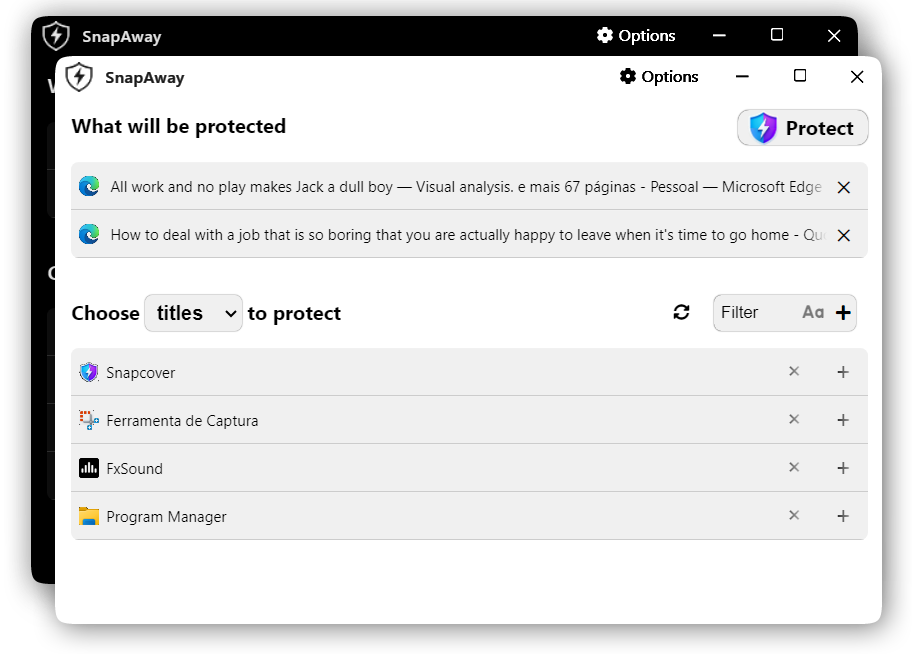
We all know that feeling. You're working, browsing, or chatting and suddenly someone appears behind you. Sometimes you just need a quick way to hide what’s on your screen without closing everything.
That’s why I built SnapAway.
- Hide selected apps in milliseconds
- Completely invisible in Alt+Tab, taskbar, and screen sharing
- Automatically mutes audio from hidden apps
- One key to hide, one key to bring everything back (or use password)
- Small floating button (28×28px) when you want it out of the way
- Fully customizable global shortcuts
- Optional password protection
- Emergency button to restore everything
- Switches smoothly between normal, floating, and password modes
- One-time purchase — lifetime access, no subscriptions
- Available on Microsoft Store (safe and auto-updates)
- Free version lets you hide up to 3 apps
- Clean, native Windows 10 & 11 support
- Install from Microsoft Store or direct download
- Choose the apps you want to protect
- Set your shortcut (like
Ctrl + Alt + Q) - Press the key when you need privacy
- Relax


Direct Download: SnapAway_setup.exe
If you try SnapAway, I’d really appreciate hearing from you.
- What do you like?
- What feels missing or could be better?
- Any bugs or weird behavior?
Feel free to open an issue on GitHub, send me an email, or just reply wherever you found this. Your feedback helps a lot to make it better.
- Electron + Svelte (fast and clean UI)
- C++ native modules for proper Windows integration
- Advanced window, process, audio and icon handling
- Secure offline license system (SHA-256)
SnapAway/
├── main.js                 # Electron main process
├── renderer/               # Svelte UI
├── src/                    # C++ native modules
│   ├── windows/
│   ├── process/
│   ├── audio/
│   └── license/
├── server/                 # License server (optional)
└── ...