ListView selective rendering of DB Documents and Error serializing doc errors on ListView #608


Description

Has your issue been reported?
- I have searched the existing issues and confirm it has not been reported.
- I give permission for members of the FlutterFlow team to access and test my project for the sole purpose of investigating this issue.
Current Behavior
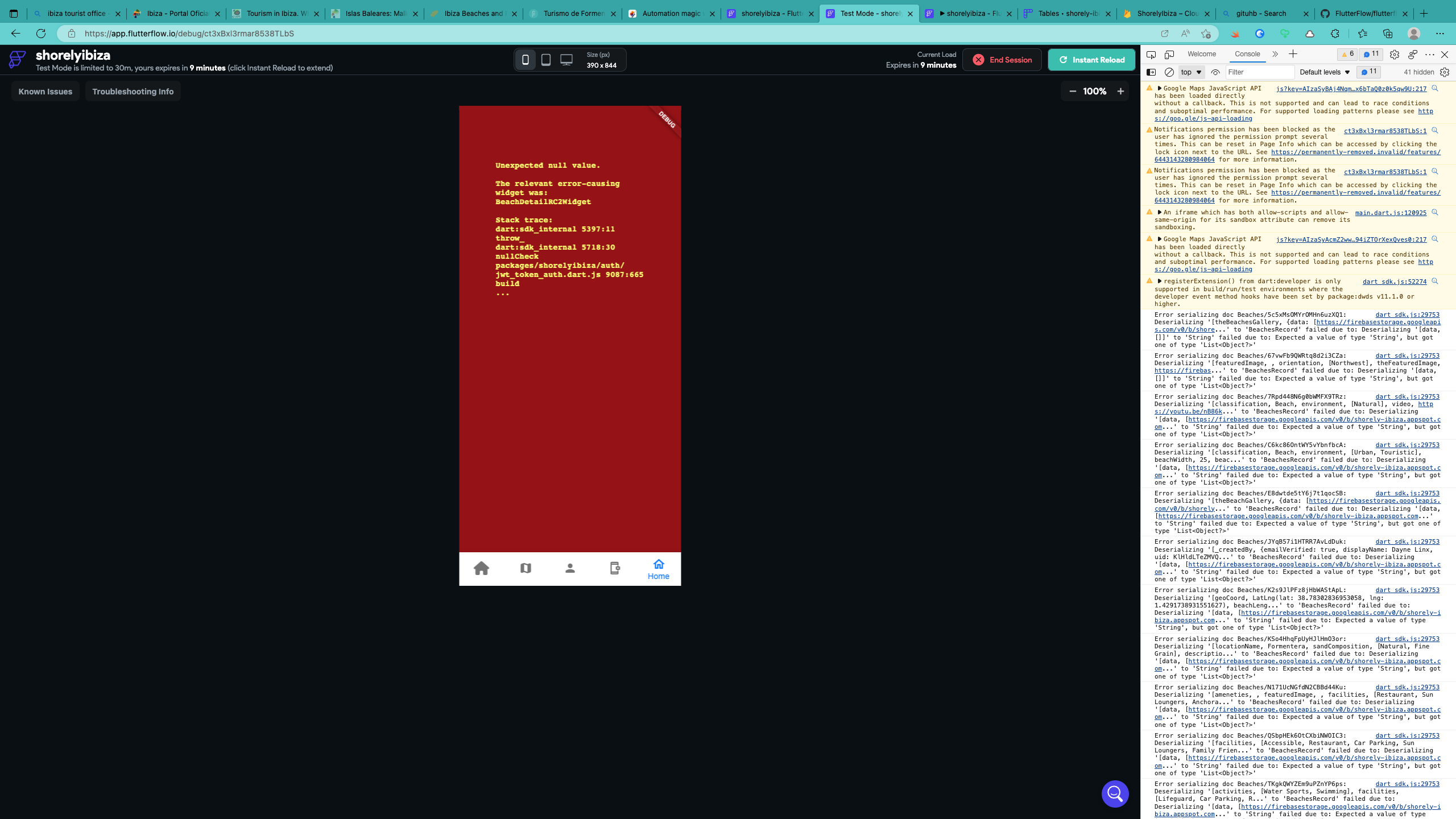
I have linked my firebase DB to a list view widget and for a couple of days it would render all records from the database. After a these couple of days and with no changes made with either tool it would start to generate a subset of the records randomly and no images that accompanied them. Now this is even more bizarre in that all the records can be seen and are accurate in the MANAGE CONTENT view and including the images. Now, I am assuming if there was a problem with the data it would also not render in that view also. I have used the developer tools both Edge and Opera and I am getting the same errors when rendering the ListView. (Images Attached).
Debugging Window Errors
Error serializing doc
EXCEPTION CAUGHT BY IMAGE RESOURCE SERVICE
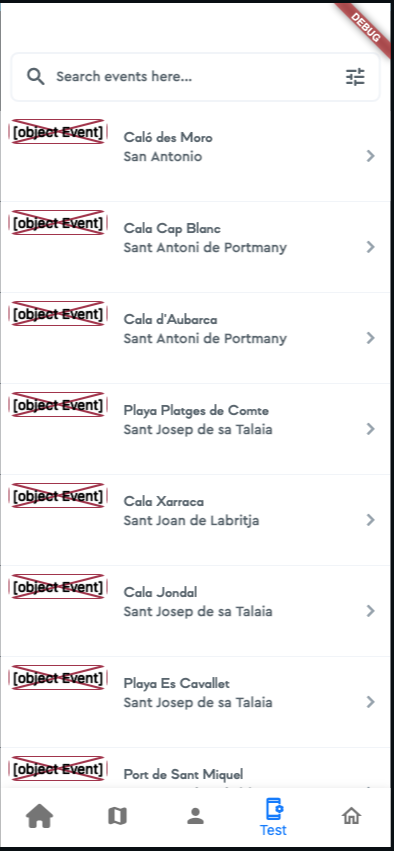
No images rendered from the DB (Object Event)
Expected Behavior
I link my Firebase DB to a ListView widget and expected the documents to be rendered within the ListView. This worked for a couple of days only. When I tap on a row i expect to be taken to a details page rendered with all the relevant database fields attached to widgets
Steps To Reproduce
- Create new page
- Add ListView widget
- Add Backend Query
- Query Type : Query Collection
- Select my ‘Beaches’ collection
- Initiate Run Mode
- Beaches Records are rendered in the list
- Return to the editing interface
- Select a row in the list
- Select Define Action
- On Tap - Navigate to ‘Beach Detail Page’
- Create a parameter ‘beachDetails’
- Available Options: Get Document Property - Document Properties: Reference
- Open my ‘Beach Details’ Page
- Select a Column view to add a backend query to
- Add Backend query - Document from Reference - Collection: Beaches - Select the ‘beachDetails’ Reference
- Select the ‘Beach Name’ text widget
- Select - Set From Variable - Beaches Document - Beach Name
- Run the App
- ListView renders the list of documents with selective rendering and not rendering all of the records
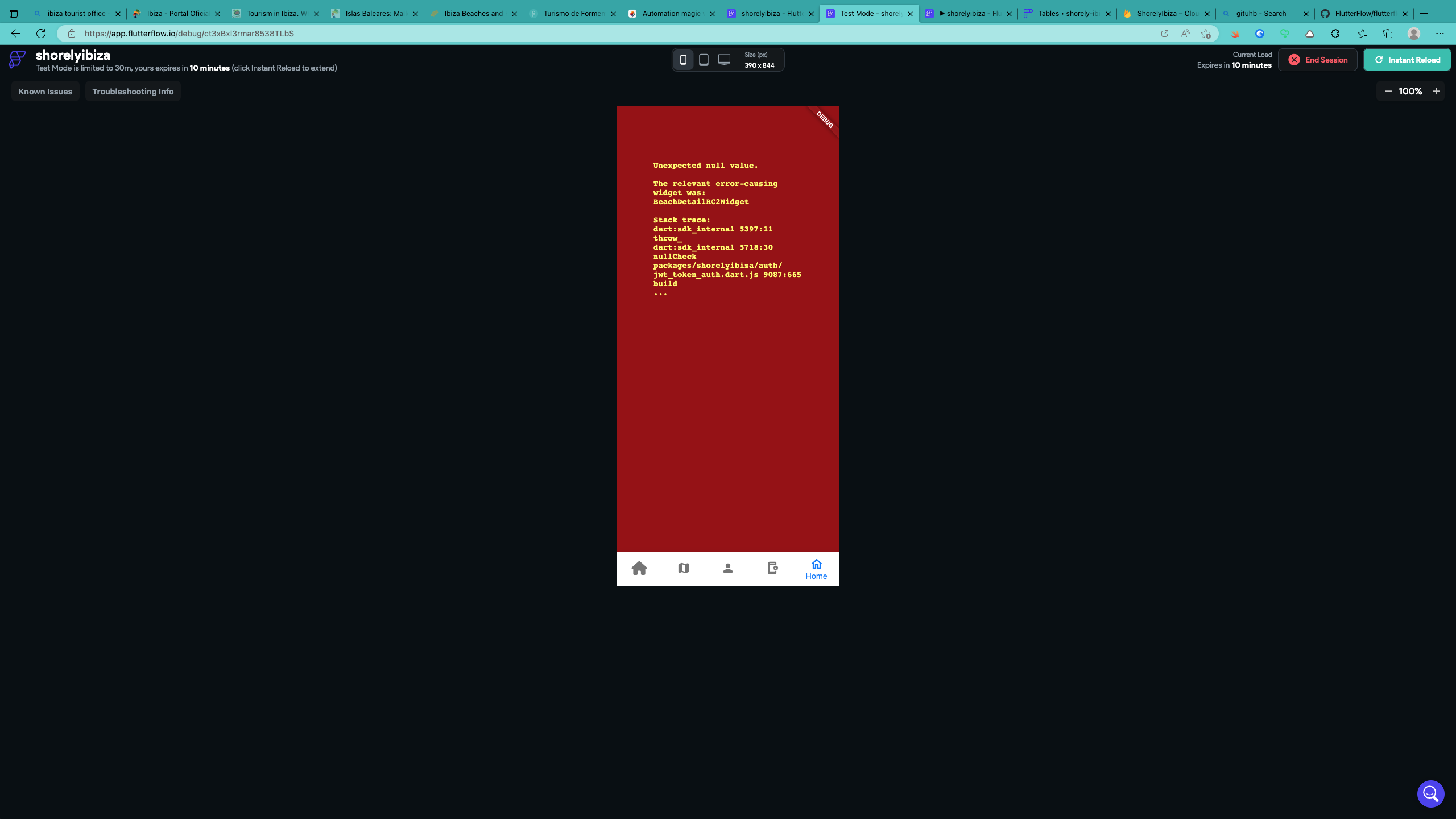
- When I tap on a row I get a Red screen of death - (Screenshots included)
Bug Report Code
ITFfkuflwItIsdtK0L6ILMFsjiMXHG0cTeUzlO1hdwwbI+PrB4kUPPSkQE5CWOqHdFBqB2KWpEwepfz5uezLMfkVOQ2qQbpi+s9XUxDgfGqhbLq4Ec2OdH9TL+VPI32B1sOokx15HMhiLlpg62WUI+6Qa3qCf9qOYwx5e6fDbOY=
Context
I cannot run the app and make progress building my details page or ListView accurately


Additional info
No response
Environment
- Version of FlutterFlow used: **3.7.3 - Previous versions had the same issue**
- Platform (e.g. Web, MacOS Desktop): **Web**
- Browser name and version: Edge: **110.0.1587.63 (Official build) (x86_64)** Opera: **95.0.4635.46 (x86_64)**
- Operating system and version (desktop or mobile): **macOS Big Sur** **macOS Ventura**