


A high-performance Flutter markdown renderer with syntax highlighting, LaTeX math formulas, tables, footnotes, SVG images, and real-time streaming support. Beautiful, customizable UI components for modern Flutter apps.
- 🚀 High Performance - AST-based parsing with optimized rendering
- 📝 Full Markdown Support - Headers, paragraphs, lists, code blocks, blockquotes, links, tables, and more
- 🎨 Customizable Styling - Easy theming with light/dark mode support and preset themes
- ✨ Enhanced UI Components - Beautiful code blocks with copy buttons, animated links, gradient blockquotes
- 🎯 Extensible Builder System - Custom widget builders for any markdown element
- 💻 Code Blocks - Syntax highlighting with language tags and copy functionality
- 🔗 Links - Hover animations and external link indicators
- 📐 Flexible Theme System - Multiple built-in themes (Default, GitHub, VS Code) with light/dark variants
- 📊 Table Support - Beautiful table rendering with proper styling and borders
- 🧮 Math Formulas - LaTeX equation rendering with flutter_math_fork
- 📎 Footnotes - Reference and definition support for academic writing
- 🖼️ SVG Images - Native SVG rendering support with flutter_svg
- 📋 Details & Summary - Collapsible content sections with interactive expand/collapse
- 🌐 Internationalization - Multi-language example app (6 languages supported)
- 🎬 Streaming Support - Real-time markdown rendering with StreamMarkdown widget
- 🔌 Plugin System - Extensible parser plugins for custom syntax (Mention, Hashtag, Emoji, AI blocks)
- 🤖 AI Chat Support - Built-in plugins for AI responses (Thinking, Artifact, Tool Call blocks)
- 📊 Mermaid Diagrams - Native rendering of flowcharts, sequence diagrams, pie charts, and Gantt charts
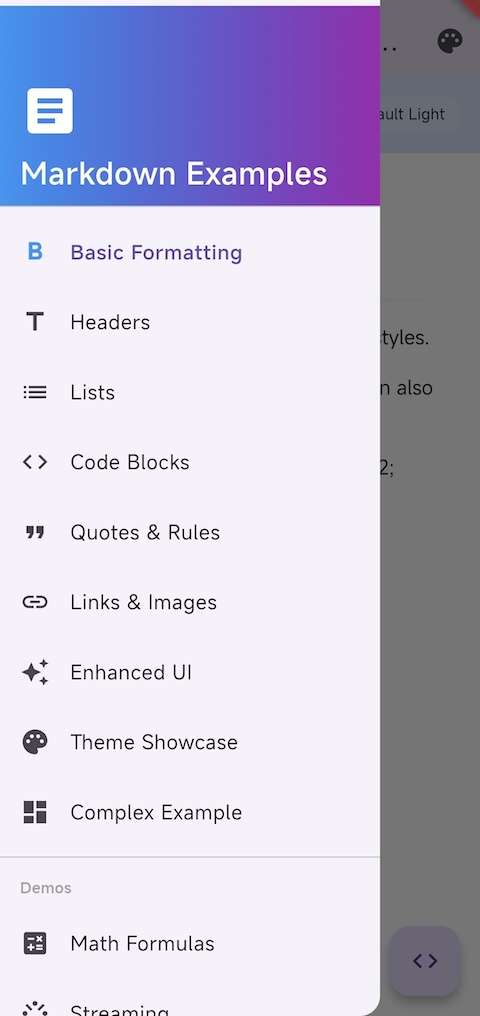
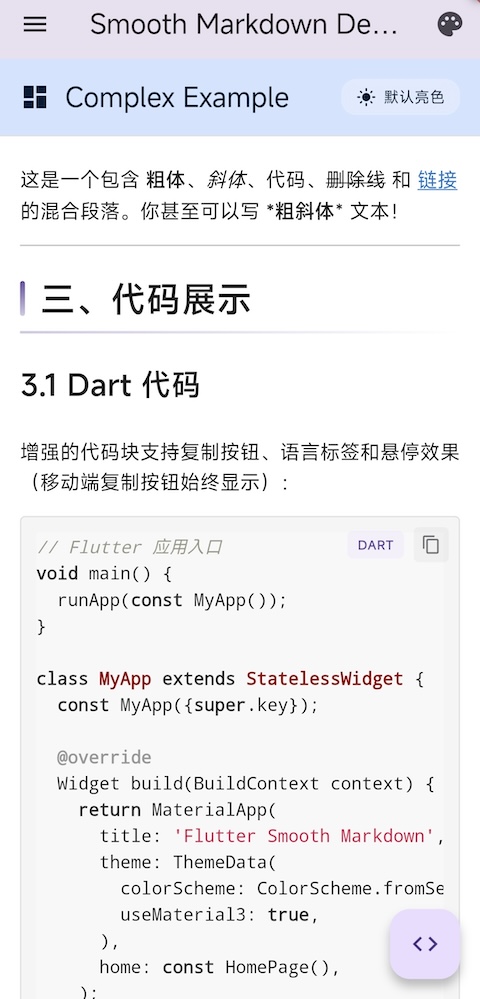
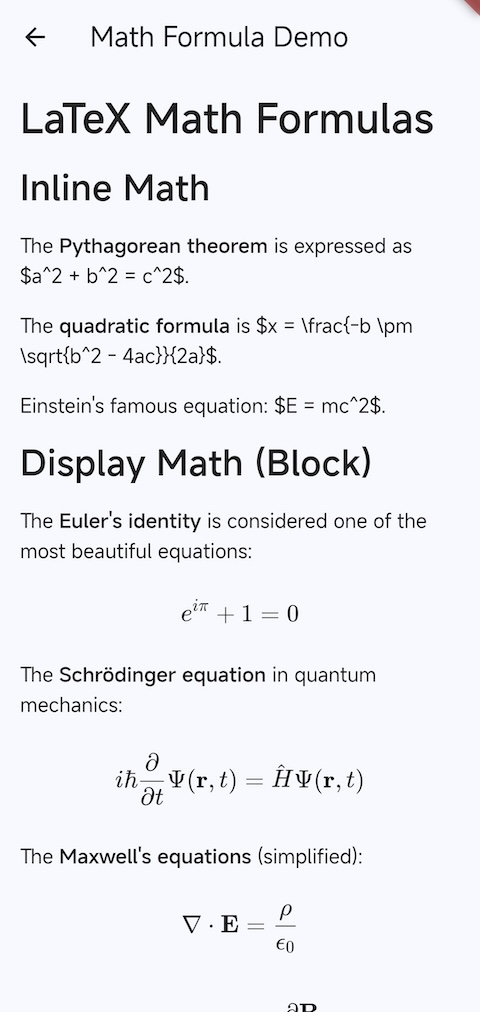
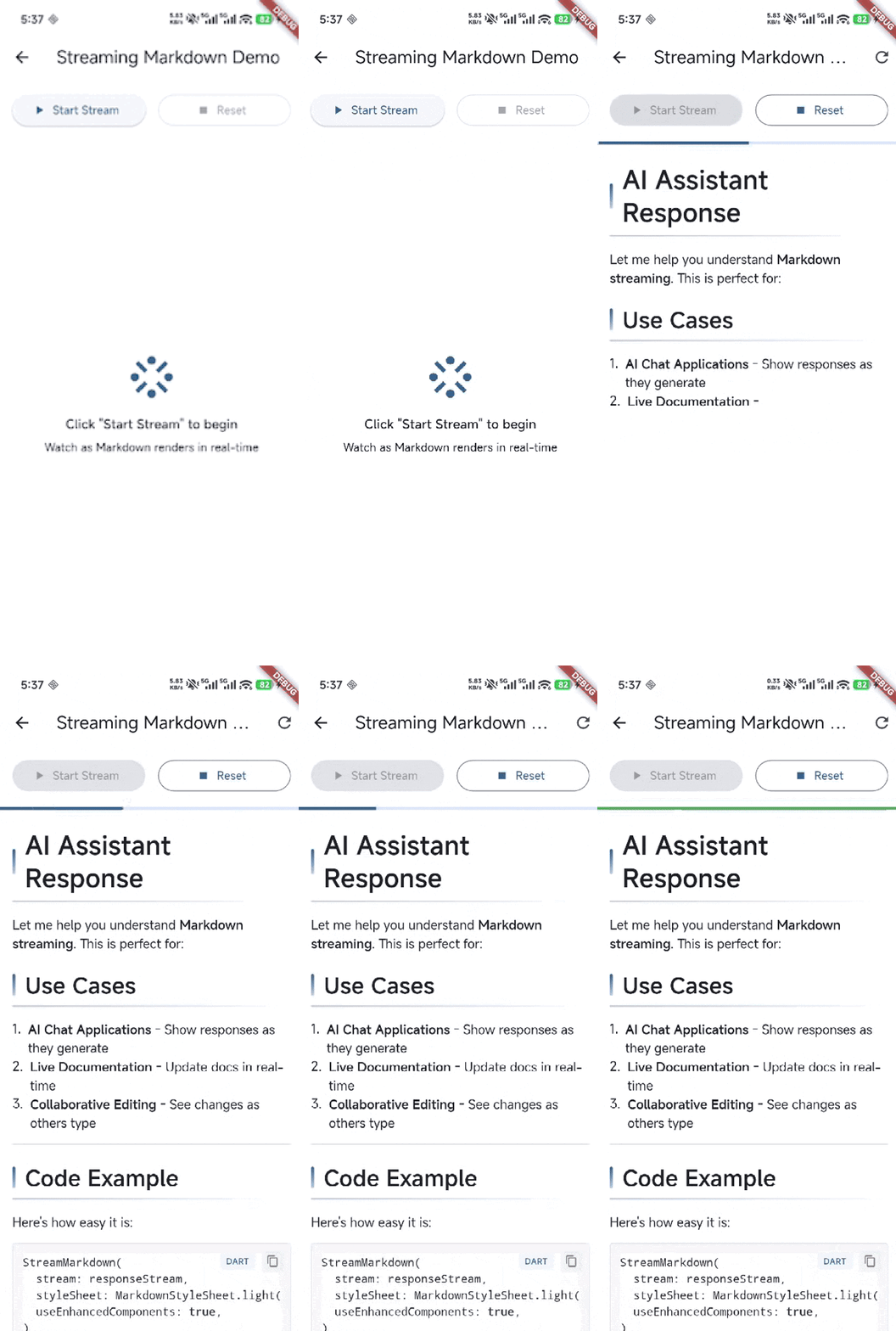
Note: Run the example app to see all features in action:
cd example && flutter run
Add this to your package's pubspec.yaml file:
dependencies:
  flutter_smooth_markdown: ^0.5.2
Then run:
flutter pub getimport 'package:flutter_smooth_markdown/flutter_smooth_markdown.dart';
// Simple markdown rendering
SmoothMarkdown(
data: '# Hello Markdown\n\nThis is **bold** and this is *italic*.',
styleSheet: MarkdownStyleSheet.light(),
onTapLink: (url) {
// Handle link tap
print('Tapped: $url');
},
)Get beautiful UI with enhanced components for code blocks, links, blockquotes, and headers:
import 'package:flutter_smooth_markdown/flutter_smooth_markdown.dart';

// Create custom renderer with enhanced components
final customRenderer = MarkdownRenderer(
  styleSheet: MarkdownStyleSheet.light(),
);

// Register enhanced builders
customRenderer.builderRegistry
  ..register('code_block', const EnhancedCodeBlockBuilder())
  ..register('blockquote', const EnhancedBlockquoteBuilder())
  ..register('link', const EnhancedLinkBuilder())
  ..register('header', const EnhancedHeaderBuilder());

// Render markdown
final nodes = MarkdownParser().parse(markdownText);
final widget = customRenderer.render(nodes);
Enhanced components include:
- Code blocks with copy button, language tags, and hover effects
- Blockquotes with quote icons, gradient backgrounds, and shadows
- Links with hover animations and external link indicators
- Headers with decorative accents and gradient borders
See 使用增强组件.md for detailed usage.
For detailed documentation, see:
- Core Requirements - Project requirements and specifications
- Development Plan - Development roadmap and phases
- UI Optimization Guide - UI enhancement strategies
- Using Enhanced Components - Guide to enhanced UI components
- Theme System - Theming and customization guide
- Phase 2 Summary - Parser implementation details
- Bold:
**text**or__text__ - Italic:
*text*or_text_ Strikethrough:~~text~~Inline code:`code`
# H1
## H2
### H3- Unordered list
1. Ordered list
- [ ] Task list
- [x] Completed task```dart
void main() {
print('Hello, World!');
}
```[Link text](https://example.com)
| Header 1 | Header 2 |
|----------|----------|
| Cell 1 | Cell 2 |Inline math: $E = mc^2$
Block math:
$$
\int_{a}^{b} f(x) dx = F(b) - F(a)
$$This text has a footnote[^1].
[^1]: This is the footnote content.<details>
<summary>Click to expand</summary>
This content is hidden by default and will only show when the user clicks the summary.
</details>
<details open>
<summary>Expanded by default</summary>
This section is expanded by default using the `open` attribute.
</details>// Register custom parser plugins
final registry = ParserPluginRegistry();
registry.register(const MentionPlugin()); // @username
registry.register(const HashtagPlugin()); // #topic
registry.register(const EmojiPlugin()); // :smile:
// Use with parser
final parser = MarkdownParser(plugins: registry);
final nodes = parser.parse('@john mentioned #flutter :rocket:');// Built-in AI response plugins
final registry = ParserPluginRegistry();
registry.register(const ThinkingPlugin()); // <thinking>...</thinking>
registry.register(const ArtifactPlugin()); // <artifact>...</artifact>
registry.register(const ToolCallPlugin()); // <tool_use>...</tool_use>
// Render AI responses with thinking process
SmoothMarkdown(
data: aiResponse,
plugins: registry,
)import 'package:flutter_smooth_markdown/flutter_smooth_markdown.dart';
// Render Mermaid diagrams natively
MermaidDiagram(
code: '''
gantt
title Project Timeline
dateFormat YYYY-MM-DD
section Planning
Requirements :done, req, 2024-01-01, 14d
Design :done, des, after req, 10d
section Development
Frontend :active, front, 2024-01-25, 30d
Backend :crit, back, 2024-01-20, 35d
section Release
Testing :test, 2024-02-25, 10d
Launch :milestone, launch, 2024-03-07, 0d
''',
style: MermaidStyle.dark(),
)Supported diagram types:
- Flowcharts -
graph TD/LR/BT/RLwith various node shapes - Sequence Diagrams - Message flows between participants
- Pie Charts - Data visualization with labels and percentages
- Gantt Charts - Project timelines with tasks, sections, dependencies, and milestones
- Timeline Diagrams - Historical timelines with periods and events
- Interactive Mode - Pan/zoom support with auto-centering and adaptive scaling
Perfect for building:
- 📱 Documentation Apps - Technical documentation with code examples
- 💬 Chat Applications - Rich text messaging with markdown support
- 📝 Note-Taking Apps - Markdown editors and viewers
- 🎓 Educational Platforms - Content with LaTeX formulas and code
- 📰 Content Management - Blog posts and articles with formatting
- 🤖 AI Chat Interfaces - Real-time streaming markdown responses
The package includes multiple built-in themes with light and dark variants:
// Default themes
SmoothMarkdown(
  data: markdownText,
  styleSheet: MarkdownStyleSheet.light(), // or .dark()
)

// GitHub theme
SmoothMarkdown(
  data: markdownText,
  styleSheet: MarkdownStyleSheet.github(brightness: Brightness.light),
)

// VS Code theme
SmoothMarkdown(
  data: markdownText,
  styleSheet: MarkdownStyleSheet.vscode(brightness: Brightness.dark),
)

// Adapt to Flutter theme automatically
SmoothMarkdown(
  data: markdownText,
  styleSheet: MarkdownStyleSheet.fromTheme(Theme.of(context)),
)

// Custom theme
final customTheme = MarkdownStyleSheet.light().copyWith(
  h1Style: TextStyle(fontSize: 32, fontWeight: FontWeight.bold),
  linkStyle: TextStyle(color: Colors.blue),
  codeBlockDecoration: BoxDecoration(
    color: Colors.grey[100],
    borderRadius: BorderRadius.circular(8),
  ),
);
See 主题系统.md for complete theming guide.
Contributions are welcome! Please read our contributing guidelines before submitting PRs.
This project is licensed under the MIT License.
flutter markdown markdown renderer markdown widget syntax highlighting code highlighting latex math math formulas markdown parser markdown viewer rich text streaming markdown real-time rendering flutter ui markdown editor documentation note taking chat app ai chat markdown to widget
- Phase 1: Core project structure and AST node definitions
- Phase 2: Markdown parser implementation (87+ tests passing)
- Phase 3: Renderer implementation with widget builder system
- Enhanced UI components (code blocks, blockquotes, links, headers)
- Theme system with multiple presets (Default, GitHub, VS Code)
- Example application with theme showcase
- Syntax highlighting for code blocks with flutter_highlight
- Table support with proper styling
- Image rendering with caching (cached_network_image)
- SVG image support (flutter_svg)
- Math formula rendering (LaTeX with flutter_math_fork)
- Footnote support (references and definitions)
- Multi-language internationalization (Chinese, English, Japanese, Spanish, French, Korean)
- Phase 4: Stream support for real-time rendering with StreamMarkdown widget
- Streaming demo in example app
- Details & Summary support for collapsible content sections
- Plugin system for custom parsers (MentionPlugin, HashtagPlugin, EmojiPlugin, AdmonitionPlugin)
- AI Chat plugins (ThinkingPlugin, ArtifactPlugin, ToolCallPlugin)
- AI Chat Demo with Qwen3 Max integration and thinking mode
- Mermaid diagram support (Flowcharts, Sequence, Pie Charts, Gantt Charts)
- Performance optimization and benchmarking
- API documentation and code comments
- More theme presets
- Advanced table features (sorting, filtering)
- Accessibility improvements (screen reader support)
Made with ❤️ for the Flutter community