


Create and manage surveys within your Laravel app.
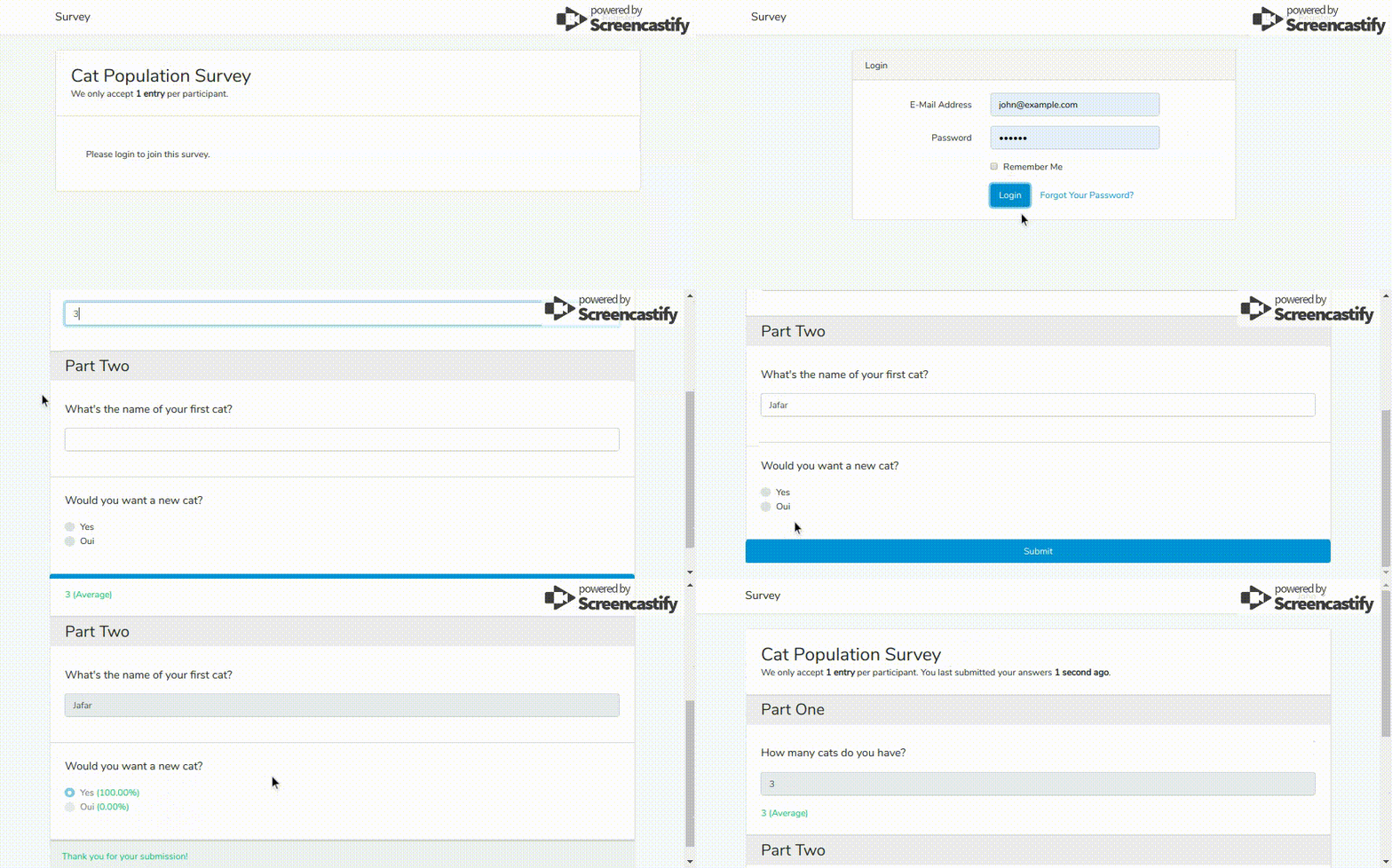
Require the package using composer.
composer require matt-daneshvar/laravel-surveyPublish package migrations.
php artisan vendor:publish --provider="MattDaneshvar\Survey\SurveyServiceProvider" --tag="migrations" Run the migrations to create all survey tables.
php artisan migrate Creating a new Survey is easy! You can build your survey fluently just like
how you create all your Eloquent models in your app.
$survey = Survey::create(['name' => 'Cat Population Survey']);

$survey->questions()->create([
     'content' => 'How many cats do you have?',
     'type' => 'number',
     'rules' => ['numeric', 'min:0']
 ]);

$survey->questions()->create([
    'content' => 'What\'s the name of your first cat',
]);

$survey->questions()->create([
    'content' => 'Would you want a new cat?',
    'type' => 'radio',
    'options' => ['Yes', 'Oui']
]);You may also park your questions under multiple sections.
$survey = Survey::create(['name' => 'Cat Population Survey']);

$one = $survey->sections()->create(['name' => 'Part One']);

$one->questions()->create([
    'content' => 'How many cats do you have?',
    'type' => 'number',
    'rules' => ['numeric', 'min:0']
]);

$two = $survey->sections()->create(['name' => 'Part Two']);

$two->questions()->create([
    'content' => 'What\'s the name of your first cat?',
]);

$two->questions()->create([
    'content' => 'Would you want a new cat?',
    'type' => 'radio',
    'options' => ['Yes', 'Oui']
]);The Entry model comes with a fromArray function.
This is especially useful when you're creating an entry from a form submission.
(new Entry)->for($survey)->fromArray([
    'q1' => 'Yes',
    'q2' => 5
])->push();You may fluently specify the participant using the by() function.
(new Entry)->for($survey)->by($user)->fromArray($answers)->push();When creating your survey, you may set some constraints
to be enforced every time a new Entry is being created.
By default, Entry models require a participant_id when being created.
If you wish to change this behaviour and accept guest entries,
set the accept-guest-entries option on your Survey model.
Survey::create(['settings' => ['accept-guest-entries' => true]]);All Survey models default to accept only 1 entry per unique participant.
You may adjust the limit-per-participant option on your Survey model
or set it to -1 to remove this limit altogether.
Survey::create(['settings' => ['limit-per-participant' => 1]]);Note that this setting will be ignored if the accept-guest-entries option is activated.
Add in a rules attribute when you're creating your Question to specify the validation logic
for the answers being received.
Question::create([
    'content' => 'How many cats do you have?',
    'rules' => ['numeric', 'min:0']
]);
Note that as opposed to the survey constraints, the question validators are not automatically triggered during the entry creation process. To validate the answers, you should manually run the validation in your controller (see below)
Validate user's input against the entire rule set of your Survey using Laravel's built in validator.
class SurveyEntriesController extends Controller
{
    public function store(Survey $survey, Request $request)
    {
        $answers = $this->validate($request, $survey);

        (new Entry)->for($survey)->fromArray($answers)->push();
    }
}Out of the box this package comes with boilerplate Bootstrap 4.0 views
to display the surveys and some basic question types.
These views are meant to be used only as samples, and
are not expected to replace your views in production.
To display survey in a card, include the card partial in your views.
@include('survey::standard', ['survey' => $survey])To customize the boilerplate views shipped with this package run package:publish with the views tag.
php artisan vendor:publish --provider="MattDaneshvar\Survey\SurveyServiceProvider" --tag="views"This will create a new vendor/matt-daneshvar/survey directory
where you can fully customize the survey views to your liking.
- Allow configuration.
- Generalize participant relation in
Entry. - Add weight to options.
- Implement wizard + section pagination!
- Support anonymized entries.
- Add management dashboard.
The MIT License (MIT). Please see License File for more information.