Repository navigation
Kitsu Manhwa not getting updated #77
Description

Describe the bug
- Manhwa's Kitsu url is not getting updated.
- Manhwa chapters, if added manually, does not get updated automatically while reading.
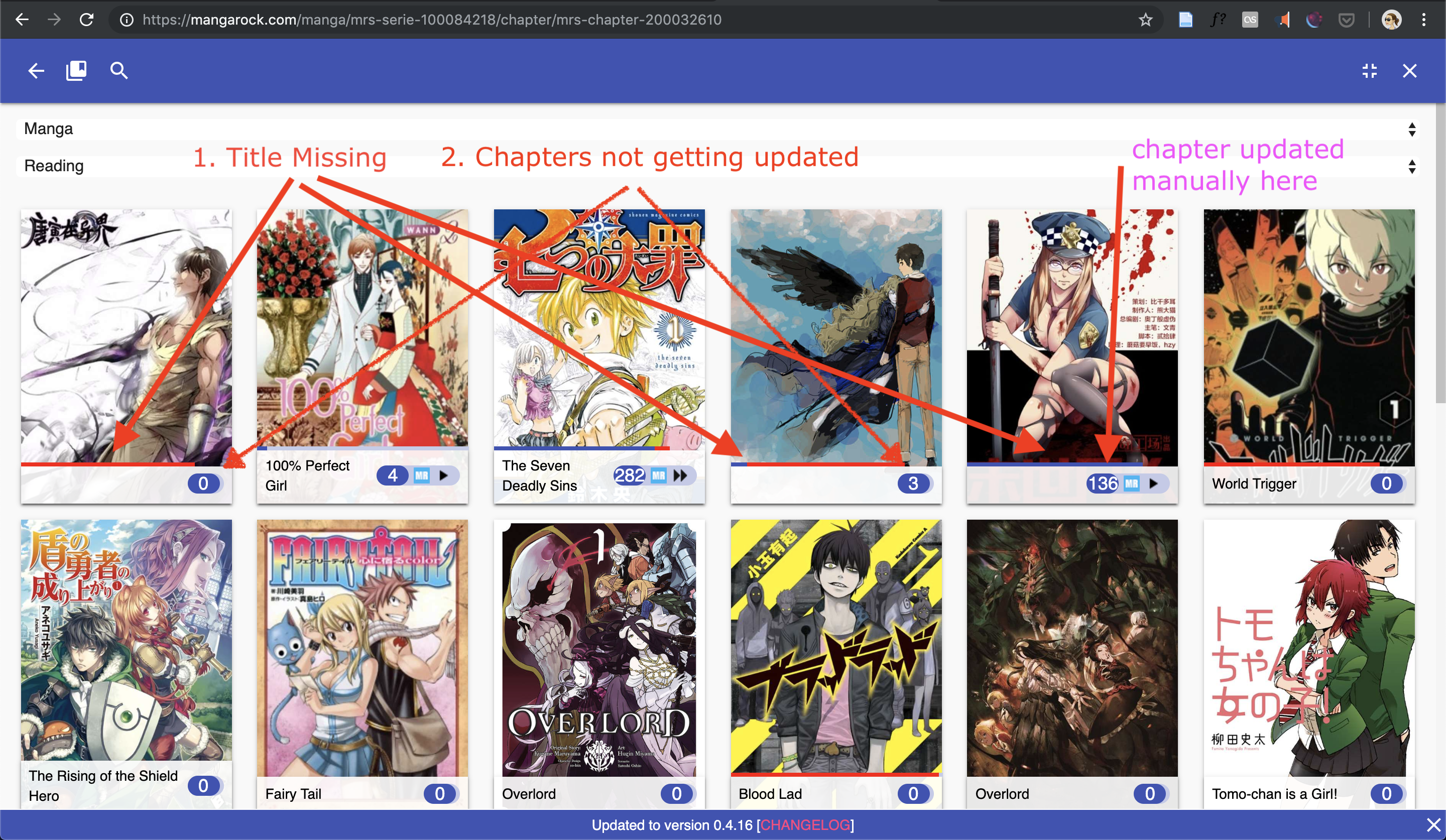
- The manhwa titles are not being shown in the bookmarks tab.
Steps to reproduce the behavior:
-
Set Mode : Kitsu in settings and Authenticate
-
Visit mangarock's Manhwa page, example 'Don's Adventure in Another World' and read any chapter
link- https://mangarock.com/manga/mrs-serie-100084218/chapter/mrs-chapter-200032610
a. The prompt asking the status of the manga is not showing up. -
Add the manhwa manually to MAL-sync using the settings page and enter the kitsu url.
link- https://kitsu.io/manga/dons-adventure-in-another-world -
Click on update and wait. A prompt saying 'New Url Set' is displayed
a. URL is set but the chapters are still not updated -
Click on Bookmarks tab
a. The Manhwa is added to the Reading Manga section, but the ' Title' and 'Chapter' is not displayed.
Additional information:
- Browser: Chrome
- Mode: Kitsu and Authenticated (It still always show the Authentication link though)
- Url: https://mangarock.com/manga/mrs-serie-100084218
- Url: https://kitsu.io/manga/dons-adventure-in-another-world
PS-
I am using 'Mode: Kitsu' to sync both Manga and Webtoons with Kitsu. As Kitsu has Export to MAL settings.

Activity
[BUGFIX] Fix Kitsu entries without any relations not working
[BUGFIX] Fix missing title in kitsu
lolamtisch commentedon May 3, 2019
Should be fixed with version 0.4.17