Line Appears on Primary Monitor When Opening Classic Skin Menu Menu from Secondary Monitor #910

Description

I have classic skin enabled on my start menu. When I open it from my right monitor , a tiny, 1-pixel wide line shows up on the very right of the left monitor. It seems that the skin is just 1 pixel too wide to the left. The strange thing is that the line only shows up after the animation has been played.
To Reproduce
- Switch the skin to classic on any menu style.
- Open a window in full-screen on the left monitor that provides high contrast, such as a window with a black background.
- Open the menu on the monitor to the right.
Expected behavior
For best aesthetics, I would prefer that the line does not exist.
Screenshots
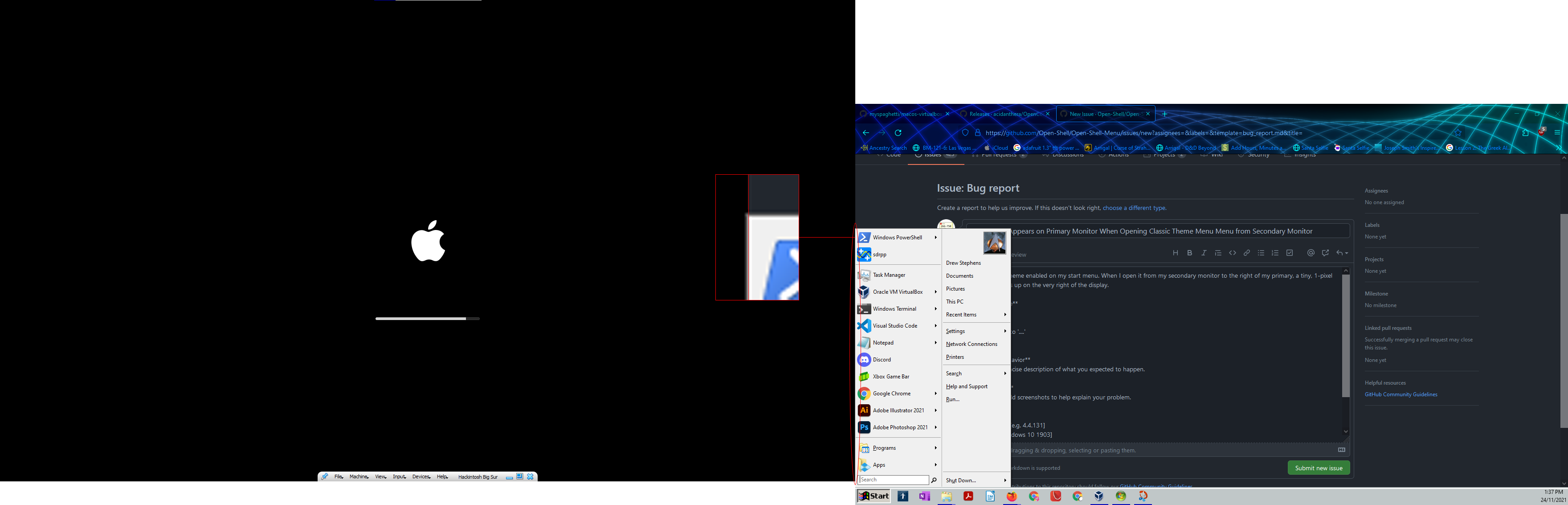
If you're wondering about that Apple loading screen, that's just my Hackintosh VM in Virtualbox.
Version:
- Open-Shell: 4.4.160
- OS: Windows 10 20H2
Additional context
I believe it is not a software bug, but an actual mistake in the design of the skin, as the issue does not occur on any other skin.