[TopBar] Show secondary menu on small screens #2913
Conversation


|
🟢 This pull request modifies 4 files and might impact 3 other files. Details:All files potentially affected (total: 3)📄
|

 kyledurand
left a comment
kyledurand
left a comment
kyledurand
left a comment
There was a problem hiding this comment.
Code looks good but can we tighten up the spacing between secondary and primary?

Just looks a bit off to me

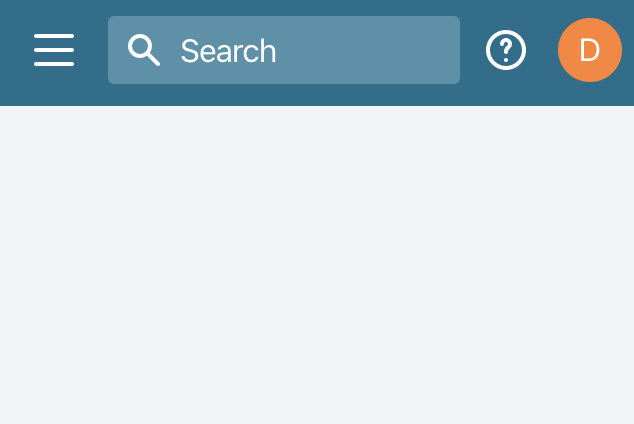
Yea it does doesn't it. I tweaked some of the margins for the search and menu activators. This is what it looks like now.
|
 dfmcphee
force-pushed
the
secondary-menu-small-screen
branch
from
dfmcphee
force-pushed
the
secondary-menu-small-screen
branch
from
98d1af5 to
2f89b2d
Compare
|
🎩ed this in web and it looked good there too. Can I get another set of 👀s on this? |
kyledurand
left a comment
kyledurand
left a comment
There was a problem hiding this comment.
Looks good just one note about the icon being white because it won't show up when new design language is true
Adding example

Updating UNRELEASED

Adjusting margins

Chaning example

Removing hard coded icon colour
dfmcphee
force-pushed
the
secondary-menu-small-screen
branch
from
2f89b2d to
436cf70
Compare
Good catch. I adjusted this to not need a color set on the icon component and instead apply the correct color in the CSS. Here are some examples:
|




Right right. Forgot we had that. Thanks!

Co-Authored-By: Kyle Durand <kyledurand@users.noreply.github.com>
2 participants


WHY are these changes introduced?
Currently we hide the
secondaryMenuin the top bar on small screens. We need to use this for a feature we are working on, but it needs to show on small screens too.WHAT is this pull request doing?
This PR removes the styles on the secondary menu that was hiding it at a breakpoint. I also added an example to the
TopBarreadme.This is what it looks like now:
How to 🎩
Look at the example in storybook on a small screen and make sure the menu still shows.
🎩 checklist
README.mdwith documentation changes