HACS Integration
The SmartGhar Home Assistant integration exposes every paired tank as a HA device — level sensor, battery voltage, RSSI, buzzer switch, LED config, plus editable configuration (capacity, sleep interval, samples-per-wake) all from inside HA. Works fully local (your own MQTT broker) or via the SmartGhar cloud.
Repo: github.com/Techposts/smartghar-homeassistant Current version: v0.8.0 (May 2026) Scope: Multi-product. Today: TankSync (water-tank monitoring) + AmbiSense (radar presence + LED). On the roadmap: PowerSync (energy), RidgeSync (locks).
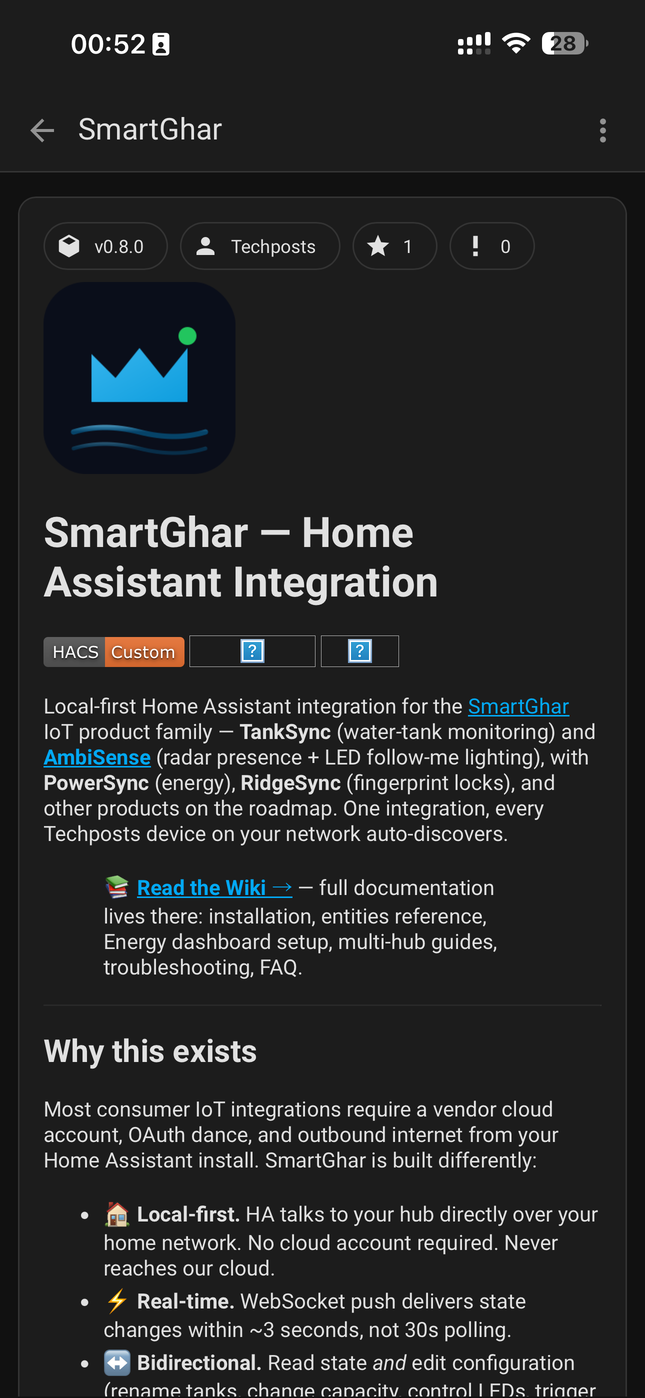
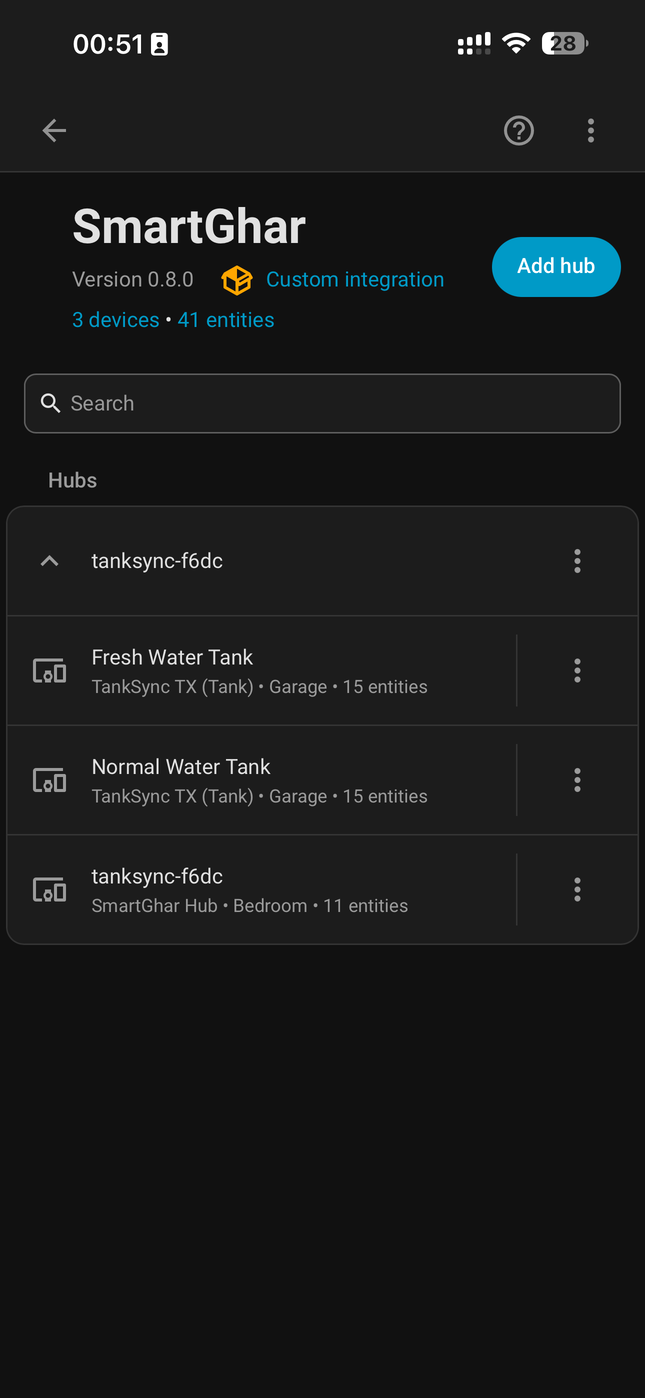
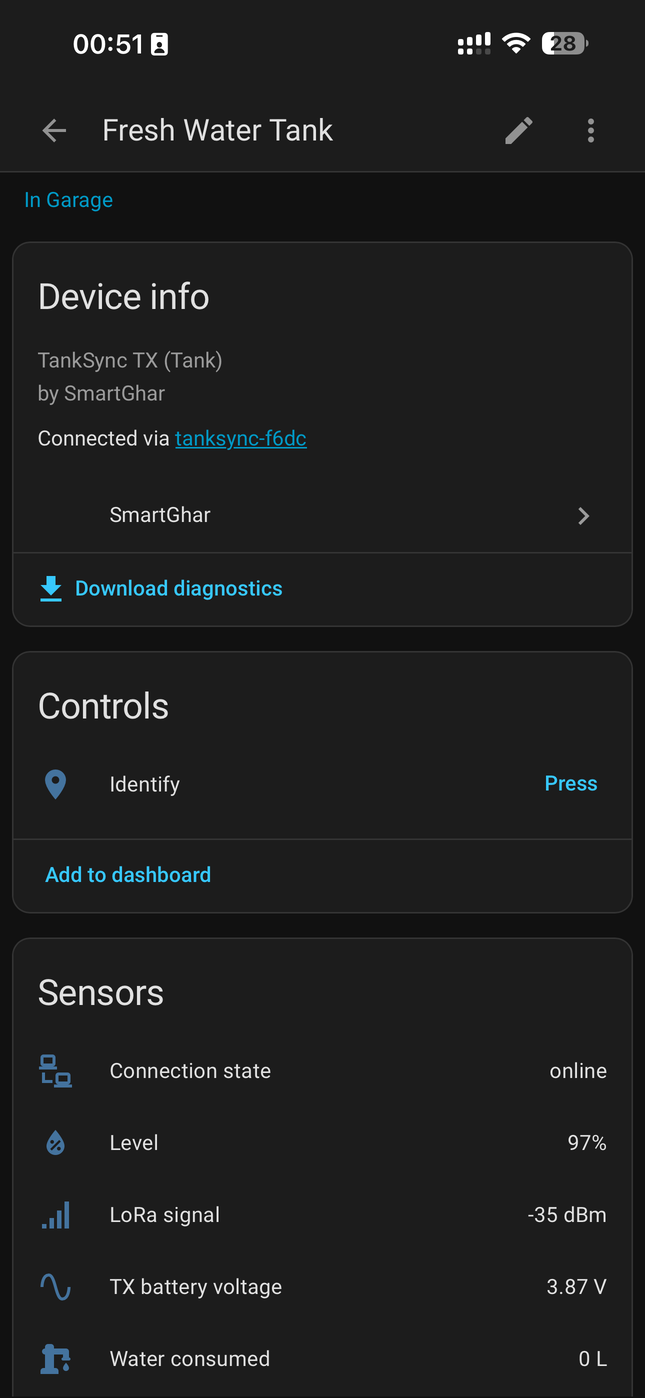
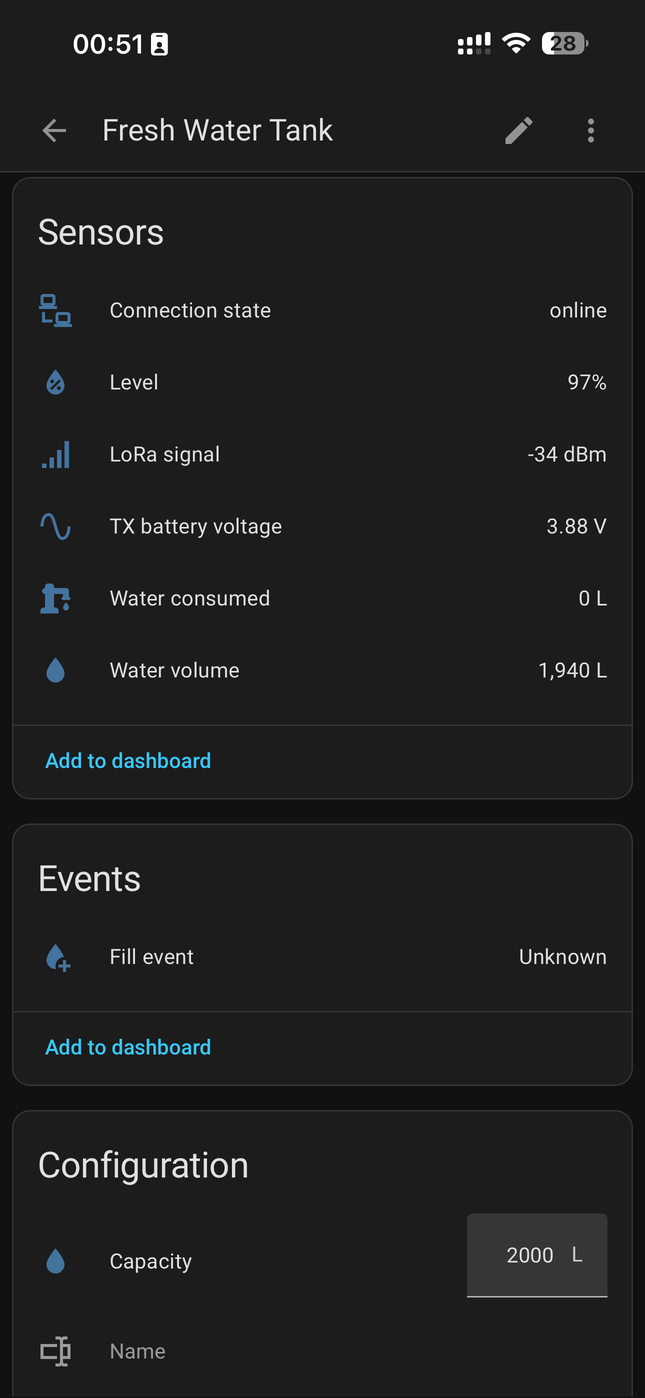
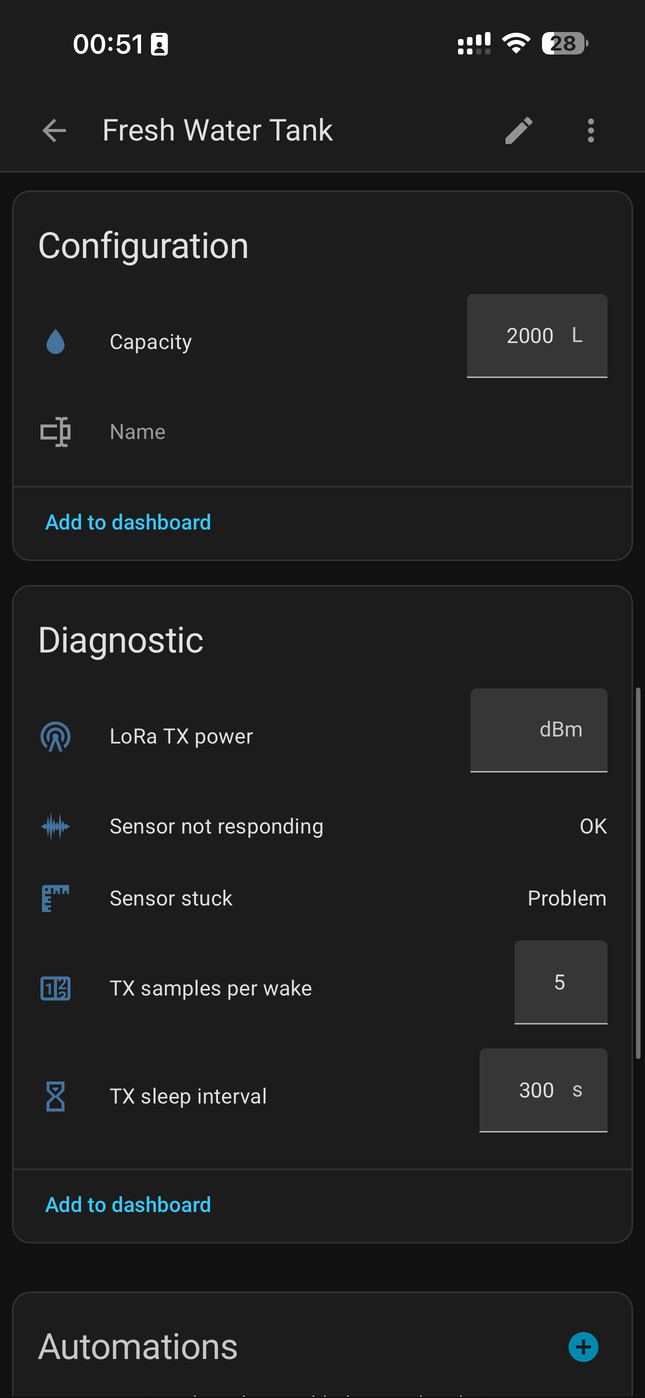
1. HACS listing · 2. Integration overview · 3. Tank device page · 4. Sensors + Events · 5. Configuration + Diagnostic
After install you get one HA device per paired tank (named whatever you named it in the PWA — "Fresh Water Tank", "Normal Water Tank" in screenshot 2) plus one extra device for the hub itself carrying the buzzer / LED / system controls. HA auto-groups each tank's entities into Sensors (live data — Level, LoRa signal, TX battery voltage, water volume, water consumed — screenshots 3+4), Events (Fill event — screenshot 4), Configuration (Capacity, Name — editable from HA — screenshots 4+5) and Diagnostic (LoRa TX power, Sensor not responding, Sensor stuck, TX samples per wake, TX sleep interval — also editable — screenshot 5). The grouping comes from the right HA entity-class assignments in the integration — diagnostic entities don't clutter your dashboards, configuration entities surface as proper input controls.
Why this matters: most HA integrations are read-only. SmartGhar's is bidirectional — what you change in HA rides the same MQTT command channel the PWA uses, so HA and the PWA stay in sync. Change capacity from HA, the PWA reflects it within seconds. (How the command channel works.)
- In Home Assistant → HACS → Integrations → ⋮ → Custom Repositories.
- Add
https://github.com/Techposts/smartghar-homeassistantwith category Integration. - Search for "SmartGhar" → Download.
- Restart Home Assistant.
- Settings → Devices & Services → Add Integration → "SmartGhar".
The integration needs three things:
| Field | Local-broker setup | Cloud setup |
|---|---|---|
| MQTT broker | Your Mosquitto host (e.g. core-mosquitto on HA) |
mqtt.smartghar.org |
| Port |
1883 (or 8883 for TLS) |
8883 (TLS required) |
| Username / Password | Your broker's creds | Your TankSync account creds (visible in the PWA's Settings → Local network → MQTT panel) |
Hit Submit. The integration discovers your hubs and tanks within ~10 seconds.
Each paired tank shows up as a single HA device with these entities:
| Friendly name (in HA) | entity_id |
Unit | Notes |
|---|---|---|---|
| Connection state | binary_sensor.<tank>_connection_state |
online/offline | Last packet within 2× wake interval |
| Level | sensor.<tank>_level_pct |
% | 0–100, primary user-facing metric |
| Water volume | sensor.<tank>_water_volume |
L | Computed from capacity × percent |
| Water consumed | sensor.<tank>_water_consumed |
L | Running total since reset (cumulative state_class: total_increasing) |
| LoRa signal | sensor.<tank>_rssi |
dBm | Link quality (last received packet) |
| TX battery voltage | sensor.<tank>_battery_v |
V | INA219 bus voltage |
| TX battery percent | sensor.<tank>_battery_pct |
% | Battery health (smoothed) |
| TX current | sensor.<tank>_current_ma |
mA | Signed; +ve = discharge, −ve = charge |
| Distance | sensor.<tank>_distance_cm |
cm | Raw sensor-to-water reading |
| Last seen | sensor.<tank>_last_seen |
timestamp | Most recent successful packet |
| Firmware version | sensor.<tank>_firmware_version |
string | TX firmware version |
| Friendly name | entity_id |
Fires on |
|---|---|---|
| Fill event | event.<tank>_fill_event |
Detected fill (level rise above threshold over the fill window) |
Event entities are HA's modern way of exposing "something happened" — use them in automations with the event.event_type trigger.
These appear as inline inputs on the device page. Changes ride the MQTT command channel — the PWA reflects the change within seconds.
| Friendly name | entity_id |
Type |
|---|---|---|
| Capacity | number.<tank>_capacity |
number (L) |
| Name | text.<tank>_name |
text |
| LoRa TX power | number.<tank>_lora_tx_power |
number (dBm) |
| TX samples per wake | number.<tank>_tx_samples_per_wake |
number |
| TX sleep interval | number.<tank>_tx_sleep_interval |
number (s) |
Diagnostic entities don't clutter dashboards by default — they live in the device page's Diagnostic section.
| Friendly name | entity_id |
True / value when |
|---|---|---|
| Sensor not responding | binary_sensor.<tank>_sensor_not_responding |
TX reports sensor_status = 'e' or 'u'
|
| Sensor stuck | binary_sensor.<tank>_sensor_stuck |
Sensor reports identical value across the variance window (see Sensor Honesty) |
| Low water | binary_sensor.<tank>_low_water |
Level < configured low threshold |
| Overflow | binary_sensor.<tank>_overflow |
Level > 95 % |
In addition to the per-tank devices, the hub itself shows up as a device (in the screenshots above: tanksync-f6dc · 11 entities). It carries the buzzer/LED/system controls.
| Friendly name | entity_id |
What it does |
|---|---|---|
| Buzzer — master | switch.<hub>_buzzer_master |
Master mute (all alerts) |
| Buzzer — volume | select.<hub>_buzzer_volume |
Quiet / Standard / Loud |
| Buzzer — test tone | button.<hub>_test_buzzer |
Plays a 1 s test tone |
| Buzzer — (per alert) | switch.<hub>_buzzer_<alert_name> |
Per-alert toggle (low, overflow, sensor offline, etc.) |
| LED strip type | select.<hub>_led_strip_type |
2 / 8 / 24 LEDs |
| LED brightness | number.<hub>_led_brightness |
0–255 |
alias: "TankSync — fast drop alert"
trigger:
  - platform: numeric_state
    entity_id: sensor.fresh_water_tank_level_pct
    below: 30
condition:
  - condition: template
    value_template: >
      {{ (trigger.from_state.state | float)
         - (trigger.to_state.state | float) > 10 }}
action:
  - service: notify.mobile_app_my_phone
    data:
message: "Fresh Water Tank dropped 10%+ — possible leak?"alias: "Overflow auto-pause"
trigger:
- platform: state
entity_id: binary_sensor.fresh_water_tank_overflow
to: "on"
action:
- service: switch.turn_off
entity_id: switch.irrigation_main-
Integration loads but no entities → broker connection OK but no retained topics. Force-publish from the hub's web UI →
System → Send refresh to MQTT. -
unique_idcollision across multiple hubs → fixed in v0.8.1 (MAC-anchored unique_id +async_migrate_entry). Upgrade if you're on ≤0.8.0. -
Entities go
unavailableovernight → broker disconnect. Check Mosquitto logs. The integration auto-reconnects but reports stale until the hub re-publishes (next wake cycle). - HA sees the integration but not the buzzer entities → hub firmware is pre-rx-v2.8.0 (no buzzer support). Update firmware.
For deeper logs: HA's Settings → System → Logs → "TankSync" filter.
The integration doesn't poll — it subscribes to MQTT topics published by your hub. Every TX wake cycle pushes new sensor data; the hub re-publishes retained on every change. So:
- Latency = wake interval (default 5 min, configurable per-tank via the PWA).
- HA sees stale data when the TX hasn't woken yet — that's expected behavior, not a bug.
- If you want sub-minute granularity, lower the wake interval in the PWA's Devices → Edit page. But faster polling = shorter battery life.