Local Web UI
Every hub runs a local web UI on the IP shown on its OLED. Reachable as long as your device is on the same Wi-Fi network as the hub. Works fully offline — never needs cloud connectivity.
URL:
http://<hub-ip>/— typically something likehttp://192.168.0.56/HTTPS: intentionally not enabled (local-only, self-signed certs are worse UX than plain HTTP on a LAN). Don't expose this to the internet.
5 tabs at the bottom: Tanks · Devices · Network · System · Cloud.
At-a-glance summary at the top (left), drill-in tank detail with steady-draw chip (right):
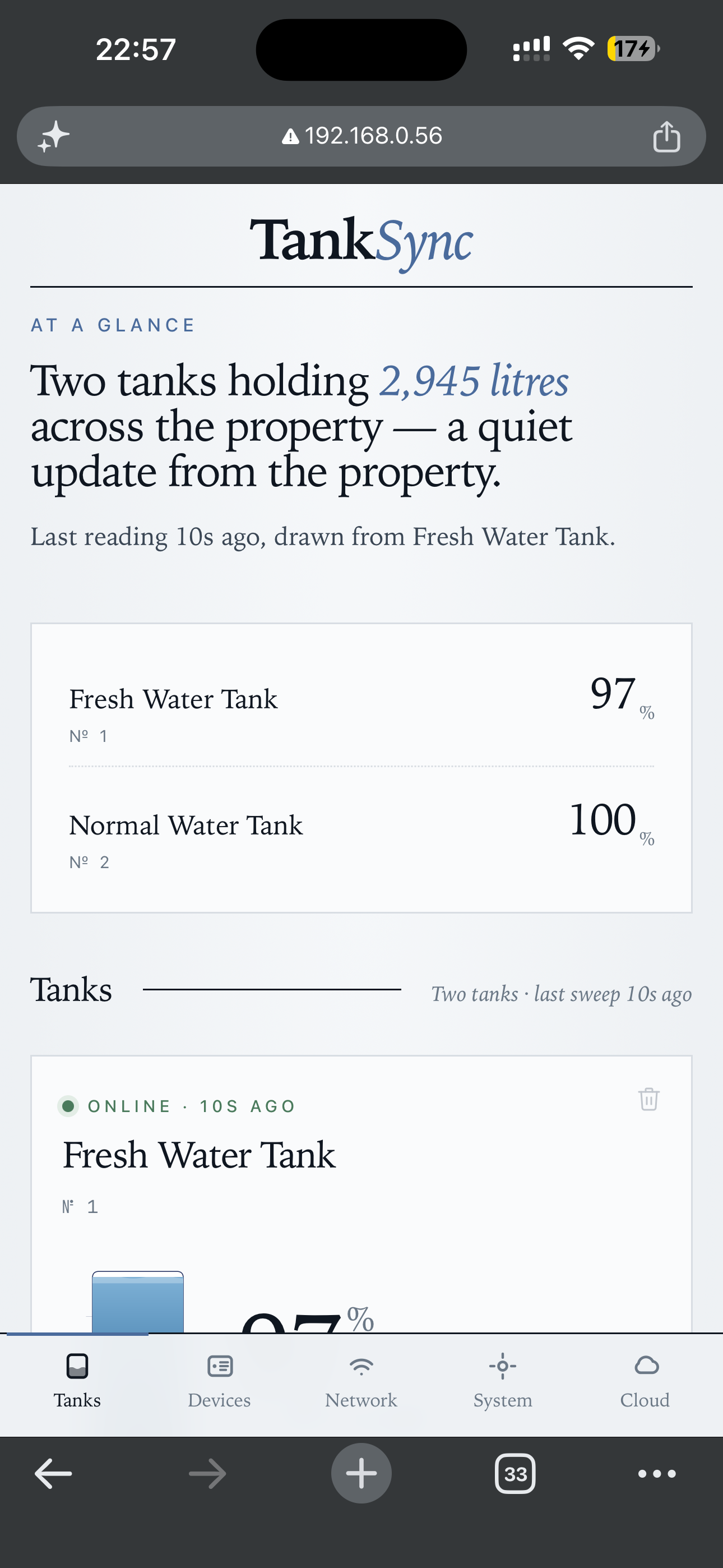
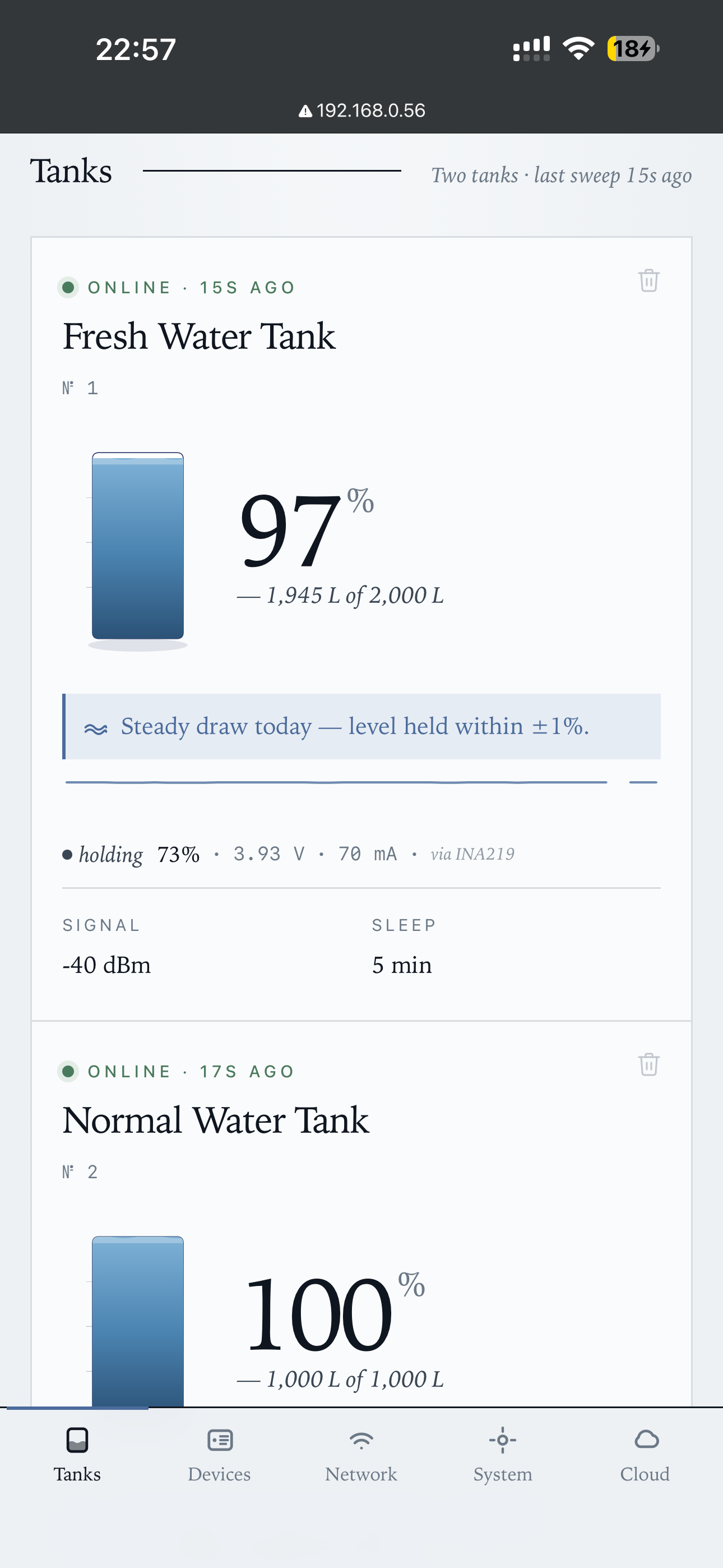
The "Steady draw today" chip surfaces when level held within ±1% over the last 24h. Each tank card has live readings: percent + litres, last sample timestamp, signal (dBm), holding/charging current via INA219, sleep interval.
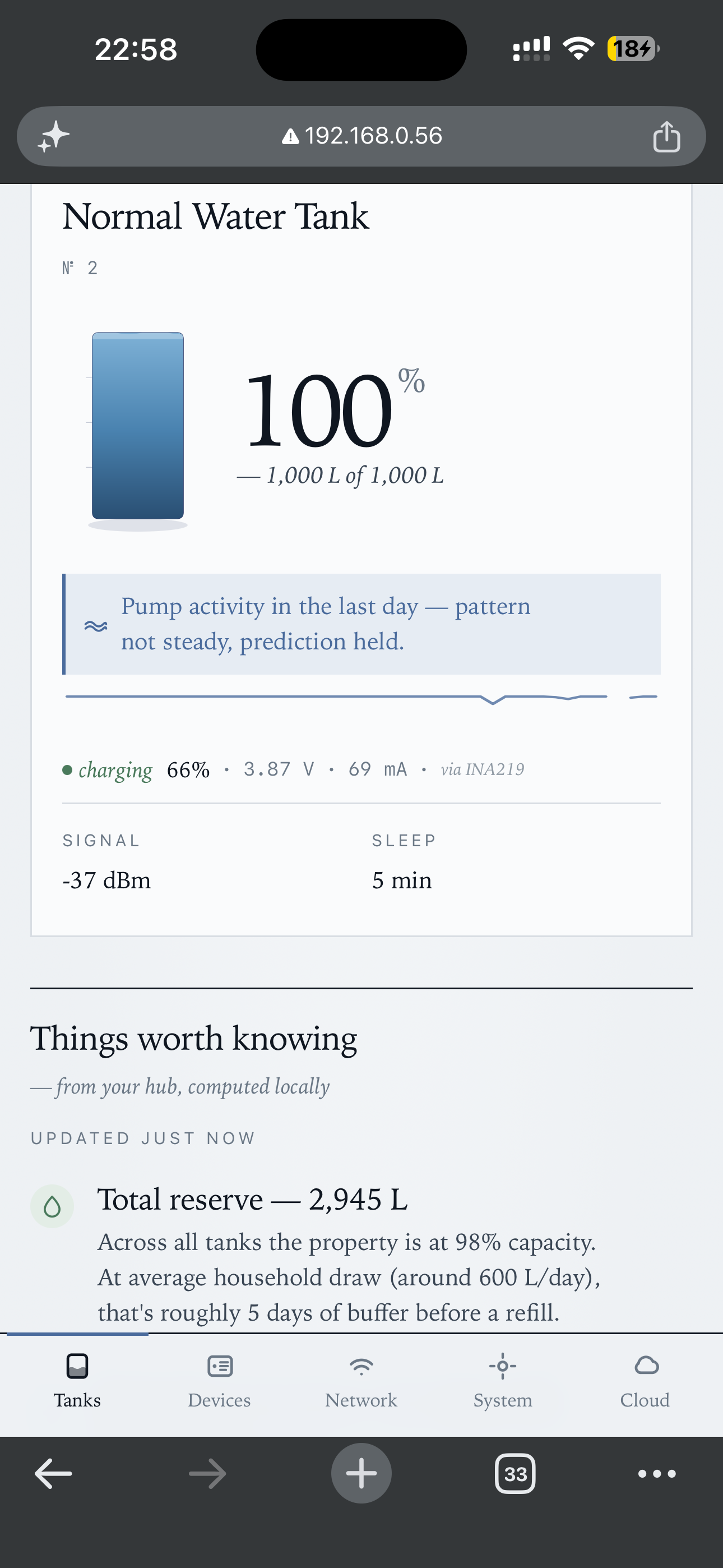
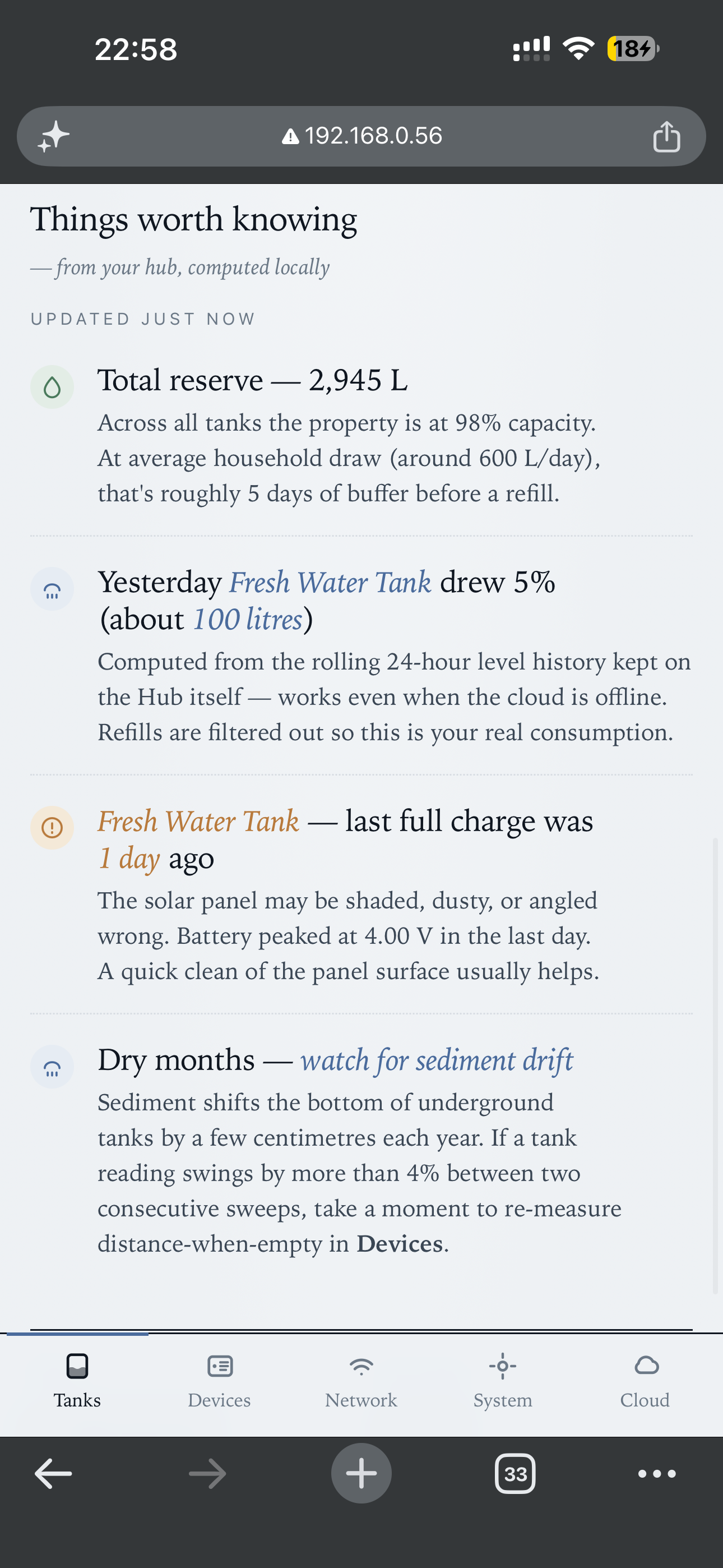
Scrolling down past the tanks → Things worth knowing insights (total reserve, yesterday's draw, etc.) computed locally on the hub — works even if MQTT is down:
Registered devices table (left), edit form for tank name + calibration + sleep (right):
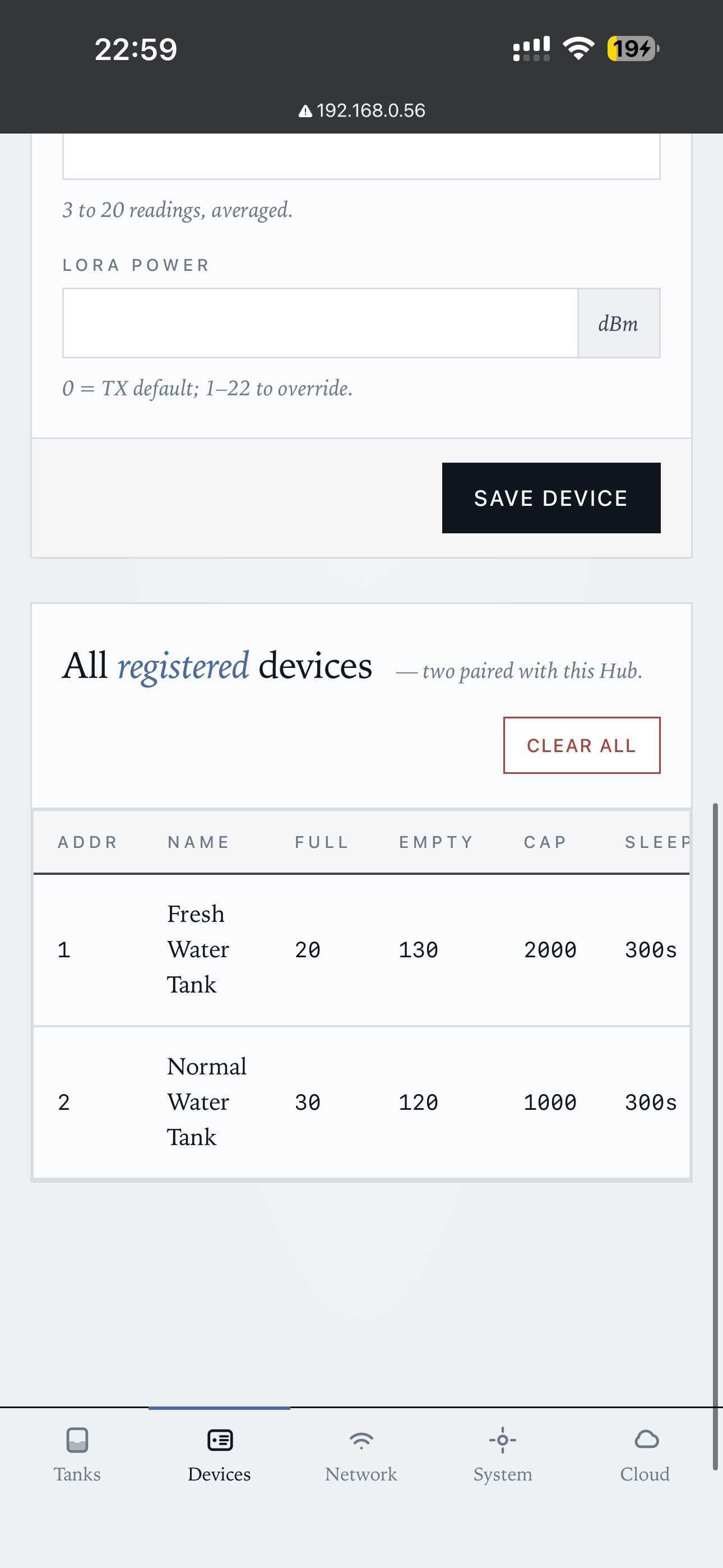
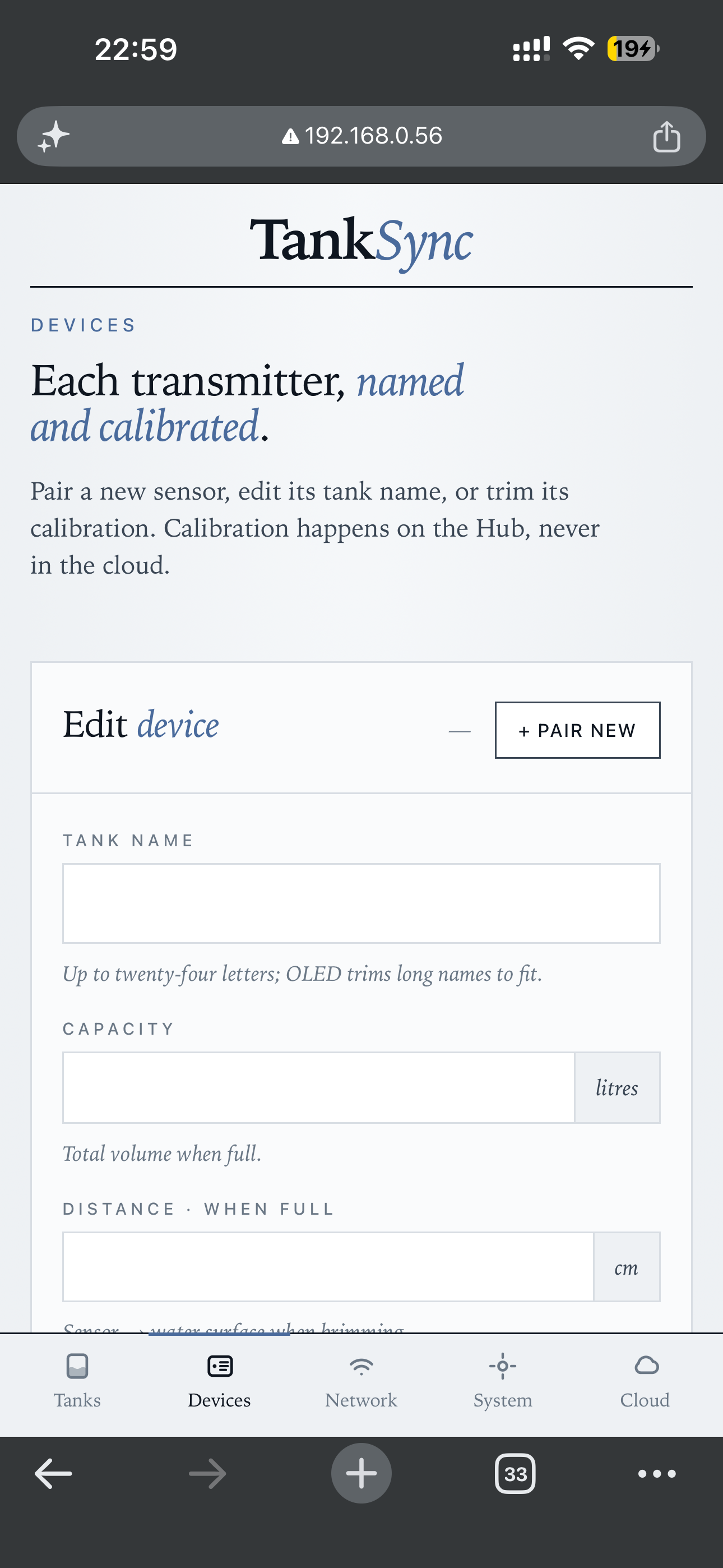
Per-device: tank name, capacity, calibration (full-distance / empty-distance), sleep interval, sample count, LoRa power override. Pair new + Clear all at the top of the list. Calibration happens on the hub, never in the cloud.
Wi-Fi credentials with scan results (left), MQTT broker config (right):
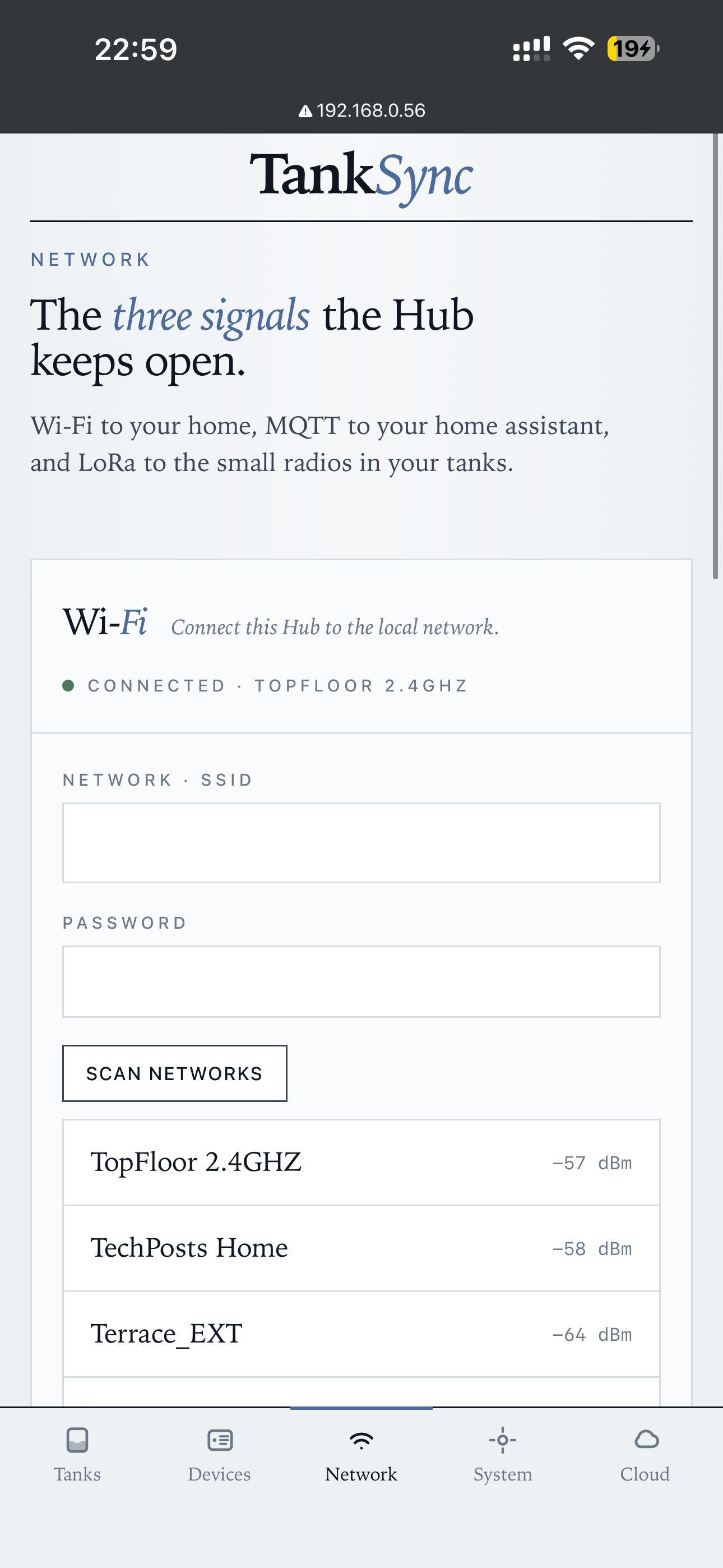
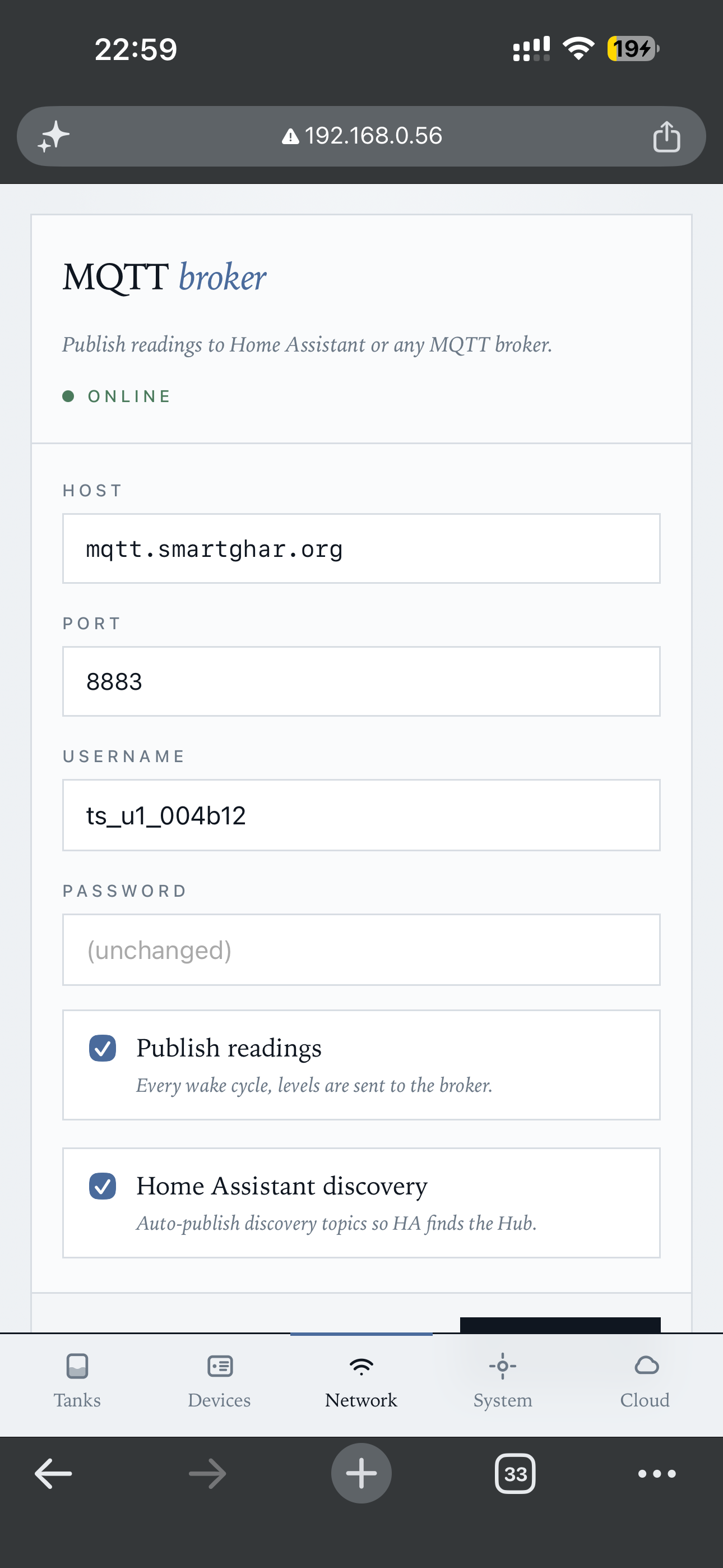
Scan networks lists everything visible with signal strength. The MQTT section's two toggles control whether to publish at all and whether to emit Home Assistant auto-discovery topics.
LoRa radio settings (frequency + hub address) — single card; changing it un-pairs existing transmitters (warning shown above Save):
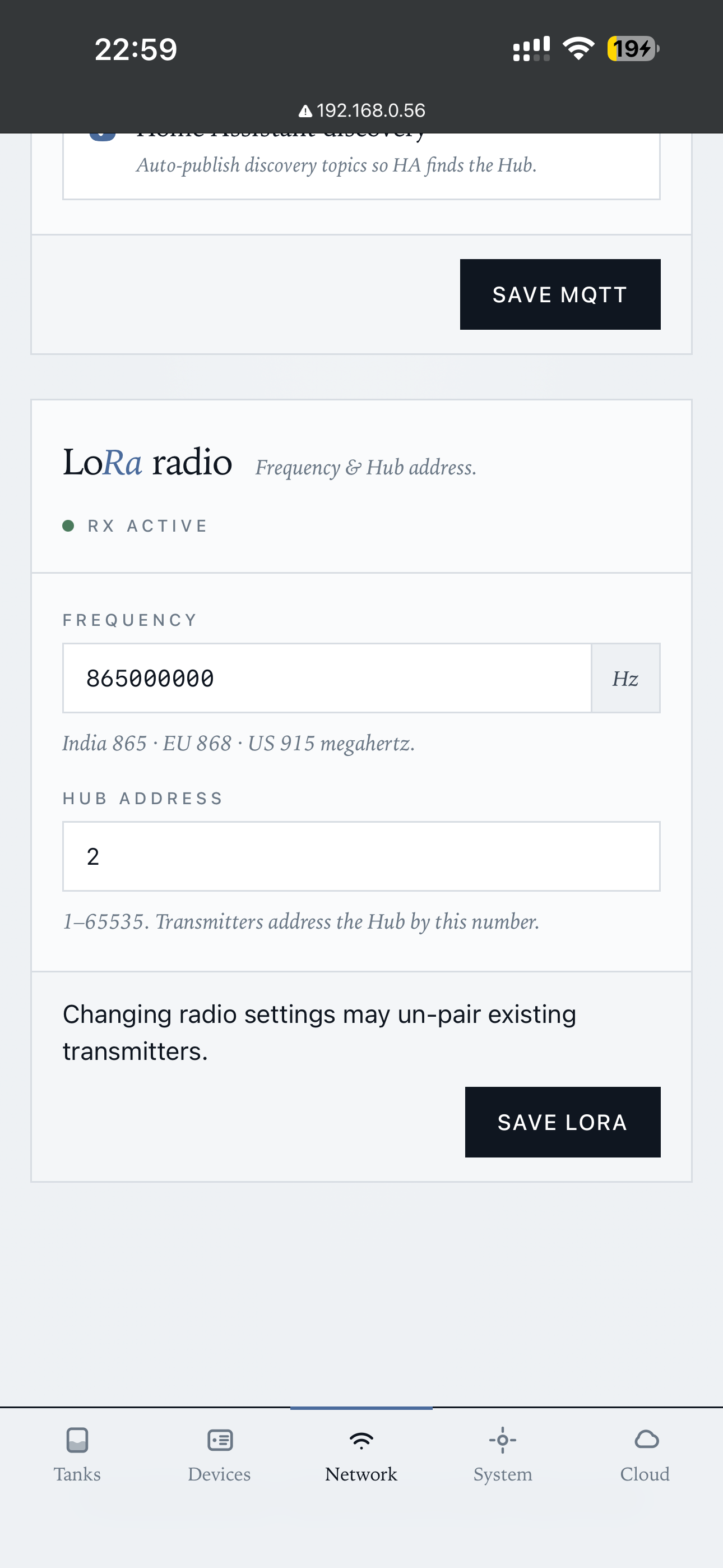
Frequency picks: 865 MHz (India) / 868 MHz (EU) / 915 MHz (US). Hub address is 1–65535.
OLED screen carousel selection (left), LED strip type + per-tank colours (right):
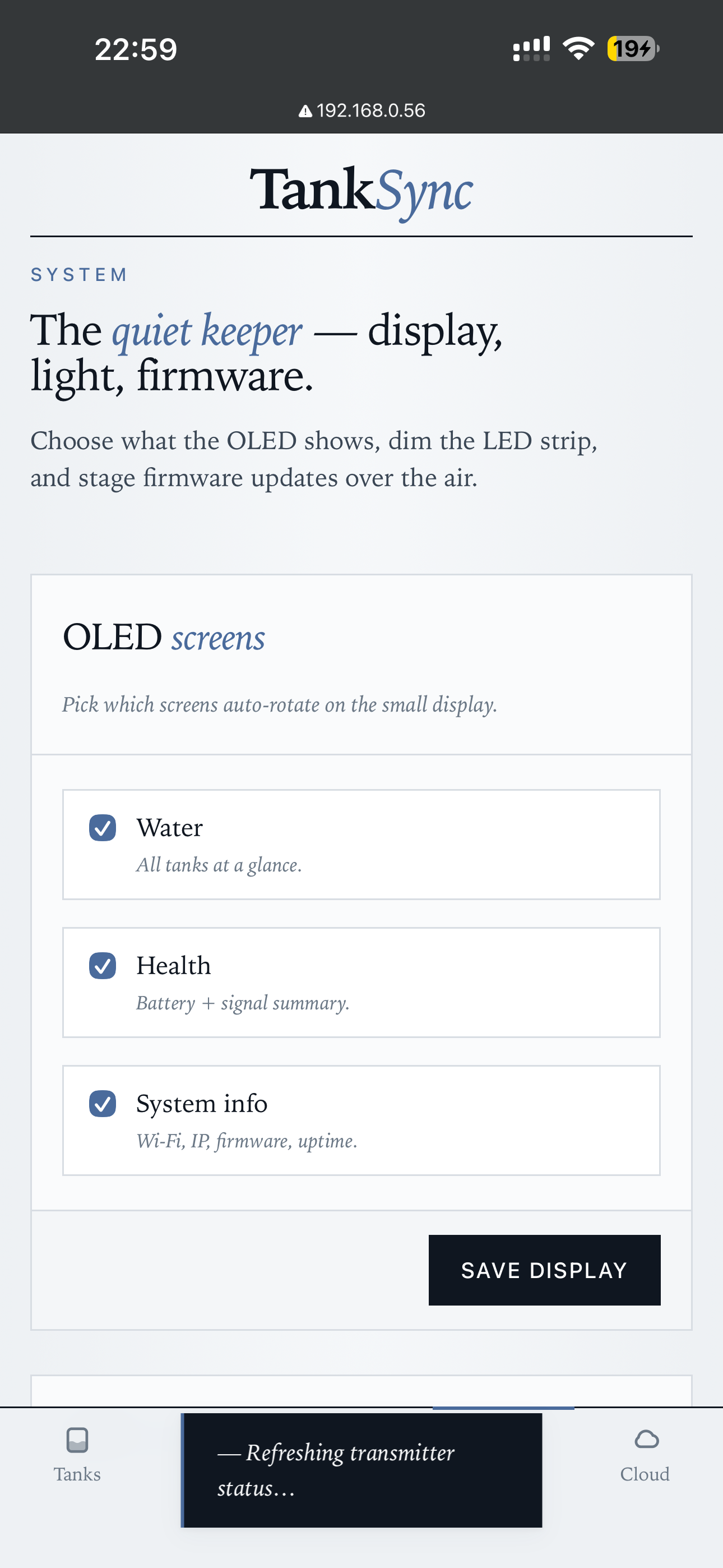
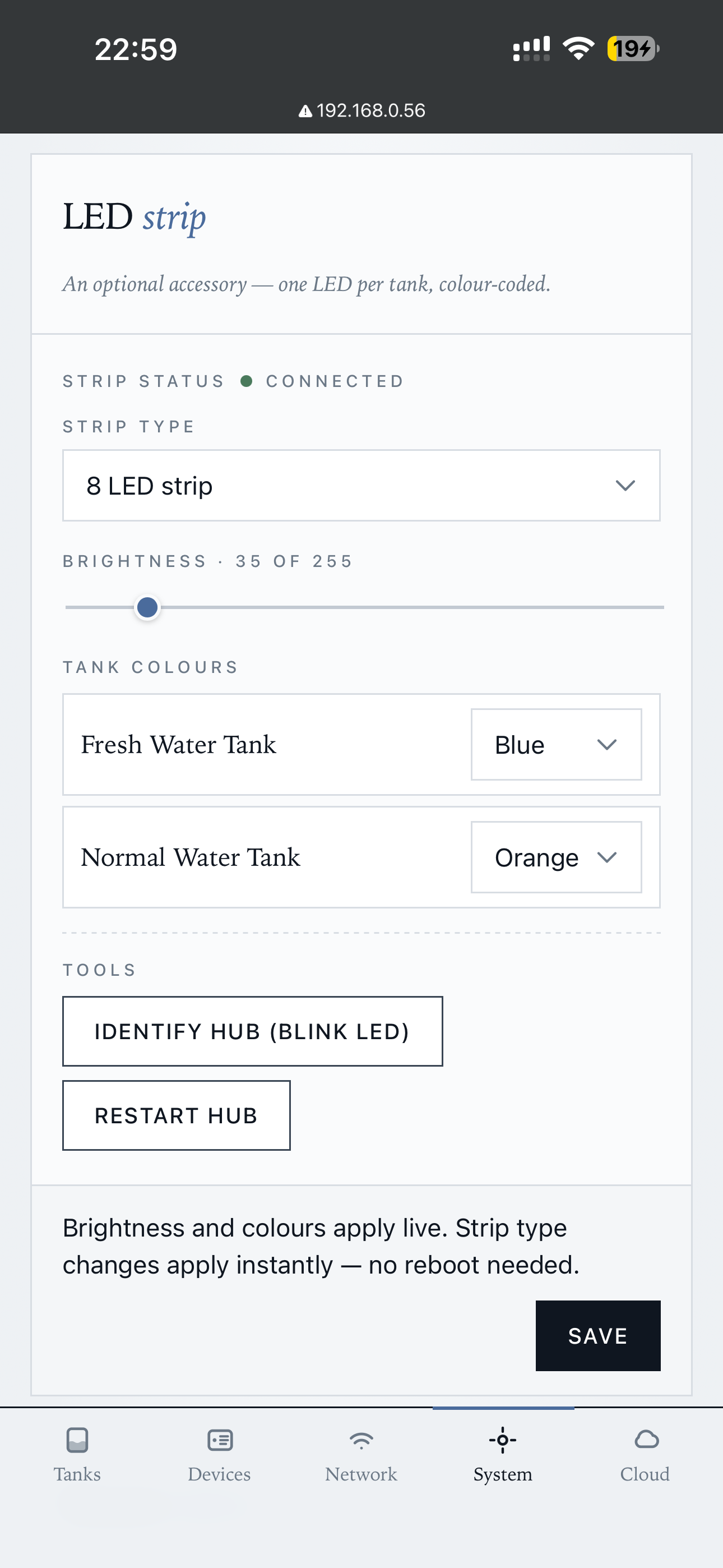
The LED strip changes apply live (no reboot). Identify Hub flashes the LED strip in a recognizable pattern — useful when you have multiple hubs.
Buzzer alerts (left) + firmware updates per-paired-transmitter (right):
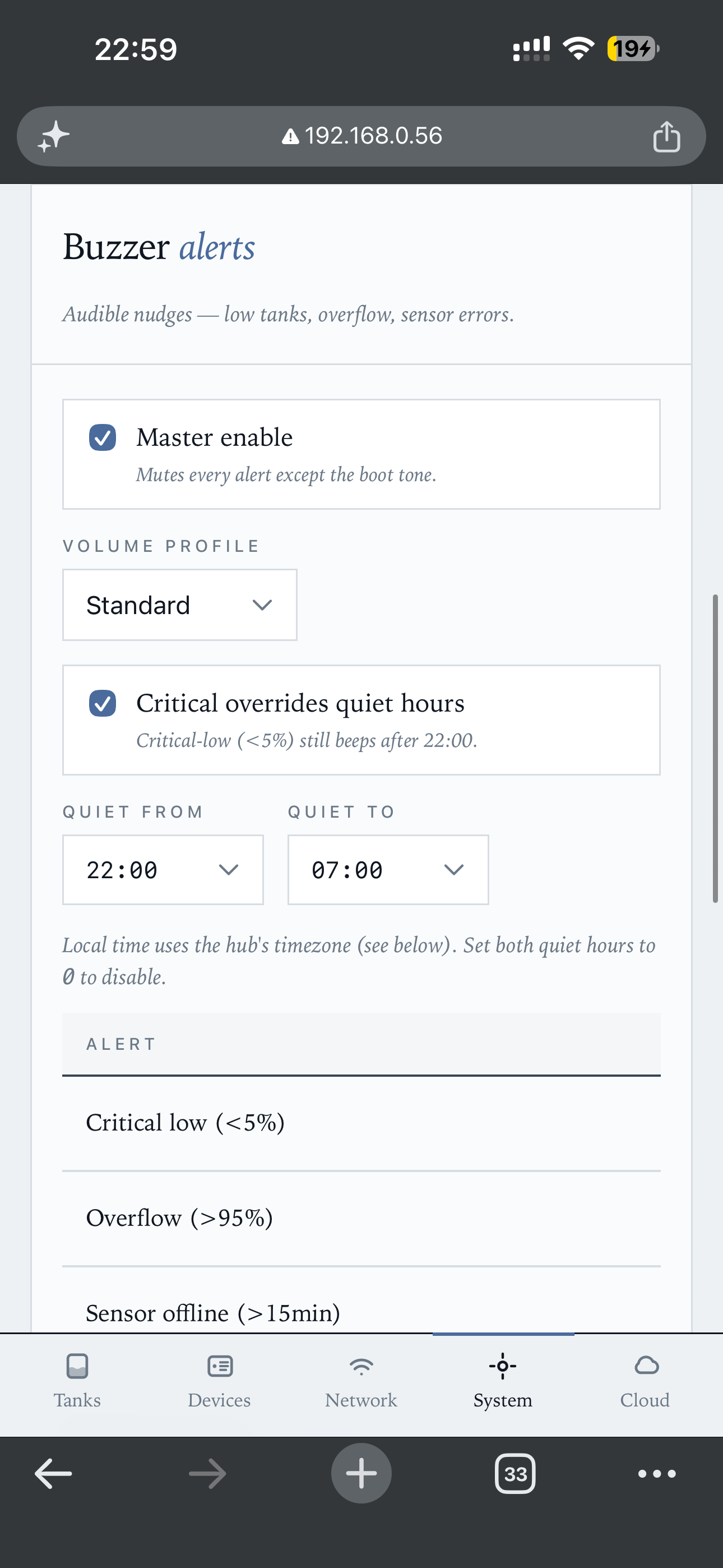
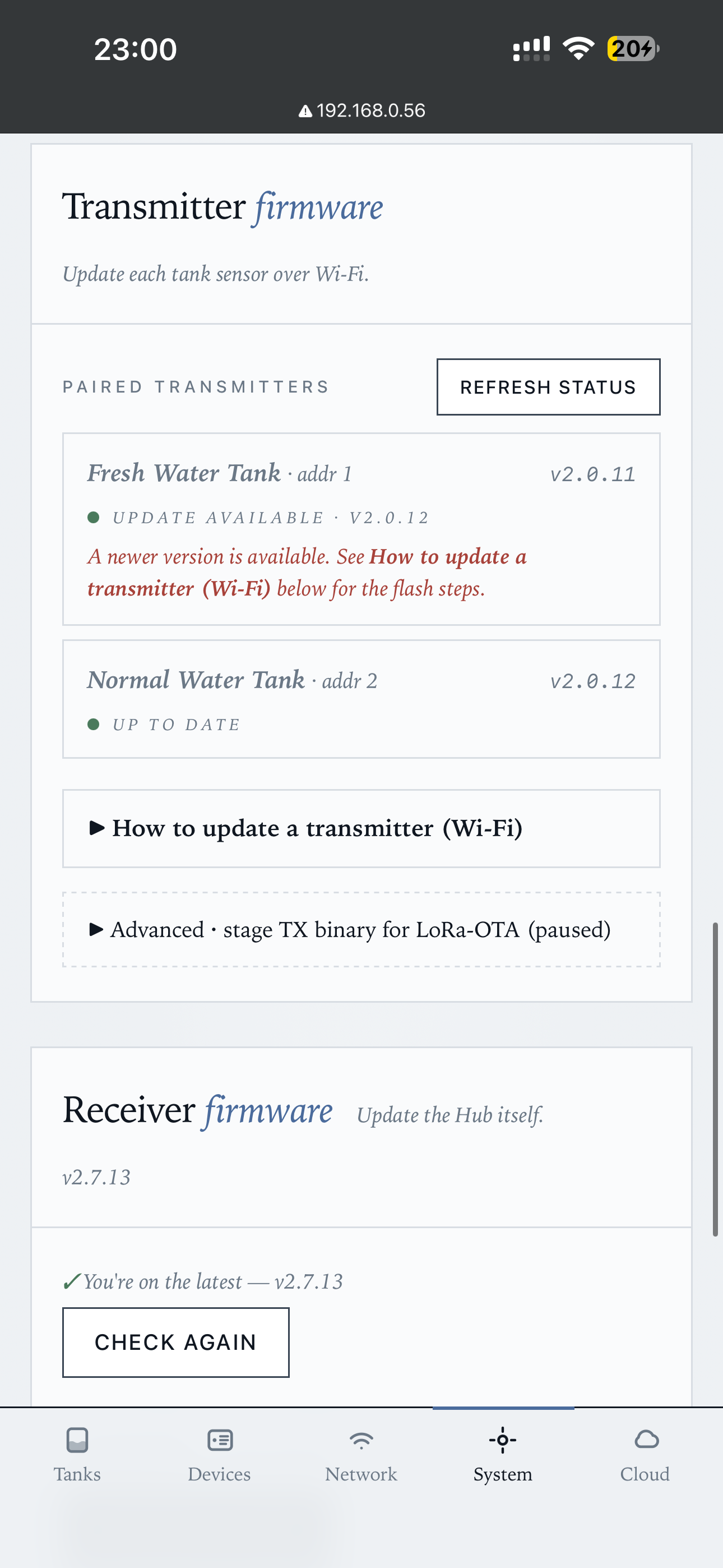
Buzzer (since rx-v2.8.0): master enable, volume profile (Quiet / Standard / Loud), quiet hours, per-alert toggles. "Critical overrides quiet hours" keeps the <5% beep alive at night — tanks running dry don't observe sleep cycles.
Device ID + claim instructions (left), QR code + unlink (right):
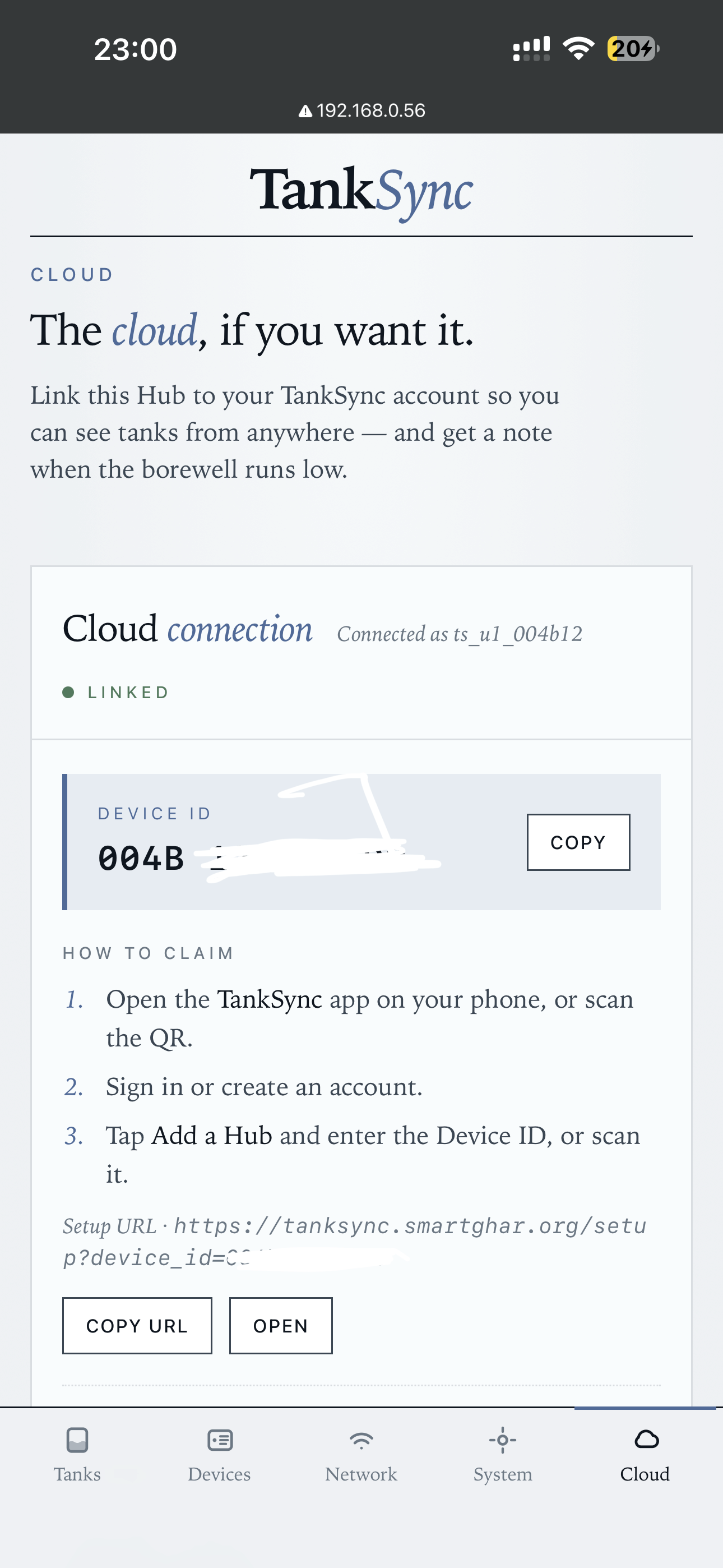
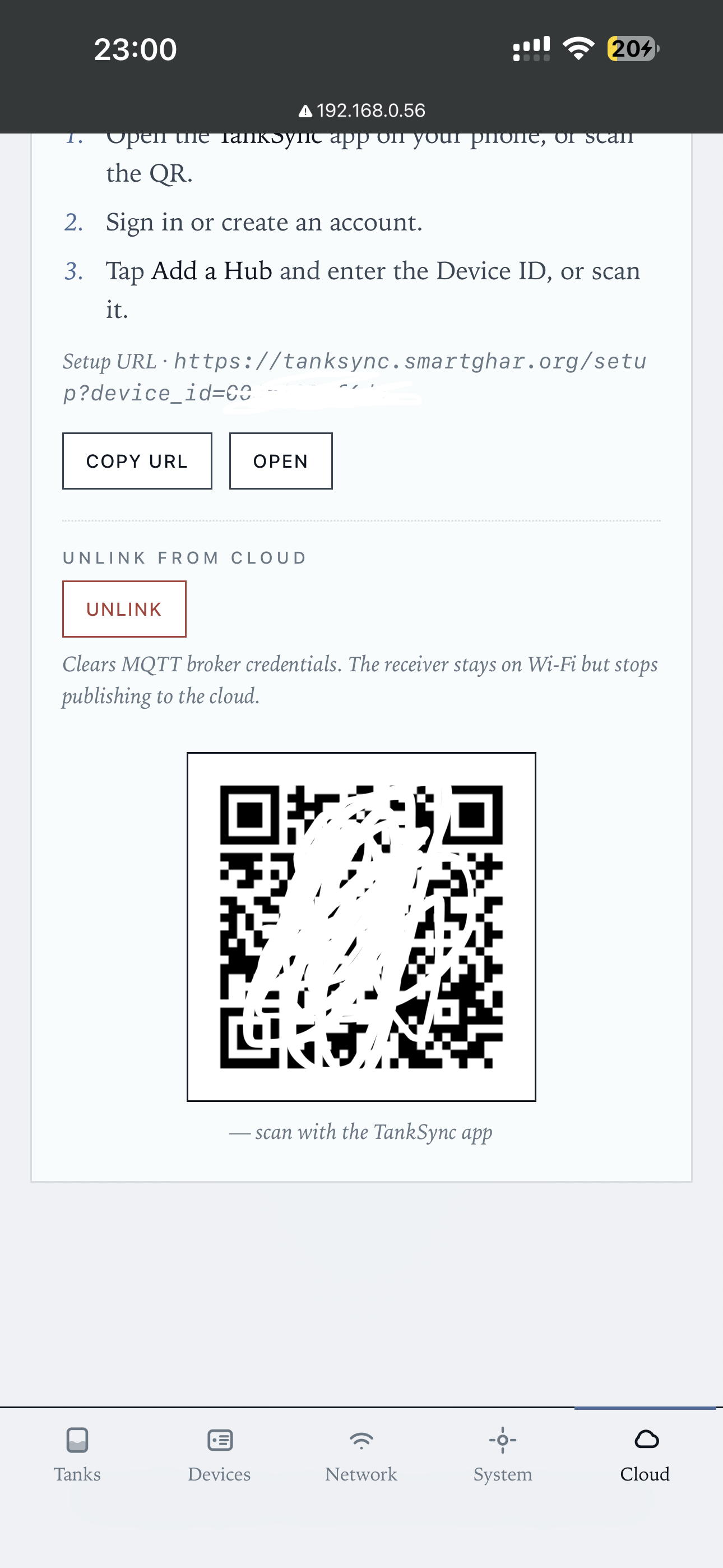
Three ways to claim a hub into your account: scan the QR sticker on the hub, enter the Device ID manually, or use the Setup URL. Unlink clears MQTT broker credentials — hub stays on Wi-Fi but stops publishing to the cloud.
If you're using only local MQTT + Home Assistant, you can ignore the Cloud tab entirely.
The local web UI is reachable only from the same network as the hub. The PWA at tanksync.smartghar.org exposes most of the same controls but is reachable from anywhere — see PWA Walkthrough.
The trade-off:
- Local web UI — full settings access, including Wi-Fi credentials, MQTT broker URL, LoRa frequency. Faster for diagnostics. Required for the initial setup before the hub is on Wi-Fi.
- PWA — most settings, plus history graphs, family sharing, weather insights. Convenient for day-to-day. Cannot change Wi-Fi credentials (chicken-and-egg if it could).
For something like factory-reset or changing the LoRa frequency on a fielded hub, use the local web UI.