Compose order appears to affect layering #1269

Description

It seems that the order in which widgets are composed affects how layering works. Take this code:
from textual.app import App, ComposeResult
from textual.screen import Screen
from textual.widgets import Header, Footer, Label
from textual.containers import Vertical, Container

class Overlay( Container ):

    def compose( self ) -> ComposeResult:
        yield Label( "This should float over the top" )

class Body( Vertical ):

    def compose(self) -> ComposeResult:
         yield Label( "My God! It's full of stars! " * 300 )

class Good( Screen ):

    def compose(self) -> ComposeResult:
        yield Header()
        yield Overlay()
        yield Body()
        yield Footer()

class Bad( Screen ):

    def compose(self) -> ComposeResult:
        yield Overlay()
        yield Header()
        yield Body()
        yield Footer()

class Layers( App[ None ] ):

    CSS = """
    Screen {
        layers: base higher;
    }

    Overlay {
        layer: higher;
        dock: top;
        width: auto;
        height: auto;
        padding: 2;
        border: solid yellow;
        background: red;
        color: yellow;
    }
    """

    SCREENS = {
        "good": Good,
        "bad": Bad
    }

    BINDINGS = [
        ( "t", "toggle", "Toggle Screen" )
    ]

    def on_mount( self ):
        self.push_screen( "good" )

    def action_toggle( self ):
        self.switch_screen( "bad" if self.screen.__class__.__name__ == "Good" else "good" )

if __name__ == "__main__":
    Layers().run()
Both screens have the same content, styled the same, but the Good screen looks like this:
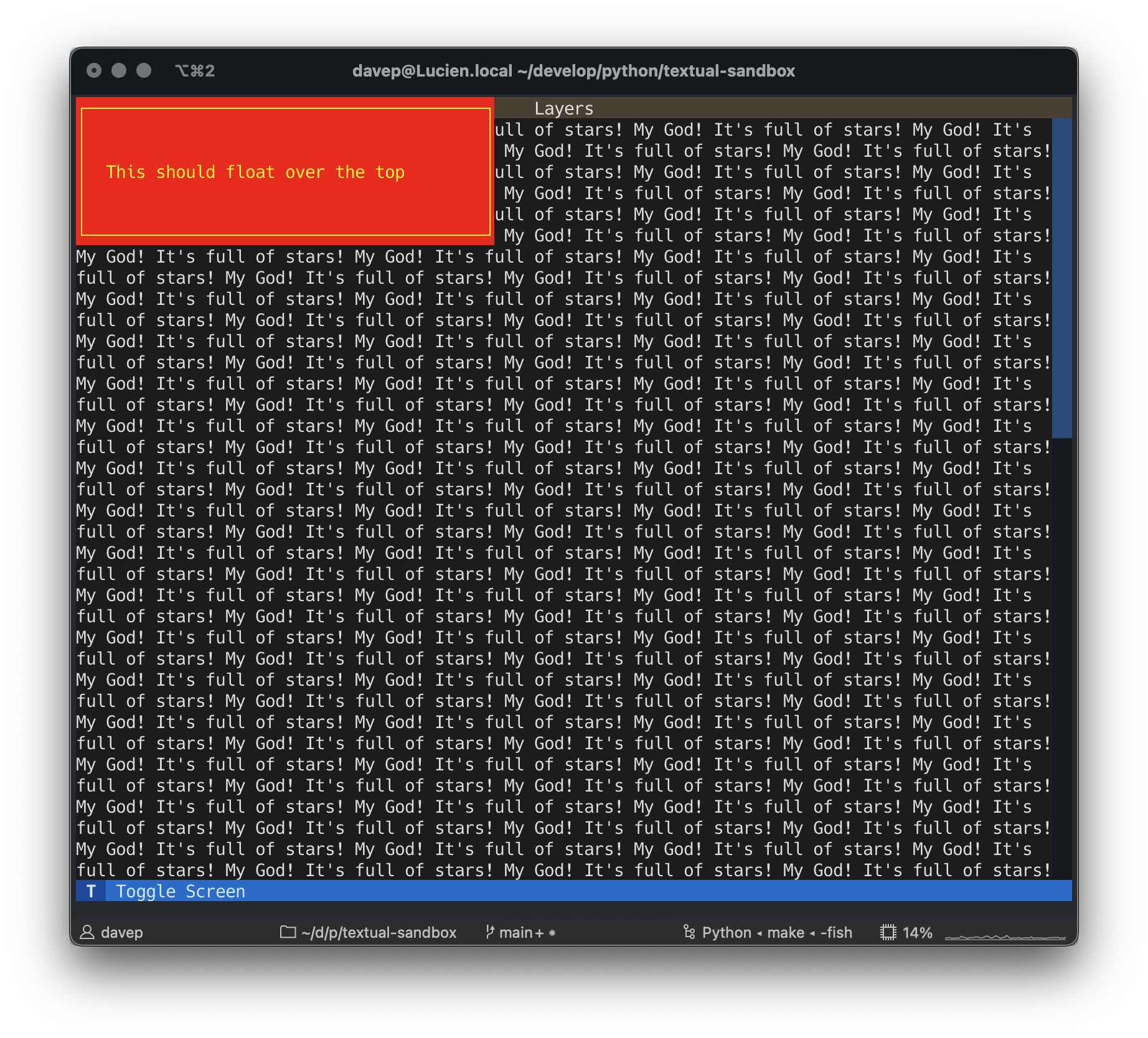
and the Bad screen looks like this:
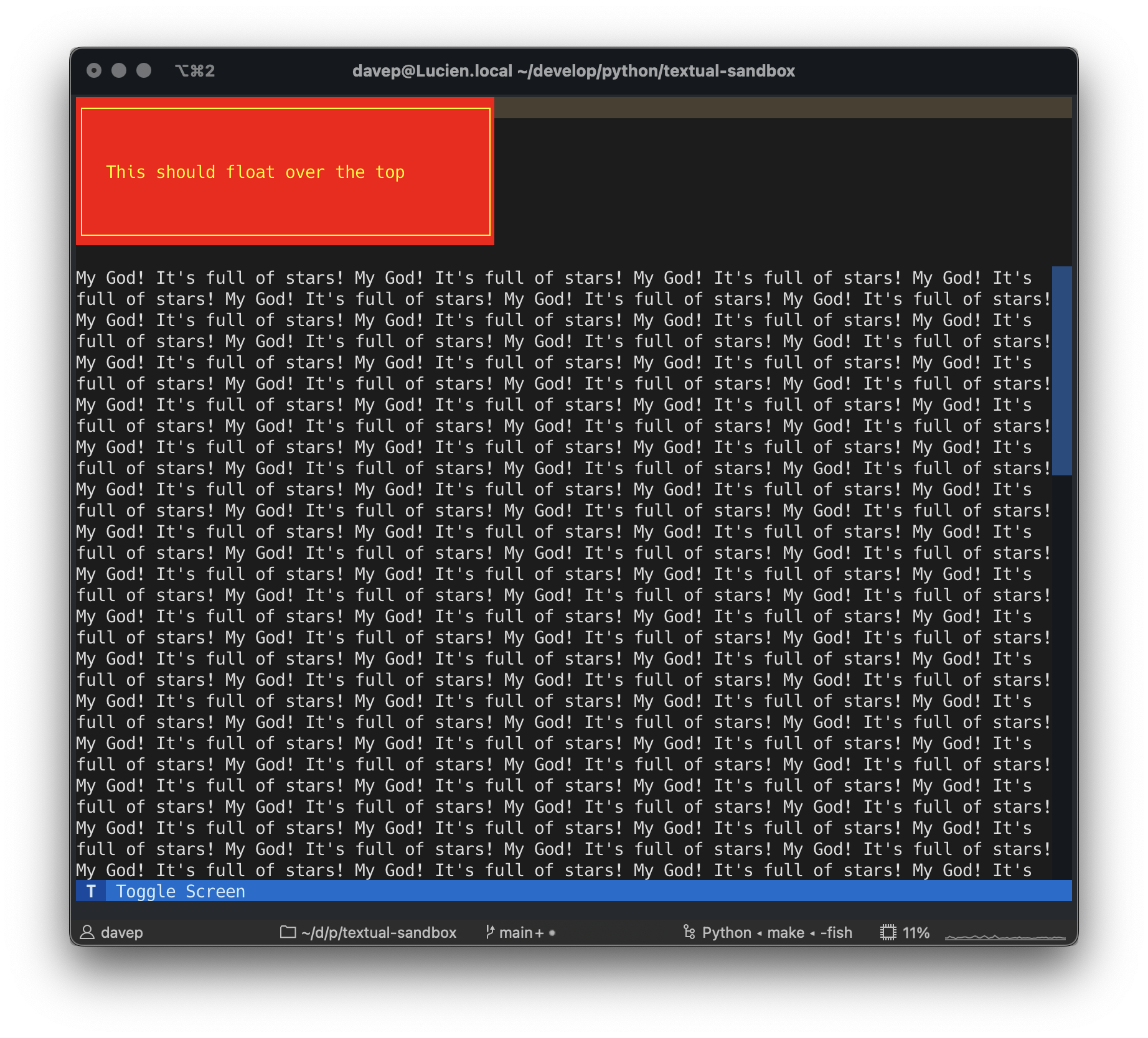
Note the content of the header is affected as well as the main content being pushed down the screen.