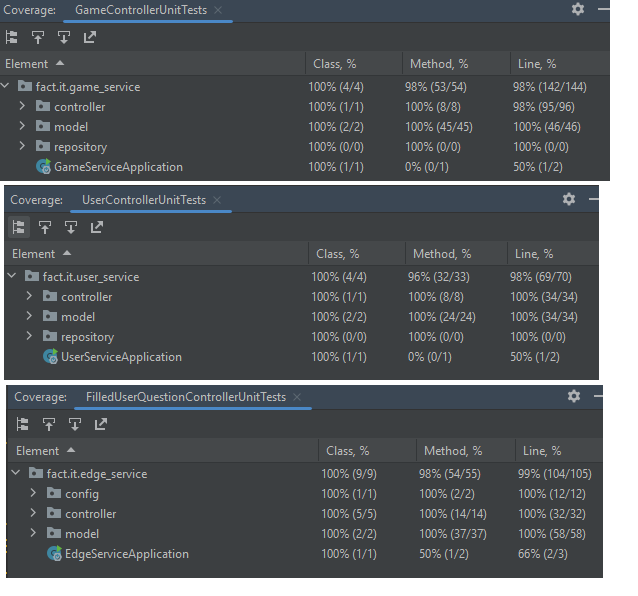
For a class assigment we had to create a mobile application which ran on a deployed backend architecture consisting of at least 2 backend microservices with 1 edge-service on top which is responsible for handling the users requests.
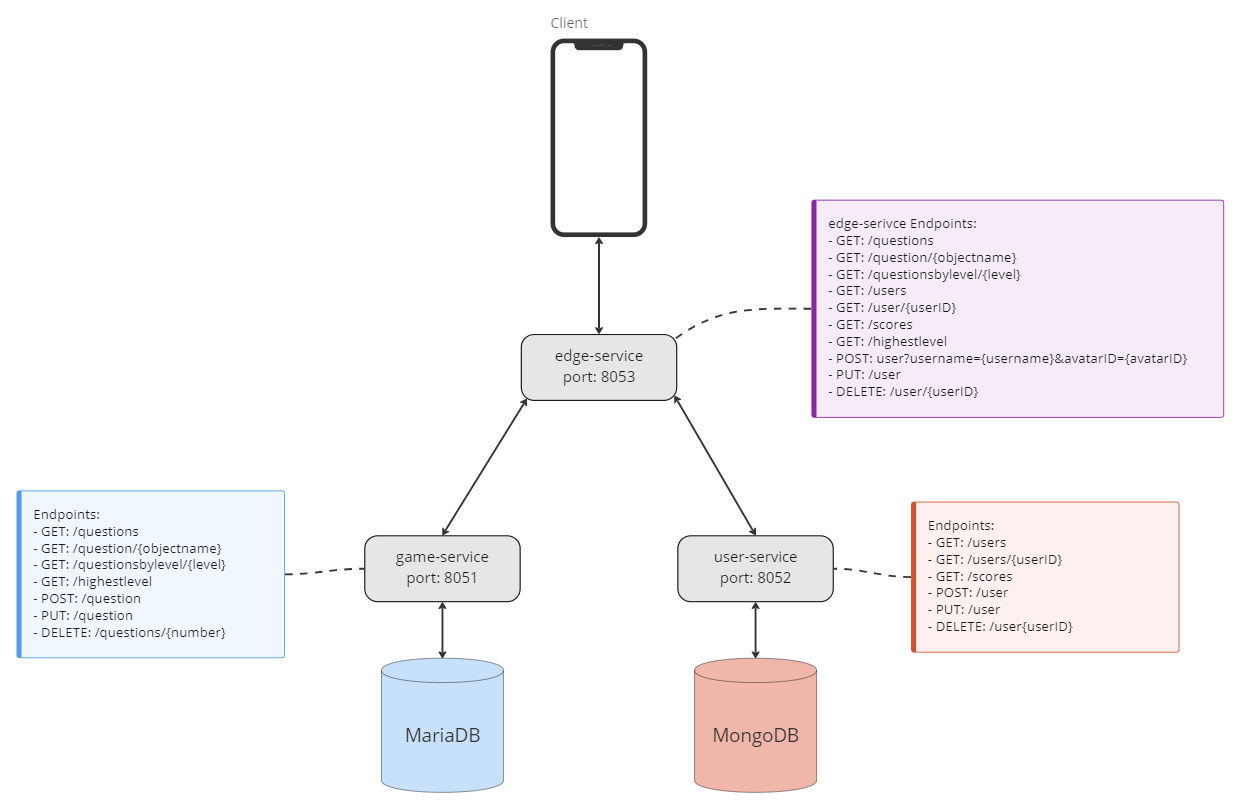
This architecture looks like:
The mobile application is a POC for a Geo-location AR scavenger hunt. The user can find and interact with 3D models which are augmented in the real world around the user.
The mobile application was created in Flutter and used the Wikitude AR SDK. The repo for the mobile application can be found here.
The mobile application will send requests to the edge-service which will connect to 2 lower microservices game-service and user-serice to request information which it then will process and combine into a single response to the user. The user will only communicate directly with the edge-service. To avoid unnecessary requests the Flutter application is provided with a simple state management by using the Provider package.
-
The service is a Spring Boot REST service with 100% code coverage in tests and a
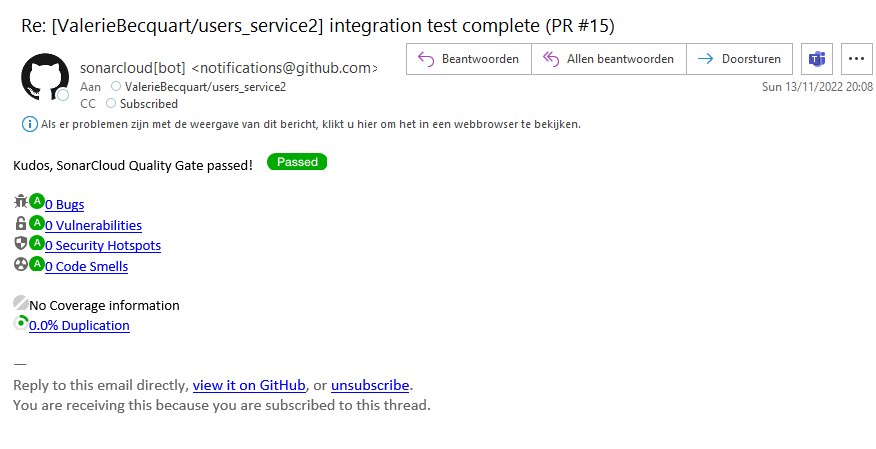
SwaggerUIimplementation. There is aGithub Actionin place to establish a CI/CD pipeline that checks compilation, tests the code throughSonarCloud, and then builds. Finally, theDocker Containeris uploaded toDocker Hub. -
The service is a Spring Boot REST Microservice which connects to a Dockerized
MariaDBdatabase. The service is responsible for providing the game with all necessary game information.Github Actionsare used to establish a CI/CD pipeline for compiling, testing, and building the container. Finally, theDocker Containeris uploaded toDocker Hub. -
The service is a Spring Boot REST Microservice which connects to a Dockerized
MongoDBdatabase. The service is responsible for providing the game with all necessary user information.Github Actionsare used to establish a CI/CD pipeline for compiling, testing, and building the container. Finally, theDocker Containeris uploaded toDocker Hub. -
The backend was deployed on
Okteto. Therefor a seperate repository was created containing a singleDocker composefile which gives the instructions to pull the images ofdocker huband set up all microservices and underlying databases.
The lower services each connect to a Dockerized database. These databases need to be up and running before the project can be ran locally.
Set up the Docker Container with the MariaDB database:
docker run --name game-sql -p 3306:3306 -e MARIADB_ROOT_PASSWORD=abc123 -e MARIADB_USER=user -e MARIADB_PASSWORD=user123 -d mariadbSet up the Docker Container with the MongoDB database:
docker run --name users-mongodb -p 27017:27017 -d mongo Once this is done you can start the game-service and user-service applications. These applications include a method to fill up the databases with dummy information for testing purposes.
Before running the edge-service you should know that it, right now, is set up to be deployed. For you to run the project locally you need to go into the application.properties file and change following lines of code:
userservice.baseurl = ${USER_SERVICE_BASEURL:192.168.99.100:8052}
gameservice.baseurl = ${GAME_SERVICE_BASEURL:192.168.99.100:8051}
into:
userservice.baseurl = ${USER_SERVICE_BASEURL:localhost:8052}
gameservice.baseurl = ${GAME_SERVICE_BASEURL:localhost:8051}
After this adjustment you can start the edge-service application.
Now you should be able to go to:
http://localhost:8053/scoresAnd you should see a similar output:
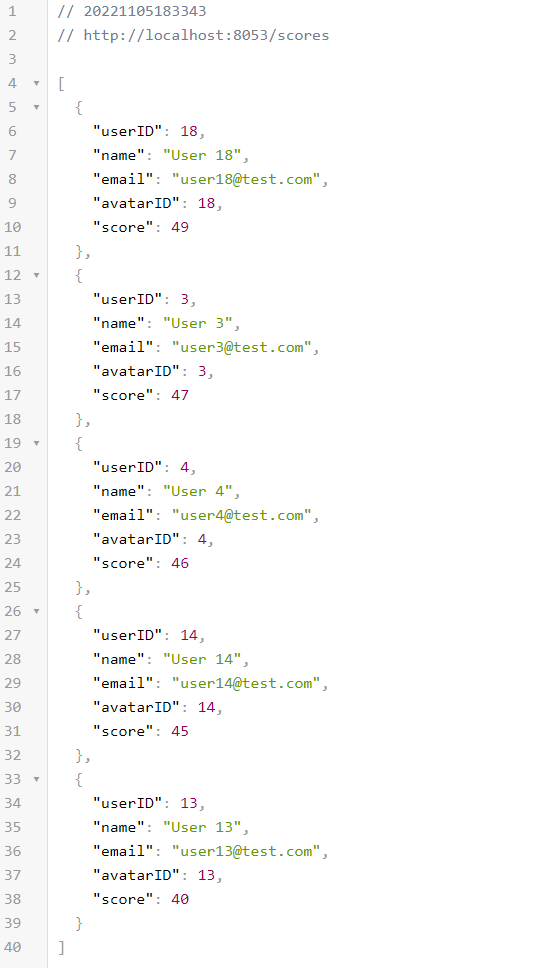
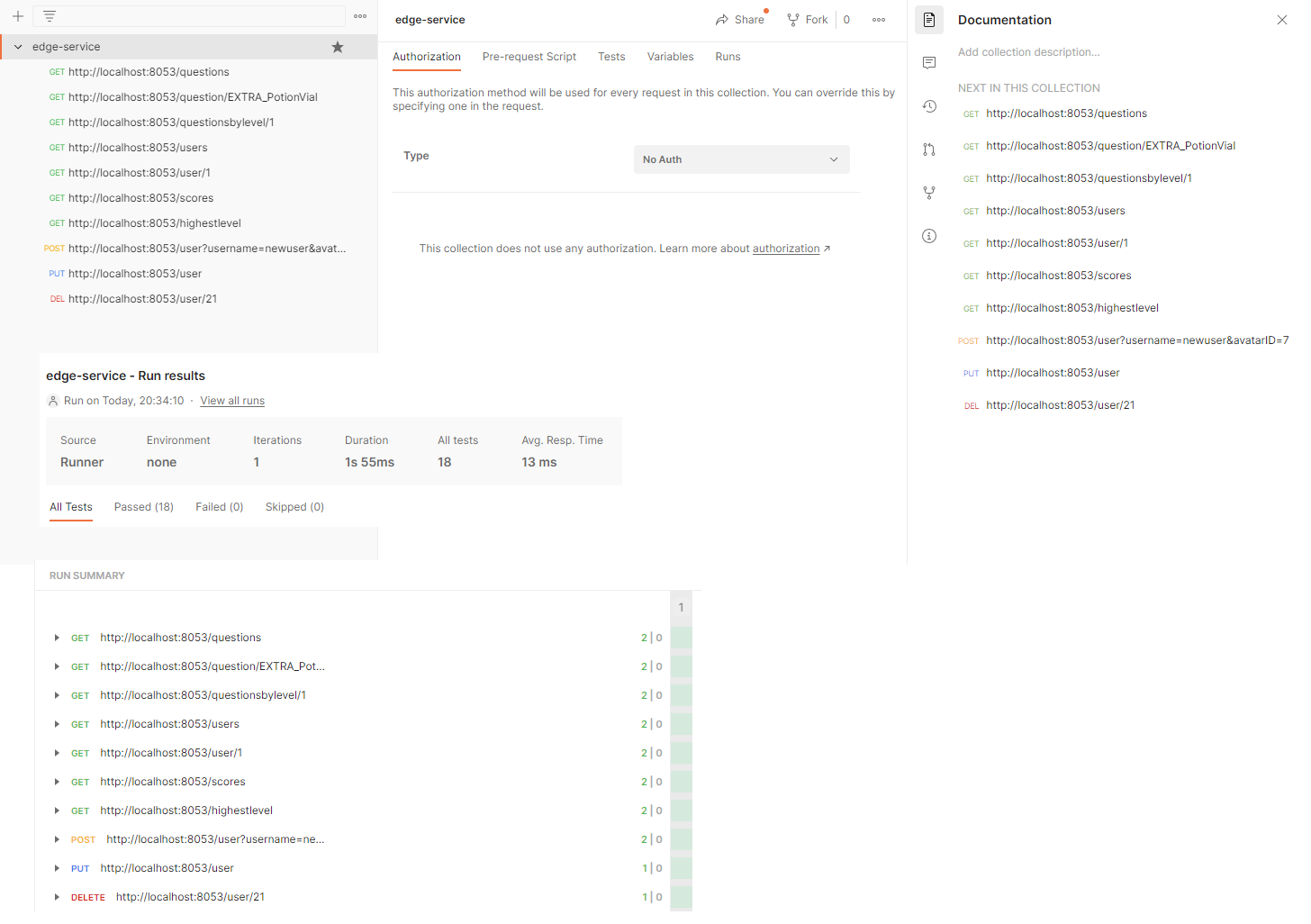
The edge-service API was tested by using Postman. Hereby the test results of those tests as proof of functioning of the edge-service:
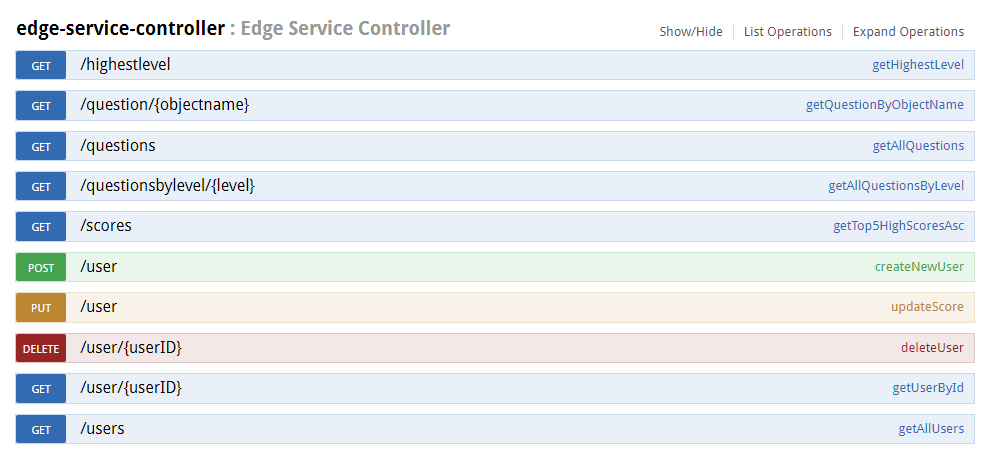
The service has SwaggerUI implemented for interactively testing and exposing the API. After setup the SwaggerUI will be running locally on: http://localhost:8053/swagger-ui.html
- Unit and Integration Tests
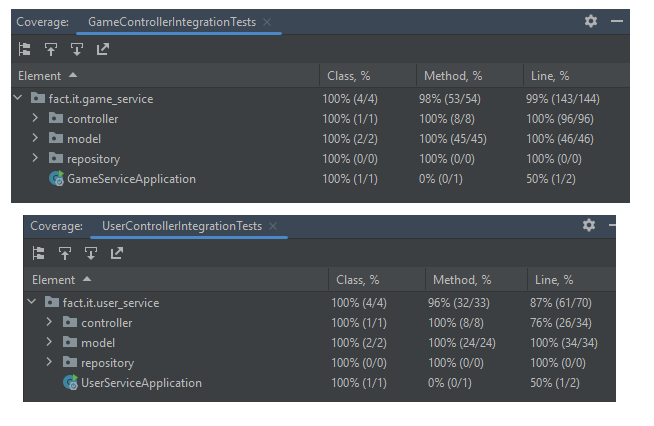
All repositories have been provided with Unit tests with 100% code coverage for the controllers, models, and repositories inside the project.
The lower services user-service and game-service have also been provided IntegrationTests with 100% code coverage.