Skip to content

akshhpatil/text-to-speech-in-python

Folders and files

NameName
Last commit message
Last commit date

Latest commit


History

7 Commits


Repository files navigation

text-to-speech-in-python

1.You need to install virtual environment so that type:-pip install virtualenv

2.Make virtualenv variable in directory that you are working. type:-virtualenv myenv (your virtualenv name)

3.Activate variable e:/py/myenv/Scripts/Activate.ps1 (your directory name)

4.Varify that virtualenv variable is activate. (myenv) PS E:\py>

5.Run python file.
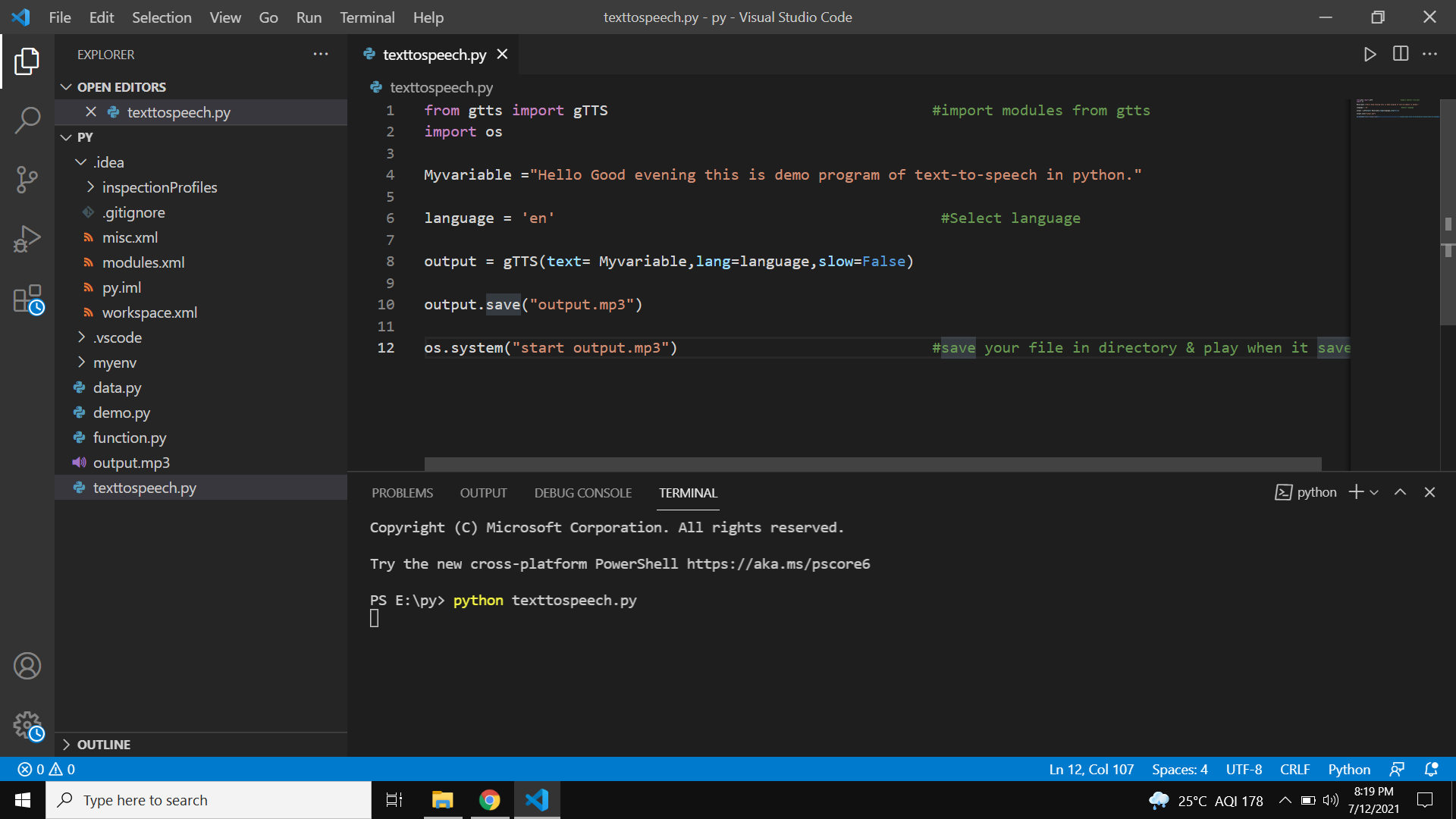
text_to_speech

About

No description, website, or topics provided.

Resources

Stars

Watchers

Forks

Releases

No releases published

Packages

No packages published

Languages