- C++17 compatible compiler
- GCC/MinGW
- CMake 3.10+
- Optional: Git (for cloning)
- Clone the repository and initialize submodules:
git clone https://github.com/aryyo/Task-Scheduler.git
git submodule update --init --recursive- Enter the directory:
cd Task-Scheduler- Make and enter the build directory:
mkdir build
cd build- Generate the build files:
cmake ..- Build the project:
make- Run the program:
./TaskSchedulerOur project was tested using multiple googletests for each class, and by CI.
Authors: Ian Lamb, Andres Garcia, Harjyot Sidhu, Aryan Obrai, Arman Seth
For this group project we will be making a task scheduler. The reason we chose to create this for our project is because as college students, time management is one of the key skills to have to succeed in college. You need to be able to see the week ahead and see what assignments are due on what dates and sometimes it takes a lot of planning to do well in a lot of courses. We plan on using C++ as our primary coding language and we haven't yet decided what outside technologies will be implemented or utilized. Our project will be able to create tasks that have a title, description, classification, priority, duration, and due date. It will also be able to create and manage task lists with more than one task. The task lists will also be able to represent larger tasks which have substacked included. The user will be able to do or undo any of these operations and utilize any of these features with some of them being optional as well.

The UML diagram shown above explains the working flow of the current project. The design pattern here that was implemented allows for the control the creation of the types of tasks such as Task, TaskList, Work, Study, Personal, and the Scheduler. Implementing a Composite design pattern here allowed for different types of display depending on what calls the function. The way a Composite pattern is solved is through a common interface which declares a method. Task Creation will be helped out by the Task class which includes task specific variables such as priority, name, and due time. The Study class is a subclass of the class Task. With the variables classification, resources, and notes. The Work class is another subclass with variables className and workLink. Finally the Personal class contains the variable, goal. All of these subclasses of Task allow making specific tasks exclusive to their subclass.
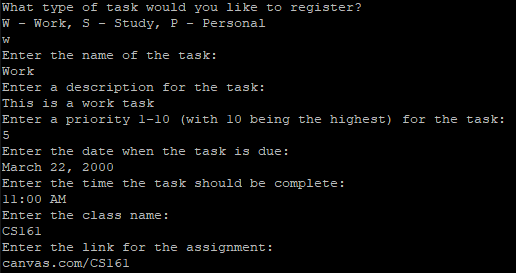
- When running the program for the first time, it prompts for you to make a task:
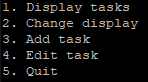
- Option menu
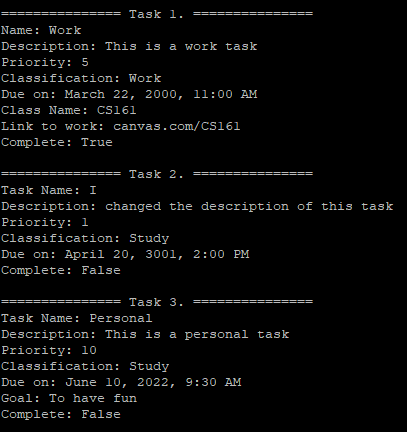
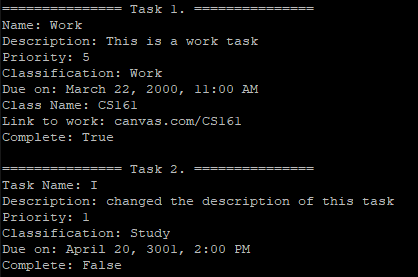
- Displaying tasks
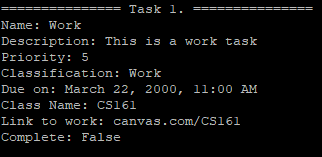
- Option to change which classification of task is being displayed

- Adding new tasks
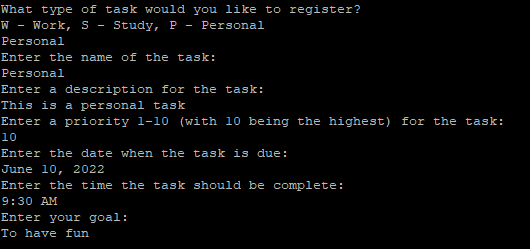
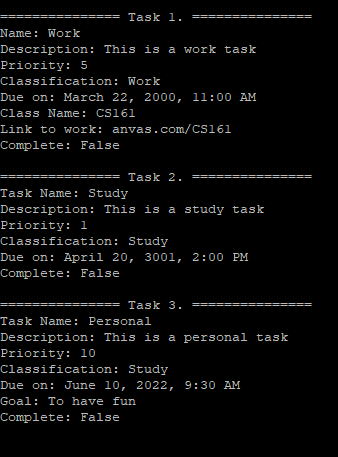
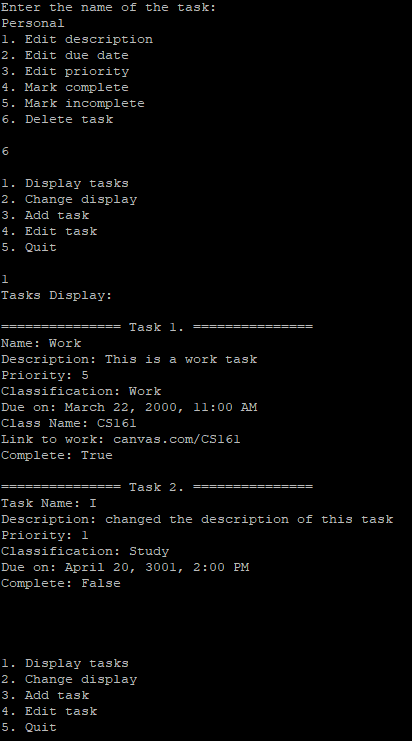
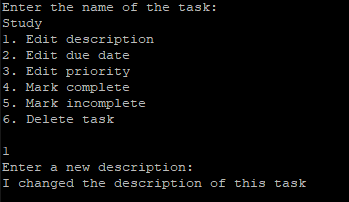
- Changing properties of tasks
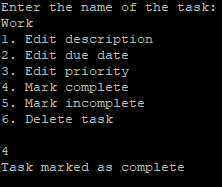
- Deleting a task