No installation required. Keeps all history, cookies, extensions, and settings intact even when moved to another folder or device.
Microsoft Edge Multi Portable v2 configures the registry in a separate branch: [HKEY_CURRENT_USER\SOFTWARE\Policies\Microsoft\Edge_Portable]. It operates completely independently without sharing policy branches or modifying the original installed Edge settings.
This architecture allows you to run multiple Edge versions simultaneously (such as installed Edge alongside Portable builds, or different Portable releases like v110, v138, v148).
- Delete old
debloater.reg/debloat.regandchrome++.inifiles if upgrading from older versions. - Run
update.batto update to the latest configuration files. - Run
debloat.regordebloater-gui.batto apply registry settings to the new isolated branch.
Technical note: Sharing a single registry branch across different browser versions can cause policy conflicts. By setting
policy_key=Portableinchrome++.ini, each portable build points to its own dedicated registry branch.
- Automated Downloads: Fetches the latest Edge x64 (Stable, Beta, Dev, or Canary) from edge_installer_multi.
- Extended Capabilities: Integrates chrome-next-mini for extra portability options and features.
- Data Safety: Manual update scripts keep your user data, settings, and profiles completely safe during updates.
Quick Start: Download the pre-built release, extract, and run directly.
| File | Purpose |
|---|---|
msedge.exe |
Main Microsoft Edge executable launcher. |
version.dll |
Hooking patch DLL required for portable operation and features bypass. |
chrome++.ini |
Main configuration file for chrome-next-mini portable features. |
bypass_windows_defender.bat |
Script to automatically add the current folder to Windows Defender exclusions. |
debloater-gui.bat |
Interactive GUI script to easily remove or restore optional Edge features and telemetry. |
default-apps-multi-profile.bat |
Utility to register and set Edge Portable as your default system browser. |
update.bat |
Updates the browser and launcher scripts to the latest release while preserving user data. |
Videos protected by DRM (such as Crunchyroll returning error SHAK-6007) will experience playback errors. This occurs because Secure Preferences checks are bypassed to achieve full portability.
Click to expand details
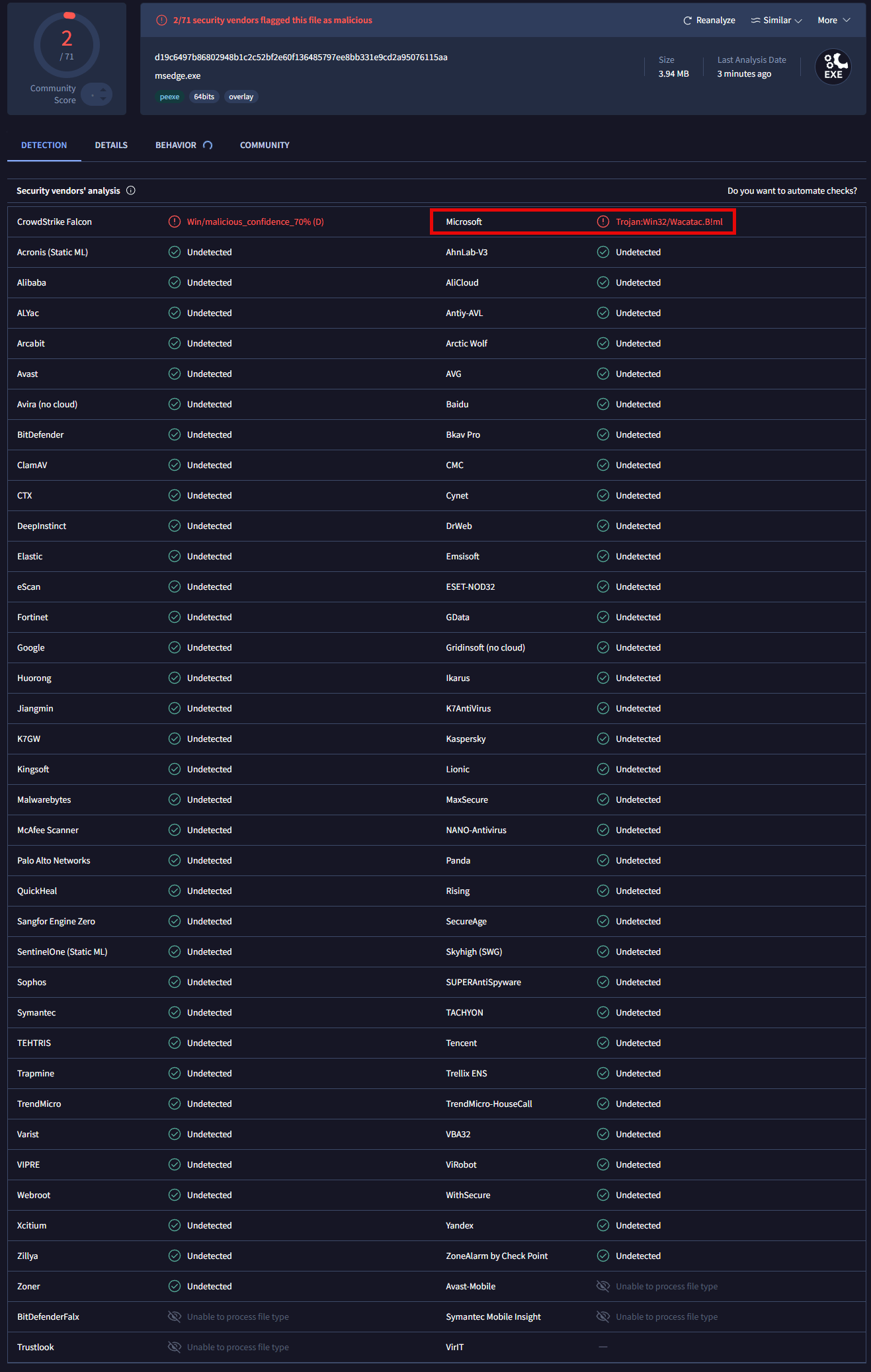
Due to the hooking method (version.dll) used to run Microsoft Edge portably without installation, Microsoft Defender Antivirus or third-party security software may occasionally flag launcher files as false positives.
If this occurs:
- Run
bypass_windows_defender.batto add the directory to your antivirus exclusions list. - False positive detections usually resolve automatically after Defender definition updates.