Current behaviour
According to Material3 spec, the elevated Card sould have a tint color (https://m3.material.io/components/cards/specs).
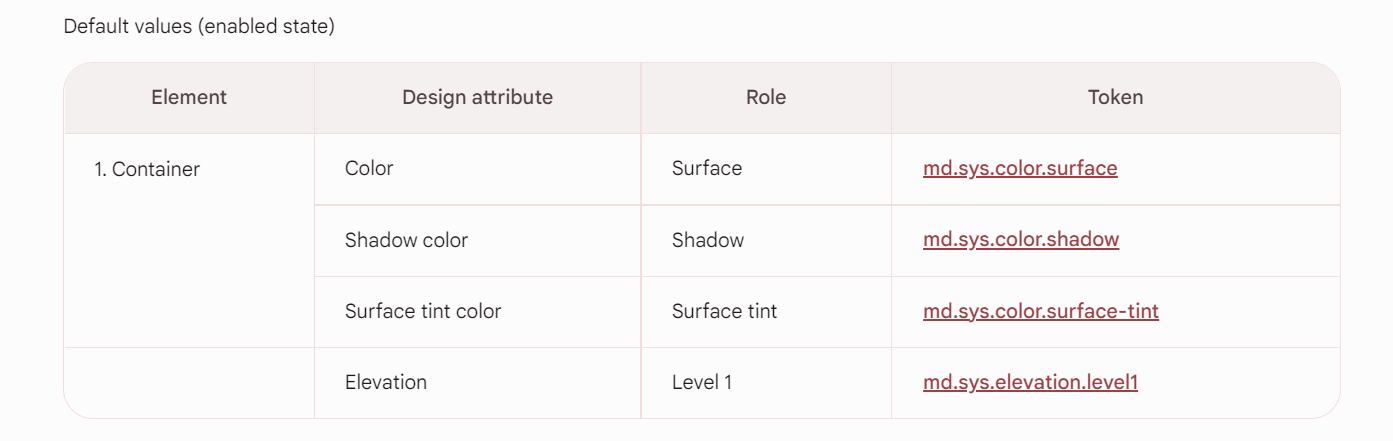
But every mode except "contained" receives only "color.surface".
|
const getBackgroundColor = ({ |
|
theme, |
|
isMode, |
|
}: { |
|
theme: InternalTheme; |
|
isMode: (mode: CardMode) => boolean; |
|
}) => { |
|
if (theme.isV3) { |
|
if (isMode('contained')) { |
|
return theme.colors.surfaceVariant; |
|
} |
|
return theme.colors.surface; |
|
} |
|
return undefined; |
|
}; |
Then this color is passed directly to Surface component, which overrides the elevation configuration.
https://github.com/callstack/react-native-paper/blob/main/src/components/Card/Card.tsx#L223-L242
Expected behaviour
"Elevated Card" should have a tint color from colors.elevation.level${elevation}.
How to reproduce?
Just any "elevated" Card
What have you tried so far?
Looked at the source code.
Thank you for an awesome library. Makes life easier!!


Current behaviour
According to Material3 spec, the elevated Card sould have a tint color (https://m3.material.io/components/cards/specs).

But every mode except "contained" receives only "color.surface".
react-native-paper/src/components/Card/utils.tsx
Lines 58 to 72 in d79e198
Then this color is passed directly to
Surfacecomponent, which overrides the elevation configuration.https://github.com/callstack/react-native-paper/blob/main/src/components/Card/Card.tsx#L223-L242
Expected behaviour
"Elevated Card" should have a tint color from
colors.elevation.level${elevation}.How to reproduce?
Just any "elevated" Card
What have you tried so far?
Looked at the source code.
Thank you for an awesome library. Makes life easier!!