- It is extremely fast.
- Tests are written in solidity, and can be run using
forge test. To run a specific test file:forge test --match-contract <Contract Name> - Test files will end in
.t.soland are present inside thetestfolder. - Test cases natively support fuzzing and we don't have to pass fuzzing inputs, they are auto generated.
- Logging can be done using
emit log(). - By default logs are not visible so to make them visible run
forge test -vv. - Script files are also written in solidity and they broadcast solidity files to the EVM using
vm.broadcast()method. - Script files end in
.s.soland are present inside thescriptfolder. - Local blockchain can be run using
anvil. - Deploying to localhost and calling functions using cast(kind of like hardhat console):
- Step 1: Run anvil local blockchain using
anvil - Step 2: Set PRIVATE_KEY environment variable using
export PRIVATE_KEY=<Pvt Key From anvil> - Step 3: Run script to deploy on the local blockchain (in a different terminal instance):
forge script script/Greetings.s.sol:GreetingsScript --fork-url http://localhost:8545 --private-key $PRIVATE_KEY --broadcast - Step 4: Store contract address in another environment variable using
export CONTRACT_ADDRESS=<Contract address from anvil> - Step 5: Call
greet()using cast:cast call $CONTRACT_ADDRESS "greet()(string)" - Step 6: Performing transactions using cast:
cast send $CONTRACT_ADDRESS "updateGreeting(string)" "Hey" --private-key $PRIVATE_KEY - Step 7; Read greeting again to check if it changed: Same as Step 5
- Step 1: Run anvil local blockchain using
- Using OpenZeppelin contracts:
- Step 1: Commit code up till now.
- Step 2: Run:
forge install OpenZeppelin/openzeppelin-contracts- It will not install if you have not committed the code up till now. This could be because they are going to add OZ as a git submodule (In thelibfolder). - Step 3: Configure remappings: To tell local environment where to find OZ code, before we try to import and use it.
- Run:
forge remappings. Here you can see foundry making some assumptions for our environment: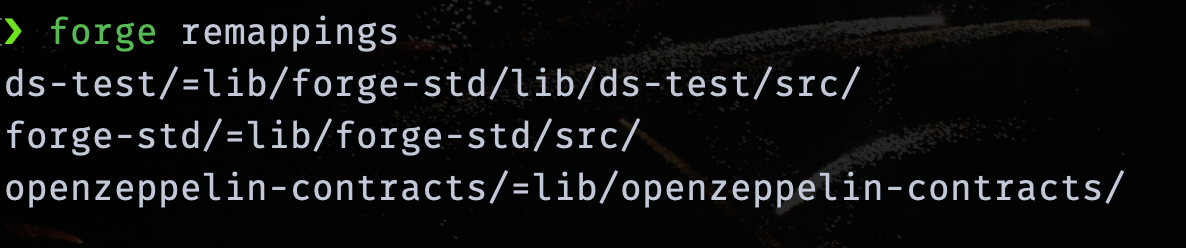
- But we will create custom remappings. For that create a file called
remappings.txtin the folder and put this in there:@openzeppelin/=lib/openzeppelin-contracts/. NOTE: It looks like remappings while using solc. Maybe this is what is happening under the hood.
- Run:
- Step 4: Create a simple ERC721 contract in the
srcfolder. - Step 5: Now, you can use OZ as you would in any hardhat project.
Thanks!