
Fast dependency analysis and architecture rules for JavaScript and TypeScript: find import cycles, enforce boundaries between parts of your code, and explore the dependency graph. Works with React, Vue, Svelte and Angular. Written in Rust on top of the oxc parser and resolver.
Website · Benchmarks · Full reference · Releases
Checking VS Code src/ (10k modules, 113k imports) |
Time | Memory |
|---|---|---|
| detangle | 0.18 s | 156 MB |
| the JavaScript rules tool | 35 s | 4.6 GB |
madge --circular |
34 s | 0.7 GB |
ESLint import/no-cycle |
289 s | 2.6 GB |
npm install --save-dev detangle          # or run once: npx detangle check
brew install debug-diary-1/tap/detangle
cargo install --locked detangle
Prebuilt binaries for macOS, Linux and Windows (x64 and arm64) are on the releases page.
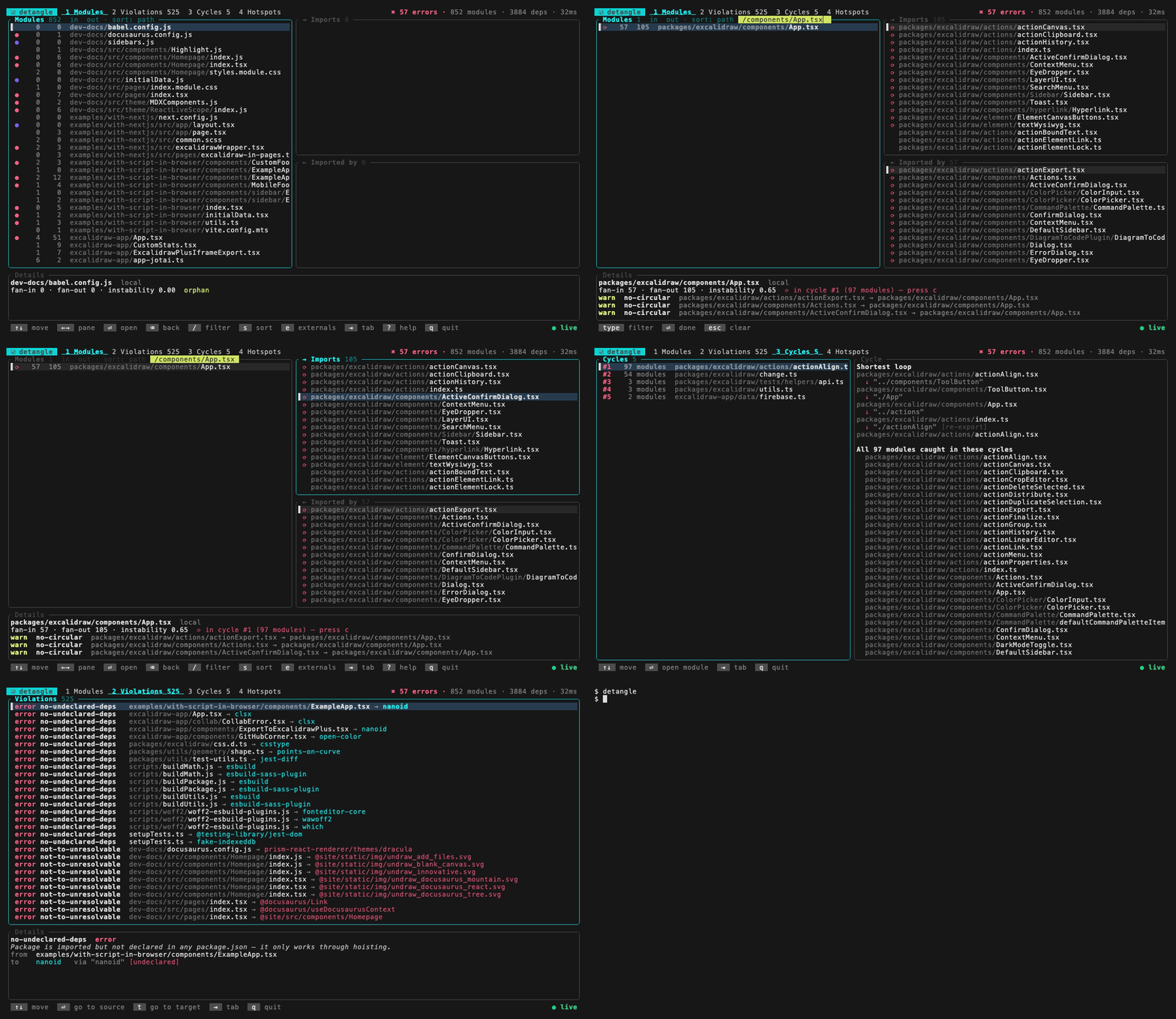
detangle                # interactive explorer (shown above), updates as you edit
detangle check          # run the rules; exits 1 on errors
detangle init           # write a starter detangle.toml
detangle report --open  # HTML report
With no config, detangle check reports import cycles, unresolvable imports, undeclared npm packages, devDependencies imported by production code, production code importing test files, and orphaned files.
Rules live in detangle.toml. Paths are regular expressions matched against paths relative to the project root.
[[forbidden]]
name = "no-circular"
severity = "warn"
to = { circular = true }

# features may not import each other
[[forbidden]]
name = "no-cross-feature"
severity = "error"
from = { path = '^src/features/([^/]+)/' }
to = { path = '^src/features/', path_not = '^src/features/$1/' }detangle migrate --dry-run # preview
detangle migrate # write detangle.tomlmigrate converts JavaScript rules configs, ESLint import rules (import/no-cycle, no-restricted-paths, …), Nx module boundaries, eslint-plugin-boundaries and madge. On an existing codebase, detangle check --write-baseline records today's violations so CI fails only on new ones.
With GitHub Actions, the detangle action installs the binary, annotates the pull request and writes a report to the job summary. Install your dependencies first, so imports of npm packages resolve:
- uses: actions/checkout@v4
- run: npm ci   # or pnpm / yarn install
- uses: debug-diary-1/detangle-action@v1
Anywhere else, run it through npm: npx detangle check (exit 1 on errors), with -f github, -f markdown, -f azure or -f teamcity for that CI's annotations.
For pull requests, detangle affected can select the tests a change can affect:
npx detangle affected --since origin/main --filter '\.test\.ts$' # tests a PR can break
--since compares from where the branch left origin/main, including uncommitted and untracked files. In CI, the merge-base needs repository history, so with actions/checkout set fetch-depth: 0.
With pre-commit, in .pre-commit-config.yaml:
repos:
  - repo: https://github.com/debug-diary-1/detangle
    rev: v0.2.6
    hooks:
      - id: detangle
The hook runs when a source file, package.json, a tsconfig or detangle.toml is staged. With lefthook or husky, run npx detangle check (or npx detangle check --cache) in the pre-commit hook.
// eslint.config.js (ESLint 9 or 10)
import detangle from "detangle/eslint";

export default [/* ...your config */ detangle.configs.recommended];
Violations show on the imports that cause them as you type, including unsaved edits. Keep detangle check as the CI gate. See ESLint rules for options and limits.
- Full reference: every command, rule option, the explorer, groups and Nx projects, the ESLint rules, the Node.js API and the HTML report.
- Contributing: reporting a wrong result, sharing your repo's numbers, building and testing.
- Releasing
Licensed under either of Apache License, Version 2.0 or MIT license, at your option.