
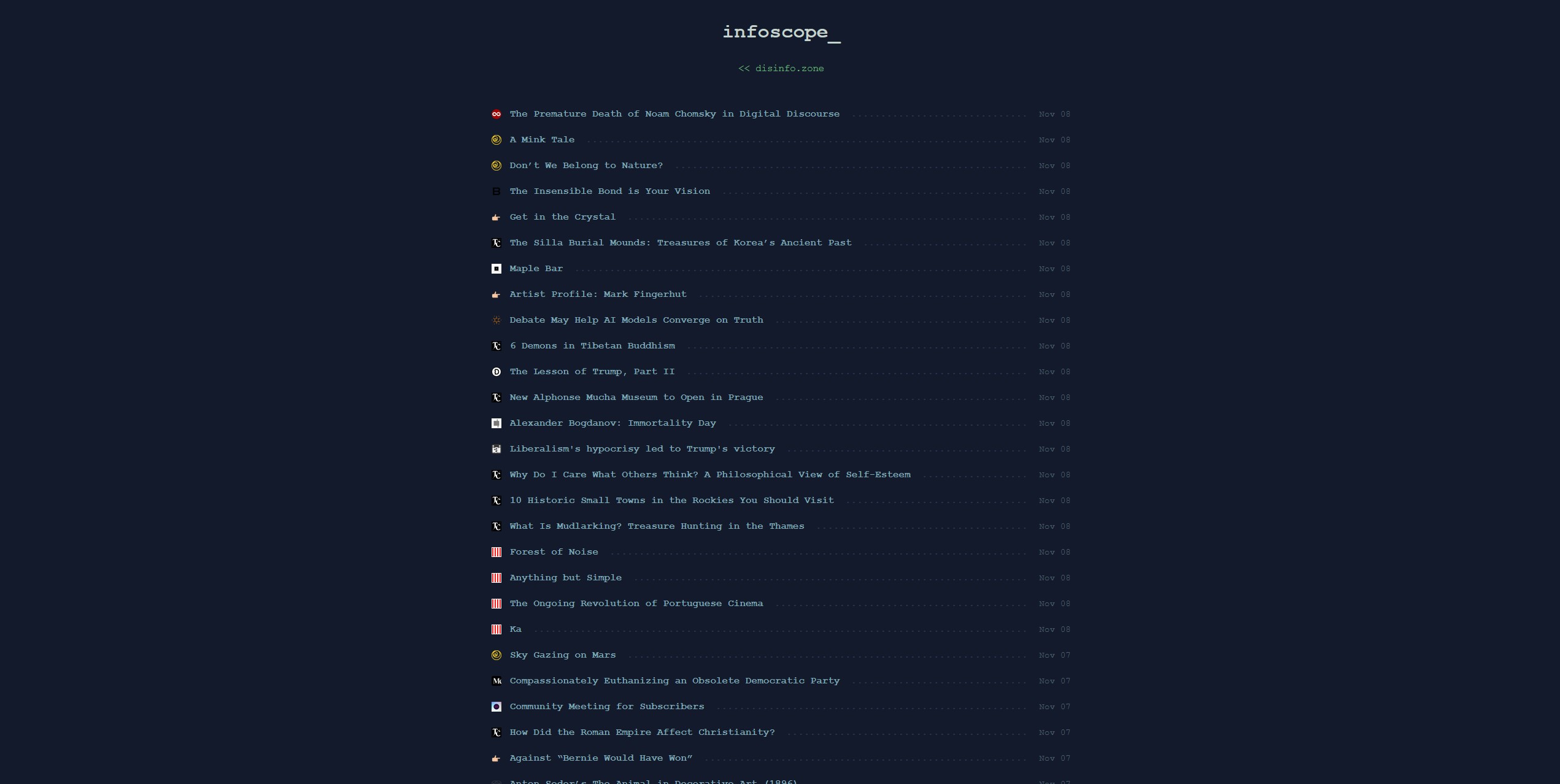
Infoscope is a minimalist public RSS river reader designed to reduce information anxiety while helping users discover interesting content. It reimagines how we consume online information by treating content as a flowing river rather than an accumulating inbox.
Traditional RSS readers can create anxiety:
- Unread counts are a constant reminder of "falling behind"
- The pressure to "catch up" turns reading into a chore
- Private feed lists keep valuable curation hidden from others
- Infinite archives make it hard to "let go" of old content
Infoscope approaches these challenges differently. Instead of treating content as something to be collected and archived, Infoscope presents it as a flowing river. Like a real river, you can stop by whenever you want to see what's flowing past and take what interests you in the moment. Let the rest flow by without worry and return tomorrow to find fresh content.
Most RSS readers are private, treating feed selection as a personal choice. Infoscope takes a different approach. Feed selection becomes a form of public curation and curators can share their expertise through feed choices.
While curation is public, reader privacy is paramount. Infoscope has no required user accounts, no personal data collection, and minimal cookie usage (only for admin authentication and CSRF protection). The only statistics collected (clicks on links) are fully anonymous with no user data recorded.
- CSRF protection for all forms and API endpoints
- Secure session handling for admin access
- SQLite database with proper SQL injection prevention
- Configurable production mode with enhanced security
- Strict Content Security Policy (CSP) that blocks inline scripts and styles; tracking code must be external (
<script src="...">) or safe media tags
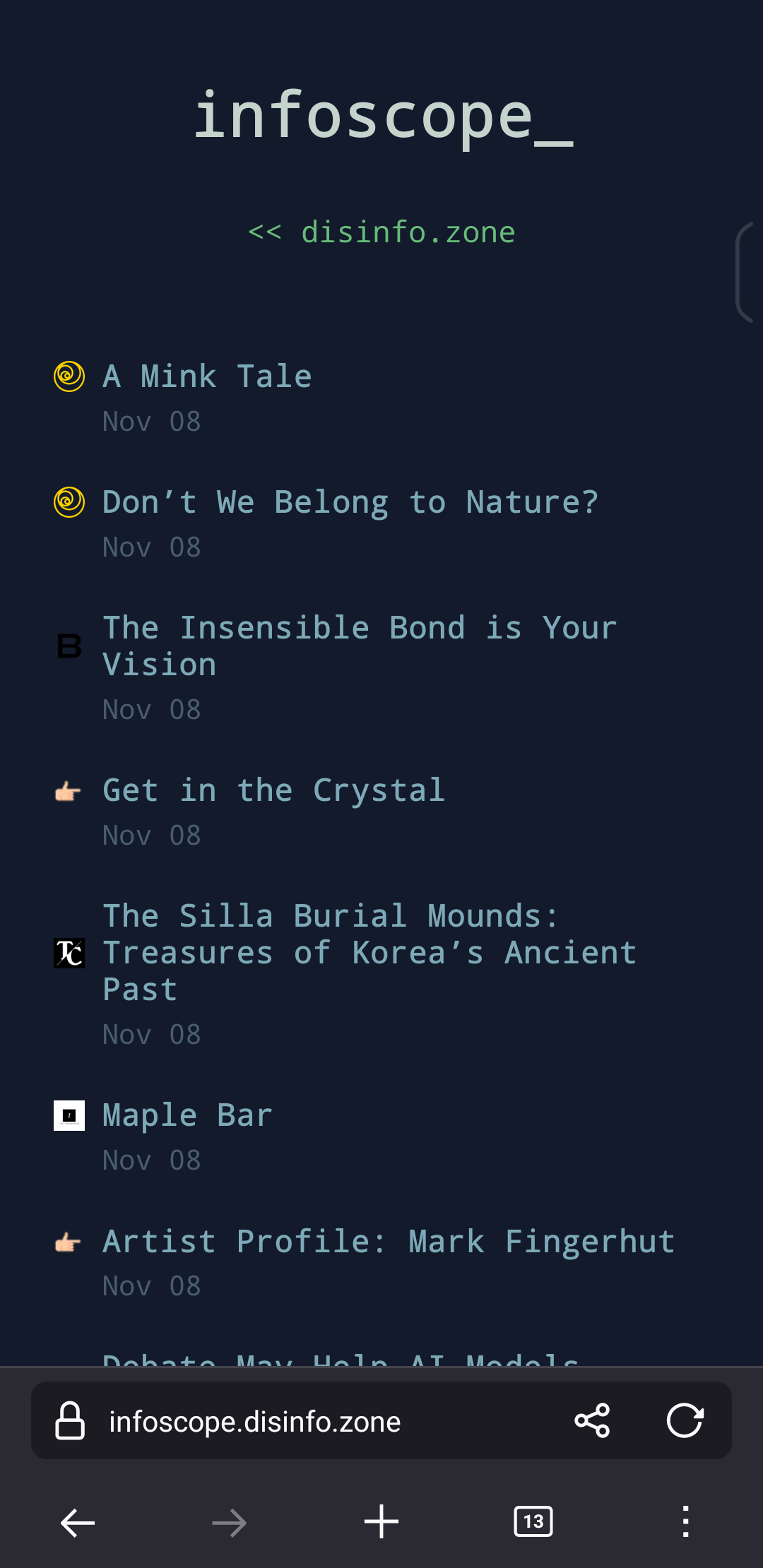
The interface is intentionally simple in keeping with the guiding ethos. It is a clean, distraction-free retro design with a focus on content discovery. This means:
- No infinite scroll (admins define the number of links shown)
- No pagination
- No unread counts
- No retention of old entries
- Customizable header/footer links and images
Download Linux and Windows AMD64 binaries from the releases page or build from scratch:
# Download and build
git clone https://github.com/disinfo-zone/infoscope.git
cd infoscope
go build ./cmd/infoscopeInfoscope defaults to the go-sqlite3 driver when CGO is enabled (best performance). If CGO is disabled or a C compiler is not available, it will automatically fall back to the pure-Go modernc.org/sqlite driver.
To force the CGO build (recommended for production performance):
CGO_ENABLED=1 go build ./cmd/infoscopeIf you see an error like C compiler "gcc" not found, install a C toolchain (e.g., gcc/clang) or rely on the pure-Go fallback.
To run on linux:
# Run in development mode
./infoscope
# Run in production mode
./infoscope -prod
On windows:
# Run in development mode
infoscope.exe
# Run in production mode
infoscope.exe -prod
Visit http://localhost:8080/setup to complete installation. It should default to this page until an admin account has been created. Once created, admin page is accessed at /admin.
Command line flags:
-port: HTTP port (default: 8080)-db: Database path (default: data/infoscope.db)-data: Data directory path (default: data)-version: Print version information-prod: Enable production mode with enhanced security-no-template-updates: Disable automatic template updates (for example if you edit the html)-force-template-updates: Force template updates even when disabled (useful for production theme updates)
Environment variables:
INFOSCOPE_PORT: HTTP portINFOSCOPE_DB_PATH: Database pathINFOSCOPE_DATA_PATH: Data directory path
Run Infoscope in production mode using Docker:
docker run -d \
  --name infoscope \
  -p 8080:8080 \
  -v infoscope-data:/app/data \
  -v infoscope-web:/app/web \
  -e INFOSCOPE_PRODUCTION=true \
ghcr.io/disinfo-zone/infoscope:latestINFOSCOPE_PORT: HTTP port (default: 8080)INFOSCOPE_DB_PATH: Database path (default: /app/data/infoscope.db)INFOSCOPE_DATA_PATH: Data directory (default: /app/data)INFOSCOPE_WEB_PATH: Web content path (default: /app/web)INFOSCOPE_PRODUCTION: Enable production mode (true/false)INFOSCOPE_NO_TEMPLATE_UPDATES: Disable template updates (true/false)
/app/data: Database and data files/app/web: Web content and templates
Important for Rootless Containers & Upgraders:
When running Infoscope via Docker, especially with rootless containers (as this project uses) or if you've configured Docker to use a specific non-root user, ensure the process inside the container has read and write permissions for the host directories mapped to the following volumes:
/app/data: Essential for database operations./app/web: Required if automatic template updates are enabled (i.e., not using the-no-template-updatesflag orINFOSCOPE_NO_TEMPLATE_UPDATES=trueenvironment variable).
Why is this important?
- Incorrect permissions can prevent Infoscope from starting, writing to its database, or managing web templates.
- Users upgrading from older versions (which might have run as root in the container by default) should particularly verify these permissions to avoid disruptions.
How to ensure correct permissions:
- Adjust the ownership of your host directories to match the UID (User ID) and GID (Group ID) of the user that the Infoscope process runs as inside your container. This depends on your specific Docker image and any user configurations (e.g., via
docker run --user ...). - Alternatively, set directory permissions on the host (e.g.,
chmod 775for the host paths), ensuring the container's user can write to them.
For example, if your Docker volume on the host is /my/infoscope/data and it's mapped to /app/data in the container:
# Determine the UID/GID of the user running Infoscope in your container.
# Common examples include 1000:1000 (default user) or 65532:65532 (often 'nobody').
# Replace YOUR_CONTAINER_UID and YOUR_CONTAINER_GID with the correct values.

# Example: Change ownership to UID 65532, GID 65532
# sudo chown -R 65532:65532 /my/infoscope/data
# sudo chown -R 65532:65532 /my/infoscope/web

# Example: Change ownership to UID 1000, GID 1000
# sudo chown -R 1000:1000 /my/infoscope/data
# sudo chown -R 1000:1000 /my/infoscope/web

# Or, more open permissions (use with caution):
# sudo chmod -R 777 /my/infoscope/data
Consult your Docker and system documentation for the best way to manage permissions for your specific setup. You may need to inspect your Docker image or use commands like docker exec <container_name_or_id> id to find the UID/GID of the running process.
By default, Infoscope automatically extracts and updates its web templates and static files on startup to ensure you're always running the latest version. This behavior can be disabled with the -no-template-updates flag, which is useful for:
- Production environments where templates shouldn't change without explicit deployment
- Customized installations where you've modified the templates
- Environments where file writes should be minimized
If you're running Infoscope with -no-template-updates (or INFOSCOPE_NO_TEMPLATE_UPDATES=true) and need to update to newer themes:
-
One-time update: Restart Infoscope with the
-force-template-updatesflag:./infoscope -no-template-updates -force-template-updates
This will extract the latest themes once, then resume normal operation with template updates disabled.
-
Alternative: Temporarily remove the
-no-template-updatesflag for one restart, then re-enable it.
Development mode: Relaxed security and verbose debug information for testing
Production mode: Enforces HTTPS-only features including strict CSRF protection
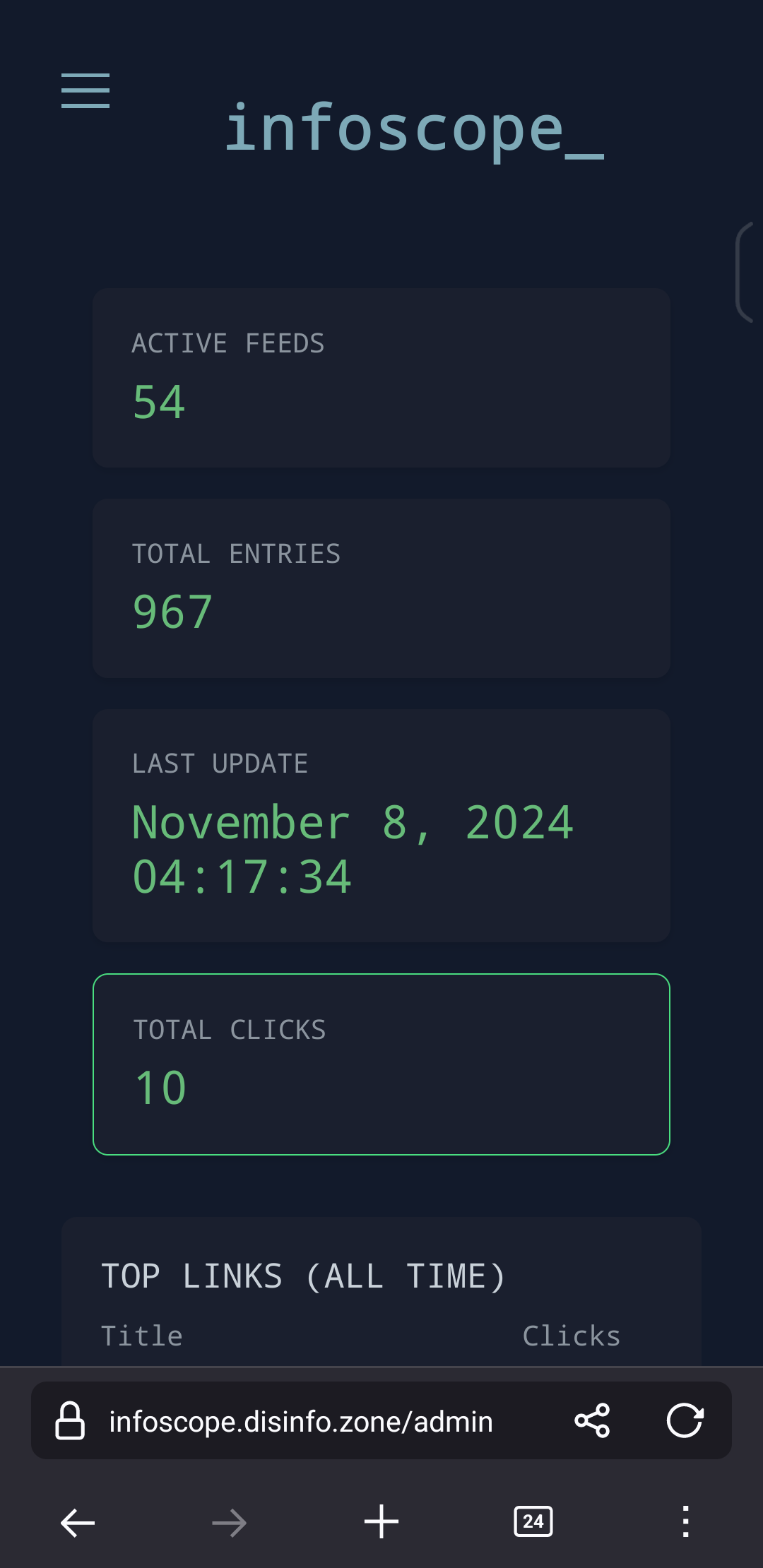
- Access
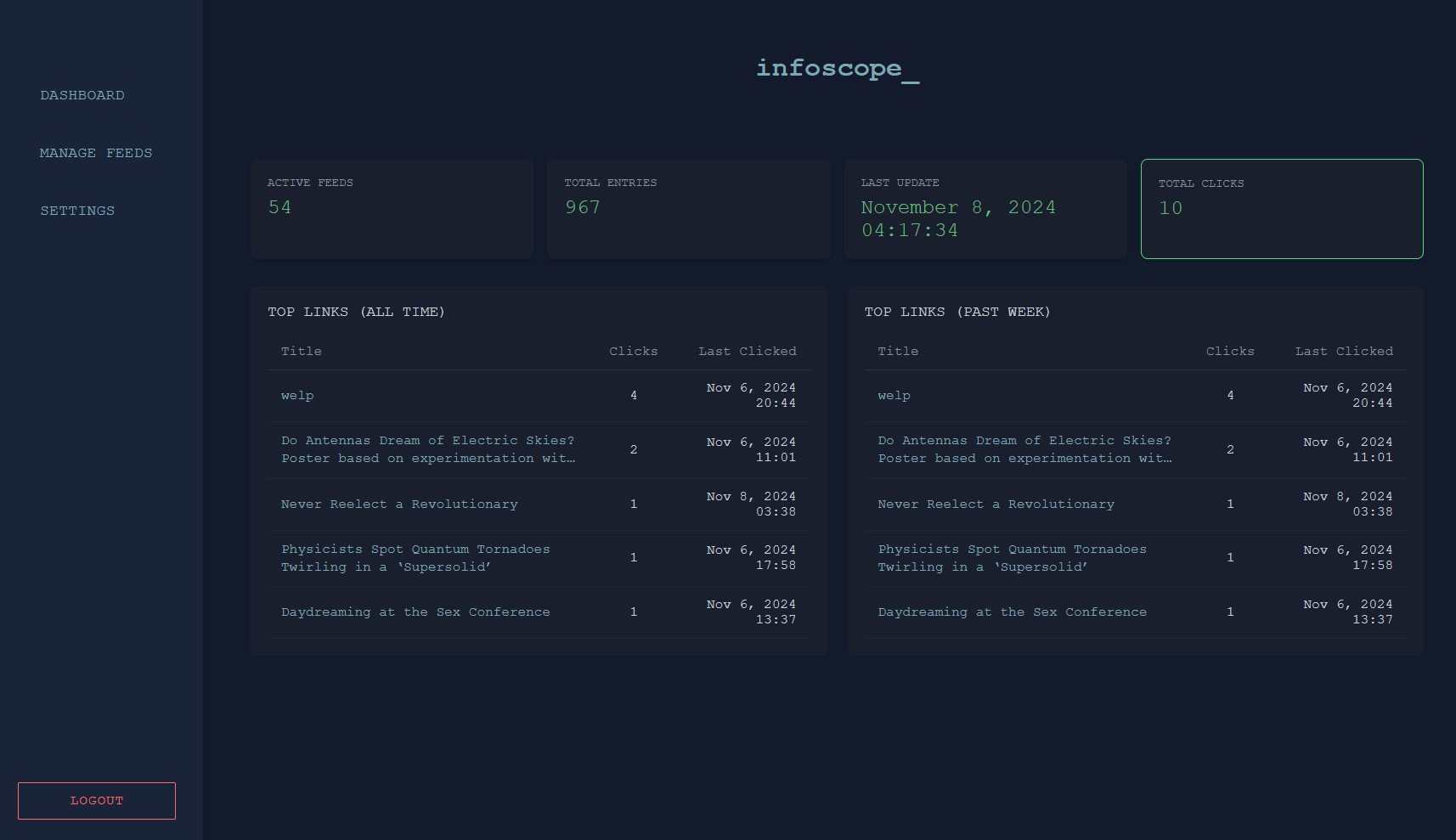
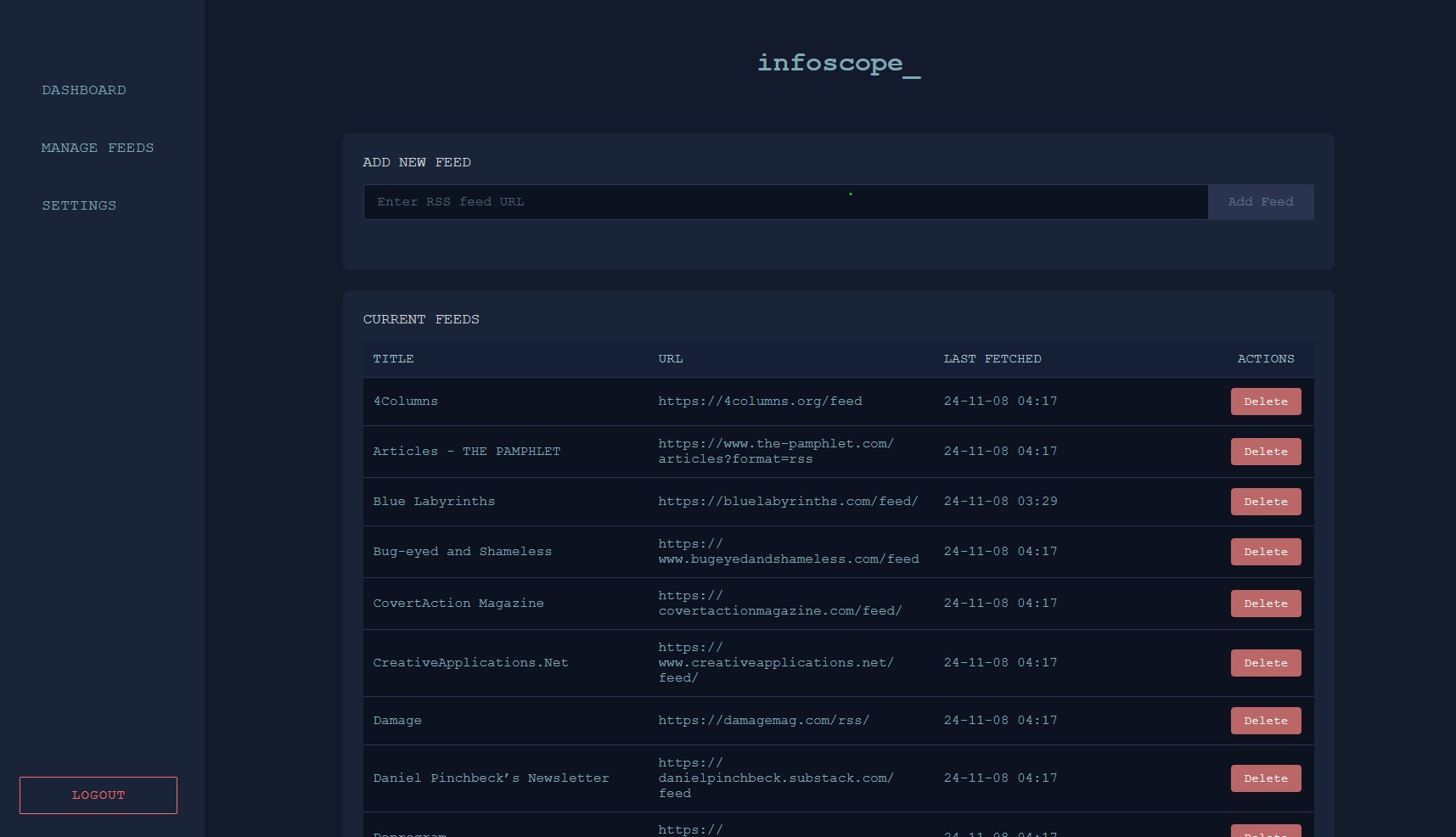
/adminand log in - Add RSS feeds
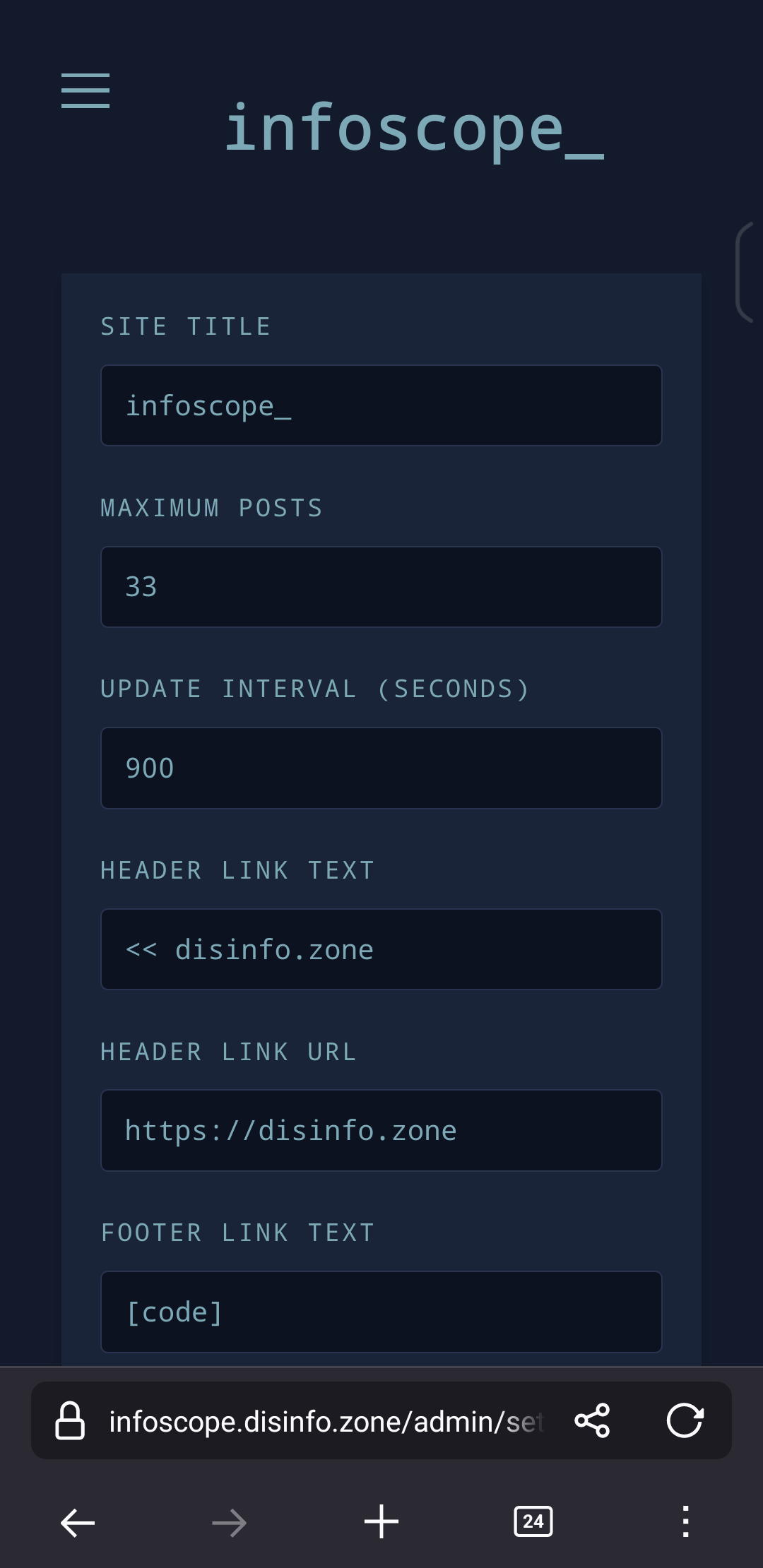
- Configure settings:
- Site title and appearance
- Maximum posts to retain
- Update interval
- Header/footer customization
- Analytics/tracking code integration
- Separate public/admin themes and optional public theme selector
- Enhanced Entry Display:
- Show blog/feed names as prefixes to entry titles
- Display entry body text previews below titles (50-1000 characters)
- Both features can be configured independently
- Manage feeds:
- Add/remove feeds
- Preview feed content before adding
- Delete feeds from the Edit modal (requires updated
/app/webassets) - Assign a category and tags to each feed; readers can then filter the public river by category and/or tag from the on-page menu, and subscribe to a filtered RSS feed (e.g.
/rss.xml?category=Photography&tag=english)
- Entry Filtering System:
- Create custom filters to automatically keep or discard entries based on their title, content, entry URL, feed category, or feed tags (e.g. discard entries whose URL contains "/shorts/")
- Support for both keyword matching and regular expressions
- Advanced boolean logic with AND/OR operators for complex filtering rules
- Filter groups with customizable priority ordering
- Real-time filtering with intelligent caching for optimal performance
- Backup/restore:
- Export settings and feed lists
- Import configuration from backup
Admin passwords must be at least 12 characters long and include:
- At least one uppercase letter
- At least one lowercase letter
- At least one digit
- At least one special character (!@#$%^&* etc.)
This policy applies to both initial setup and password changes.
- Setup page fails to render or actions no-op after upgrade: Ensure
/app/webis updated. If template updates are disabled (-no-template-updatesorINFOSCOPE_NO_TEMPLATE_UPDATES=true), run once with-force-template-updatesor temporarily disable the flag. You can also remove the/app/webvolume so Infoscope re-extracts embedded assets on next start. - Admin UI buttons do nothing (e.g., Delete Feed): This almost always indicates stale or missing web assets under
/app/web. Refresh templates as above and confirm the container user has write permissions to that volume. - UI test harness: Visit
/static/tests/public-theme-harness.htmlto validate public theme selection andruntime.cssbehavior. Set a Footer Image Height in admin settings, reload the page, and confirm the computed height readout updates. - Automated first-paint theme smoke test: Run
npm run test:e2e:themeto assert the selected public theme CSS set is loaded exactly once and inserted beforebase.csson initial page paint.
Infoscope includes a powerful filtering system that allows administrators to automatically curate content by keeping or discarding entries based on title patterns. This helps maintain high-quality content streams and reduces information noise.
The filtering system operates in two levels:
- Entry Filters: Individual pattern-based filters that match against a chosen field — entry title, entry content, entry URL, feed category, or feed tags
- Filter Groups: Collections of entry filters combined with boolean logic
Entry filters are the building blocks of the filtering system. Each filter defines:
- Name: A descriptive name for easy identification
- Target: Which field to match against — entry title, entry content, entry URL, feed category, or feed tags
- Pattern: The text or regex pattern to match against the target
- Pattern Type: Either "keyword" for simple text matching or "regex" for regular expressions
- Case Sensitivity: Whether matching should be case-sensitive
Examples:
- Keyword filter: Pattern "AI" matches titles containing "AI"
- Regex filter: Pattern
(?i)\b(crypto|bitcoin|blockchain)\bmatches cryptocurrency-related terms (case-insensitive)
Filter groups combine multiple entry filters using boolean logic:
- Group Name: Descriptive name for the filter group
- Action: Choose "keep" (only show matching entries) or "discard" (hide matching entries)
- Priority: Lower numbers = higher priority (evaluated first)
- Active Status: Enable/disable the entire group
- Filter Rules: The actual filters and their boolean relationships
The system supports sophisticated boolean combinations:
- AND: All connected filters must match
- OR: Any of the connected filters can match
- Mixed Logic: Combine AND/OR operators for complex rules
Example Filter Group Logic:
Filter A AND Filter B OR Filter C
This matches entries that either:
- Match both Filter A AND Filter B, OR
- Match Filter C
MIT License
Copyright (c) 2024 disinfo.zone
Permission is hereby granted, free of charge, to any person obtaining a copy of this software and associated documentation files (the "Software"), to deal in the Software without restriction, including without limitation the rights to use, copy, modify, merge, publish, distribute, sublicense, and/or sell copies of the Software, and to permit persons to whom the Software is furnished to do so, subject to the following conditions:
The above copyright notice and this permission notice shall be included in all copies or substantial portions of the Software.
THE SOFTWARE IS PROVIDED "AS IS", WITHOUT WARRANTY OF ANY KIND, EXPRESS OR IMPLIED, INCLUDING BUT NOT LIMITED TO THE WARRANTIES OF MERCHANTABILITY, FITNESS FOR A PARTICULAR PURPOSE AND NONINFRINGEMENT. IN NO EVENT SHALL THE AUTHORS OR COPYRIGHT HOLDERS BE LIABLE FOR ANY CLAIM, DAMAGES OR OTHER LIABILITY, WHETHER IN AN ACTION OF CONTRACT, TORT OR OTHERWISE, ARISING FROM, OUT OF OR IN CONNECTION WITH THE SOFTWARE OR THE USE OR OTHER DEALINGS IN THE SOFTWARE.
- Built with assistance from Anthropic's Claude
- Updates with Google's Jules
- gofeed for RSS parsing
- go-sqlite3 for database operations
- Illuminati icon created by smalllikeart - Flaticon