Skip to content

DDF for Tuya TRV ( _TZE200_2ekuz3dz ) - #6949

Merged
manup merged 2 commits into
dresden-elektronik:masterfrom
cagnulein:master
May 23, 2023
Merged

manup merged 2 commits into
dresden-elektronik:masterfrom
cagnulein:master

Conversation

@cagnulein

Copy link
Copy Markdown
Contributor

following this #6269 (comment)

@cagnulein

Copy link
Copy Markdown
Contributor Author

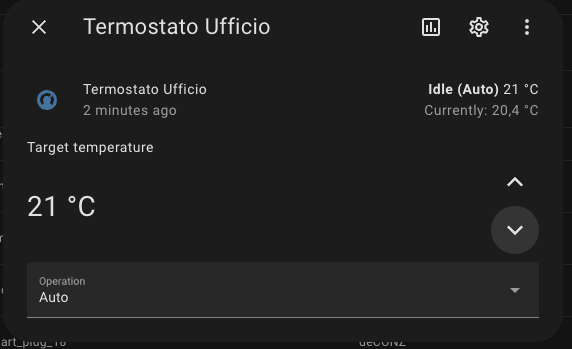
Screenshot 2023-05-05 at 10 10 31

@cagnulein

Copy link
Copy Markdown
Contributor Author

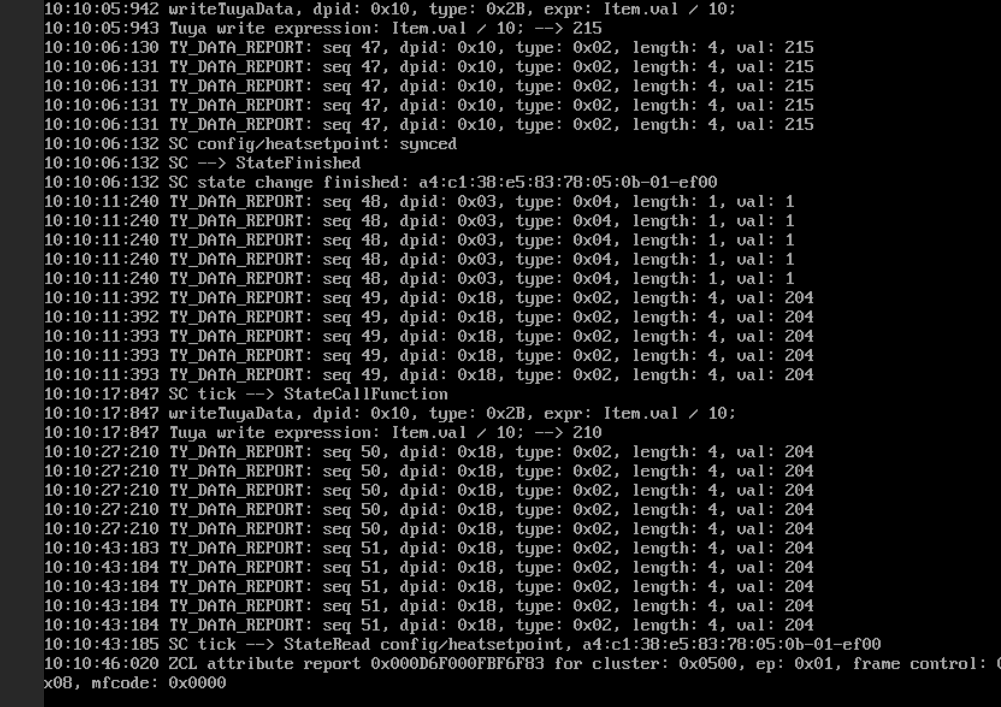
Screenshot 2023-05-05 at 10 10 56

@cagnulein cagnulein changed the title Create _TZE200_TS0601_thermostat.json DDF for Tuya TRV ( _TZE200_2ekuz3dz ) May 7, 2023
@cagnulein

Copy link
Copy Markdown
Contributor Author

@Smanar done!

@manup manup added this to the v2.22.1-beta milestone May 23, 2023
@manup
manup merged commit 4e85494 into dresden-elektronik:master May 23, 2023
@cagnulein

Copy link
Copy Markdown
Contributor Author

@Smanar one question: this thermostat is taking the time from Deconz but it always set a chinese timezone. Do you know if it's something fixable? @manup

@Smanar

Smanar commented Aug 21, 2024 •

Copy link
Copy Markdown
Collaborator

this thermostat is taking the time from Deconz but it always set a chinese timezone

I don't undersant, the device display a time and a bad one ? Only minuts are good and never the hour ?
I don't see a request available on this device about setting a time, but yes, there is a "tuya time synchronisation", not working ?

@cagnulein

Copy link
Copy Markdown
Contributor Author

thanks for the quick response!

for example the deconz time is 2:34pm and the real time is 2:34pm so deconz is fine

the thermostat shows 10:34pm so the minutes are fine but the hours is not, the offset is constant so it seems just the time zone

so i guess the tuya sync doesn't work?

@Smanar

Smanar commented Aug 21, 2024

Copy link
Copy Markdown
Collaborator

Long time I haven't check this code part.
From what I m reading your device use the tuya synchronisation request, but on your issue, your device have the Time cluster.
The Time cluster use values you can set on the GUI, when selectionning the Gateway (the blue) then the time cluster (in blue too).

For the tuya Time, I don't see settings, for it just use the host time, so don't use timezone.

You can play with them to see wich one your device is using, but you have this issue only on this TRV ? or don't have more ?

@Smanar

Smanar commented Aug 21, 2024

Copy link
Copy Markdown
Collaborator

Ok this device have a bugged firmware > Koenkk/zigbee2mqtt#14037 (comment)
Need to patch the result with 8 hours.
Problem this is not possible using DDF .....

@cagnulein

Copy link
Copy Markdown
Contributor Author

You can play with them to see wich one your device is using, but you have this issue only on this TRV ? or don't have more ?

Ok Thanks i will try this, I have only this thermostat with a time

@cagnulein

Copy link
Copy Markdown
Contributor Author

Ok this device have a bugged firmware > Koenkk/zigbee2mqtt#14037 (comment)

Need to patch the result with 8 hours.

Problem this is not possible using DDF .....

Can't we subtract the time before sending to it?

@Smanar

Smanar commented Aug 22, 2024

Copy link
Copy Markdown
Collaborator

Can't we subtract the time before sending to it?

All is possible, the problem is "hack" are now rejeted in c++ code (I mean special code just for one device).
There is absolutely nothing in DDF core to do something on the tuya synchronisation, and I m almost sure adding a field "config/timezone" just for one bugged device will be refused too.

Making a hack just for you is easy, but you will need to recompile the lib, and again every time you will want to update deconz.

@cagnulein

Copy link
Copy Markdown
Contributor Author

Got it, I guess I can leave without the timing sync :) thanks anyway

Sign up for free to join this conversation on GitHub. Already have an account? Sign in to comment

Projects

None yet

Development

Successfully merging this pull request may close these issues.

3 participants