

A WebGPU-first TypeScript engine with skin, hair, water and terrain rendering,
a single-source shader system, and a visual editor.
Documentation | Demos | Online Editor | API Reference



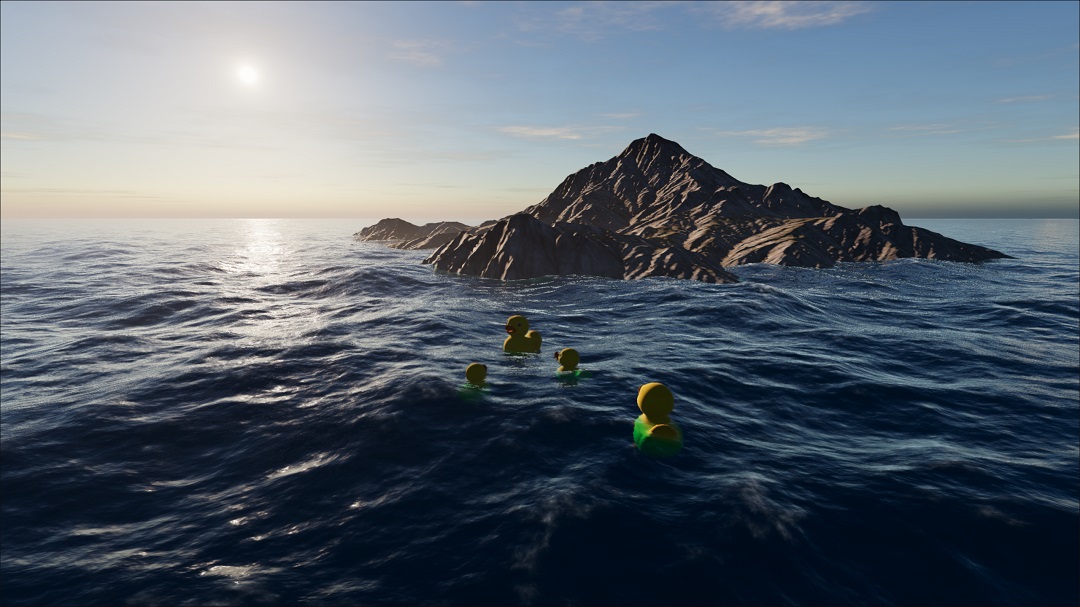 FFT ocean wave simulation + buoyancy |
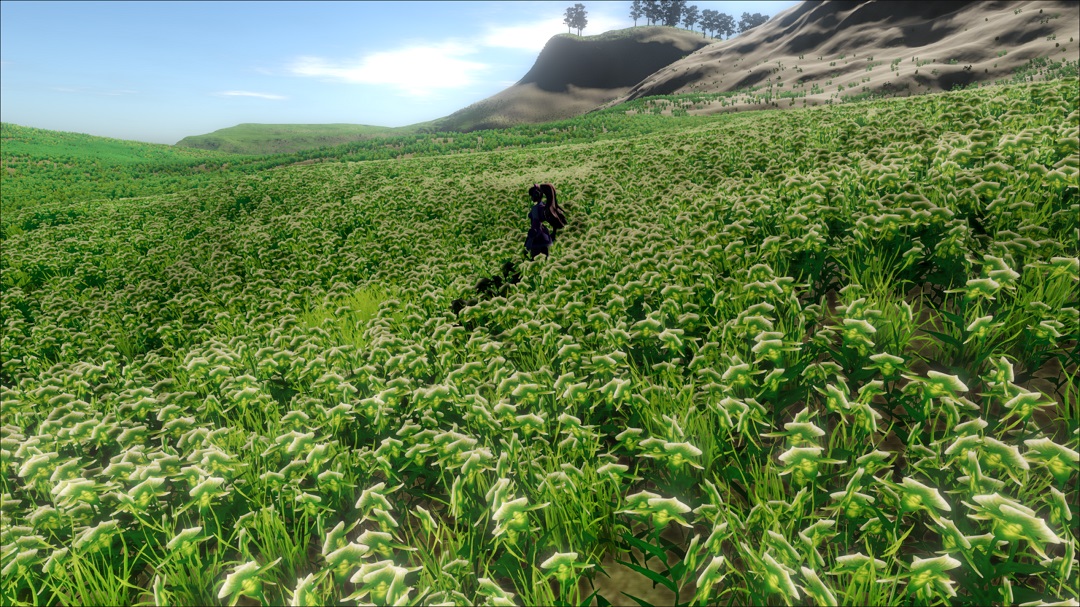 Clipmap terrain runtime texturing + grass |
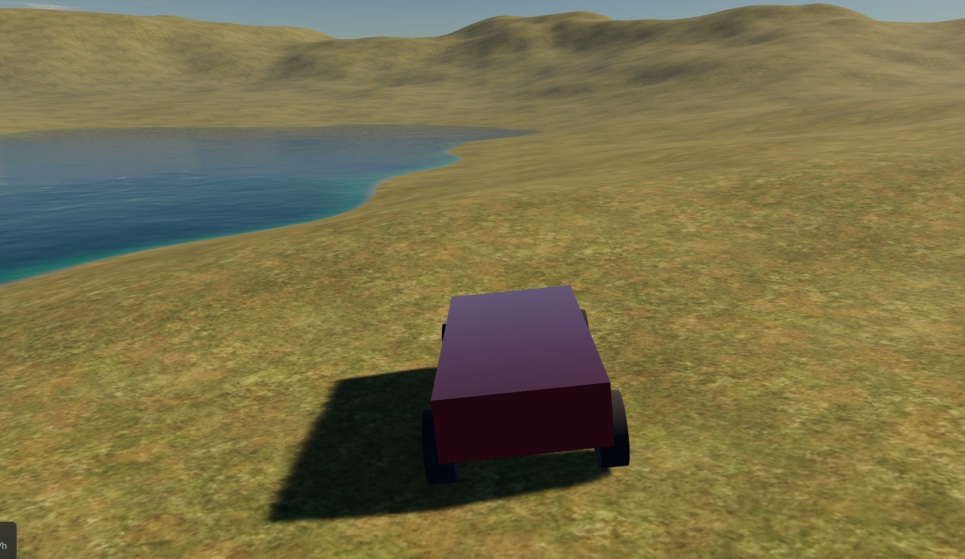 Car PBR + IBL + reflections |
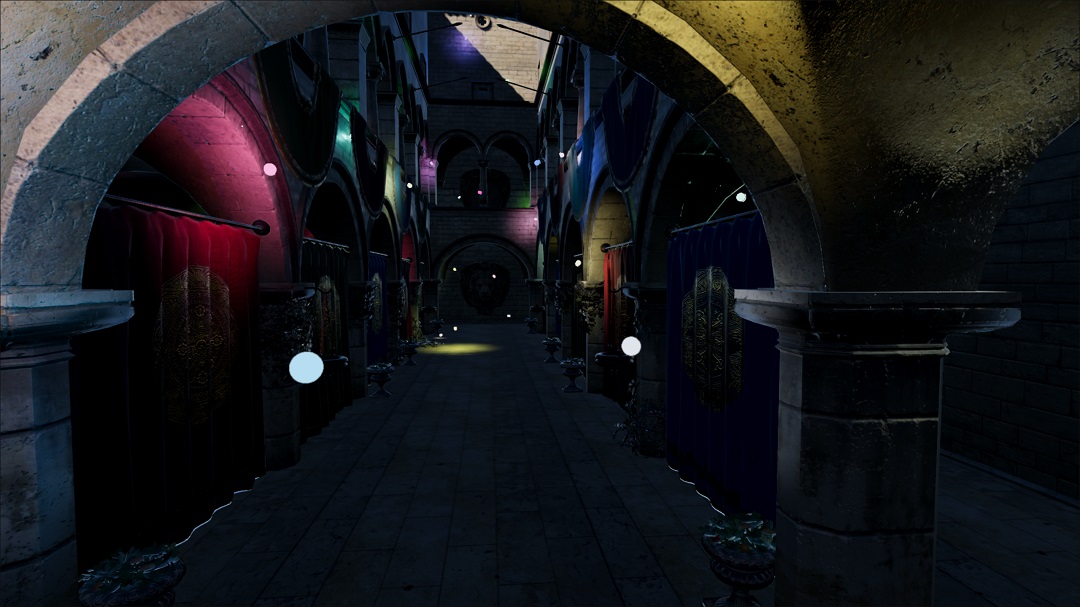 Clustered lighting hundreds of dynamic lights |
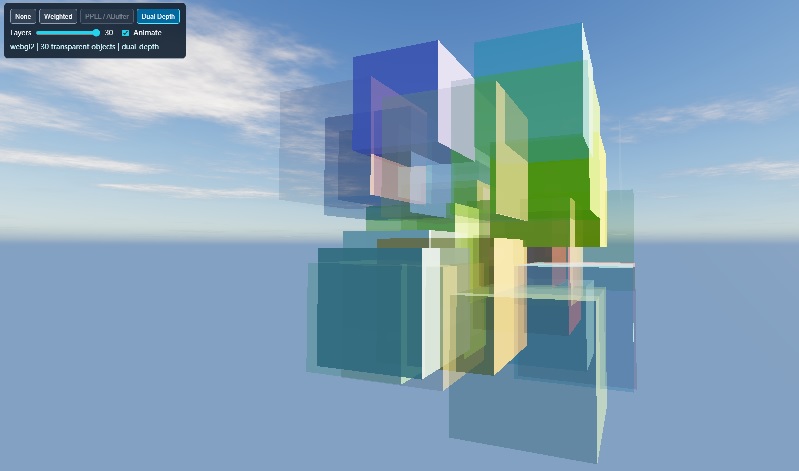 Transparency order-independent blending |
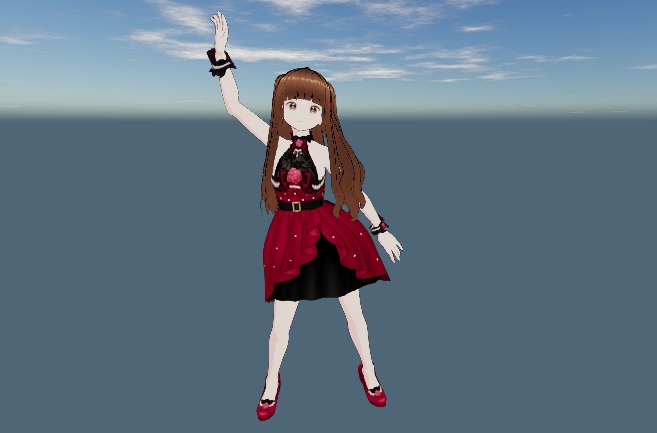 Characters VRM, skinning, blend shapes |
Click any image to run it live. · All demos →
npm install --save @zephyr3d/base @zephyr3d/scene @zephyr3d/backend-webgpu @zephyr3d/backend-webglA lit sphere you can orbit around. It runs on WebGPU when the browser supports it and falls back to WebGL2 otherwise:
import { Vector3, Vector4 } from '@zephyr3d/base';
import {
  Scene, Application, LambertMaterial, Mesh,
  OrbitCameraController, PerspectiveCamera, SphereShape,
  DirectionalLight, getInput, getEngine
} from '@zephyr3d/scene';
import { backendWebGPU } from '@zephyr3d/backend-webgpu';
import { backendWebGL2 } from '@zephyr3d/backend-webgl';

const myApp = new Application({
  backend: (await backendWebGPU.supported()) ? backendWebGPU : backendWebGL2,
  canvas: document.querySelector('#my-canvas')
});

myApp.ready().then(function () {
  const scene = new Scene();
  const light = new DirectionalLight(scene);
  light.lookAt(Vector3.one(), Vector3.zero(), Vector3.axisPY());

  const material = new LambertMaterial();
  material.albedoColor = new Vector4(1, 0, 0, 1);
  new Mesh(scene, new SphereShape(), material);

  scene.mainCamera = new PerspectiveCamera(scene, Math.PI / 3, 1, 100);
  scene.mainCamera.lookAt(new Vector3(0, 0, 4), Vector3.zero(), Vector3.axisPY());
  scene.mainCamera.controller = new OrbitCameraController();
  getInput().use(scene.mainCamera.handleEvent, scene.mainCamera);

  getEngine().setRenderable(scene, 0);
  myApp.run();
});
Basic Framework walks through the HTML scaffold and what each step does. Which packages you actually need depends on your case; Installation has the breakdown.
Most of the engine's depth goes into a few areas that are usually hard to get on the web.
Characters Skin with subsurface scattering and transmission, an eye material with socket occlusion, and hair with Kajiya-Kay and Marschner shading, expanded into strands on the GPU and simulated in compute shaders. MToon and VRM support for stylized characters.
Natural environments Ocean water driven by FFT, Gerstner or FBM waves, with caustics, refraction and interaction with floating objects. Clipmap terrain with runtime texturing, virtual texturing and grass layers. Atmospheric sky and height fog.
Shadows and transparency PCF (several variants), PCSS, ESM, VSM, SSM and DOM shadows, with cascaded shadow maps and contact shadows — pick per light based on the quality/cost tradeoff you want. Three order-independent transparency backends: A-buffer (WebGPU), dual depth peeling, and weighted blended.
Lighting and post-processing PBR materials (metallic-roughness and specular-glossiness) with image-based lighting and physical lighting units, clustered lighting for hundreds of dynamic lights, and rect area lights. TAA, SSGI, SSR, SSAO, bloom, motion blur, tonemapping and color grading.
- Pipeline — Forward+ renderer organized as a render graph with automatic resource pooling and history buffers. Hi-Z, depth prepass, GPU picking, instancing with GPU culling, mesh LOD, render bundles, multi-view rendering.
- Materials — Lambert/Blinn/Unlit, a mixin-based system for custom materials, and material blueprints authored as node graphs in the editor.
- Animation and simulation — skeletal and keyframe animation with blending, masks and an action controller; inverse kinematics (CCD, FABRIK, two-bone), joint dynamics, spring chains, GPU cloth, morph targets and geometry caches.
- Assets — glTF/GLB, FBX, Alembic and hair curve importers, KTX2 texture compression, a prefab system, a virtual file system, and reference-counted resources.
The documentation covers these topic by topic — when to use each one, how to tune it, and its backend limitations — rather than just listing properties.
Rather than maintaining parallel GLSL and WGSL sources, you describe the shader once in TypeScript:
const program = device.buildRenderProgram({
  vertex(pb) {
    this.$inputs.pos = pb.vec3().attrib('position');
    this.$inputs.uv  = pb.vec2().attrib('texCoord0');
    this.$outputs.uv = pb.vec2();

    this.xform = pb.defineStruct([pb.mat4('mvpMatrix')])().uniform(0);

    pb.main(function () {
      this.$builtins.position =
        pb.mul(this.xform.mvpMatrix, pb.vec4(this.$inputs.pos, 1));
      this.$outputs.uv = this.$inputs.uv;
    });
  },

  fragment(pb) {
    this.$outputs.color = pb.vec4();
    this.tex = pb.tex2D().uniform(0);

    pb.main(function () {
      this.$outputs.color = pb.textureSample(this.tex, this.$inputs.uv);
    });
  }
});
From this single source the engine emits WGSL and WebGL2 GLSL (std140 UBOs, explicit outputs), together with the matching WebGPU bind group layouts and computed buffer layouts. Bindings and shader code stay in sync, and you avoid hand-written variants that drift apart.
The Writing Shaders guide shows the generated output side by side for each backend.
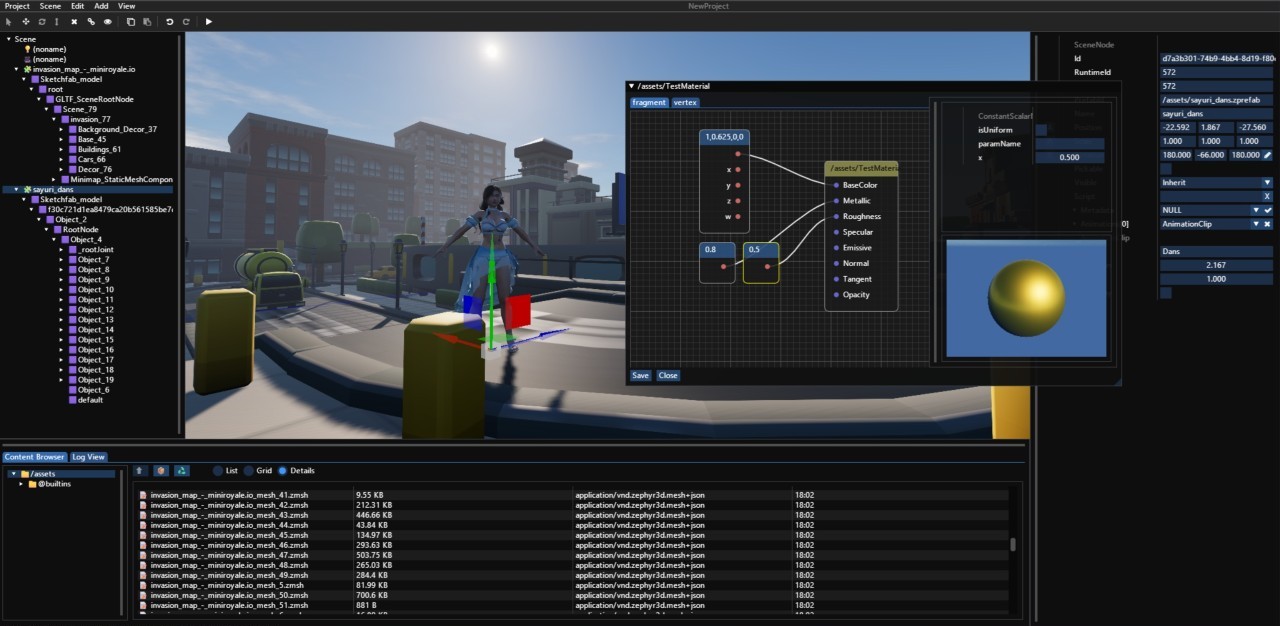
The editor is itself built on the Scene and Device APIs, so what you see in it is what the engine renders. It covers scene editing, the content browser, node-graph material blueprints, terrain sculpting and texturing, animation editing, TypeScript scripting bound to scene entities, and a plugin API for custom tools and panels.
The desktop build (Electron) adds local project folders with persistent storage, an embedded MCP server that lets AI agents and external tools drive the editor, and a built-in LLM assistant. API keys are stored locally, encrypted at rest.
Editor documentation: overview · quick start · desktop editor
Zephyr3D is a good fit if you are
- building a web project that needs character, water or terrain rendering beyond what general-purpose libraries offer out of the box;
- building custom tools or an in-house editor, and want an engine whose source you can follow end to end;
- doing web rendering research, or learning how a complete engine is put together.
It may not be the right choice yet if
- you depend on a large third-party ecosystem of plugins, loaders and community examples;
- your scenes rely on bounce light indoors — there is no baked or probe-based global illumination yet, only screen-space GI. Probe-based GI is planned after 1.0;
- you need long-term API stability guarantees today (see Status).
Zephyr3D is developed and maintained by one person in their free time — the engine, the editor, the documentation and the demos are all unpaid work. If any of it has been useful to you, sponsorship is what pays for hosting, CI and testing hardware, and buys focused blocks of time for new features, performance work and documentation.


Ways to help that cost nothing, but matter just as much:
- Star the repo — it is the main signal that keeps the project visible.
- Ask and answer in Discussions — real usage questions shape the docs and the roadmap.
- Report what breaks, with a minimal reproduction if you can. For a rendering engine, a screenshot plus the backend and GPU you are on is worth a lot.
- Tell people when a demo or a write-up helped — that reach is how a project like this finds the people who end up sponsoring it.
For commercial use, integration help or a support arrangement, open a thread in
Discussions or write to
gavinyork2024@outlook.com so we can talk about what you need.
The engine is split so you install only what you use. Packages are versioned independently.
| Package | Role |
|---|---|
@zephyr3d/base |
Math, virtual file system, events, reference counting |
@zephyr3d/device |
Graphics abstraction, shader generator, resource binding |
@zephyr3d/backend-webgl |
WebGL2 backend |
@zephyr3d/backend-webgpu |
WebGPU backend |
@zephyr3d/scene |
Scene graph, materials, lighting, shadows, animation, post FX |
@zephyr3d/loaders |
glTF/GLB, FBX, Alembic, hair curve importers |
@zephyr3d/imgui |
ImGui bindings for debug panels and tool UI |
@zephyr3d/modelgen |
Dependency-free procedural mesh generation |
@zephyr3d/procgen |
Procedural scene generation (shape grammar, wave function collapse) |
@zephyr3d/editor |
Visual editor, desktop shell, plugin API types |
The engine targets two graphics APIs and falls back silently when a capability is missing, so test on your actual targets rather than assuming that error-free code means a feature is active.
- WebGPU — the full feature set, including compute shaders. Required for A-buffer OIT, DOM shadows, GPU cloth and hair simulation, and terrain shading cache.
- WebGL2 — broad coverage, no compute shaders. WebGL1 is no longer supported.
Zephyr3D also defaults to a reverse-Z depth convention for better far-distance precision,
selected once at load time via the __ZEPHYR3D_REVERSE_Z__ build-time define. If you write custom
materials, use the depth constants exported from @zephyr3d/base (DEPTH_CLEAR_VALUE,
DEPTH_COMPARE_DEFAULT, ...) rather than hard-coding 0 or 1. Full details, including per-backend
behavior and the current limitation around oblique-clipped projections, are in
apps/doc/web/en/reverse-z.md.
| Overview | What the engine is and where to start |
| Installation | Which packages you need for your case |
| Scene API guide | Materials, lighting, shadows, animation, post FX, terrain, water |
| Device API guide | Writing your own renderer on the graphics abstraction |
| Editor guide | Visual workflow, scripting, plugins, publishing |
| API reference | Generated from source |
| Demos | Ocean, terrain, car, clustered lighting, OIT, IK and more |
Documentation is available in English and 简体中文.
Actively developed, maintained by one person. The engine is well past prototype — it drives its own editor and a set of demos — but it has not reached 1.0 and APIs still change between minor versions. Pin your versions.
Every change runs through unit tests and a visual regression suite that renders reference scenes on both WebGPU and WebGL2 in CI. The 1.0 release will mark a stable core API with a documented deprecation policy; until then, long-term API stability is not something this project can promise.
Questions and design discussions are best raised in Discussions; bugs and confirmed feature requests belong in the issue tracker. If you want to send a pull request, read CONTRIBUTING.md first — it explains where the project is and is not ready to take outside code.
Released under the MIT License.