
The open-source AI agent platform.
Build, deploy, and manage intelligent conversational agents — from prototype to production — in minutes.


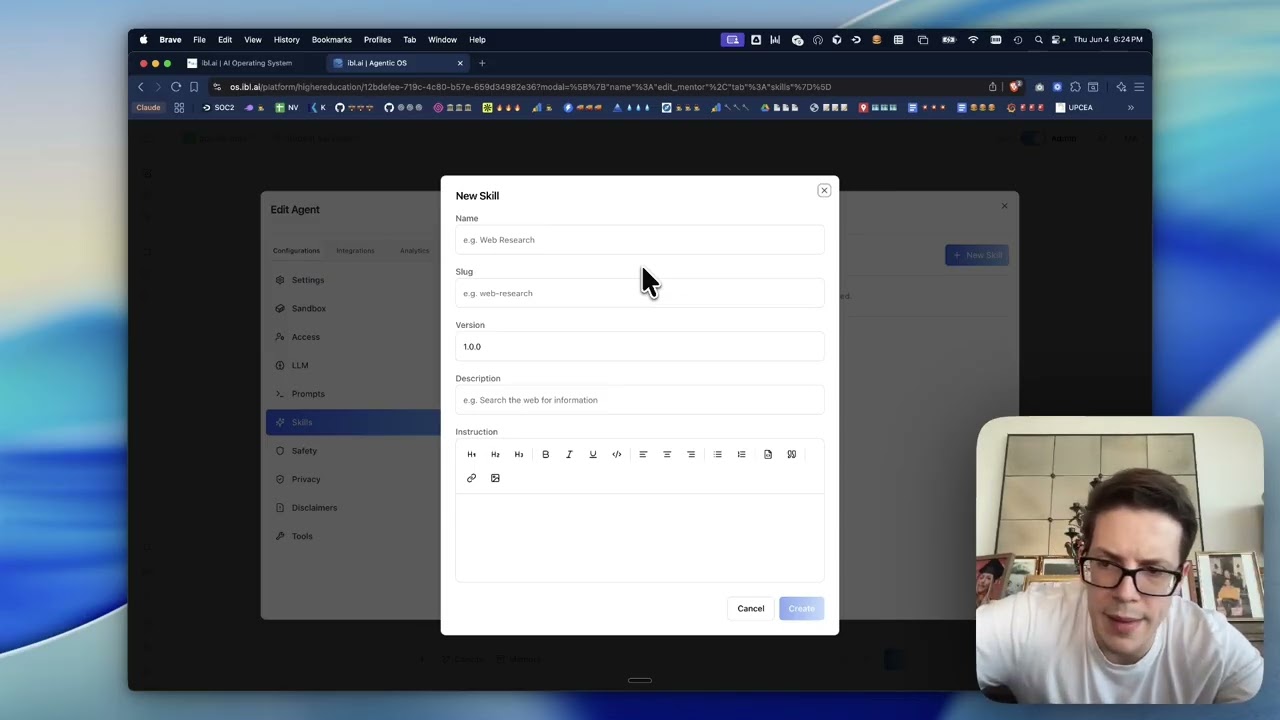
Demo by Miguel Amigot, CTO at ibl.ai
Features · Screenshots · Quick Start · Deployment · Troubleshooting · Testing · Contributing
- AI Agents — Create custom agents with configurable LLMs, system prompts, tools, and safety filters
- RAG Training — Upload documents, connect Google Drive, OneDrive, Dropbox, or crawl websites to ground agents in your data
- Voice Calls — Real-time WebRTC voice chat powered by LiveKit
- Deep Research — Extended multi-step reasoning for complex queries
- Canvas / Artifacts — Generate, edit, and version rich documents alongside chat
- Screen Sharing — Share your screen directly inside a chat session
- Web Search — Ground responses with live web results
- MCP Servers — Extend agent capabilities with Model Context Protocol tool servers
- Analytics — Usage dashboards, topic analysis, transcript viewer, and financial reporting
- Projects — Collaborative workspaces to group agents with shared context and goals
- Cross-Platform — Ships as web, desktop (macOS, Windows, Linux), and mobile (iOS, Android)
- Multi-tenancy — Full tenant isolation with per-org configuration, branding, and user management
- SSO — Single Sign-On with configurable identity providers (OAuth, OIDC, SAML)
- RBAC — Granular role-based access control with policies and group-based permissions
- Stripe Billing — Subscription management, free trials, and usage-based pricing
- Embed Mode — Embed agents in any website via iframe with custom styling
- Custom Domains — Host agents on your own domain
- API Keys — Programmatic access for integrations and automation
- Whitelabeling — Custom branding, logos, and disclaimers
| Platform | Status |
|---|---|
| Web | Production at os.ibl.ai — works on any modern browser |
| macOS | Native desktop app — lightweight, fast, system-integrated |
| iOS | Native mobile app — available on iPhone and iPad |
| Android | Native mobile app — available on phones and tablets |
| Windows | Native desktop app |
| Linux | Native desktop app |
One codebase, six platforms. OS runs natively everywhere your users are — lightweight, fast, with near-native performance.

Configure agents with LLMs, prompts, safety filters, and explore conversation starters

Customize agent identity, description, and appearance

Connect to external services via Model Context Protocol — GitHub, Notion, Slack, and more

Manage agent memory with knowledge gaps, learning goals, and user preferences

Control agent visibility, access permissions, and LTI integration
git clone https://github.com/iblai/os.git
cd os
pnpm install
Using Claude Code? Run /setup — it will walk you through connecting your ibl.ai tenant and configuring .env.local automatically.
Manual setup: Copy .env.example to .env.local, then set NEXT_PUBLIC_MAIN_TENANT_KEY to your org key from login.iblai.app/me.
cp .env.example .env.local   # then edit NEXT_PUBLIC_MAIN_TENANT_KEY
pnpm dev
Open http://localhost:3000. See the full Development Guide for environment variables, scripts, and architecture details.
OS is the frontend for the ibl.ai platform. Choose your path based on your backend setup:
If you already have an ibl.ai tenant (organization key):
-
Configure your tenant
cp .env.example .env.local
Update these values with your tenant details:
NEXT_PUBLIC_TENANT=your-tenant
-
Deploy with Docker (recommended)
docker build -t os .
docker run -p 5000:5000 --env-file .env.local os
Or deploy standalone:
pnpm build
PORT=3000 node server-wrapper.js
The build emits a self-contained server under
.next/standalone/(Next.js standalone output).next.config.tspinsoutputFileTracingRootto the project directory so the output always lands at.next/standalone/server.jswith its static assets alongside it. See Troubleshooting if the app loads to a blank screen.
If you need full backend infrastructure:
-
Get an enterprise license
Reach out at ibl.ai/contact to get a license of the enterprise platform (full backend codebase).
-
Deploy with our infra CLI
If you already have access to our Docker images, deploy them easily via iblai/iblai-infra-cli.
Note: OS requires the ibl.ai backend platform for authentication, AI agent APIs, and data services. The backend is not included in this repository — visit ibl.ai to get started.
See docs/development.md for native app build instructions.
Full deployment docs: Docker & Standalone
The app loads to a blank page or stays stuck on the loading spinner (no redirect to login).
Open your browser's DevTools → Network tab and reload. If every request under
/_next/static/... and /env.js returns 404/503, the server isn't finding
its static assets. Two common causes:
-
A duplicate or stale server is bound to the port. An older
node/nextprocess from a previous run can keep listening on:3000and shadow the new one (a process bound to a specific address such as127.0.0.1wins over a wildcard bind). Find and stop strays before starting fresh:lsof -nP -iTCP:3000 -sTCP:LISTEN # list listeners on the port kill <PID> # stop the stale one
-
The standalone output was nested under an unexpected path. Next.js infers the file-tracing root from the nearest lockfile. A stray lockfile in a parent directory (e.g.
~/package-lock.json) makes it treat your home directory as the workspace root and emit the server at.next/standalone/<path-to-project>/server.jsinstead of.next/standalone/server.js—post-build.shthen copies static assets next to the wrong path andserver-wrapper.jscan't find the server. This repo pinsoutputFileTracingRootinnext.config.tsto prevent it; if you still hit nesting, remove the stray parent lockfile and rebuild.
This project is covered by Playwright end-to-end tests in e2e/. Run the E2E suite for any change so nothing regresses:
make e2e-uimake e2e-ui launches Playwright in interactive UI mode — watch the journeys run, step through them, and re-run individual tests. The first time, install the browsers once:
make e2e-installOther useful targets:
| Command | What it does |
|---|---|
make e2e |
Run the full suite headless (all browsers) |
make e2e-headed |
Run with a visible browser |
make e2e-chrome |
Run on Chrome only |
make e2e-journey J=01 |
Run a single journey spec |
make e2e-report |
Open the last HTML report |
See e2e/COVERAGE.md for current coverage. Coverage must not regress — add or update a journey whenever you change user-facing behavior.
We welcome contributions! Please see CONTRIBUTING.md for guidelines. If you'll be working with AI-assisted tooling, read AGENTS.md first — it documents the formatting, lint, and push protocol rules that the husky hooks enforce.
- Documentation
- Development Guide — setup, scripts, architecture, configuration
- iblai-app-cli — CLI for scaffolding ibl.ai apps
- @iblai/mcp — MCP server for AI-assisted development
- Vibe — developer toolkit for building with ibl.ai
- Vibe Starter — pre-wired Next.js + ibl.ai SSO template
MIT License. See LICENSE for details.