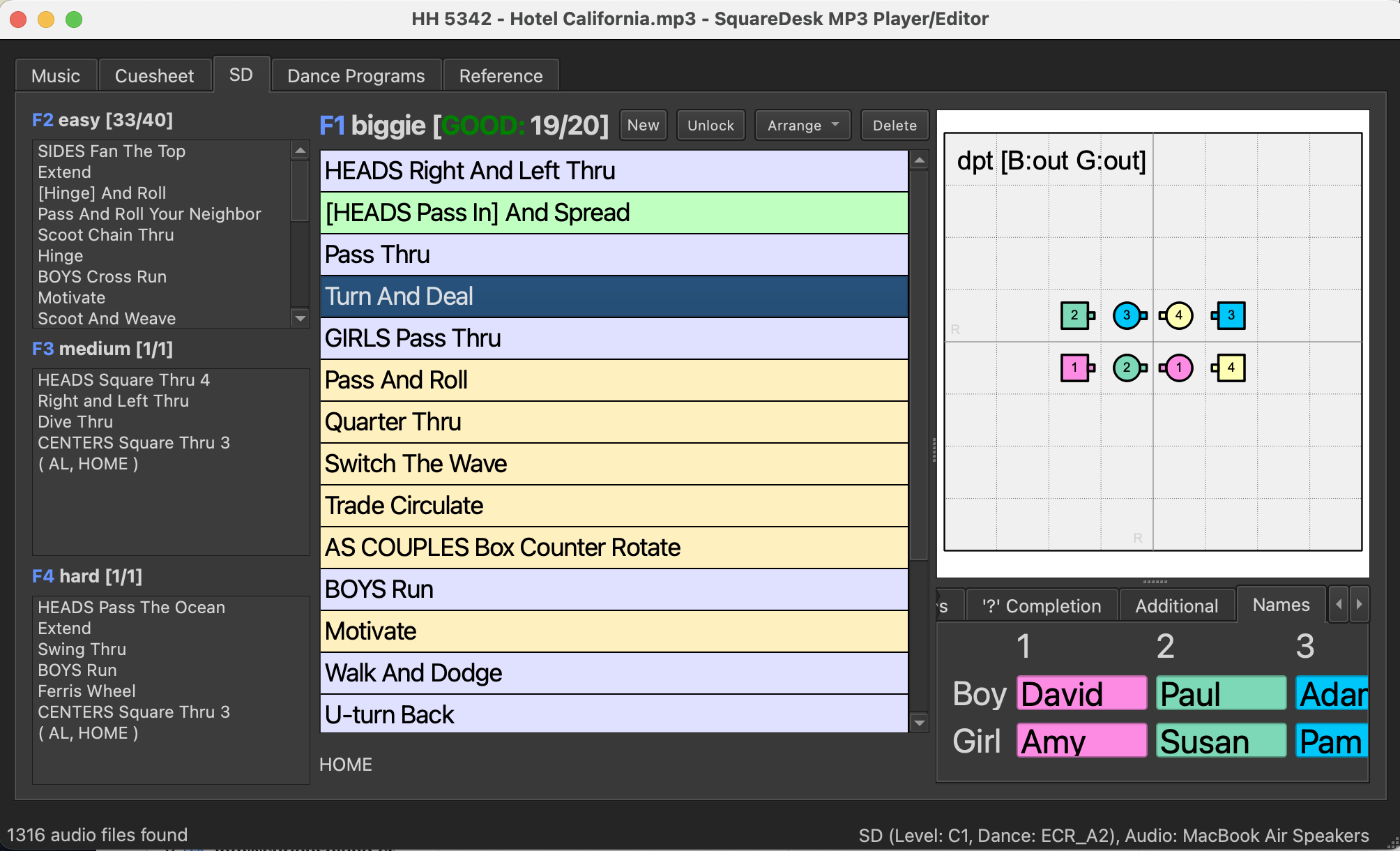
SquareDesk is a super-powerful Open Source tool for for Modern Western Square Dance callers with MacOS computers. It includes a music player, a cuesheet editor, and a powerful graphical version of the SD checker mover program.
And, SquareDesk is under an Open Source license, so any programmer can modify SquareDesk itself to add cool new features or fix bugs!
Check out the Quick Reference Manual, that has info on how to get started! https://github.com/mpogue2/SquareDesk/wiki/SquareDesk-Quick-Reference-Manual
The MUSIC tab is the main tab for playback of MP3 files. Automatic timers mean that you don't have to remember to press a Start Timer button! Automatic section detection allows you to find the best possible loop points, while automatic beat and measure detection makes it really easy to create seamless loops for patter.
SquareDesk has two primary viewing modes, DARK MODE:
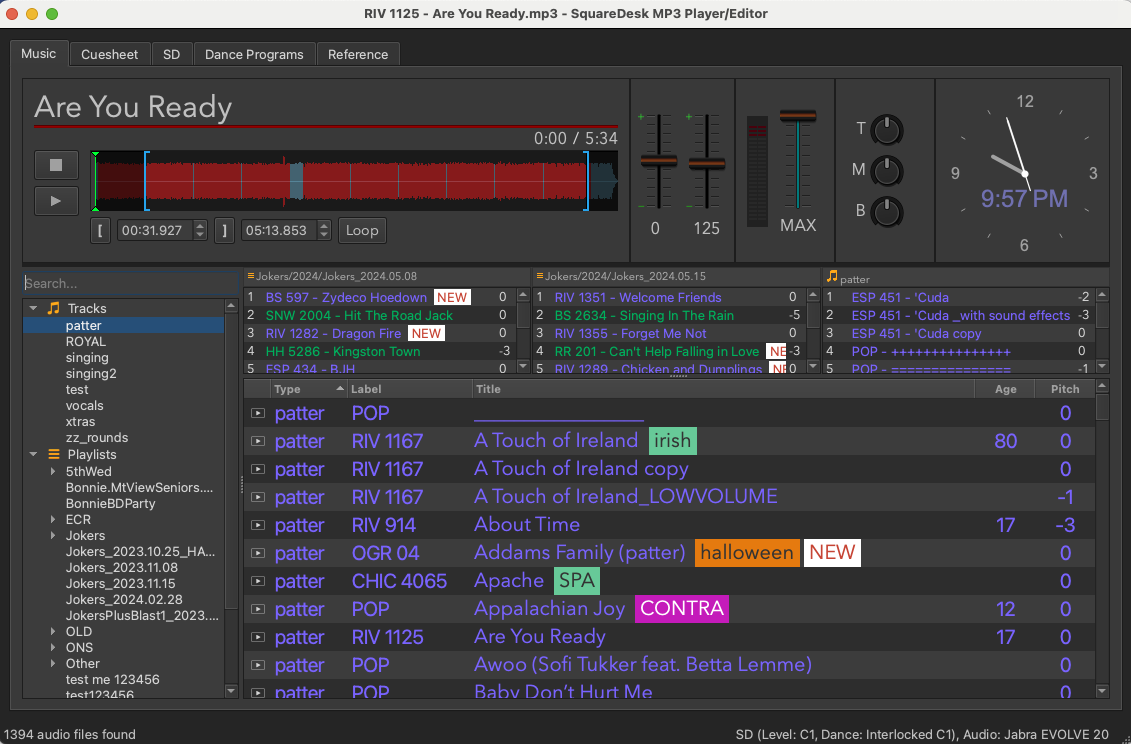
and LIGHT MODE:

A built-in cuesheet editor provides a super-simple way to edit lyrics. Singing calls are automatically matched with cuesheets by name, so no more "marrying" step required. And, the cuesheets you make are self-contained, so you can send them to your fellow callers and they'll look the same on all computers. Cuesheets can also be automatically scrolled during singing call playback, to make it easy to learn or perform a song.
DARK MODE:
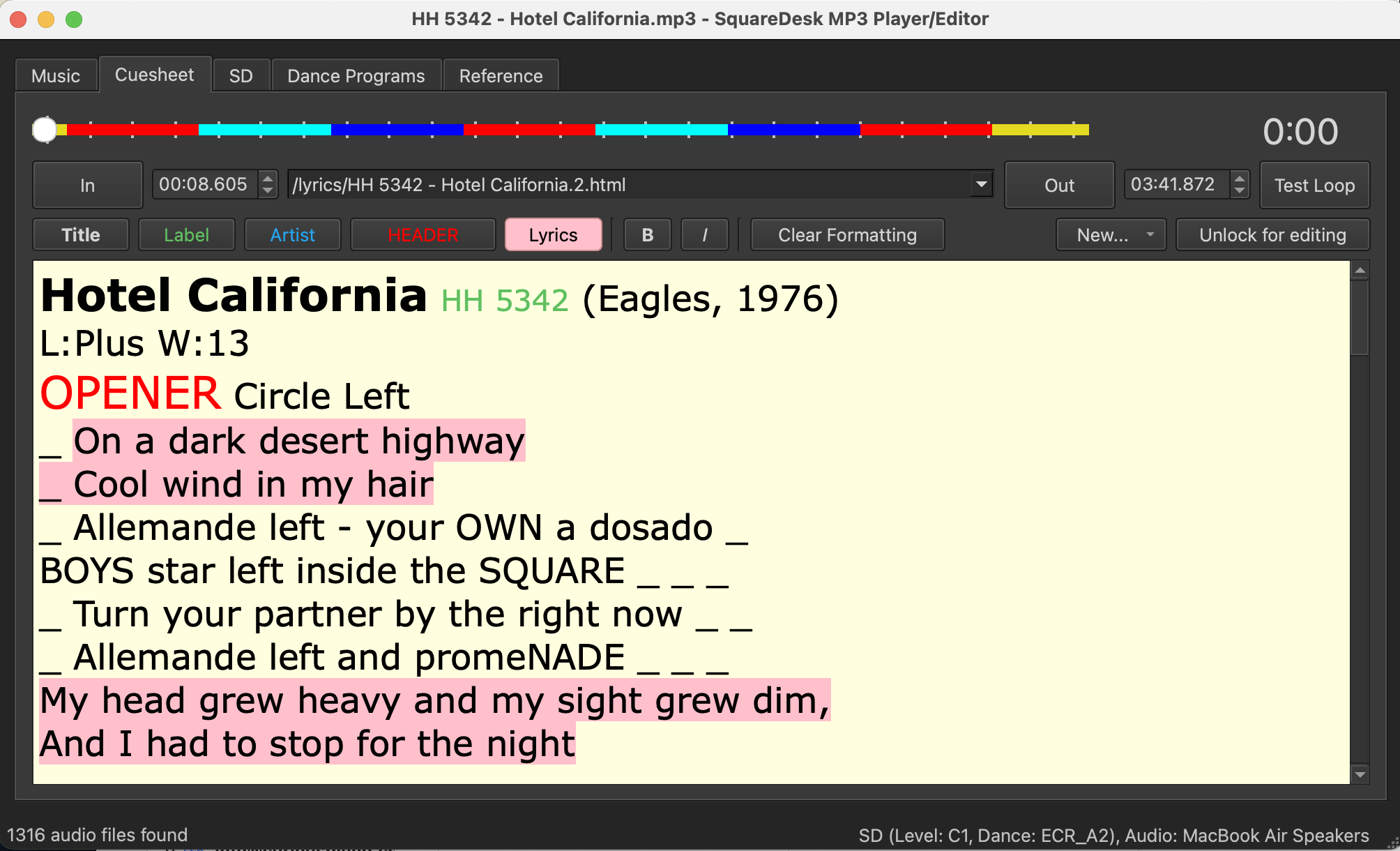
LIGHT MODE:

You can quickly design new sequences with a built-in copy of SD, with a clean graphical front-end, supporting automatic group/station annotation (aka "relationship calling").
DARK MODE: