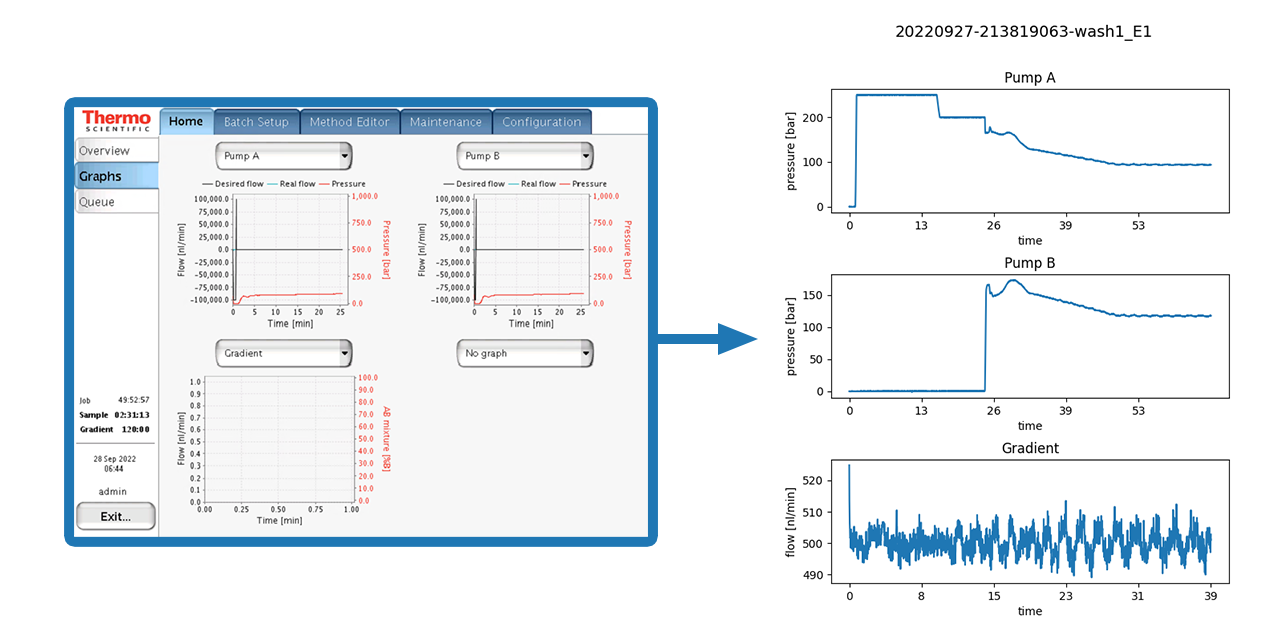
Automated generation of pump plots after each measurement for Thermo easy-nLCs (tested with easy-nLC 1000) via SSH connection.
- Install Python 3.8 depending on your Windows version (32/64bit). Note: Add Python to Windows PATH variable.
- Open command prompt (
cmd.exe) or Windows PowerShell and install the following Python packages via pip:
pip install paramiko seaborn matplotlib pandas numpy
-
Clone this repo or copy
nLCplotSSH.py(f.e. toC:\nLCplotSSH\) -
Create a dedicated output folder for the plots (f.e.
D:\nLC_plots\) -
Open Windows
Task Schedulerand click onCreate Basic Task...

-
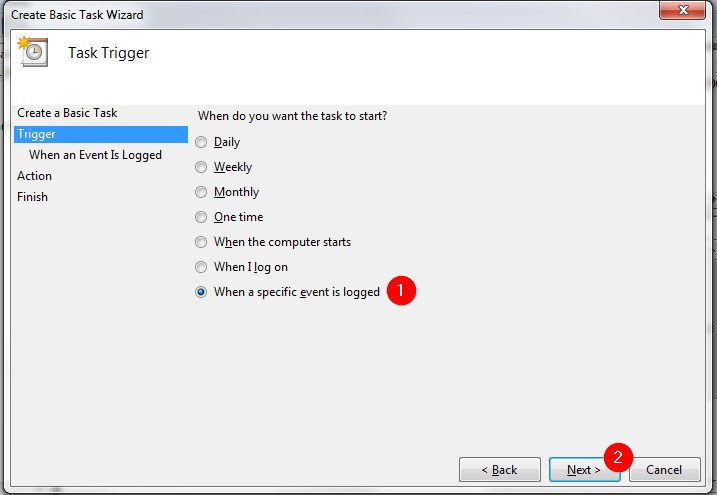
Select
When a specific event is logged
-
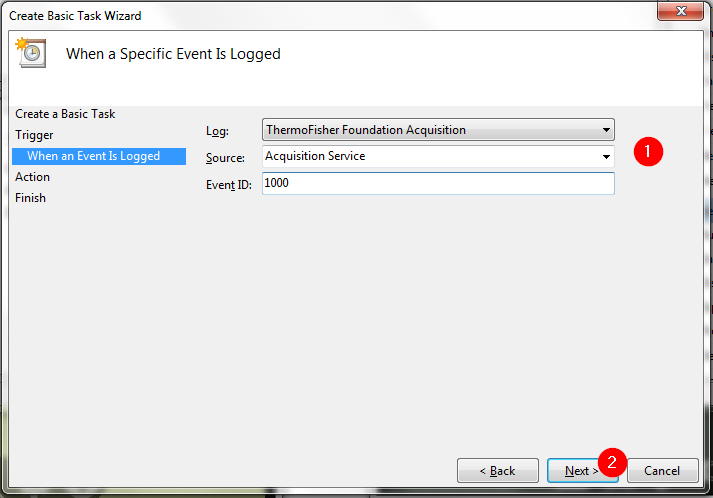
Setup the logging event
-
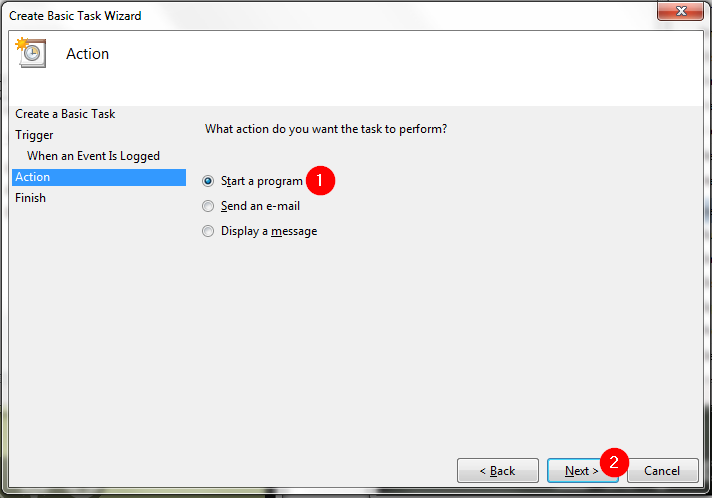
Select
Start a program
-
Browse the path to nLCplotSSH.py`` and add the arguments
-ip "IP.ADRESS.OF.NLC" -o "D:\nLC_plots"
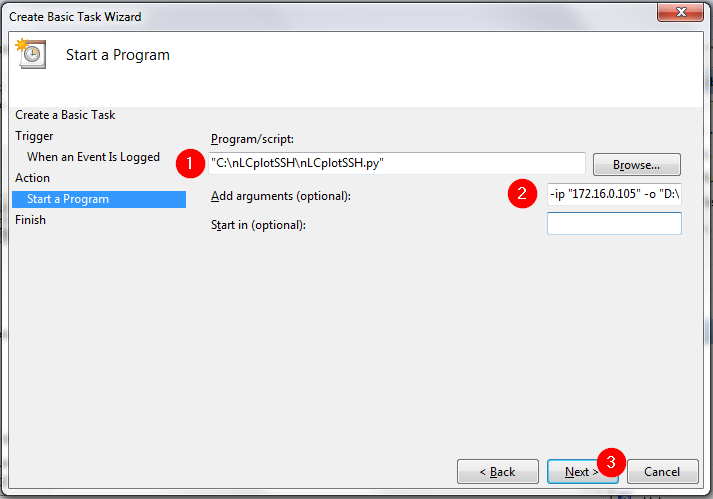
-
Check
Open the Properties dialog for this task when I click Finishand press Finish
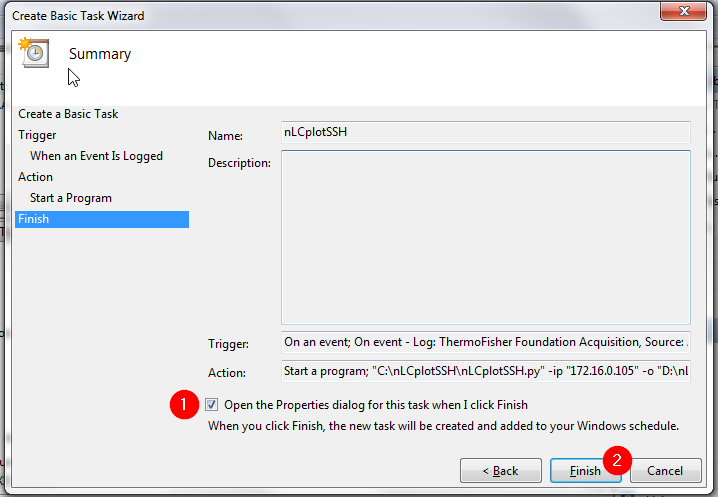
-
In the
Generaltab of the Properties dialog checkHiddenand Select Windows 7 inConfigure for:
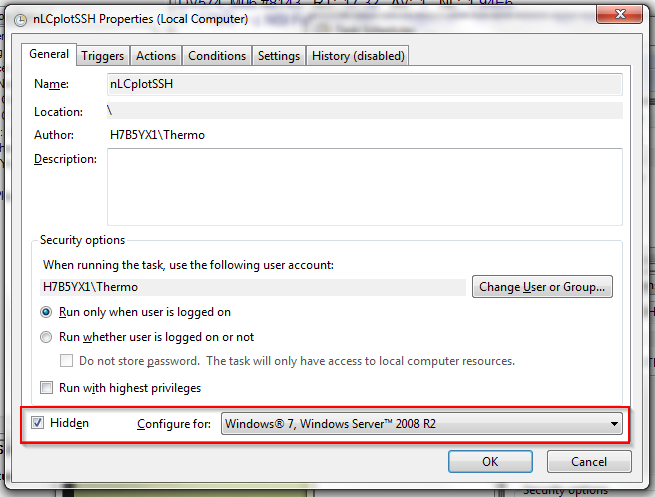
-
In the
Settingstab select1 houratStop the task if it runs longer than:
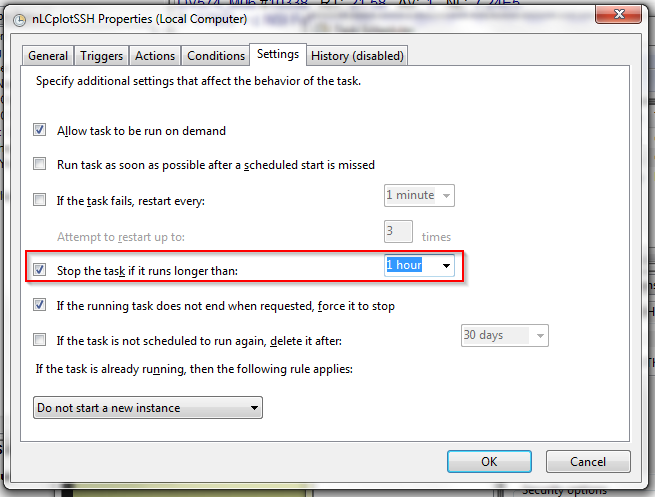
-
Press
Ok. Plots will be automatically generated after each measurement.
argument          default value           description
-ip / --ip        "172.16.0.105"          easy-nLC IP address
-u  / --user      "hplc"                  User name for SSH connection
-p  / --password  "hplc"                  Password for SSH connection
-lp / --log_path  "/home/admin/batchLog"  Log path in easy-nLC filesystem
-o  / --out       "E:\_nLCplotsSSH"       Path for plot output