Some useful shellcode utilities.
- INSTALL PWNTOOLS (Linux):
sudo apt-get update
apt-get install python3 python3-pip python3-dev git libssl-dev libffi-dev build-essential
python3 -m pip install --upgrade pip
python3 -m pip install --upgrade pwntools
- GENERATE EXE FROM ASSEMBLY HELLOWORLD:
hello.s is an optimized version of assembly x86-64 hello world that can be executed as shellcode. assembler.sh is a bash script to make an executable file out of an assembly .s file.
./assembler.sh hello.s
- EXTRACT SHELLCODE FROM EXE :
Once you have the executable you can transforms it in its shellcode form. It will generate a string of shellcode that can be used as payload. N.B.: hello.s was adapted to be executed as shellcode, null characters, variables and direct references to memory addresses have been removed.
USAGE :
python3 shellcoder.py hello
OUTPUT:

BASH VERSION:
./shellcoder.sh hello
- LOAD SHELLCODE IN TARGET SYSTEM:
Once you have the string of shellcode you can execute on target system using this script:
USAGE:
python3 loader.py '4831db66bb79215348bb422041636164656d5348bb48656c6c6f204854534889e64831c0b0014831ff40b7014831d2b2120f054831c0043c4030ff0f05';
OUTPUT:

- ASSEMBLER.PY:
It will assembles shellcode into a file that can be executed.
USAGE:
python assembler.py '4831db66bb79215348bb422041636164656d5348bb48656c6c6f204854534889e64831c0b0014831ff40b7014831d2b2120f054831c0043c4030ff0f05' 'hello2'
sudo chmod +x hello2 ./hello2
- HELLO.C:
It will execute shellcode in memory from c program. The string obtained from the shell coder can't be directly executed: hex bytes must be escaped with \x.
USAGE:
Compile - Bypass memory protection with gcc:
gcc hello.c -o helloworld -fno-stack-protector -z execstack -Wl,--omagic -g --static
Execute:
./helloworld
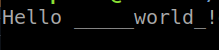
OUTPUT:
- SHELL.S:
It uses assembly to spawn a shell. This assembly file can be used to generate a shellcode that spawn a simple shell into the target system.