


RsNano is a full Nano/Banano node written in Rust.
Nano is a digital payment protocol designed to be accessible and lightweight, with a focus on removing inefficiencies present in other cryptocurrencies. With ultrafast transactions and zero fees on a secure, green and decentralized network, this makes Nano ideal for everyday transactions.
docker run -p 7075:7075 -v ~/Nano:/home/nanocurrency/Nano rsnano/rsnano:latest node run
docker build -f tools/scripts/docker/nano/Dockerfile -t rsnano https://github.com/simpago/rsnano-node.git#develop
docker run -p 7075:7075 -v ~/Nano:/home/nanocurrency/Nano rsnano:latest node run
Currently you can only build RsNano on Linux and on Mac.
To just build and run the rsnano_node:
git clone https://github.com/simpago/rsnano-node.git
cd rsnano-node
cargo run --release --bin rsnano -- node run
To install and run the rsnano_node executable:
git clone https://github.com/simpago/rsnano-node.git
cd rsnano-node
cargo install --path cli
rsnano node run
You can even run an RsNano node with a GUI that looks like this:
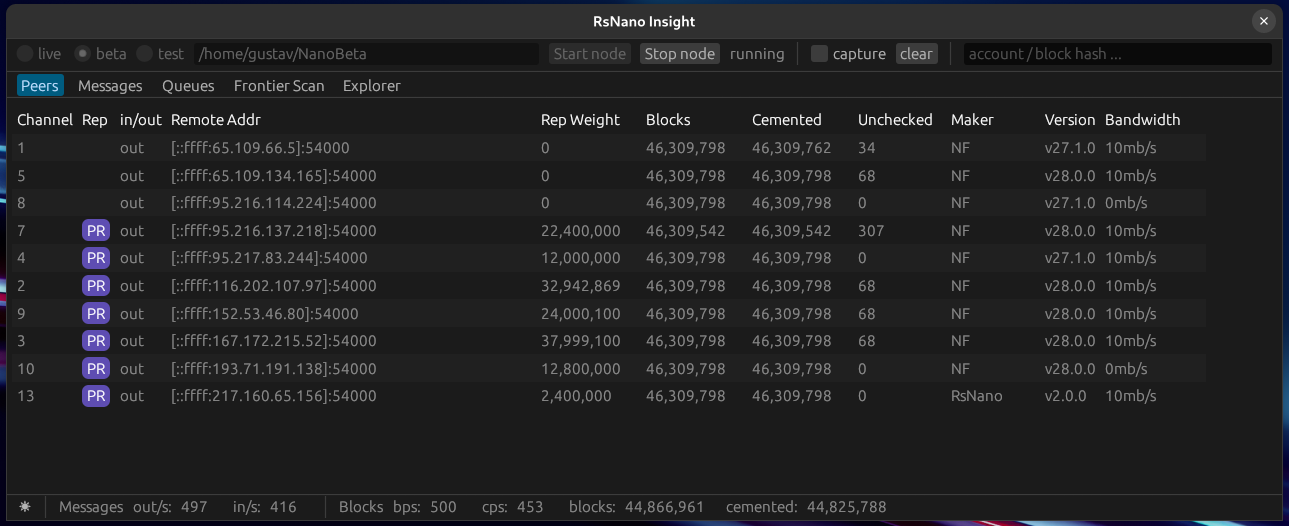
Run this command:
cargo run --release --bin rsnano-insight
RsNano can be compiled to be a Banano node too! Use the feature "banano" like this:
cargo run --release --features banano --bin rsban -- node run
Or run it with the graphical interface:
cargo run --release --features banano --bin rsban-insight
Or run it with the official docker image:
docker run -p 7071:7071 -v ~/Banano:/home/bananocurrency/Banano rsnano/rsban:latest node run
Or create a docker image:
docker build -f tools/scripts/docker/banano/Dockerfile -t rsban https://github.com/simpago/rsnano-node.git#develop
docker run -p 7071:7071 -v ~/Banano:/home/bananocurrency/Banano rsban:latest node run
We want to hear about any trouble, success, delight, or pain you experience when using RsNano. Let us know by filing an issue, or joining us on Discord.
Have a look at the AI generated documentation of the codebase.
The Rust code is structured according to A-frame architecture and is built with nullable infrastructure. This design and testing approach is extensively documented on James Shore's website
Watch James Shore's presentation of nullables on YouTube: Testing Without Mocks - James Shore | Craft Conference 2024
The following diagram shows how the crates are organized. The crates will be split up more when the codebase grows.
flowchart TD
    main --> daemon
    daemon --> node
    daemon --> rpc_server
    daemon --> websocket_server
    rpc_server --> node
    rpc_server --> rpc_messages
    rpc_client --> rpc_messages
    rpc_messages --> types
    node --> ledger
    node --> network_protocol
    node --> wallet
    network_protocol --> messages
    network_protocol --> network
    websocket_server --> websocket_messages
    websocket_server --> node
    websocket_messages --> types
    websocket_client --> websocket_messages
    messages --> work
    messages --> utils
    network --> utils
    ledger --> store_lmdb
    ledger --> work
    ledger --> utils
    store_lmdb --> types
    work --> types
    work --> utils
    wallet --> ledger

    subgraph rpc
        rpc_messages
        rpc_server
        rpc_client
    end

    subgraph websocket
        websocket_messages
        websocket_server
        websocket_client
    end
main: The node executable.daemon: Starts the node and optionally the RPC server.node:The node implementation.rpc_server: Implemenation of the RPC server.websocket_server: Implemenation of the websocket server.wallet: Wallet implementation. It manages multiple wallets which can each have multiple accounts.ledger: Ledger implementation. It is responsible for the consinstency of the data stores.store_lmdb: LMDB implementation of the data stores.messages: Message types that nodes use for communication.network: Manage outbound/inbound TCP channels to/from other nodes.work: Proof of work generation via CPU or GPUtypes: Contains the basic types likeBlockHash,Account,KeyPair,...utils: Contains utilities like statsnullables: Nullable wrappers for infrastructure libraries.