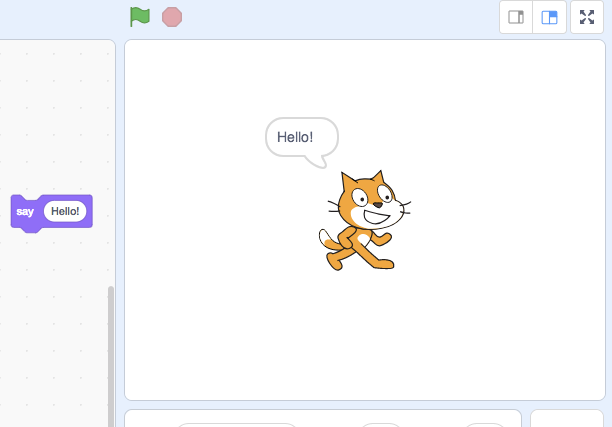
Say bubble defaults to the left now, should be to the right #1268


Description

Actual Behavior
Describe what actually happens
"Say" using the default sprite and message used to put the bubble on the right, as it does in scratch 2, but now for some reason it goes to the left?
Steps to Reproduce
Explain what someone needs to do in order to see what's described in Actual behavior above
- Open https://llk.github.io/scratch-gui/develop/
- Click "Looks" and then click the "Say" bubble
- It goes to the left of the sprite.