Getting Started
There are a few things to keep in mind regarding the compatibility of your league with this application (and SMB Explorer). The following are supported:
- The built-in Super Mega League franchises
- Custom Leagues with a Conference-Division structure
As of right now, neither application supports custom leagues that are not in this format, such as those that are simply teams in conferences without divisions. This is something that I plan to add support for in the future, but for now, this is the only supported format.
The first step upon launching the app is to create a new franchise. A franchise in the context of this app is more flexible than how it is in the game. See the FAQ for more information.
Simply click New Franchise, give the franchise a name, create it, select it from the list of franchises, and click the Load button.
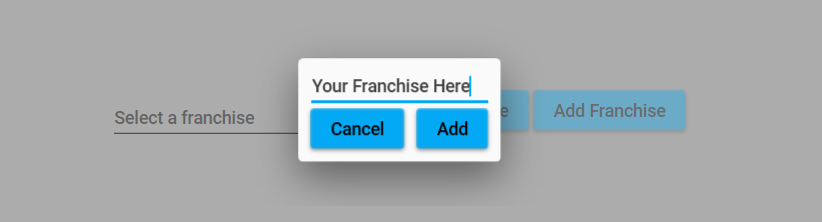
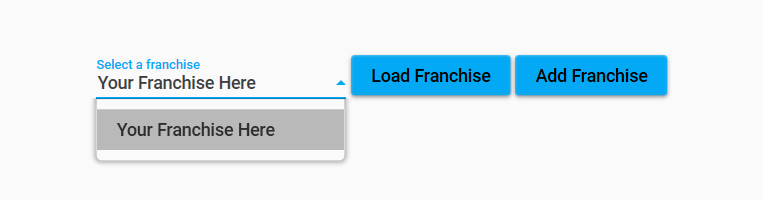
This does mean that the app has support for multiple different franchises, meaning you could have one for your custom league and another for your built-in Super Mega League, etc.
All of the screens will be disabled except for Import Season Data on the left sidebar. Click on that, and you will be on the import page.
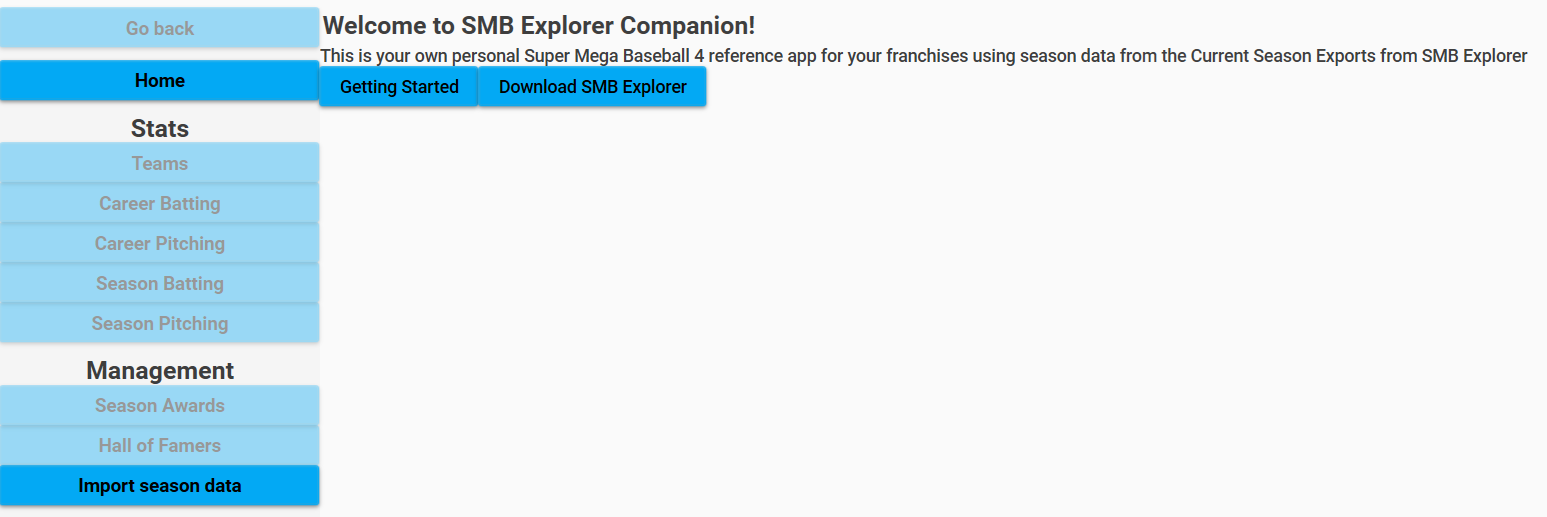
From here, you will be prompted to
-
Select a Season to apply the data to. In this case, it will be the first season of your franchise. Click the
New Seasonbutton at the top of the screen -
Select some files that correspond to files exported from SMB Explorer.
The files that are required are:
- Regular Season (red in images below)
- Teams CSV
- Overall Players CSV
- Season Pitching CSV
- Season Batting CSV
- Season Schedule CSV
- Playoffs (blue in images below)
- Playoff Pitching CSV
- Playoff Batting CSV
- Playoff Schedule CSV
These are the files that are exported from SMB Explorer:
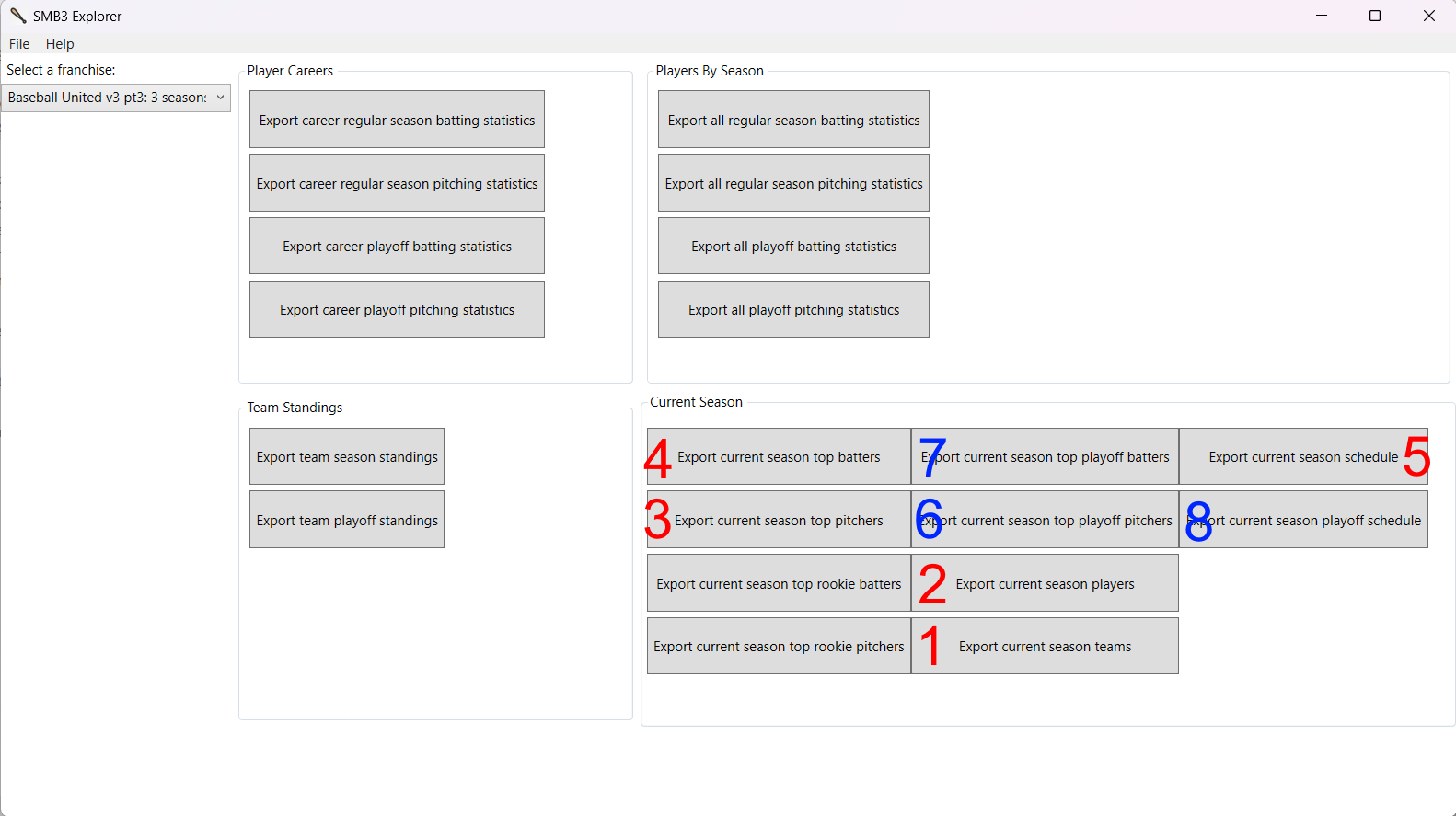
And these are the corresponding file selection locations in the import screen:
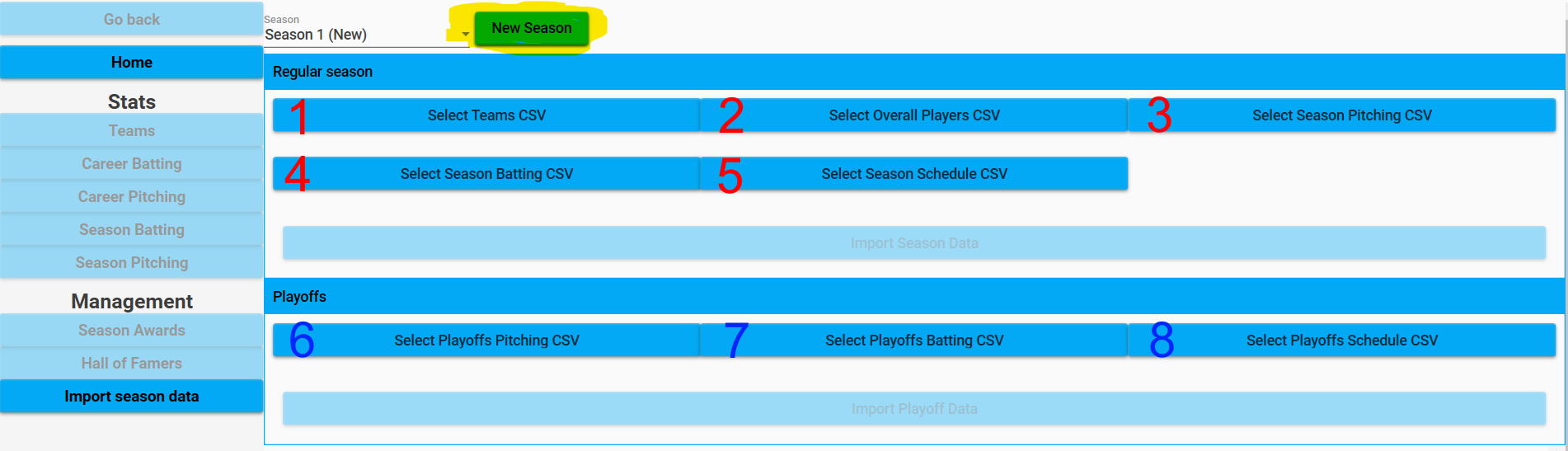
After selecting the corresponding files for a given import (regular season or playoff), simply click the Import button and the data will be imported. This may take a few minutes (depending on the size of the league and number of games played), so be patient. There is a progress indicator showing the progress of the import at the bottom of this screen.
After a successful import, the rest of the screens will then become accessible, including the HoF and Season Awards screens.
The Regular Season vs Playoffs imports occur in two different steps, so you can import the regular season data, and then import the playoff data later.
Similarly, the app does support importing Regular Season data for a season in progress, and then later re-importing the Regular Season data once the season has concluded (although I recommend waiting until the season has concluded to import the Regular Season data).
The Hall of Fame screen is where you can assign players to the Hall of Fame for your franchise.
For a player to be eligible for induction, they must be retired, i.e. have not played in the most recent season. Also, the players who are not inducted for a given season are not carried over to the next season HoF screen. So really two differences from MLB HoF:
- No voting system for determining who is inducted. It's just up to you
- For a given season, the players who are not inducted are not carried over
This is different than if the player was simply a free agent for the entire season. A player who exists in the league and who has not retired yet will be present in the Overall Players CSV (from SMB Explorer), while one who has retired will not be present in that file.
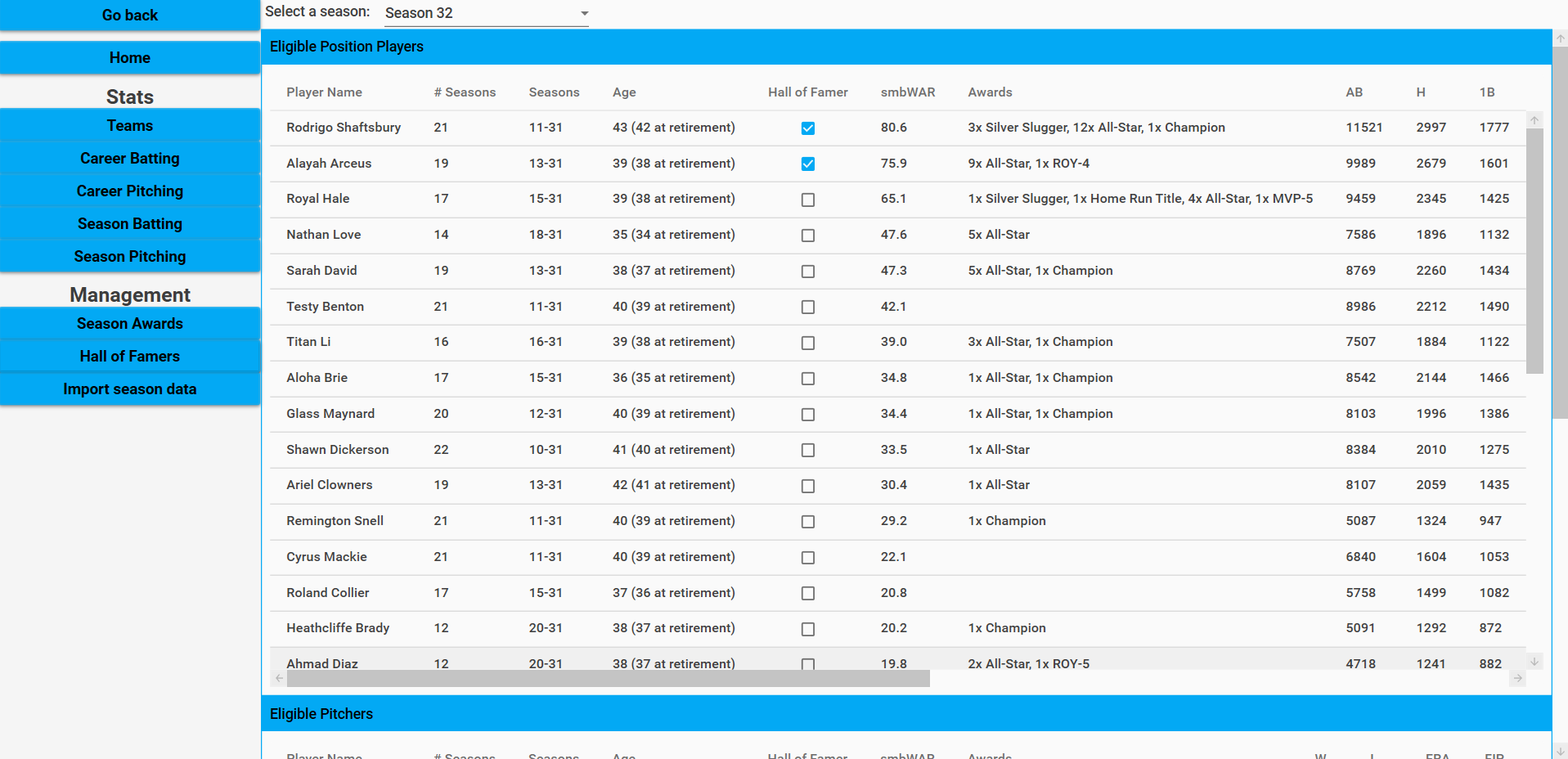
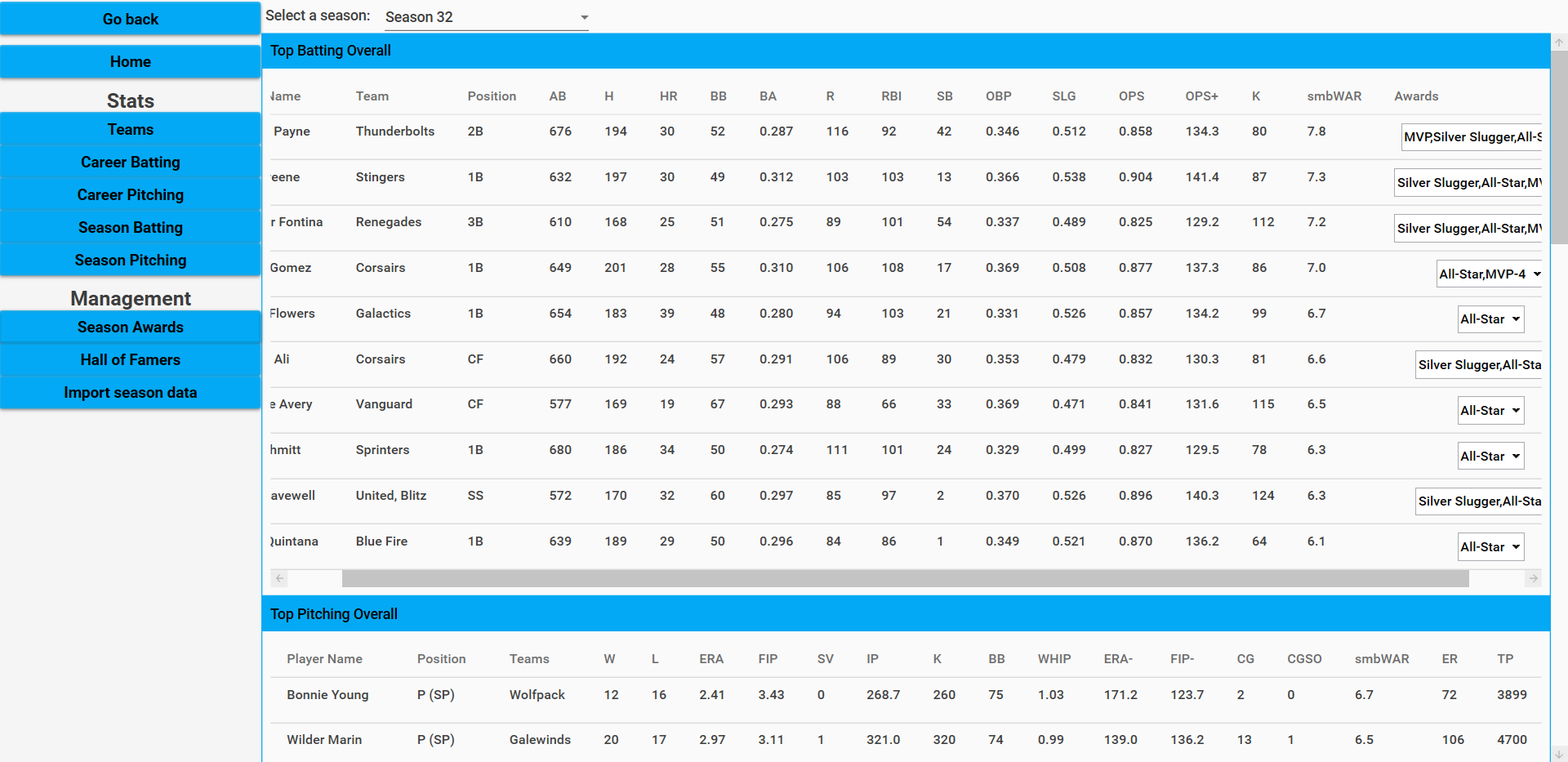
The Season Awards screen is where you can assign players to the various awards for a given season. This is quite a bit more involved than the HoF screen, as there are many more awards to assign.
The currently built-in player-assignable awards are as follows:
- MVP (with 4 runner ups - MVP-2, MVP-3, MVP-4, MVP-5)
- Cy Young (with 4 runner ups - CY-2, CY-3, CY-4, CY-5)
- Rookie of the Year (with 4 runner ups - ROY-2, ROY-3, ROY-4, ROY-5)
- Silver Sluggers
- All Stars
There is built-in behavior for suggesting (and can be overridden, but as a time-saving measure) players who should be Silver Sluggers or All-Stars. By default:
- Silver Sluggers are assigned to the smbWAR leader at each position
- All-Stars are assigned to the top 2 smbWAR position players and pitchers per team
This behavior is currently not configurable.
Some awards are assigned by the application rather than requiring you to assign them:
- Triple Crown (for both pitching and batting)
- This is assigned to the player who leads the league in AVG, HR, and RBI for batting, and ERA, K, and W for pitching
- The rate stat portions require the player to be qualified. I.e., 3.1 PA per team game for batting, and 1 IP per team game for pitching
- If a player wins the Triple Crown, they will not be assigned the individual components of it
- The individual components of the Triple Crown
- AVG, HR, RBI Titles for batting
- ERA, K, W Titles for pitching
- Players can tie for these titles, and the application will assign the title to all players who are tied for the lead
There is additionally built-in support for the following awards that are not currently able to be assigned, but will be in the future:
- Gold Gloves (tricky to assign due to a lack of fielding stats, so will likely take into account a player's stats like Fielding, Arm, and Speed and positive/negative fielding traits)
- Playoff MVP (similar to something like ALCS/NLCS MVP, but for the playoff as a whole)
- Championship MVP (World Series MVP, but currently no way to view stats only for the championship series)
There are several tables on this screen to inform you about players for different categories of awards.
The tables are as follows and are all ordered in descending smbWAR order:
- Top Batting Overall
- Should help with MVP and runner ups
- Top Pitching Overall
- Should help with Cy Young and MVP and runner ups
- Top Rookie Batting
- Should help with Rookie of the Year and runner ups
- Top Rookie Pitching
- Should help with Rookie of the Year and runner ups
- Top Batters by Team
- Should help with All-Stars (preassigned, as explained above)
- Top Pitchers by Team
- Should help with All-Stars (preassigned, as explained above)
- Top Batters by Position
- Should help with Silver Sluggers (preassigned, as explained above)