This is a React component for visualizing events on a timeline.
Run npm install, and then npm start to view in browser.
- data:
jsonin the shape:
[
	{
		id: "number",
		start: "YYYY-MM-DD",
		end: "YYYY-MM-DD",
		name: "string"
	},
	...
]
- width:
number. Default value is300 - height:
number. Default value is600
Most timelines display only isolated events on the continuum, whereas I want to show many potentially overlapping events, also showing with their durations. The closest logic fit was a package tracking timeline. What I like about this timeline design is the easy-to-follow representation of elapsed time. For instance, the package left on Oct 4, arrived at a shipping hub on Oct 8, where it stayed until Oct 10.
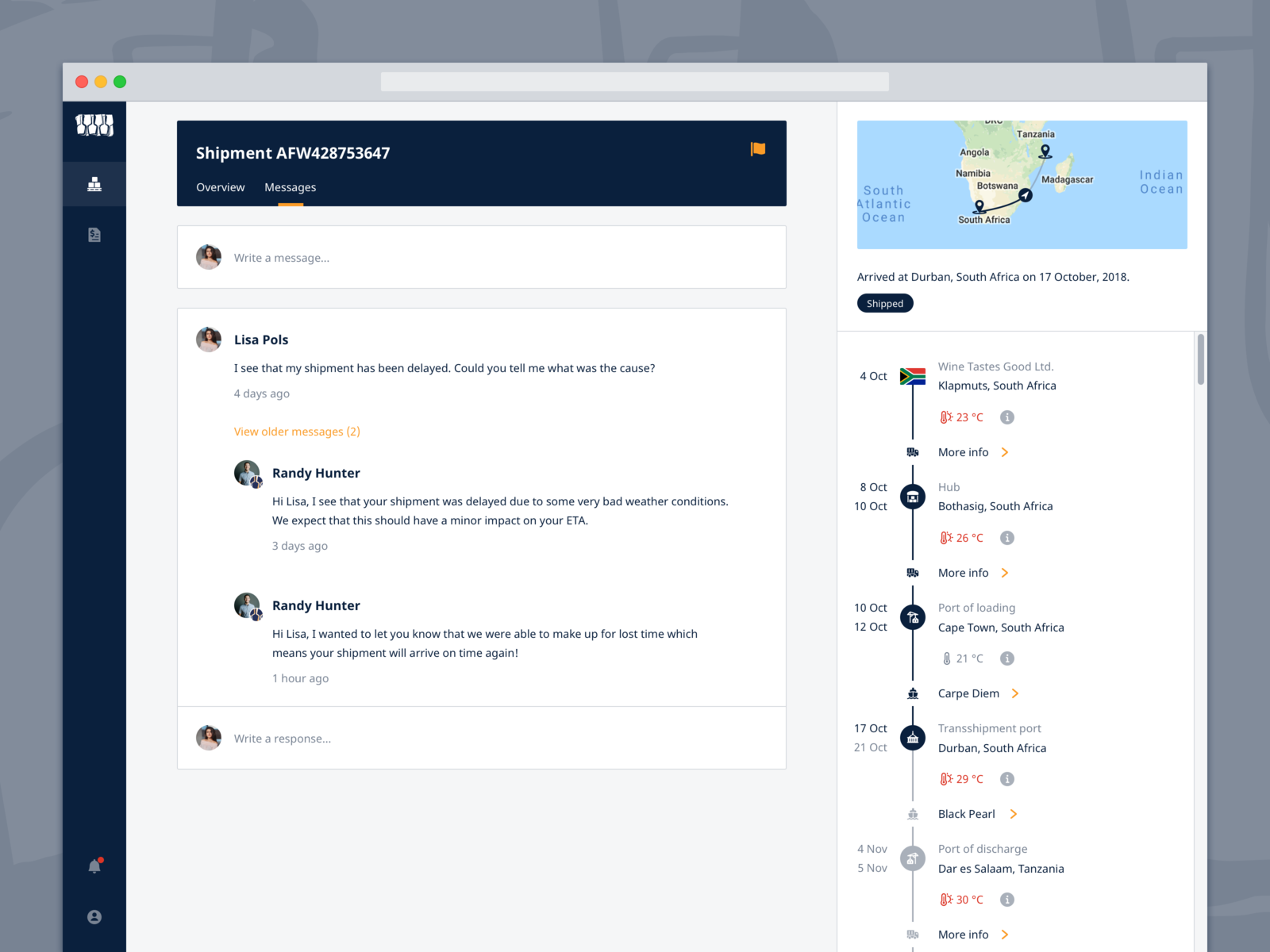

None of the event items have apparent relation, so I decided to put them in separate "lanes", order them by start date, and use a diverse swatch to visual distinguish them. At the cost of compactness, this arrangment helps me handle long event names, and creates a logical hierarchy of events.
-
Visually compact
-
Display event title
-
Clearly show duration of event
-
Zoom in/out functionality (d3.js)
-
Inline editable titles (React)
-
Dragging events to edit (d3.js)
-
Easily reusable by other developers
-
Responsive, should look good as a main body widget, or as sidebar widget
- Ducks (Redux reducer bundles) for Redux code. Much better than traversing three or more different files for one action!
- Separation of functionality: D3 for calculation ONLY, React for DOM manipulation.
- SCSS for svg styling, styled-components for other styling.
- D3 will allow for easily adding features later, such as zoom, drag & drop, etc.
- Readability is not optimal, overall scale is too small.
- Bars are slightly cut-off at bottom.
- Bars should be darkening on hover.
- Left padding should push bars off of date labels.
- Component overflow should be X and Y scrollable.
- Tooltip should close on mouseoff with a 2 sec timeout.
- BUG: if name is empty, tooltip is impossible to edit.
- Hover on a day highlights row, and intersecting events.
- Overall design may not be optimal. User could want to see the titles by default.
- D3 is a library with a steep learning curve! I will have to keep practicing.
- Drawing on this article by Kent Dodds, integration testing is the most "bang for your buck" (effort vs. certainty gained).
- Test Timeline component's contract: displays 1 bar for each event item from props, shows tooltip on hover with the matching event item name.
- Test InlineEdit component's contract: should be hidden when value is empty, should render an input onClick, render div onBlur or "enter" key press, should display user's changes.