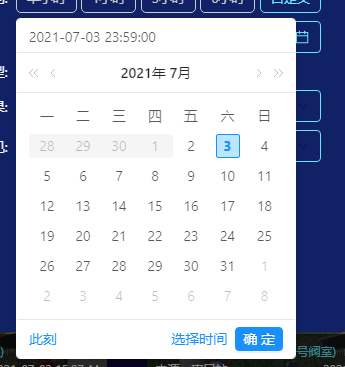
Use disabled-date & disabled-time in the a-date-picker component, and use it on the component: show-time="{ defaultValue: moment('00:00:00','HH:mm:ss') }" (The code reference comes from the official website document-unselectable date and time), if the defaultValue is set to 23:59:59 seconds, the disabled-date will be automatically updated and reduced by one day after clicking today (for example, today July 13th, click the 13th), As shown below #4316


Description

- I have searched the issues of this repository and believe that this is not a duplicate.
Version
1.7.3
Environment
win10 64
Reproduction link
https://www.antdv.com/components/date-picker-cn/#components-date-picker-demo-disabled-date-&-time
Steps to reproduce
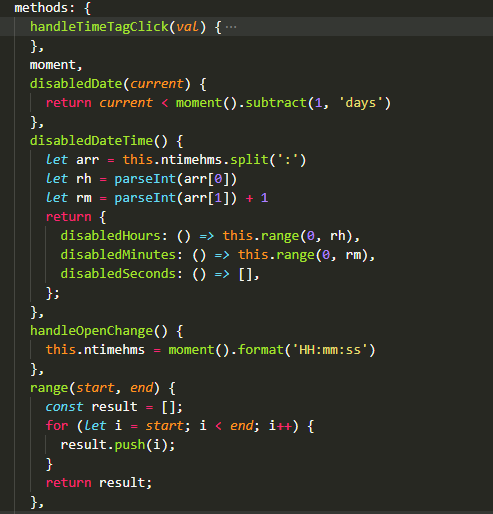
1、组件代码截图

2、data、 函数截图


3、bug表现
点击日期 出现pannel ,此时的禁止日期是2号 以及之前的时间

我点击3号后 bug出现 此时上面的选择时间会变成23:59:59秒, 下面的禁止日期会变成1号及之前,点击2号 不会再递减, 点击其它均正常。
What is expected?
正常使用
What is actually happening?
会出现莫名更新