
A demostration of a highly available multi node RavenDB setup using Vagrant and Ubuntu
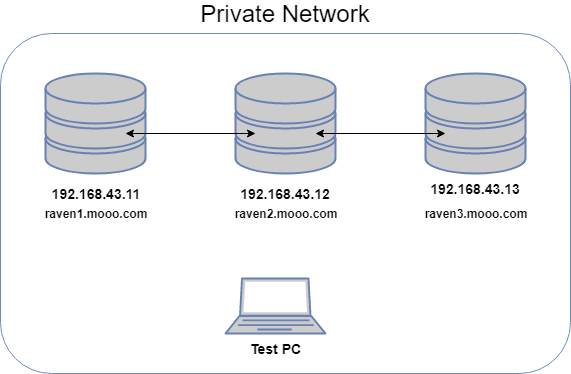

This demo will setup and configure 3 Virtual Machines each running Ubuntu and RavenDB. The installation script will on each machine:
- Download RavenDb and extract to /opt
- Configure the RavenDb settings.json according to the VM hostname
- Install the RavenDB service
- Install the CA certificate so cluster nodes trust each other
- Add a client certificate to RavenDB by automating the RavenDB CLI
This is a manual setup of a clustered RavenDb Environment intended for parties interested in High Availability/Db Clustering and/or RavenDb - Security is important and if you are looking for a managed solution you should consider RavenDb Cloud or use the RavenDb setup wizard
Vagrant is required to manage the Virtual Machines
Navigate to the root folder and run
vagrant upThe first time this runs it will download the VM image (subsequent runs are faster)
While that is booting you need to trust the self-signed certificate and register it in certificate store: (Administrator Powershell prompt; PFX has no password)
certutil -importpfx -f -user ./install_files/client.pfxAfter the VMs boot you can navigate to the desired node:
https://raven1.mooo.com:8080/
Replace raven1 with raven2 or raven3 to browse that node