Offline banners for views with cached data #5000
Conversation


…ller is on screen
…f connectivity observer"

This reverts commit 686cf54.
 itsmeichigo
added
type: enhancement
itsmeichigo
changed the base branch from
develop
to
issue/4384-connectivity-service
itsmeichigo
added
type: enhancement
itsmeichigo
changed the base branch from
develop
to
issue/4384-connectivity-service


 Ecarrion
left a comment
Ecarrion
left a comment
Ecarrion
left a comment
There was a problem hiding this comment.
Hi @itsmeichigo, thanks for working on this.
I'm a bit uncertain about this solution for the following reasons:
-
It seems to be easy to misconfigure. Requires code in
viewDidAppearand inviewWillDisappear. -
It is an extension on
ViewControllerbut requires the VC to be contained on aNavigationController. That dependency is not clear and I'm not sure what side effects will happen if a navigation controller does not exist 🤔 -
As the network observer is a singleton I don't think this will scale well for multiple windows on iPad or a split view.
-
I'm not sure how this will play for
SwiftUIviews. I guess we will have to add this code on theHostingController🤔 -
I think we lose the ability of a view controller to set its own toolbar content, but maybe we should not worry about this as it hasn't been needed yet.
As an alternative for most of these scenarios, what do you think of this approach?
As your approach requires a navigation controller and we already have a WooNavigationController subclass. We could define a property like:
extension UIViewController {
    /// Defines if the view controller should show a "no connection" banner when offline.
    /// This requires the view controller to be contained inside a `WooNavigationController`
    /// Defaults to `false`
    ///
    @objc func shouldShowNoNetworkIndicator() -> Bool {
        false
    }
}
Then on the navigation delegate, you could do something like
func navigationController(_ navigationController: UINavigationController, willShow viewController: UIViewController, animated: Bool) {
    if viewController.shouldShowNoNetworkIndicator() && connectionObserver.isConnectivityAvailable {
        // show banner on toolbar or in a separate view(to keep toolbar usable for the future)
    } else {
        // hide toolbar or view
    }
}
Lastly, we could have the network observer as an instance property of WooNavigationController instead of having it as a singleton. This will allow us for this solution to scale more multiple windows or split views and we will have one less singleton to worry about.
What do you think?

|
Testing it on an iPad I believe there is a problem when following these steps
RPReplay_Final1631801017.MP4 |

|
Thanks so much @Ecarrion for the thorough review! I really like the idea of letting view controller decides whether to support offline banner, and using As for these concerns:
I don't think singleton is the issue - in fact I'd prefer to request to observe network status only once because there's no point in doing that multiple times, the result is just the same. But the use of 1:1 observer pattern in
I don't think setting up the banner in hosting controller can work, since we can have different views inside of one hosting controller. Since updating UI in SwiftUI is easier, I think it's best that we handle each view separately. I'm thinking about rendering a reusable offline banner based on the connectivity status, but there are 2 other problems:
This I agree - I'm not sure yet how to add normal view into all these screens without too much effort. I think this PR is ready for another look, please let me know what you think of the new changes! |
|
@Ecarrion as for the issue you found on the iPad - I believe that it takes a while for the network monitor to properly update new status. I reproduced the same issue on my device, but after waiting for several seconds the banner did slide away. |
Ecarrion
left a comment
Ecarrion
left a comment
There was a problem hiding this comment.
Hi @itsmeichigo, thanks for taking my comments into consideration!
I think however that there is an opportunity to continue simplifying this.
I think that if you add only one network listener to WooNavigationControllerDelegate then you can share that state between all view controllers that define
func shouldShowNotNetworkIndicator() -> {
    true
}
Then you can drop the extra complexity of having to set up an observation and a cancelable in each view controller.
Regarding the other concerns.
This I agree - I'm not sure yet how to add normal view into all these screens without too much effort.
I think you can add the view as a regular subview to the navigation controller and then modify the presented view controller safe area like
viewController.additionalSafeAreaInsets = //banner sizeI believe that it takes a while for the network monitor to properly update new status. I reproduced the same issue on my device, but after waiting for several seconds the banner did slide away.
I think this is quite concerning 😟
WooCommerce/Classes/Tools/Connectivity/DefaultConnectivityObserver.swift
Outdated
Show resolved
Hide resolved
… and move configuration logic out of the function
|
@Ecarrion Thanks again for the comments, I really appreciate it! I did think about using I have added a few more changes as suggested so this PR is ready for another look! |
|
Hey @itsmeichigo, Probably I didn't explain myself correctly, but this is what I was proposing for simplifying the setup on each VC & maintaining state only in the Let me know what you think!
I would have thought that you could do additionalSafeAreaInsets = .zeroBut I haven't validated it completely. |
…gation controller's toolbar
|
Thanks @Ecarrion for the proposed changes, it makes much more sense to handle the banner configuration in the navigation controller delegate instead of in each individual view controllers. And using So I have made more changes - this time I replaced the usage of the navigation controller tool bar with adding the banner as subview of the view controller's view. I think it looks much cleaner now, but not sure if it's still relevant to keep the banner configuration in the navigation controller delegate. It's nice that we don't have to repeat the logic in every view controller though, WDYT? |
…fline banner is visible"

This reverts commit 67aa0de.
Ecarrion
left a comment
Ecarrion
left a comment
There was a problem hiding this comment.
This works and looks super simple to configure!
As for my suggestions:
This is what I mean on adding the view to the navigation controller. It will allow us to have only one view, have the configuration without messing with the VC internals, and save us from looking for the offline banner using loops.
I'm more concerned about the lack of accessibility support for it. But feel free to create an issue and tackle it later.
| guard let navigationController = viewController.navigationController, | ||
| let view = viewController.view, | ||
| view.subviews.first(where: { $0 is OfflineBannerView }) == nil else { | ||
| return |
There was a problem hiding this comment.
If we have the banner as a lazy var we could later do bannerView.superView == nil right?
I'm thinking that we could add the view to the navigation view but still modify the additionalSafeAreaInsets of the VC.
Would that work?
There was a problem hiding this comment.
I like the idea of reusing the banner view, so I've tried your suggested solution but found a couple of issues:
- Calling
removeConstraintson all constraints of the banner causes the banner to lose even its constraints to its sub views (the image and title inside). So we may need to keep references to the constraints to parent view to remove them later. - Handling the constraints is tedious, so I thought about only adding the banner once and then showing / hiding it later. This introduces another issue about updating bottom constraint for view controller with / without the bottom bar. It's still necessary to keep reference to this bottom constraint.
- Adding banner on navigation controller can also cause issue when swiping the navigation controller half way through before releasing:
https://user-images.githubusercontent.com/5533851/134460006-b8b7ed0a-a831-4ed0-84a0-0a84a6adf26d.MP4
So I'll keep the current solution until finding a better one.
|
|
||
| let extraBottomSpace = viewController.hidesBottomBarWhenPushed ? navigationController.view.safeAreaInsets.bottom : 0 | ||
| NSLayoutConstraint.activate([ | ||
| offlineBannerView.heightAnchor.constraint(equalToConstant: OfflineBannerView.height), |
There was a problem hiding this comment.
I don't think this is safe to do, would it all fit correctly if fonts grow bigger?
Probably better to get that height dynamically with systemLayoutFittingSize
There was a problem hiding this comment.
I have created a separate issue here #5041 to handle it later.
WooCommerce/Classes/Tools/Connectivity/DefaultConnectivityObserver.swift
Outdated
Show resolved
Hide resolved


Closes #4384
⚠️ This PR depends on #4986 so please make sure that that PR is review and merged first ⚠️
Description
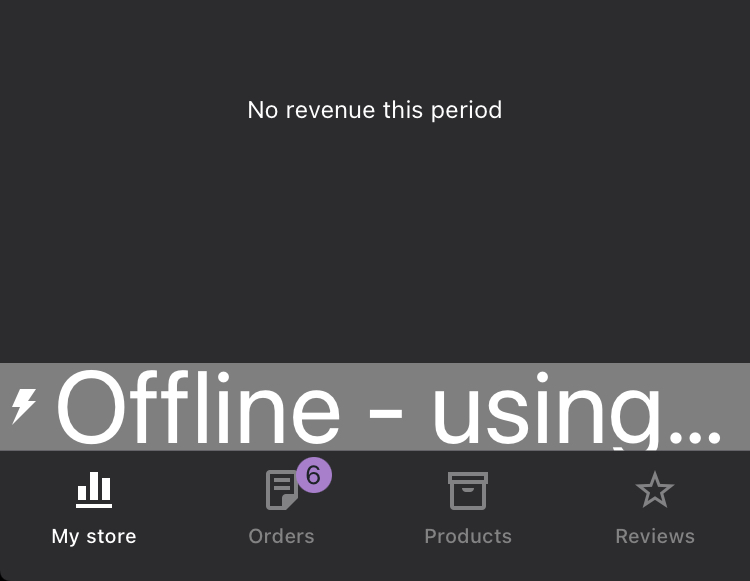
This PR configures offline banners for screens: My Store, Orders, Order Details, Review Order, Create Shipping Label, Products, Product Form, Reviews, Review Detail.
For simplicity, offline banner is not added to every screen, but only to critical screens that display cached data.
Changes
Demo
RPReplay_Final1631780913.MP4
Testing
In order to test connection properly, please build these changes to a real device. Network monitor doesn't work well on simulators. Follow these steps for testing:
Update release notes:
RELEASE-NOTES.txtif necessary.