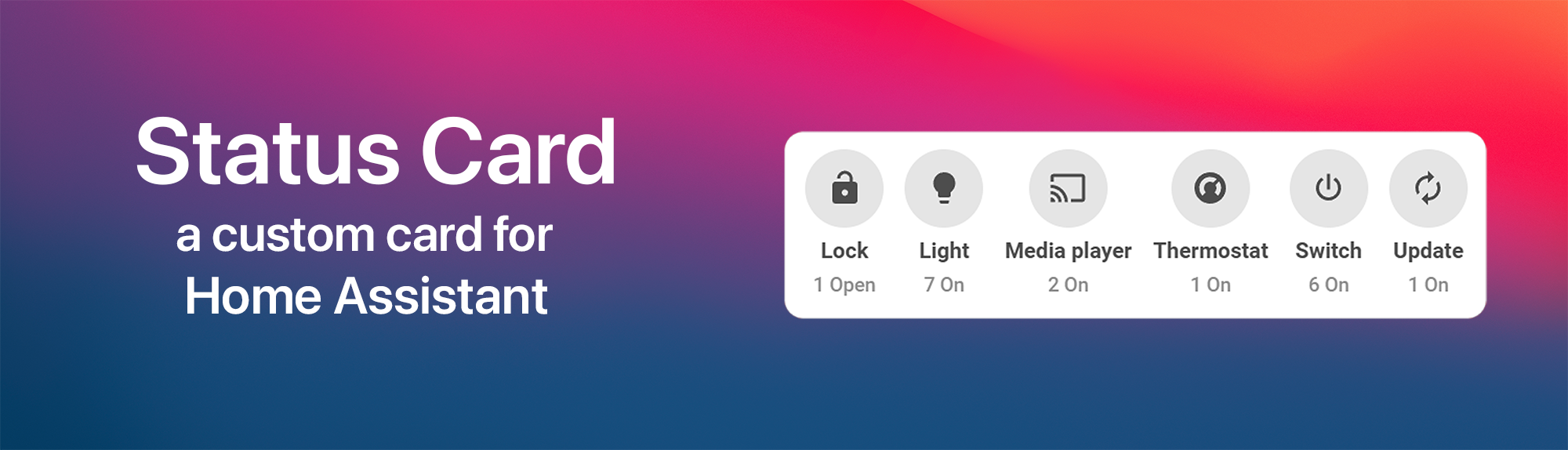



Status Card is a powerful custom card for Home Assistant Dashboards that provides a comprehensive overview of your entities without the need for constant updates.
I always wanted to make an overview card that shows a lot of entities without the need to change it almost every day. This card will show all relevant data in a quick look. You only need to assign your entities/devices to your areas and the card will do the rest.
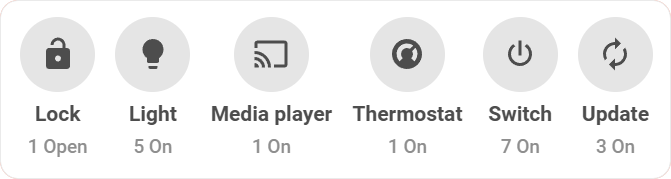
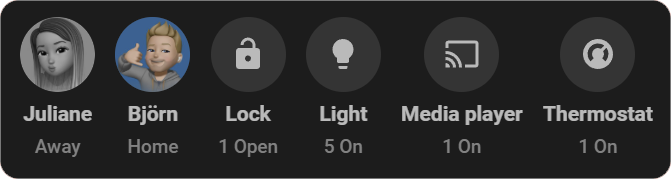
Note: This card is highly influenced by Dwains Dashboard. Now you can use this great idea as a single card in all of your Dashboards.
- 🤖 Zero-Configuration Magic - Automatically generates your dashboard simply by reading the entities and devices assigned to your Home Assistant Areas.
- 📊 Smart State Filtering - Intelligently displays only the entities that are currently active or "on" (with the option to invert logic for custom use-cases).
- 📚 Dynamic Grouping - Neatly organizes your active entities by their
domain(lights, switches, media players) ordevice_class(doors, windows, motion sensors). - 🧑🤝🧑 Powerful Smart Groups - Build custom, intelligent groups with advanced, multi-layered filters (by state, domain, and more) to perfectly tailor your overview.
- ➕ Extra & Ignored Entities - Full control over your view: manually add missing entities or hide specific ones you don't want to see.
- 📑 Interactive Detail Popups - Tap any group to open a beautiful, native-feeling popup that renders all containing entities as interactive Tile Cards.
- 🎨 Extensive Customization & Styling - Modify colors, configure custom actions (tap, hold, double-tap), and style your headers directly within the UI.
- 🌗 Seamless Theme Support - Looks gorgeous in both Light and Dark mode, adapting perfectly to your Home Assistant theme.
- 🧠 100% GUI Editor Ready - A fully-featured visual editor means absolutely no YAML editing is required to set up or process the card!
- 📱 Fully Responsive - Carefully optimized layouts ensure the optimal viewing experience on both desktop monitors and mobile devices.
- 🌍 Native Localization - Automatically translates perfectly into all Home Assistant supported languages.
The easiest way to install and keep Status Card updated is via HACS.

- Ensure HACS is installed.
- Open HACS in Home Assistant.
- Search for Status Card.
- Download and Install.
- Clear your browser cache and refresh (F5) the page.
- Download status-card.js file from the latest release.
- Put status-card.js file into your
config/wwwfolder. - Add reference to status-card.js in Dashboard. There are two ways to do that:
- Using UI: Settings → Dashboards → More Options icon → Resources → Add Resource → Set Url as
/local/status-card.js→ Set Resource type as JavaScript Module. (Note: If you do not see the Resources menu, you will need to enable Advanced Mode in your User Profile) - Using YAML: Add the following code to your lovelace section.
 resources:
 - url: /local/status-card.js
   type: module
- Using UI: Settings → Dashboards → More Options icon → Resources → Add Resource → Set Url as
Once installed, simply edit your dashboard, click Add Card, and search for Status Card. The visual editor will guide you through all options!
The card needs to work with your areas so you need to assign your relevant devices/entities to your areas beforehand.
For advanced configuration and YAML examples, please visit the Wiki.
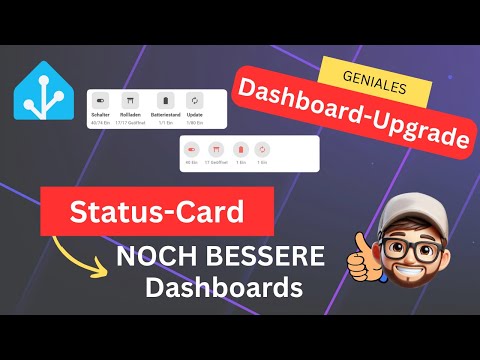
Want to see the Status Card in action? Check out this excellent showcase and tutorial video (🇩🇪 German language):
Developing and maintaining custom cards takes a lot of time and coffee. If you enjoy using Status Card and want to support its ongoing development, I would greatly appreciate it!




Join the community Discord server to leave feedback, request features, or get help with your configuration.
