

Design an interface to control the movement of the robot which could be in (forward, left, backward, right)
Design an interface to control the movement of the robot which could be in (forward, left, backward, right) direction. When user click on a certain direction the movement will be stored in a database

To be able to send and get data from MYSQL database we have to install MYSQL database, you can use XAMPP which i an open-source cross-platform web server
-
After installing XAMPP create a folder named "movement" in xampp path xampp>htdocs
-
Copy the two files attched above, sendMovementValues and getMovement.php to movement folder
-
Before uploading the code Movement.ino , make sure to change the ssid and password to your WiFi. After uploding the code will read the data from the database frequently using GET method
5.In phpMyAdmin, create a database named "esp32", then create a table named "movement" with values shown in below image
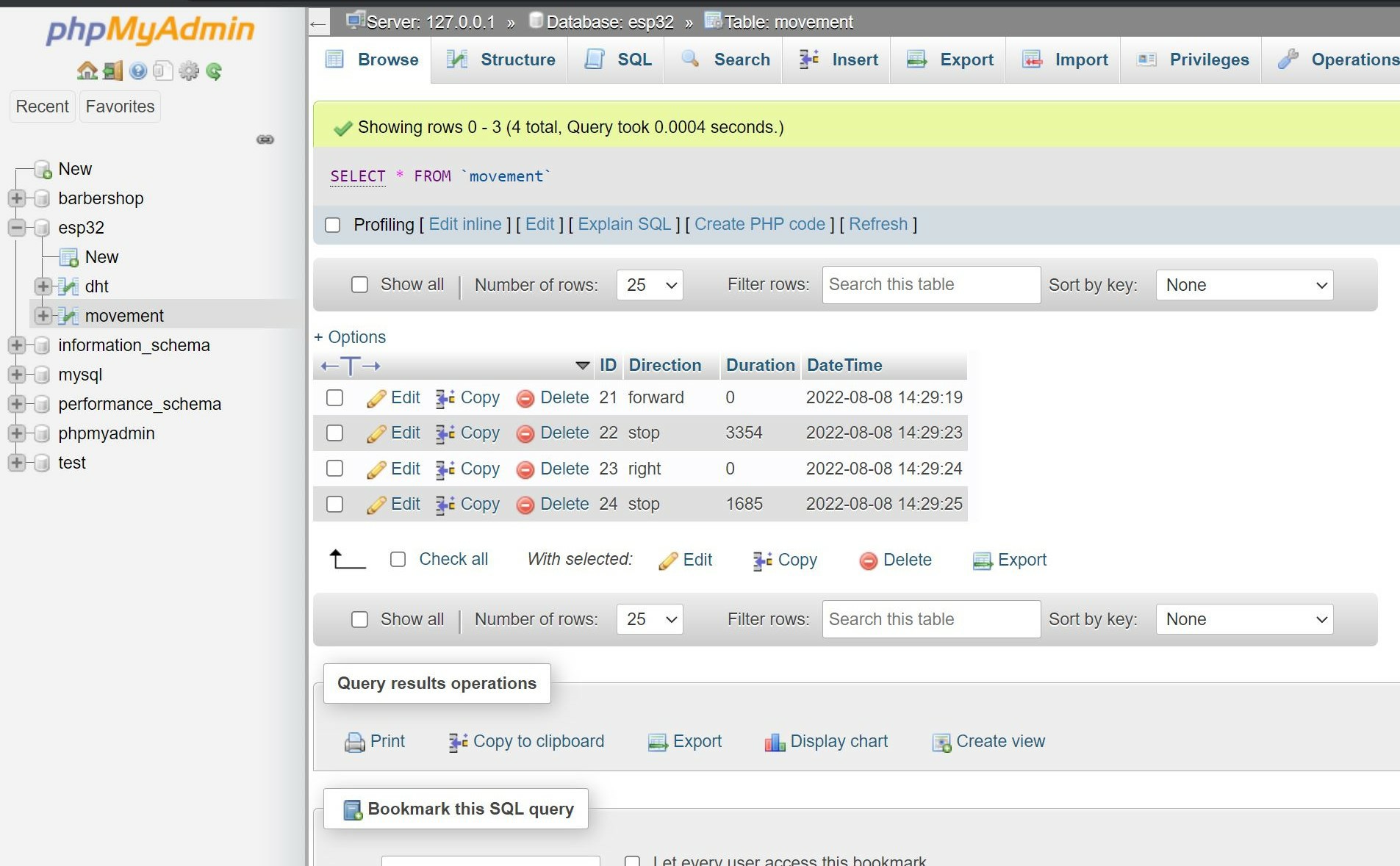
- When the user click the forward button, the website will send "forward" to the database and ESP32 will read it to move forward, and when the user click the right button, we will send "right" to the database and ESP32 will also turn right
As you see in the image above, we also register how long did the user pressed the button, he clicked the forward button for 3.3 seconds and clicked the right button for 1.6 seconds. This is useful later if we want the robot replay what the user clickd before