


Write Razor. Publish a purely static site. Kiji renders your Razor components with
Blazor's HtmlRenderer
and writes each page, Markdown included, as plain HTML for any static host.
Build with Razor, C#, and standard .NET host builders. Preview via dotnet watch, publish via dotnet publish.
Typed Markdown, responsive WebP images, RSS, and sitemaps in one package.
The browser reloads while you write, and publishing reuses unchanged pages.
Customize Markdown parsing, add your own services and generated files, or replace the image processor.
The output needs no .NET server or Blazor runtime. Use JavaScript for browser
interactivity; Razor event handlers such as @onclick do not run in the browser.
Kiji requires the .NET 10 SDK or later.
dotnet new install Kiji.Templates
dotnet new kiji-blog -o MyBlog
cd MyBlog
Edit your site settings in Program.cs:
//Program.cs

var builder = StaticSite.CreateBuilder(args);
builder.SiteInfo = new SiteInfo
{
    BaseUrl = new Uri("https://example.org/"),
    Name = "My Blog",
};
Start the development server and open http://localhost:8080:
dotnet watchThe browser reloads as you edit content and components.
Stop the development server with Ctrl+C, then generate the static site in dist/:
dotnet publish -o distSee Kiji.Templates for all templates and options, or follow Getting started to use a template or build a minimal blog from scratch.
| Demo | Image | Create a site |
|---|---|---|
| Kiji Blog Template (source) | 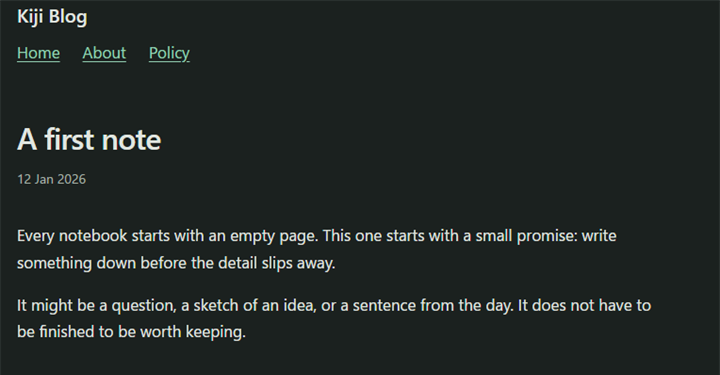 |
dotnet new kiji-blog -o MyBlog |
| Kiji Doc Template (source) | 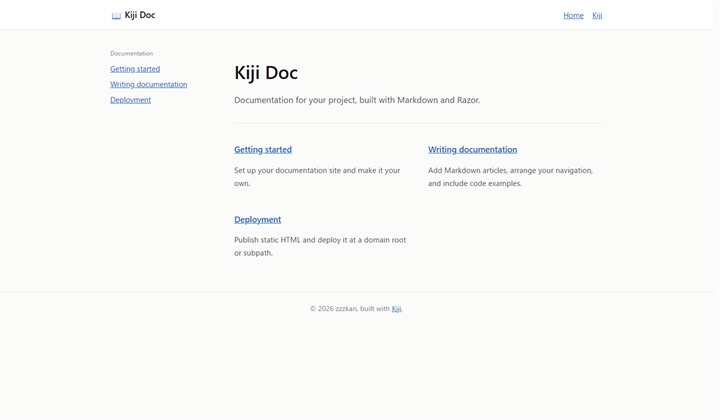 |
dotnet new kiji-doc -o MyDocs |
| Kiji Interactive Template (source) | 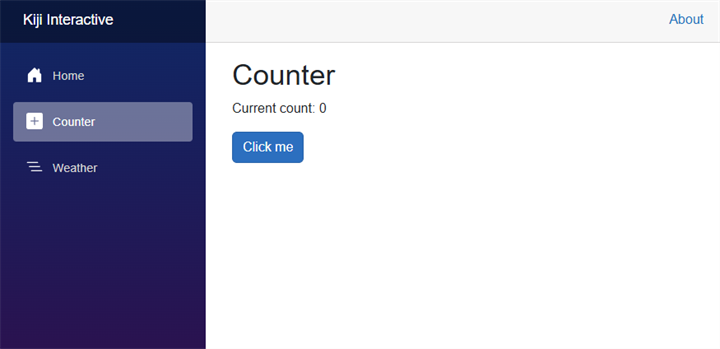 |
dotnet new kiji-interactive -o MyInteractive |
| Kiji Fluent Template (source) |  |
dotnet new kiji-fluent -o MyFluent |
Contributions to Kiji and its documentation are welcome. Open an issue to report a bug or suggest a feature.