Perform the setup before the workshop, please.
- Ensure your microphone and camera are fine.
- Ensure having IDE and programming language you want to use. Recommended - IntelliJ and Code With Me plugin (works fine even for non-JVM languages).
- Check how Code With Me works for you. Test it quickly with any of your teammates if you never used it before.
- https://www.jetbrains.com/help/idea/code-with-me.html
- You might upgrade your IntelliJ to make sure it works.
- Start Session with checked "Full access" and unchecked "Start call" (it's probably better to use Slack for voice communication).
- Ensure Slack huddles work for you.
- On Mac ensure Slack is allowed in System Settings -> Privacy & Security: Microphone, Screen Recording.
- Prepare "raw" projects/starters - just with proper programming languages and testing tools.
- Consider using https://github.com/swkBerlin/kata-bootstraps or something similar.
- Quick workaround for JVM - https://start.spring.io/ and project with no dependencies (testing tools added by default).
- Consider installing newer version of your programming language than you normally use.
- Quick look at https://www.coderetreat.org/the-workshop/.
- Quick look at TDD & Pair Programming:
- TDD: http://butunclebob.com/ArticleS.UncleBob.TheThreeRulesOfTdd.
- Ping Pong Pair Programming: http://wiki.c2.com/?PairProgrammingPingPongPattern.
- Baby Steps TDD: https://jakubn.gitlab.io/bestpracticesinpractice/#43 (+press space). Short explanation in Polish (25:28-28:35).
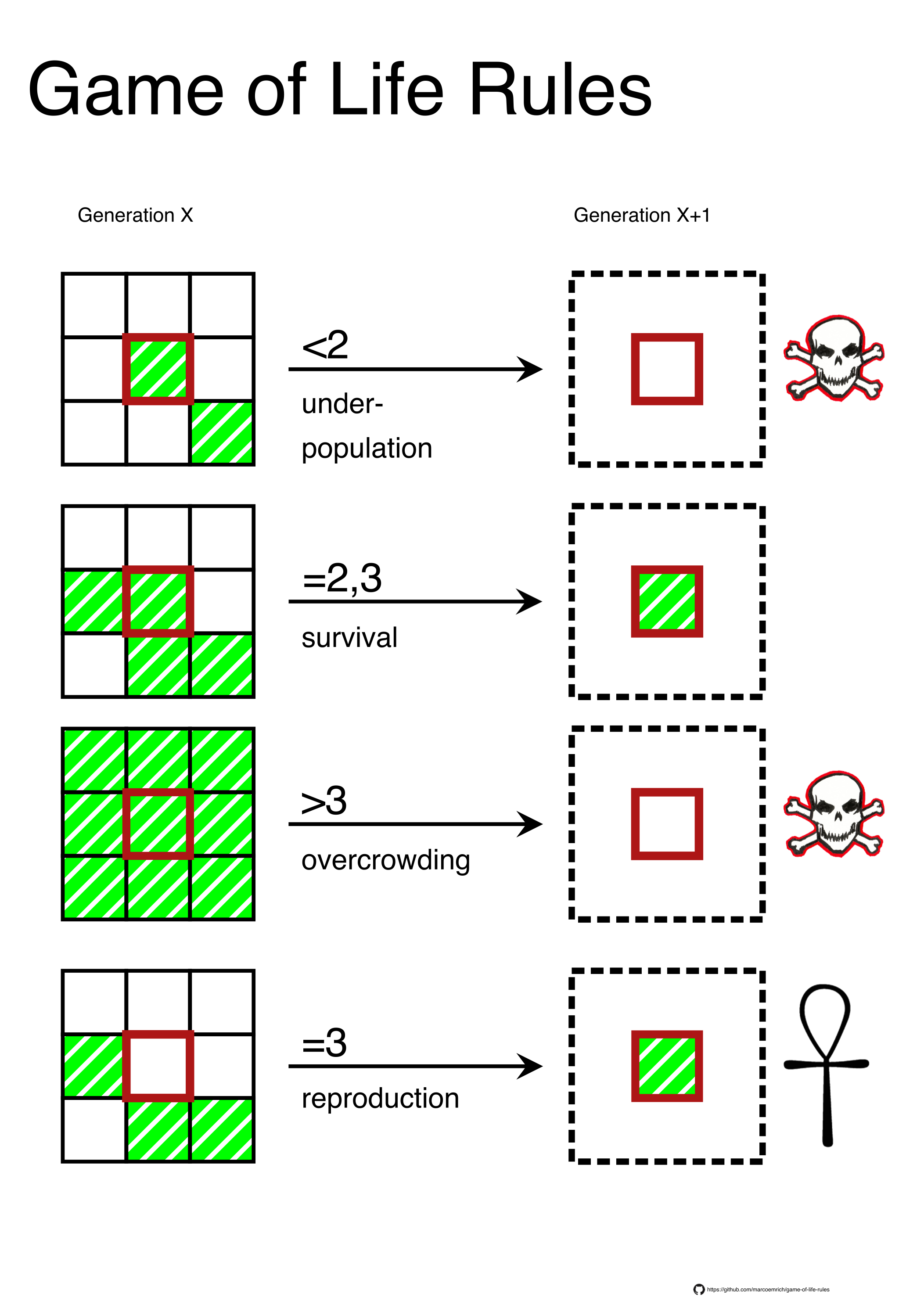
- Quick look at Conway's Game of Life: