



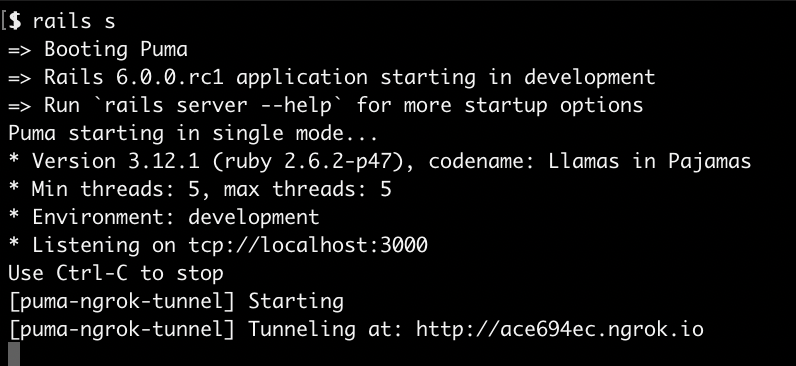
A plugin for puma that'll start a ngrok tunnel to your rails server when puma starts. Primary I built this to make the following a easier:
This gem is not longer actively maintained, I suggest using theses alternatives instead:
- Working with apps that require Webhooks to be received by the app to work correctly
- Demoing your local rails app to someone else
- Working with Puma-dev so your apps feels as production-like as possible
- Testing on mobile.
I've setup a sample Rails 6 app which demos an implementation of this gem.
Make sure you have installed ngrok on your machine:
$ brew tap caskroom/cask
$ brew cask install ngrokI've automated these steps into an app:template which can be found on Rails Bytes. However, if you'd like to install it manually follow these steps:
- Add this line to your application's
Gemfile:
group :development do
  gem 'puma-ngrok-tunnel'
end- And then execute:
$ bundle- Append this line to your
config/puma.rbfile:
plugin :ngrok_tunnel if ENV.fetch('RAILS_ENV') { 'development' } == 'development'- Lastly, update your
config/environments/development.rbto include the line:
# puma-ngrok-tunnel: Allow connections from ngrok
config.hosts << /[a-z0-9.]+.ngrok.io/Read about how to configure puma to use this in the Puma documentation.
There are a few variables this plugin reads from the environment which control its behavior. These are based on the arguments you'd pass to the ngrok terminal command.
PORT- Optional, your rails port, defaults to3000. IfNGROK_ADDRis set, this is ignored.NGROK_ADDR- Optional, if you're using Puma-dev set this to be your hostname & port, e.g.my-app-name.test:443.NGROK_AUTHTOKEN- Optional, your ngrok authtoken. If you have ngrok configured on your local machine you don't need this.NGROK_HOST_HEADER- Optional, if you're using Puma-dev you should set this to your virtual host e.g.my-app-name.test.NGROK_CONFIG- Optional, your ngrok configuration file location, defaults to~/.ngrok2/ngrok.yml.NGROK_SUBDOMAIN- Optional, ngrok will assign you a random subdomain unless this is set.NGROK_REGION- Optional, the region of your ngrok tunnel. The default isus.NGROK_HOSTNAME- Optional, full ngrok hostname, shouldn't be set ifNGROK_SUBDOMAINis set.
# puma-ngrok-tunnel setup
# You need https://github.com/bkeepers/dotenv setup to make sure Puma can use these.
export NGROK_TUNNEL_ENABLED=true
export NGROK_SUBDOMAIN=my-app-name
export NGROK_REGION=eu# Puma-dev: You need to define this otherwise it uses it's own puma.rb file.
CONFIG=config/puma.rb
# puma-ngrok-tunnel setup
# These should start with 'export' otherwise puma-dev won't use them.
export NGROK_SUBDOMAIN=my-app-name
export NGROK_REGION=eu
# The URL (and HTTPS Port) you might use to access this under Puma-dev
export NGROK_ADDR=my-app-name.test:443
export NGROK_HOST_HEADER=my-app-name.testIf you see an error saying http: proxy error: dial unix, it means ngrok was able to stop when puma was stopped. Right now the solution is to run:
pkill ngrokin your terminal.
If you seeing an error like:
Blocked host: a620ba29.ngrok.io
To allow requests to a620ba29.ngrok.io, add the following to your environment configuration:
config.hosts << "a620ba29.ngrok.io"
Open your config/environments/development.rb file add add:
# Safelist ngrok connections to development environment.
config.hosts << /[a-z0-9]+\.ngrok\.io/
# Safelist Puma-Dev hostname.
config.hosts << 'samplerailsapp.test'
config.hosts << /[a-z0-9]+\.samplerailsapp.test/
This will safe-list the ngrok subdomain to access your rails host.
The gem is available as open source under the terms of the MIT License.