A Vue.js component that displays a reactive credit card preview for payment forms.








This is a Vue.js component that renders a beautiful virtual credit card which is reactive to user input. The purpose is to enhance user experience in a online purchase situation.
Here is a example of vue-ccard in action:
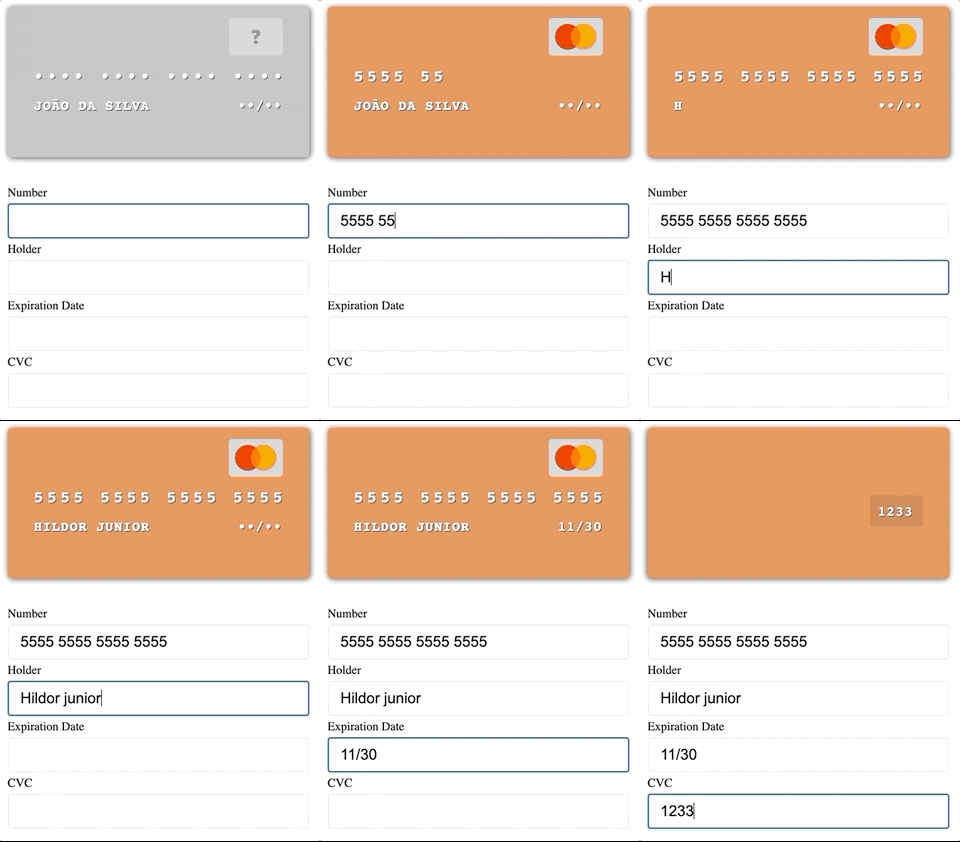
This module is distributed via npm which is bundled with node and
should be installed as one of your project's dependencies:
npm install --save vue-ccard
Here is a basic example on how to implement this component:
<template>
  <div id="app">
    <vue-c-card
      :number="cc.number"
      :holder="cc.holder"
      :exp="cc.exp"
      :cvc="cc.cvc"
      :is-typing-cvc="isTypingCvc"/>

    <label for="number">Number</label>
    <input type="text" v-model="cc.number" id="number">

    <label for="holder">Holder</label>
    <input type="text" v-model="cc.holder" id="holder">

    <label for="exp">Expiration Date</label>
    <input type="text" v-model="cc.exp" id="exp">

    <label for="cvc">CVC</label>
    <input type="text" v-model="cc.cvc"
      @focus="isTypingCvc = true"
      @blur="isTypingCvc = false" id="cvc">
  </div>
</template>

<script>
import VueCCard from 'vue-ccard';

export default {
  name: 'app',
  components: {
    VueCCard,
  },
  data() {
    return {
      isTypingCvc: false,
      cc: {
        number: '',
        holder: '',
        exp: '',
        cvc: '',
      },
    };
  },
};
</script>
I'm not aware of any, if you are please make a pull request and add it here!
Looking to contribute? Look for the Good First Issue label.
Please file an issue for bugs, missing documentation, or unexpected behavior.
Please file an issue to suggest new features. Vote on feature requests by adding a 👍. This helps maintainers prioritize what to work on.
Thanks goes to these people (emoji key):

Hildor Júnior 📖 |
This project follows the all-contributors specification. Contributions of any kind welcome!
MIT