JS Finding is a Python tool for extracting JavaScript (JS) files from a given list of domains. This tool utilizes various utilities such as waybackurls, gauplus, and subjs to perform JS file extraction from the specified domains.
- Extract JavaScript (JS) files from a list of url/domains
- Supports extraction through
waybackurls,gauplus, andsubjs - Option to download the successfully extracted JS files
- Option to create wordlists from the downloaded JS file contents
- Python 3.x
pip3 install git+https://github.com/pikpikcu/js-finding.git -v
JS Finding can be used to extract JavaScript (JS) files from either a single domain URL or a list of domains. The tool supports various extraction methods and provides additional options for file download and wordlists creation.
usage: jsfind [-h] [-u URL | -l FILE] [-o OUTPUT] [-d] [-dl] [-r RETRIES] [-od OUTPUT_DIR] [-w] [-p PROXY]

Extract JS files from given domains.

optional arguments:
  -h, --help            show this help message and exit
  -u URL, --url URL     Single domain URL
  -l FILE, --list FILE  A file containing a list of domains
  -o OUTPUT, --output OUTPUT
                        The output file to store the results
  -d, --debug           Enable debug output
  -dl, --download       Enable file download
  -r int, --retries int
                        Number of retries for download attempts (default: 3)
  -od OUTPUT_DIR, --output-dir OUTPUT_DIR
                        The directory to store downloaded files
  -w, --create-wordlists
                        Enable wordlists creation
  -p PROXY, --proxy PROXY
                        Use a proxy server for requests
Extract JS from a single domain:
jsfind -u https://example.com -o output.txt -dl -od downloaded_files -w
Extract JS from a list of domains:
jsfind.py -l domains.txt -o output.txt -dl -od downloaded_files -w
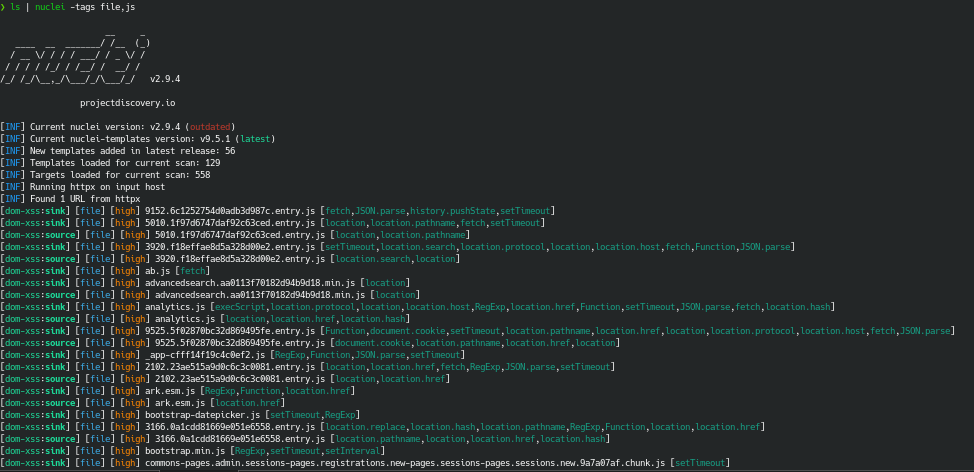
- Make sure to install all the required dependencies before running this tool.
- Verify that commands such as
waybackurls,gauplus, andsubjsare already in your system's PATH.
Contributions are welcome! If you find any issues or have suggestions for improvements, please open an issue or submit a pull request.