Supporters of an idea are not updated after a vote #12

Comments


oanalavinia
added a commit
to oanalavinia/application-ideas
that referenced
this issue
Sep 14, 2018
* applied xar:format
oanalavinia
added a commit
to oanalavinia/application-ideas
that referenced
this issue
Sep 14, 2018
oanalavinia
added a commit
to oanalavinia/application-ideas
that referenced
this issue
Sep 14, 2018
* updated some code style
acotiuga
pushed a commit
that referenced
this issue
Sep 14, 2018

oanalavinia
added a commit
to oanalavinia/application-ideas
that referenced
this issue
Sep 17, 2018
* changed so a user cannot vote if the vote is closed
oanalavinia
added a commit
to oanalavinia/application-ideas
that referenced
this issue
Sep 17, 2018
* code refactoring
* added a notification in case someone votes when the status is not 'open'
oanalavinia
added a commit
to oanalavinia/application-ideas
that referenced
this issue
Sep 17, 2018
* updated some translation
acotiuga
pushed a commit
that referenced
this issue
Sep 17, 2018
Sign up for free
to join this conversation on GitHub.
Already have an account?
Sign in to comment


Steps to reproduce:
Expected result:
Depending on the pressed button, the name of the user appears under "Supporters"/"Opponents" fields with the specific text "You support this idea"/"You are against this idea" inside the box.
Actual result:

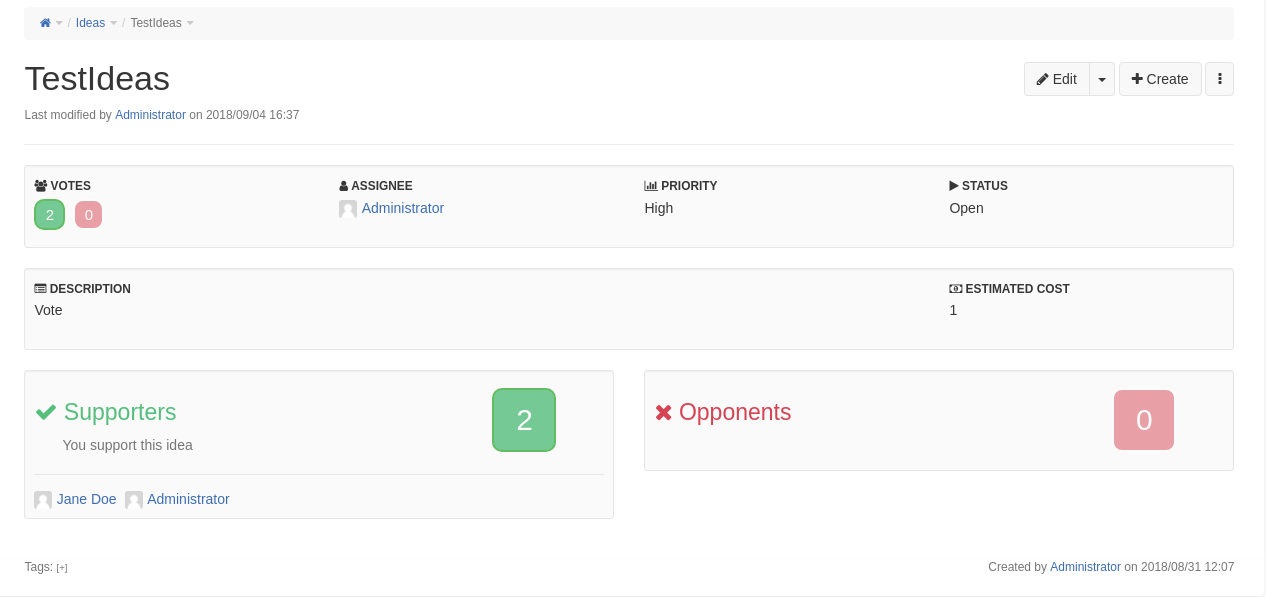
Only after refreshing the page the user is able to see these changes.
The text was updated successfully, but these errors were encountered: