Dark mode for window decoration on windows #3527

Comments

|
Meanwhile, a workaround was to create |

|
Thanks for your report and for making progress in the analysis. |


|
We'll support the dark mode on Windows 11 but not on Windows 10. Some extra discussion here: microsoft/WindowsAppSDK#41 |
Sign up for free
to join this conversation on GitHub.
Already have an account?
Sign in to comment


So it seems windows disables the dark mode support by default, and leaves it to the application to enable. I think it only affects the inactive window border - instead of becoming dark gray in dark mode, it becomes bright white. It is not a disaster but stands out when there's other applications open.
Current behavior in both modes, active/inactive:

Desired dark mode:
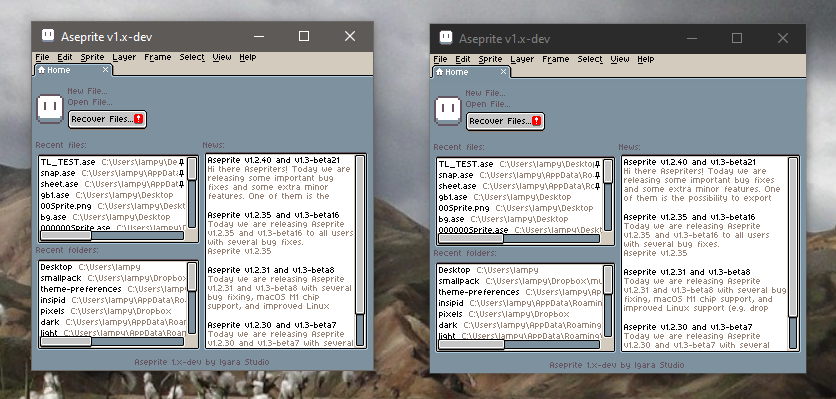
I tried to support that based on the second half of microsoft's guide... however, now the exact opposite happens and the window uses dark mode always. It seems that that part of the API went through a series of changes, and it only works since win11 and i can't figure where older docs went (re: DWMWA_USE_IMMERSIVE_DARK_MODE).
Perhaps i could make it switch according to preferences? Although that is not native behavior, it at least will be an option.
darkmode.patch.zip
Aseprite and System version
The text was updated successfully, but these errors were encountered: