

Replace src=# in <img> tags of HTML files with an inline Base64 data URL of a transparent 1 pixel image (CLI tool designed for use in npm package.json scripts)



img-src-placeholder solves the trickly little problem that valid HTML requires that all <img> tags
have a src attribute even if your web application sets the src attribute dynamically.
This tool transforms:
<img src=# alt=avatar>into:
<img src="data:image/svg+xml;base64,PHN2ZyB4bWxucz0iaHR0cDovL3d3dy53My5vcmcvMjAwMC9zdmciIHdpZHRoPSIxIiBoZWlnaHQ9IjEiPjwvc3ZnPg=="
   alt=avatar>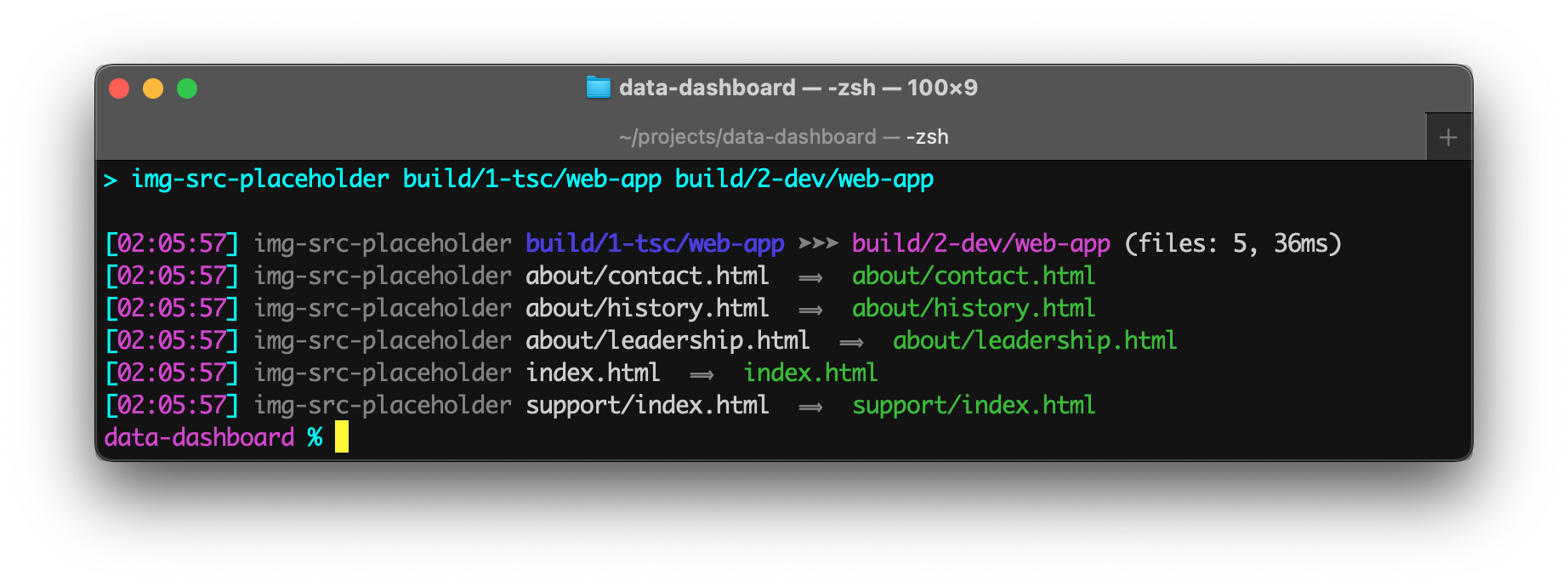
Install package for node:
$ npm install --save-dev img-src-placeholderRun img-src-placeholder from the "scripts" section of your package.json file.
Parameters:
- The first parameter is the source folder or file.
- The second parameter is the target folder.
Example package.json scripts:
   "scripts": {
      "stage-web": "img-src-placeholder src/web build/website",
},Example terminal commands:
$ npm install --save-dev img-src-placeholder
$ npx img-src-placeholder src/web ext=.html docs/api-manual
You can also install img-src-placeholder globally (--global) and then run it anywhere directly from the terminal.
Command-line flags:
| Flag | Description | Value |
|---|---|---|
--cd |
Change working directory before starting search. | string |
--ext |
Filter files by file extension, such as .html.Use a comma to specify multiple extensions. |
string |
--note |
Place to add a comment only for humans. | string |
--quiet |
Suppress informational messages. | N/A |
--summary |
Only print out the single line summary message. | N/A |
The default value for --ext is: ".html,.htm,.php,.aspx,.asp,.jsp"
Examples:
-
img-src-placeholder src/web build/website
Recursively copies all HTML files in the src/web folder to the build/website folder and replaces the "hash" placeholder image sources with an inline data URL for a transparent 1 pixel image. -
img-src-placeholder src/web build/website --summary
Displays the summary but not the individual files copied. -
img-src-placeholder src/web build/website --ext=.php
Only processes PHP files. -
img-src-placeholder src/web 'build/Website Root' --ext=.php
Specifies a destination folder that has a space in its name.
Note: Single quotes in commands are normalized so they work cross-platform and avoid the errors often encountered on Microsoft Windows.
Even though img-src-placeholder is primarily intended for build scripts, the package can be used programmatically in ESM and TypeScript projects.
Example:
import { imgSrcPlaceholder } from 'img-src-placeholder';

const options = { extensions: ['.html'] };
const results = imgSrcPlaceholder.transform('src/web', 'build', options);
console.log('Number of files copied:', results.count);
See the TypeScript Declarations at the top of img-src-placeholder.ts for documentation.
The data URL is created by Base64 encoding a super simple <svg> string:
const onePixelSvg =
   '<svg xmlns="http://www.w3.org/2000/svg" width="1" height="1"></svg>';
const dataImage = 'data:image/svg+xml;base64,' +
   Buffer.from(onePixelSvg).toString('base64');
CLI Build Tools for package.json
- 🎋 add-dist-header: Prepend a one-line banner comment (with license notice) to distribution files
- 📄 copy-file-util: Copy or rename a file with optional package version number
- 📂 copy-folder-util: Recursively copy files from one folder to another folder
- 🪺 recursive-exec: Run a command on each file in a folder and its subfolders
- 🔍 img-src-placeholder: Find and replace strings or template outputs in text files
- 🔢 rev-web-assets: Revision web asset filenames with cache busting content hash fingerprints
- 🚆 run-scripts-util: Organize npm package.json scripts into named groups of easy to manage commands
- 🚦 w3c-html-validator: Check the markup validity of HTML files using the W3C validator
Feel free to submit questions at:
github.com/center-key/img-src-placeholder/issues