


parsedmarc
parsedmarc is a Python module and CLI utility for parsing DMARC reports.
When used with Elasticsearch and Kibana, it works as a self-hosted open source
alternative to commercial DMARC report processing services such as Agari,
Dmarcian, and OnDMARC.
Features
- Parses draft and 1.0 standard aggregate/rua reports
- Parses forensic/failure/ruf reports
- Can parse reports from an inbox over IMAP
- Transparently handles gzip or zip compressed reports
- Consistent data structures
- Simple JSON and/or CSV output
- Optionally email the results
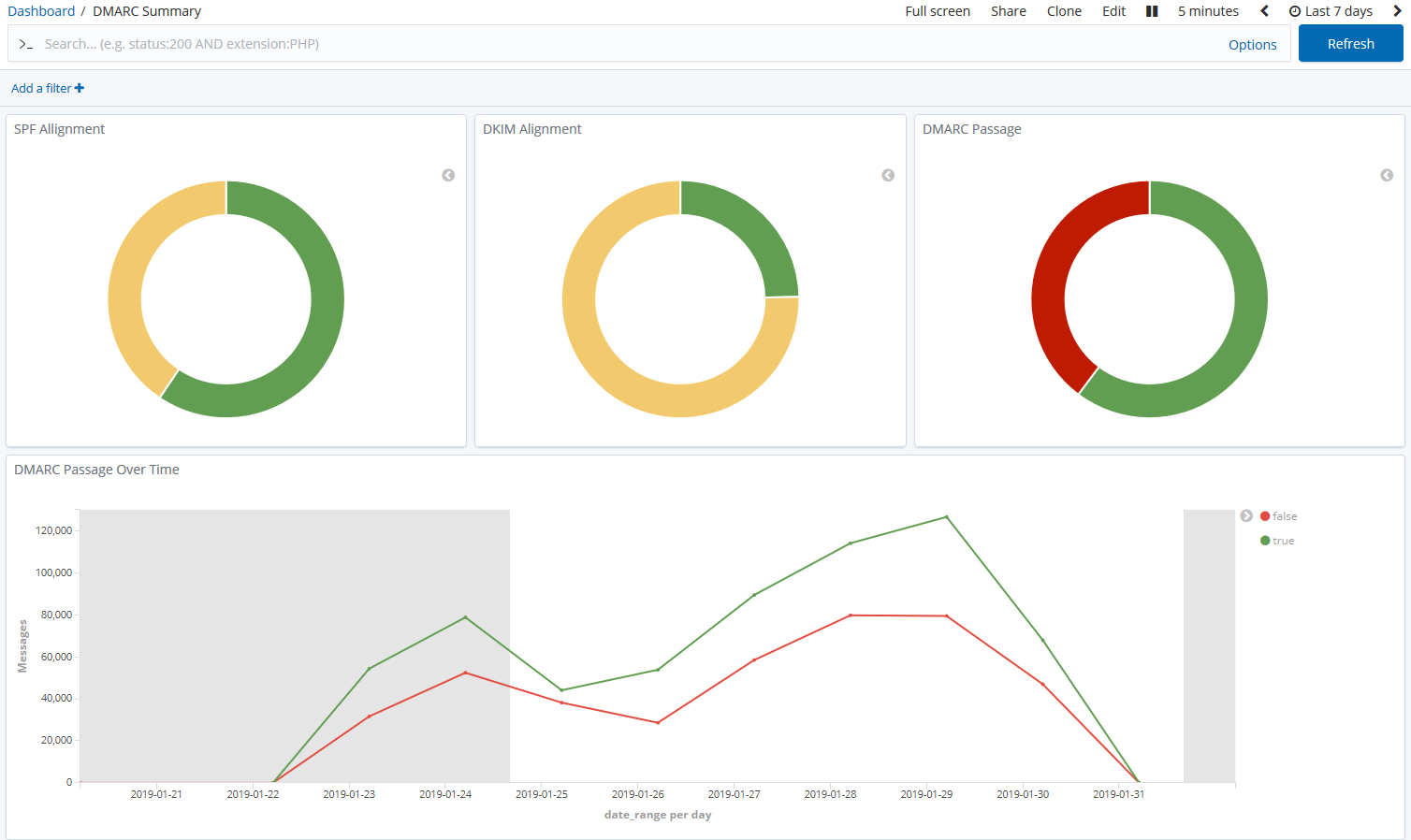
- Optionally send the results to Elasticsearch, for use with premade Kibana dashboards
Resources
CLI help
usage: parsedmarc [-h] [-o OUTPUT] [-n NAMESERVERS [NAMESERVERS ...]]
[-t TIMEOUT] [-H HOST] [-u USER] [-p PASSWORD]
[-r REPORTS_FOLDER] [-a ARCHIVE_FOLDER] [-d]
[-E [ELASTICSEARCH_HOST [ELASTICSEARCH_HOST ...]]]
[--save-aggregate] [--save-forensic] [-O OUTGOING_HOST]
[-U OUTGOING_USER] [-P OUTGOING_PASSWORD] [-F OUTGOING_FROM]
[-T OUTGOING_TO [OUTGOING_TO ...]] [-S OUTGOING_SUBJECT]
[-A OUTGOING_ATTACHMENT] [-M OUTGOING_MESSAGE] [-w] [--test]
[-s] [--debug] [-v]
[file_path [file_path ...]]
Parses DMARC reports
positional arguments:
file_path one or more paths to aggregate or forensic report
files or emails
optional arguments:
-h, --help show this help message and exit
-o OUTPUT, --output OUTPUT
Write output files to the given directory
-n NAMESERVERS [NAMESERVERS ...], --nameservers NAMESERVERS [NAMESERVERS ...]
nameservers to query (Default 8.8.8.8 4.4.4.4)
-t TIMEOUT, --timeout TIMEOUT
number of seconds to wait for an answer from DNS
(default 6.0)
-H HOST, --host HOST IMAP hostname or IP address
-u USER, --user USER IMAP user
-p PASSWORD, --password PASSWORD
IMAP password
-r REPORTS_FOLDER, --reports-folder REPORTS_FOLDER
The IMAP folder containing the reports Default: INBOX
-a ARCHIVE_FOLDER, --archive-folder ARCHIVE_FOLDER
Specifies the IMAP folder to move messages to after
processing them Default: Archive
-d, --delete Delete the reports after processing them
-E [ELASTICSEARCH_HOST [ELASTICSEARCH_HOST ...]], --elasticsearch-host [ELASTICSEARCH_HOST [ELASTICSEARCH_HOST ...]]
A list of one or more Elasticsearch hostnames or URLs
to use (Default localhost:9200)
--save-aggregate Save aggregate reports to Elasticsearch
--save-forensic Save forensic reports to Elasticsearch
-O OUTGOING_HOST, --outgoing-host OUTGOING_HOST
Email the results using this host
-U OUTGOING_USER, --outgoing-user OUTGOING_USER
Email the results using this user
-P OUTGOING_PASSWORD, --outgoing-password OUTGOING_PASSWORD
Email the results using this password
-F OUTGOING_FROM, --outgoing-from OUTGOING_FROM
Email the results using this from address
-T OUTGOING_TO [OUTGOING_TO ...], --outgoing-to OUTGOING_TO [OUTGOING_TO ...]
Email the results to these addresses
-S OUTGOING_SUBJECT, --outgoing-subject OUTGOING_SUBJECT
Email the results using this subject
-A OUTGOING_ATTACHMENT, --outgoing-attachment OUTGOING_ATTACHMENT
Email the results using this filename
-M OUTGOING_MESSAGE, --outgoing-message OUTGOING_MESSAGE
Email the results using this message
-w, --watch Use an IMAP IDLE connection to process reports as they
arrive in the inbox
--test Do not move or delete IMAP messages
-s, --silent Only print errors
--debug Print debugging information
-v, --version show program's version number and exit
SPF and DMARC record validation
If you are looking for SPF and DMARC record validation and parsing, check out the sister project, checkdmarc.
Sample aggregate report output
Here are the results from parsing the example report from the dmarc.org wiki. It's actually an older draft of the the 1.0 report schema standardized in RFC 7480 Appendix C. This draft schema is still in wide use.
parsedmarc produces consistent, normalized output, regardless of the report
schema.
JSON
{
"xml_schema": "draft",
"report_metadata": {
"org_name": "acme.com",
"org_email": "noreply-dmarc-support@acme.com",
"org_extra_contact_info": "http://acme.com/dmarc/support",
"report_id": "9391651994964116463",
"begin_date": "2012-04-27 20:00:00",
"end_date": "2012-04-28 19:59:59",
"errors": []
},
"policy_published": {
"domain": "example.com",
"adkim": "r",
"aspf": "r",
"p": "none",
"sp": "none",
"pct": "100",
"fo": "0"
},
"records": [
{
"source": {
"ip_address": "72.150.241.94",
"country": "US",
"reverse_dns": "adsl-72-150-241-94.shv.bellsouth.net",
"base_domain": "bellsouth.net"
},
"count": 2,
"policy_evaluated": {
"disposition": "none",
"dkim": "fail",
"spf": "pass",
"policy_override_reasons": []
},
"identifiers": {
"header_from": "example.com",
"envelope_from": "example.com",
"envelope_to": null
},
"auth_results": {
"dkim": [
{
"domain": "example.com",
"selector": "none",
"result": "fail"
}
],
"spf": [
{
"domain": "example.com",
"scope": "mfrom",
"result": "pass"
}
]
}
}
]
}CSV
xml_schema,org_name,org_email,org_extra_contact_info,report_id,begin_date,end_date,errors,domain,adkim,aspf,p,sp,pct,fo,source_ip_address,source_country,source_reverse_dns,source_base_domain,count,disposition,dkim_alignment,spf_alignment,policy_override_reasons,policy_override_comments,envelope_from,header_from,envelope_to,dkim_domains,dkim_selectors,dkim_results,spf_domains,spf_scopes,spf_results draft,acme.com,noreply-dmarc-support@acme.com,http://acme.com/dmarc/support,9391651994964116463,2012-04-27 20:00:00,2012-04-28 19:59:59,,example.com,r,r,none,none,100,0,72.150.241.94,US,adsl-72-150-241-94.shv.bellsouth.net,bellsouth.net,2,none,fail,pass,,,example.com,example.com,,example.com,none,fail,example.com,mfrom,pass
Sample forensic report output
I don't have a sample I can share for privacy reasons. If you have a sample forensic report that you can share publicly, please contact me!
Installation
parsedmarc works with Python 2 or 3, but Python 3 is preferred.
On Debian or Ubuntu systems, run:
$ sudo apt-get install python3-pipPython 3 installers for Windows and macOS can be found at https://www.python.org/downloads/
To install or upgrade to the latest stable release of parsedmarc on
macOS or Linux, run
$ sudo -H pip3 install -U parsedmarcOr, install the latest development release directly from GitHub:
$ sudo -H pip3 install -U git+https://github.com/domainaware/parsedmarc.gitNote
On Windows, pip3 is pip, even with Python 3. So on Windows, simply
substitute pip as an administrator in place of sudo pip3, in the
above commands.
Installation using pypy3
For the best possible processing speed, consider using parsedmarc inside a pypy3
virtualenv. First, download the latest version of pypy3. Extract it to
/opt/pypy3 (sudo mkdir /opt if /opt does not exist), then create a
symlink:
$ sudo ln -s /opt/pypy3/bin/pypy3 /usr/local/bin/pypy3Install virtualenv on your system:
$ sudo apt-get install python3-pip
$ sudo -H pip3 install -U virtualenvUninstall any instance of parsedmarc that you may have installed globally
$ sudo -H pip3 uninstall -y parsedmarcNext, create a pypy3 virtualenv for parsedmarc
$ sudo mkdir /opt/venvs
$ cd /opt/venvs
$ sudo -H pip3 install -U virtualenv
$ sudo virtualenv --download -p /usr/local/bin/pypy3 parsedmarc
$ sudo -H /opt/venvs/parsedmarc/bin/pip3 install -U parsedmarc
$ sudo ln -s /opt/venvs/parsedmarc/bin/parsedmarc /usr/local/bin/parsedmarcTo upgrade parsedmarc inside the virtualenv, run:
$ sudo -H /opt/venvs/parsedmarc/bin/pip3 install -U parsedmarcOr, install the latest development release directly from GitHub:
$ sudo -H /opt/venvs/parsedmarc/bin/pip3 install -U git+https://github.com/domainaware/parsedmarc.gitOptional dependencies
If you would like to be able to parse emails saved from Microsoft Outlook
(i.e. OLE .msg files), install msgconvert:
On Debian or Ubuntu systems, run:
$ sudo apt-get install libemail-outlook-message-perlDocumentation
https://domainaware.github.io/parsedmarc
Bug reports
Please report bugs on the GitHub issue tracker