This project is no longer maintained and is deprecated.
As of March 16, 2026, this repository has been archived. It is now read-only, and no further updates, security patches, or support will be provided.
A CLI tool that generates tf/json and tfstate files based on existing infrastructure
(reverse Terraform).
- Disclaimer: This is not an official Google product
- Created by: Waze SRE

- Demo GCP
- Capabilities
- Installation
- Supported Providers
- Major Cloud
- Cloud
- Infrastructure Software
- Network
- Cloudflare (broken, see #1761)
- Myrasec
- PAN-OS
- VCS
- Monitoring & System Management
- Community
- Identity
- Contributing
- Developing
- Infrastructure
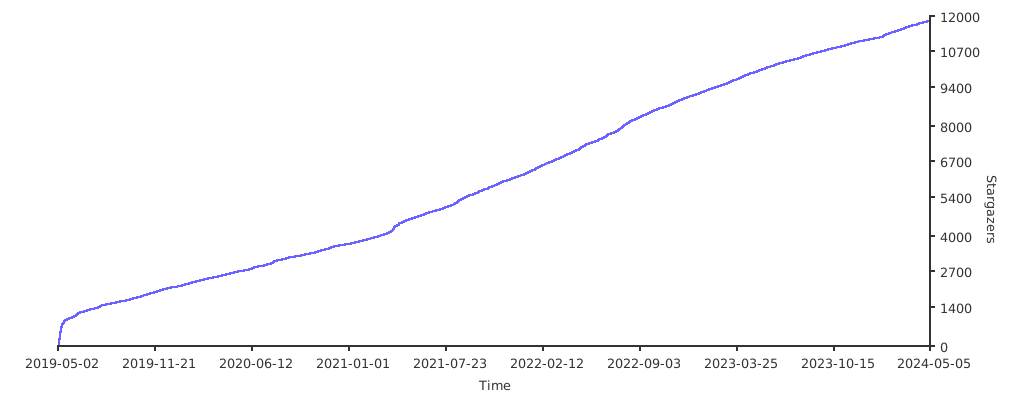
- Stargazers over time

- Generate
tf/json+tfstatefiles from existing infrastructure for all supported objects by resource. - Remote state can be uploaded to a GCS bucket.
- Connect between resources with
terraform_remote_state(local and bucket). - Save
tf/jsonfiles using a custom folder tree pattern. - Import by resource name and type.
- Support terraform 0.13 (for terraform 0.11 use v0.7.9).
Terraformer uses Terraform providers and is designed to easily support newly added resources. To upgrade resources with new fields, all you need to do is upgrade the relevant Terraform providers.
Import current state to Terraform configuration from a provider

Usage:
   import [provider] [flags]
   import [provider] [command]

Available Commands:
  list        List supported resources for a provider

Flags:
  -b, --bucket string         gs://terraform-state
  -c, --connect                (default true)
  -С, --compact                (default false)
  -x, --excludes strings      firewalls,networks
  -f, --filter strings        compute_firewall=id1:id2:id4
  -h, --help                  help for google
  -O, --output string         output format hcl or json (default "hcl")
  -o, --path-output string     (default "generated")
  -p, --path-pattern string   {output}/{provider}/ (default "{output}/{provider}/{service}/")
      --projects strings
  -z, --regions strings       europe-west1, (default [global])
  -r, --resources strings     firewall,networks or * for all services
  -s, --state string          local or bucket (default "local")
  -v, --verbose               verbose mode
  -n, --retry-number          number of retries to perform if refresh fails
  -m, --retry-sleep-ms        time in ms to sleep between retries

Use " import [provider] [command] --help" for more information about a command.
The tool requires read-only permissions to list service resources.
You can use --resources parameter to tell resources from what service you want to import.
To import resources from all services, use --resources="*" . If you want to exclude certain services, you can combine the parameter with --excludes to exclude resources from services you don't want to import e.g. --resources="*" --excludes="iam".
Filters are a way to choose which resources terraformer imports. It's possible to filter resources by its identifiers or attributes. Multiple filtering values are separated by :. If an identifier contains this symbol, value should be wrapped in ' e.g. --filter=resource=id1:'project:dataset_id'. Identifier based filters will be executed before Terraformer will try to refresh remote state.
Use Type when you need to filter only one of several types of resources. Multiple filters can be combined when importing different resource types. An example would be importing all AWS security groups from a specific AWS VPC:
terraformer import aws -r sg,vpc --filter Type=sg;Name=vpc_id;Value=VPC_ID --filter Type=vpc;Name=id;Value=VPC_ID
Notice how the Name is different for sg than it is for vpc.
For terraform >= 0.13, you can use replace-provider to migrate state from previous versions.
Example usage:
terraform state replace-provider -auto-approve "registry.terraform.io/-/aws" "hashicorp/aws"
Filtering is based on Terraform resource ID patterns. To find valid ID patterns for your resource, check the import part of the Terraform documentation.
Example usage:
terraformer import aws --resources=vpc,subnet --filter=vpc=myvpcid --regions=eu-west-1
Will only import the vpc with id myvpcid. This form of filters can help when it's necessary to select resources by its identifiers.
It is possible to filter by specific field name only. It can be used e.g. when you want to retrieve resources only with a specific tag key.
Example usage:
terraformer import aws --resources=s3 --filter="Name=tags.Abc" --regions=eu-west-1
Will only import the s3 resources that have tag Abc. This form of filters can help when the field values are not important from filtering perspective.
It is possible to filter by a field that contains a dot.
Example usage:
terraformer import aws --resources=s3 --filter="Name=tags.Abc.def" --regions=eu-west-1
Will only import the s3 resources that have tag Abc.def.
The plan command generates a planfile that contains all the resources set to be imported. By modifying the planfile before running the import command, you can rename or filter the resources you'd like to import.
The rest of subcommands and parameters are identical to the import command.
$ terraformer plan google --resources=networks,firewall --projects=my-project --regions=europe-west1-d
(snip)

Saving planfile to generated/google/my-project/terraformer/plan.json
After reviewing/customizing the planfile, begin the import by running import plan.
$ terraformer import plan generated/google/my-project/terraformer/plan.json
Terraformer by default separates each resource into a file, which is put into a given service directory.
The default path for resource files is {output}/{provider}/{service}/{resource}.tf and can vary for each provider.
It's possible to adjust the generated structure by:
- Using
--compactparameter to group resource files within a single service into oneresources.tffile - Adjusting the
--path-patternparameter and passing e.g.--path-pattern {output}/{provider}/to generate resources for all services in one directory
It's possible to combine --compact --path-pattern parameters together.
Both Terraformer and a Terraform provider plugin need to be installed.
From a package manager
- Homebrew users can use
brew install terraformer. - MacPorts users can use
sudo port install terraformer. - Chocolatey users can use
choco install terraformer.
From releases
This installs all providers, set PROVIDER to one of google, aws or kubernetes if you only need one.
- Linux
export PROVIDER=all
curl -LO "https://github.com/GoogleCloudPlatform/terraformer/releases/download/$(curl -s https://api.github.com/repos/GoogleCloudPlatform/terraformer/releases/latest | grep tag_name | cut -d '"' -f 4)/terraformer-${PROVIDER}-linux-amd64"
chmod +x terraformer-${PROVIDER}-linux-amd64
sudo mv terraformer-${PROVIDER}-linux-amd64 /usr/local/bin/terraformer
- MacOS
export PROVIDER=all
curl -LO "https://github.com/GoogleCloudPlatform/terraformer/releases/download/$(curl -s https://api.github.com/repos/GoogleCloudPlatform/terraformer/releases/latest | grep tag_name | cut -d '"' -f 4)/terraformer-${PROVIDER}-darwin-amd64"
chmod +x terraformer-${PROVIDER}-darwin-amd64
sudo mv terraformer-${PROVIDER}-darwin-amd64 /usr/local/bin/terraformer
- Windows
- Install Terraform - https://www.terraform.io/downloads
- Download exe file for required provider from here - https://github.com/GoogleCloudPlatform/terraformer/releases
- Add the exe file path to path variable
From source
- Run
git clone <terraformer repo> && cd terraformer/ - Run
go mod download - Run
go build -vfor all providers OR build with one providergo run build/main.go {google,aws,azure,kubernetes,etc}
Create a working folder and initialize the Terraform provider plugin. This folder will be where you run Terraformer commands.
Run terraform init against a versions.tf file to install the plugins required for your platform. For example, if you need plugins for the google provider, versions.tf should contain:
terraform {
  required_providers {
    google = {
      source = "hashicorp/google"
    }
  }
  required_version = ">= 0.13"
}
Or, copy your Terraform provider's plugin(s) from the list below to folder ~/.terraform.d/plugins/, as appropriate.
Links to download Terraform provider plugins:
- Major Cloud
- Cloud
- Infrastructure Software
- Network
- VCS
- GitHub provider >=2.2.1 - here
- Monitoring & System Management
- Community
Information on provider plugins: https://www.terraform.io/docs/configuration/providers.html
- Initialize provider details in cmd/root.go and create a provider initialization file in the terraformer/cmd folder
- Create a folder under terraformer/providers/ for your provider
- Create two files under this folder
- <provide_name>_provider.go
- <provide_name>_service.go
- Initialize all provider's supported services in <provide_name>_provider.go file
- Create script for each supported service in same folder
If you have improvements or fixes, we would love to have your contributions. Please read CONTRIBUTING.md for more information on the process we would like contributors to follow.
Terraformer was built so you can easily add new providers of any kind.
Process for generating tf/json + tfstate files:
- Call GCP/AWS/other api and get list of resources.
- Iterate over resources and take only the ID (we don't need mapping fields!).
- Call to provider for readonly fields.
- Call to infrastructure and take tf + tfstate.
- Call to provider using the refresh method and get all data.
- Convert refresh data to go struct.
- Generate HCL file -
tf/jsonfiles. - Generate
tfstatefiles.
All mapping of resource is made by providers and Terraform. Upgrades are needed only for providers.
For GCP compute resources, use generated code from
providers/gcp/gcp_compute_code_generator.
To regenerate code:
go run providers/gcp/gcp_compute_code_generator/*.go
- Simpler to add new providers and resources - already supports AWS, GCP, GitHub, Kubernetes, and Openstack. Terraforming supports only AWS.
- Better support for HCL + tfstate, including updates for Terraform 0.12.
- If a provider adds new attributes to a resource, there is no need change Terraformer code - just update the Terraform provider on your laptop.
- Automatically supports connections between resources in HCL files.
Terraforming gets all attributes from cloud APIs and creates HCL and tfstate files with templating. Each attribute in the API needs to map to attribute in Terraform. Generated files from templating can be broken with illegal syntax. When a provider adds new attributes the terraforming code needs to be updated.
Terraformer instead uses Terraform provider files for mapping attributes, HCL library from Hashicorp, and Terraform code.
Look for S3 support in terraforming here and official S3 support Terraforming lacks full coverage for resources - as an example you can see that 70% of S3 options are not supported:
- terraforming - https://github.com/dtan4/terraforming/blob/master/lib/terraforming/template/tf/s3.erb
- official S3 support - https://www.terraform.io/docs/providers/aws/r/s3_bucket